HoloDesktop CLI has arrived, which automates PC operations in conjunction with existing AI agents and allows users to control apps without APIs by simply looking at the screen.
AI company H Company has announced 'HoloDesktop CLI,' a client that allows AI agents to operate desktop screens designed for humans. H Company states that HoloDesktop CLI adds the ability to 'see a screen' and 'operate a PC' to AI agents.
Let your favorite agent harness operate your computer: Introducing HoloDesktop CLI - H Company
This one is for builders who want an agent that can operate their computer.
— H (@hcompany_ai) June 24, 2026
Today, we're releasing HoloDesktop CLI.
Powered by Holo3 models, it brings H Agent directly into the agent harnesses you already use, including @Claude Code, @Hermes , @Cursor , and others. It runs… pic.twitter.com/IflVu0tX4Q
Up until now, AI agents have excelled at tasks such as writing code, calling external tools, and summarizing search results. On the other hand, they have struggled with tasks that humans typically perform with their eyes and hands, such as pressing buttons on a screen or reviewing receipts saved as images.
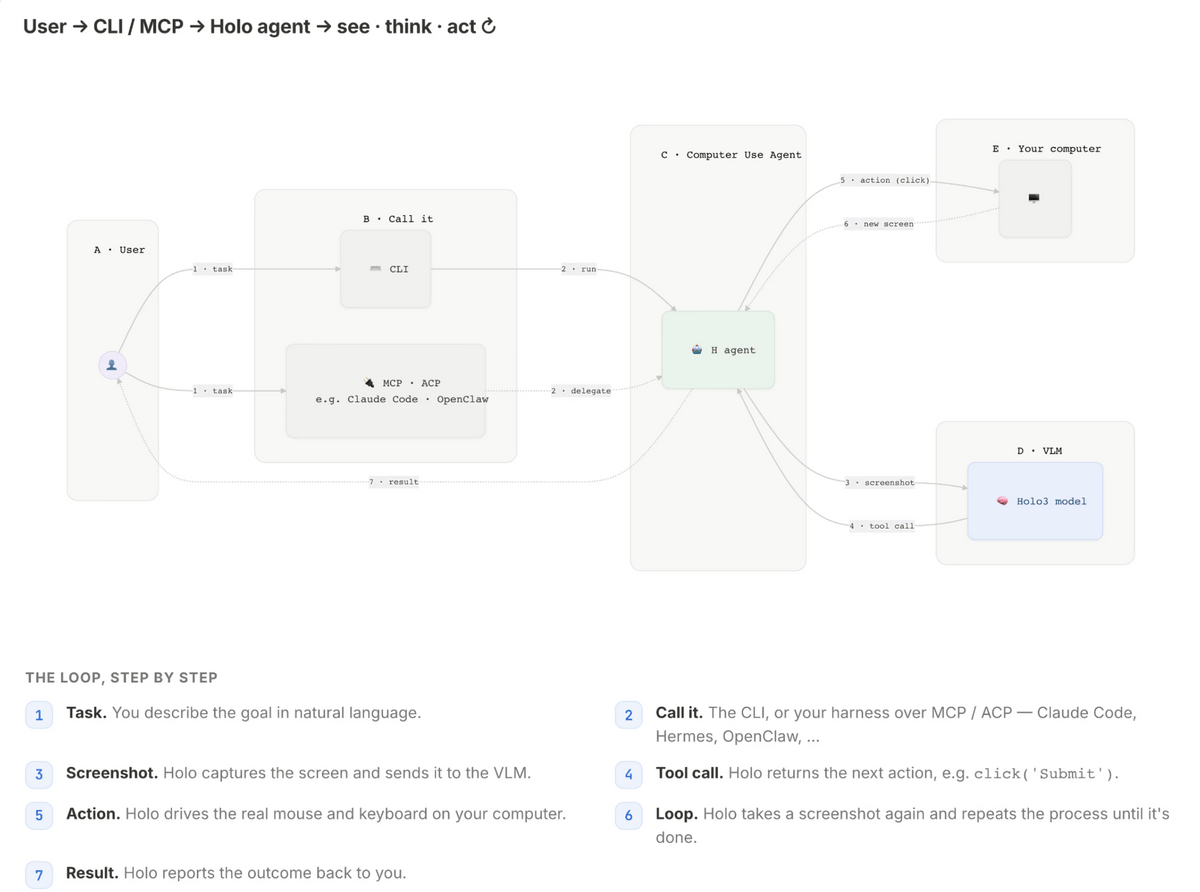
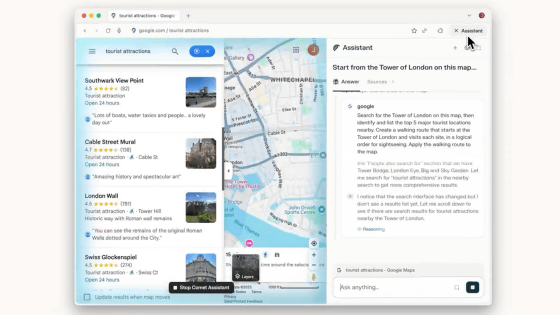
HoloDesktop CLI is a client for launching and operating H Company's AI agent for computer operation, 'H Agent,' on a PC. Because H Agent can perform mouse operations and keyboard input across the entire OS while viewing the screen, it can navigate the screen and proceed with tasks just like a human, even if the application does not have a dedicated API for AI.
HoloDesktop CLI supports MCP (Multi-Corporate Programming), which connects AI agents with external tools; ACP (Adaptive Programming), which allows a parent agent to delegate tasks to sub-agents; and A2A (Answer-to-Answer) which connects agents to each other. Because it can work in conjunction with other agents, it can be integrated into existing AI agent environments such as 'Claude Code,' 'Cursor,' 'Codex,' 'Hermes,' 'OpenClaw,' and 'NemoClaw.'
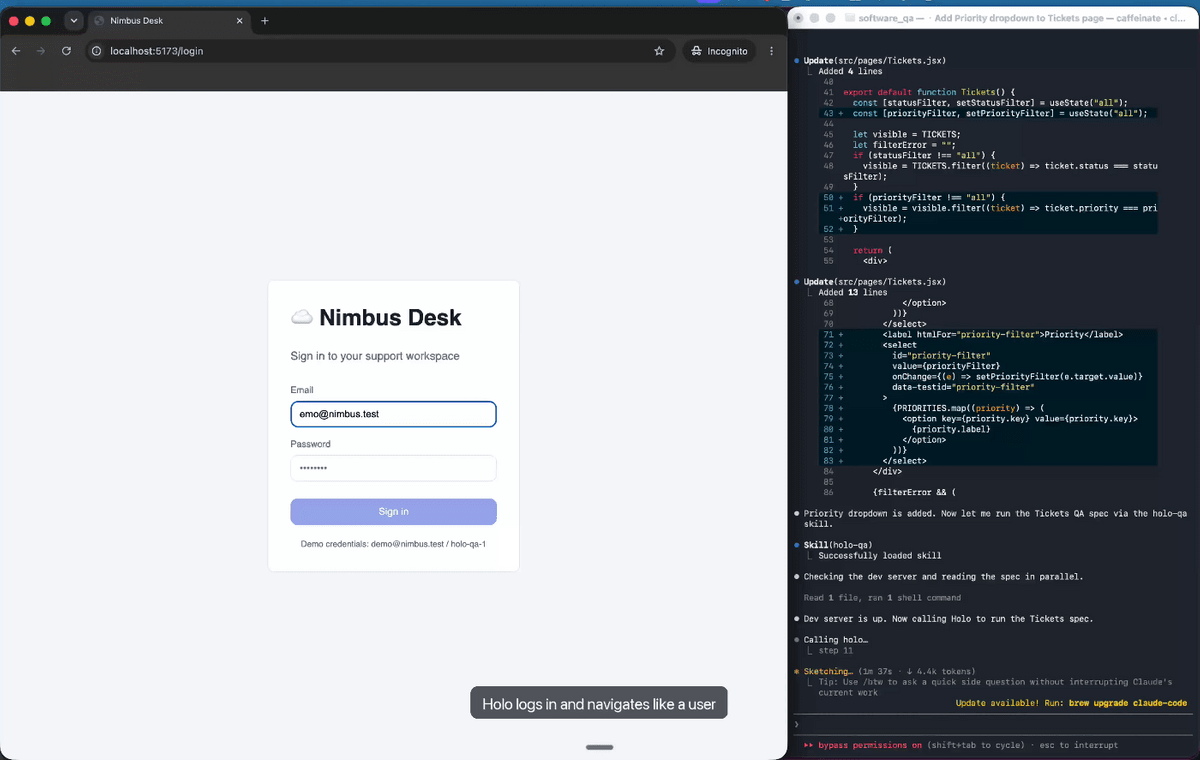
For example, if you add a new feature to a web application using Claude Code, you can proceed with the code changes using Claude Code alone. However, actually logging in, navigating screens, and verifying that filters work correctly requires GUI interaction. With HoloDesktop CLI, after Claude Code creates the new feature, it hands over the testing work to HoloDesktop CLI, which finds bugs on the screen, Claude Code fixes them, and then HoloDesktop CLI performs the functionality check again.
The HoloDesktop CLI also allows you to choose how inference processing is executed. For easy use, you can use the H Company's Models API, or for more private operation, you can choose a self-hosted configuration where you run Holo3.1 series models on your own hardware. In local mode, screenshots, key inputs, and application content are not sent externally.
Furthermore, as an AI agent that directly operates the PC, as a safety measure, in addition to a command to stop its operation, there is also a kill switch for emergency stop, which 'quickly pressing the Esc key twice will pause and cancel the operation that is currently running.'
While the CLI and MCP, ACP, and A2A integration components available in the holo-desktop-cli repository are released under the open-source Apache 2.0 license, the 'hai-agent-runtime' binary that actually runs the agent is a closed-source component distributed under H Company's terms and conditions.
H Company plans to develop a background mode that allows H Agent to work while users continue using their laptops, as well as native apps that can be used alongside everyday workflows. They also plan to offer a cloud-based computer control agent that can run multiple agents beyond a single PC.
Related Posts:
in AI, Posted by log1d_ts