Firefox 151 officially released, featuring a redesigned new tab page and the ability to delete private browsing sessions with a single click.
The official version of the web browser ' Firefox 151 ' has been released. The new tab page 'Firefox Home' has been redesigned, and a feature has been added that allows users to delete all data in private browsing mode without closing the window. Additionally, fingerprinting protection has been enhanced by default in the Enhanced Tracking Prevention feature, and the PDF viewer now allows merging multiple PDFs.
Firefox 151.0, See All New Features, Updates and Fixes
Firefox 151 release notes for developers - Mozilla | MDN
https://developer.mozilla.org/en-US/docs/Mozilla/Firefox/Releases/151
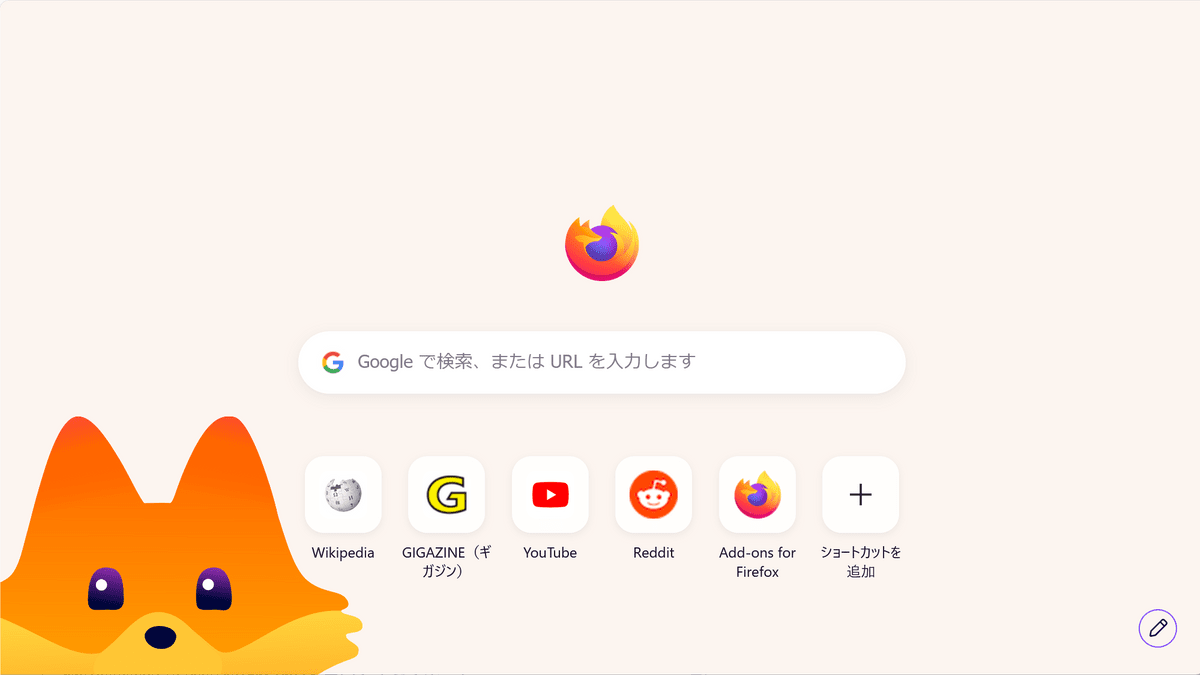
◆The design of the new tab page, 'Firefox Home,' has been revamped.
Firefox 151 features a redesigned 'Firefox Home' layout for the new tab page. According to Mozilla, this new layout is in preparation for new features such as widgets and shortcut improvements that will be introduced between Firefox 151 and Firefox 152.
The home screen can be customized using the 'Customize' button in the bottom right corner.
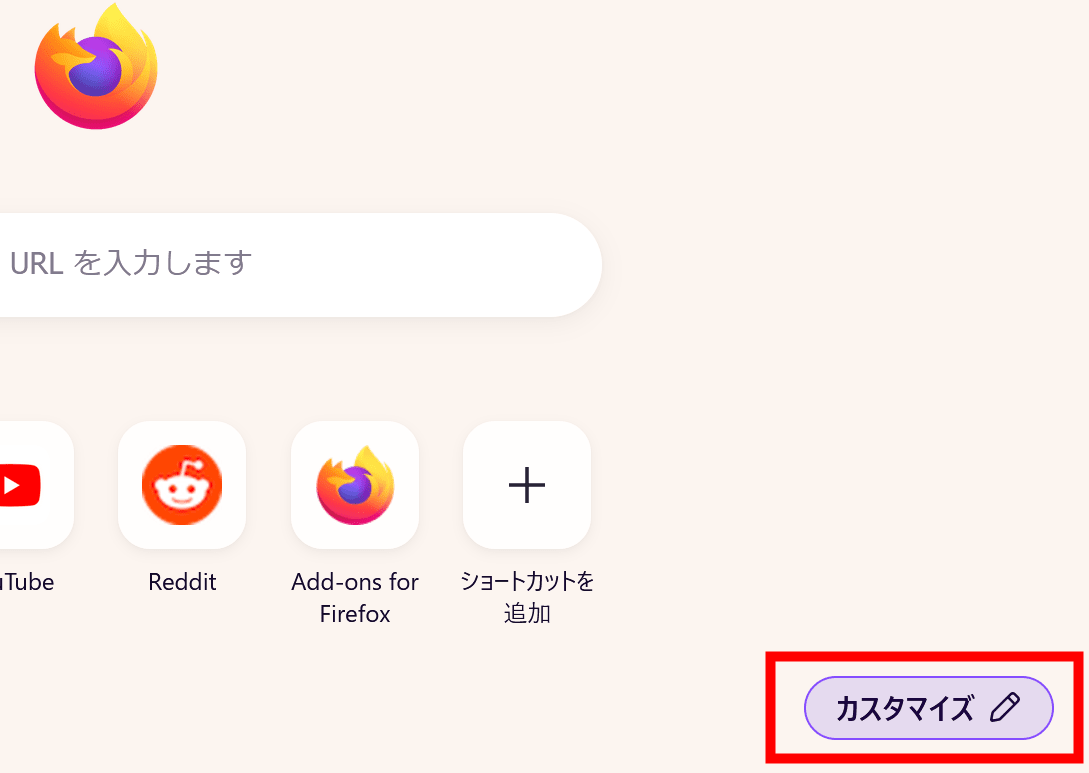
The three things you can change are 'wallpaper,' 'weather forecast widget display,' and 'shortcut display.'
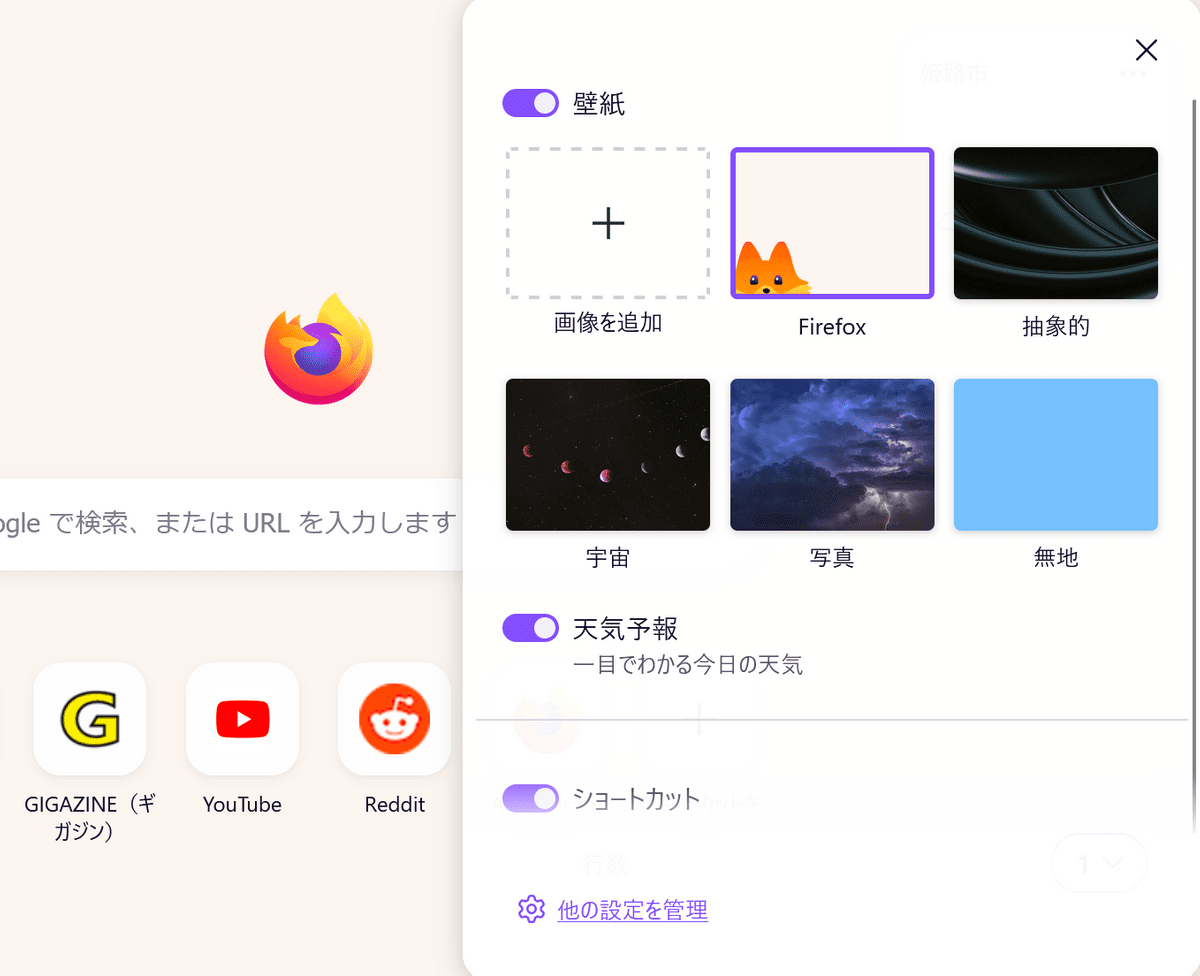
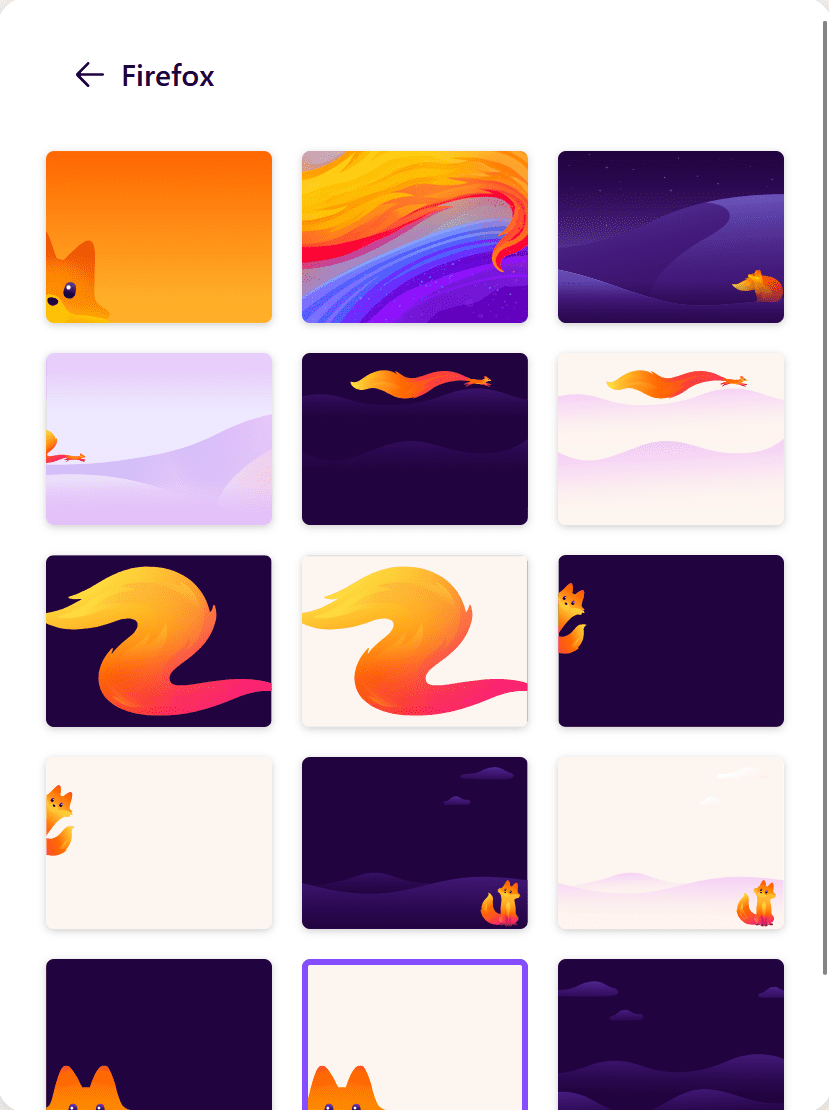
The wallpaper section offers a wide variety of wallpapers within each category, allowing you to switch to your preferred design.
◆ Private browsing sessions can now be deleted instantly.
In private browsing mode, you can now delete all data from the current session without closing the entire window. Clicking the 'End Private Session' button (flame icon) to the right of the URL bar will display a confirmation screen. After confirmation, the data from your private browsing session will be erased, and a new private browsing session will open.
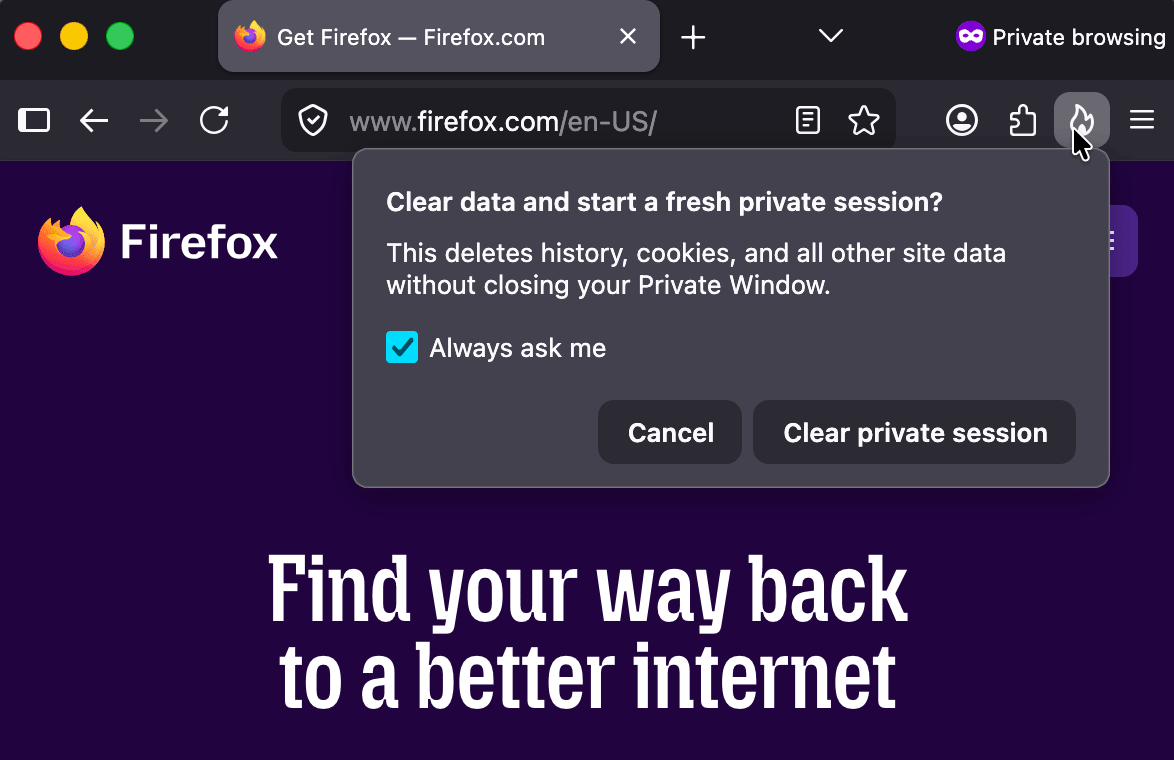
Please note that it may not display correctly depending on the environment, and we were unable to confirm this on the editorial staff's PCs at the time of writing this article.
◆ Strengthening measures against fingerprinting
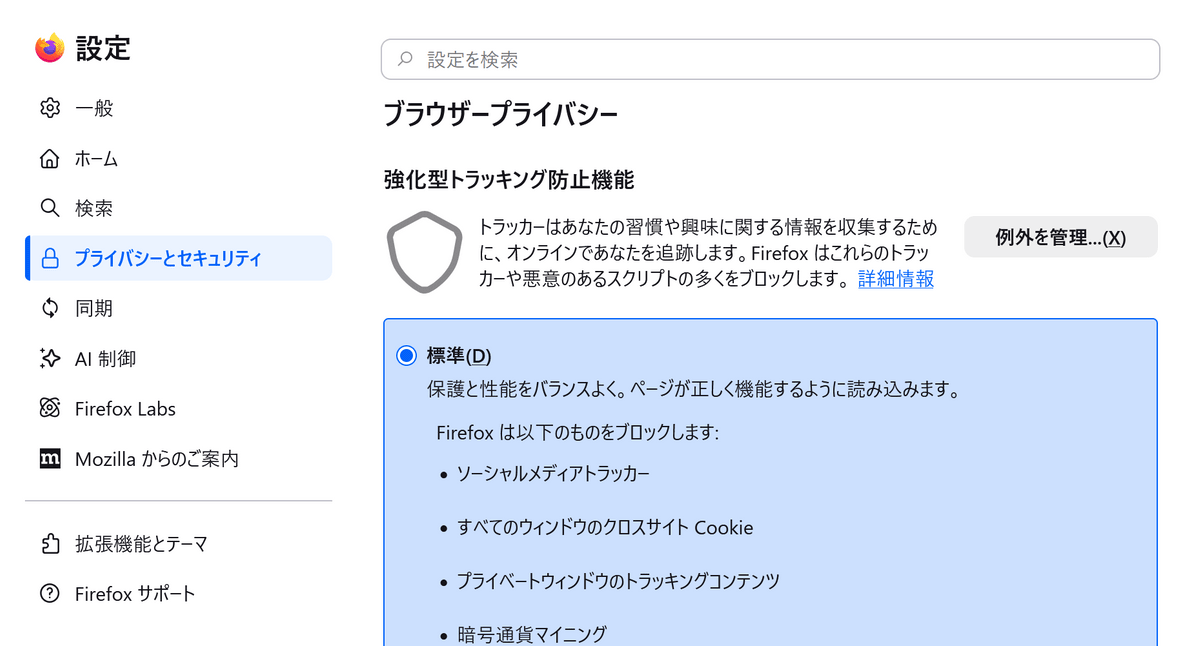
Firefox 151 features enhanced fingerprinting protection in its 'Standard' mode, the default setting for the 'Enhanced Tracking Protection' feature. By limiting the device and browser information shared with websites, it makes cross-site tracking more difficult, reportedly reducing the number of uniquely identifiable users using common fingerprinting techniques by an average of 14%, and by approximately 49% on macOS.
◆Multiple PDFs can now be merged in the PDF viewer.
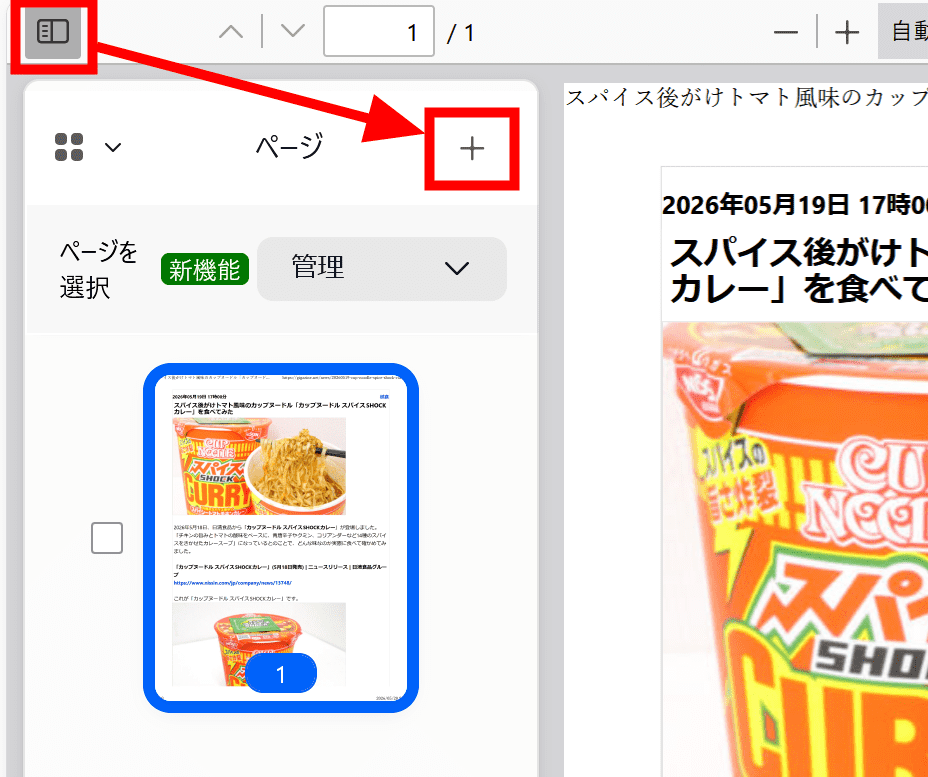
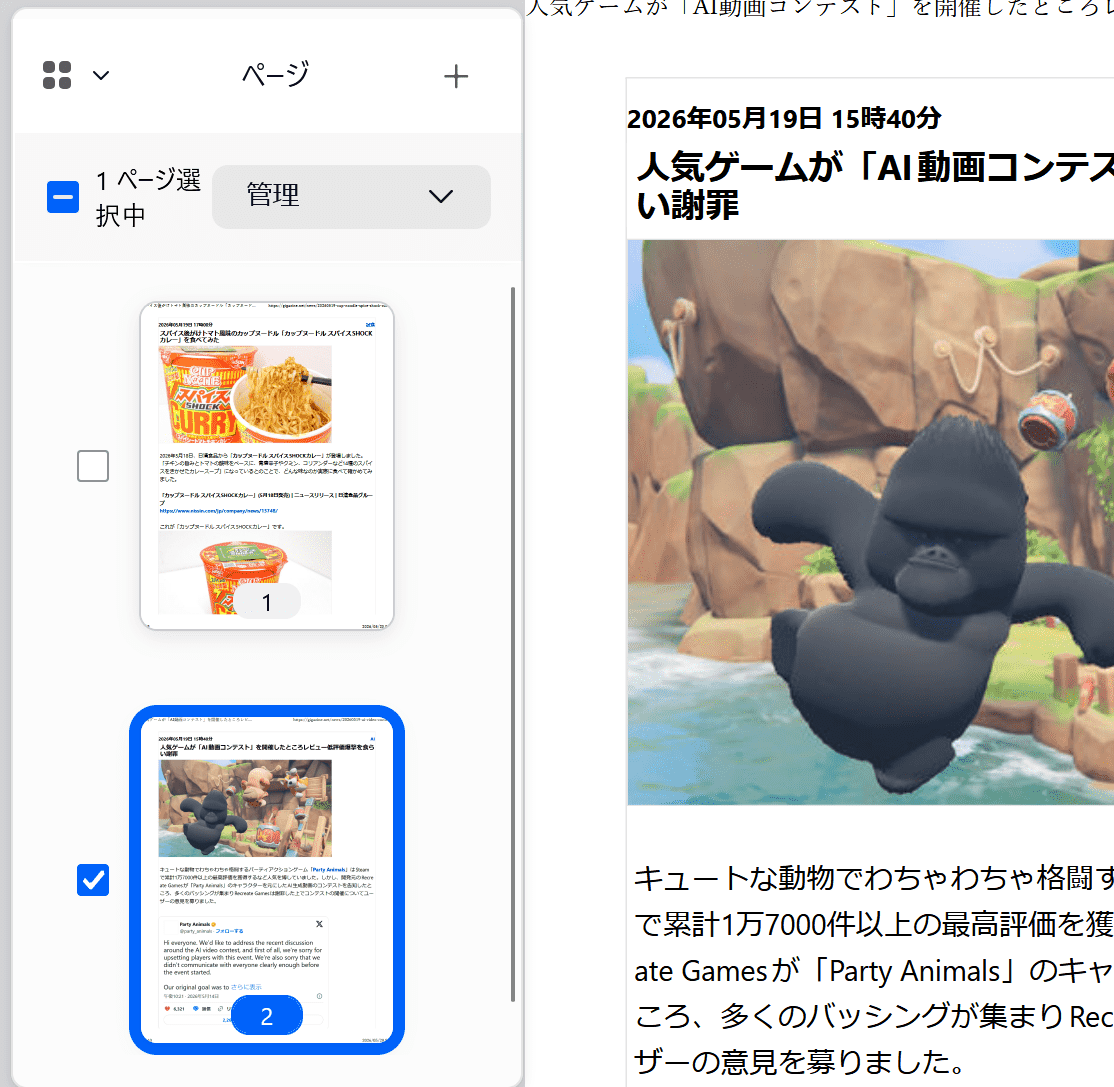
Firefox's built-in PDF viewer now allows you to directly combine multiple PDF files. While Firefox 150 allowed you to rearrange and delete pages within a PDF, Firefox 151 adds the ability to combine PDF files into a single file.
To merge PDFs, first open the PDF, display the page panel on the left, and click the '+' button.
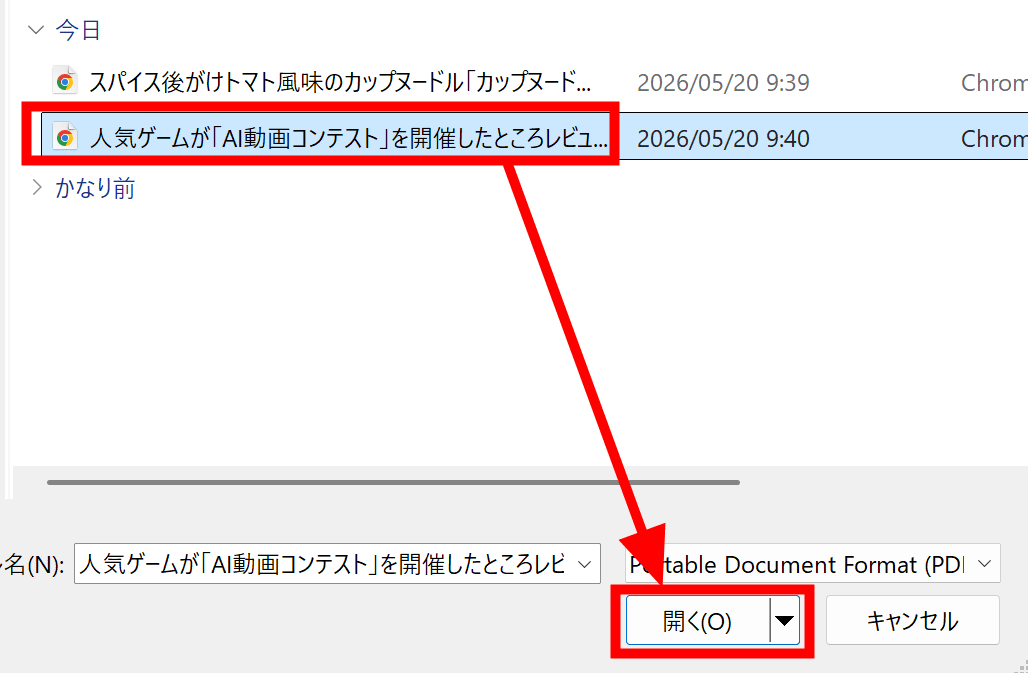
Select the PDFs you want to merge and click 'Open'.
The contents of the opened PDF will be added as a new page.
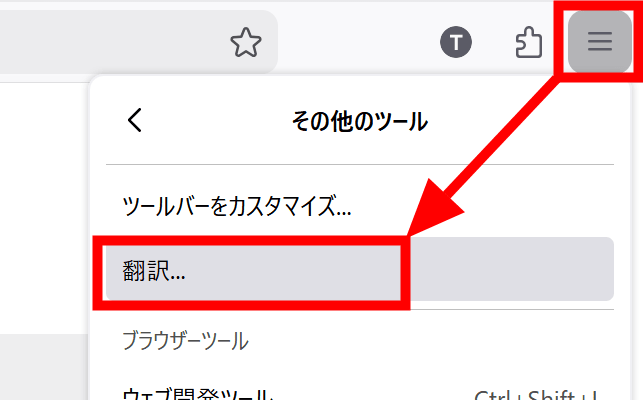
◆Translation page is now accessible from the menu.
The real-time private translation page 'about:translations' is now accessible from 'Other Tools' in the application menu.
◆Local profile backup is now also supported on Linux.
Firefox's local profile backup feature is now available on Linux in addition to Windows. Furthermore, backed-up profiles can be restored across platforms.
◆Firefox's built-in VPN now allows you to select the country you want to connect to.
Firefox's built-in VPN now allows you to choose your connection location while browsing. You can manually select available countries, or use the 'Recommended' feature, which automatically selects the best connection location based on your network. This feature will be rolled out gradually.
At the time of writing, the Firefox built-in VPN was available in the United States, the United Kingdom, Germany, France, and Canada, but not in Japan.
◆The smartphone version adds management options for AI functions.
Firefox 151 adds a control that allows you to manage AI features in one place across the iOS and Android versions of Firefox. Additionally, 'Shake to Summarize' is now available in English on Android, and supports English, German, French, Spanish, Portuguese, Italian, and Japanese on iOS.
◆Other updates
- Fixed an issue in macOS where URLs copied from iOS devices using Apple's Universal Clipboard could not be pasted correctly into Firefox.
- On macOS, dropdown menus on web pages now have a look and feel more like native macOS menus.
- Enable automatic address entry for users in the Netherlands.
- Fixed an issue where the website was reporting the wrong screen resolution in a multi-monitor environment.
- Fixed an issue in macOS multi-monitor environments where maximized Firefox windows would open on the wrong monitor after restarting.
- Improved color management for images copied and pasted in macOS.
- The search bar in the Firefox settings screen has been enlarged to fill the full width of the settings content area.
- Modified the Firefox desktop version so that extensions and themes installed in the profile directory are correctly restored after moving or restoring the profile.
- When handling location information in the Windows version of Firefox, the system now respects the location permission settings on the Windows side.
◆Updates for developers
- Supports the Web Serial API , which allows you to use serial communication-enabled microcontrollers and development boards from Firefox.
- Deploy restrictions to all users that require websites to ask for permission before connecting to devices or local apps/services on the local network.
- Added a Fullscreen Keyboard Lock API to prevent immediate exit from fullscreen mode by pressing the Esc key while in fullscreen mode.
- Improved rendering of absolutely positioned elements in multi-column containers and when printing.
- Multiple container query conditions can now be specified using the @container rule.
- Supports container style queries that apply styles based on computed values such as custom properties of the container.
- The CSSContainerRule.conditions property has been added, and the legacy CSSContainerRule.containerName and CSSContainerRule.containerQuery are now deprecated.
- Changed the behavior of implicit anchors in CSS Anchor Positioning.
- Support for the Document Picture-in-Picture API in the desktop version, which allows any HTML content of a web page to always be displayed in a small window on top.
- Changed temporary site permissions to be correctly reflected in the Permissions API.
- The slot allocation behavior of shadow roots can now be defined declaratively.
- Supports the CanvasRenderingContext2D.lang property
- Fixed the behavior of tabs.group(), tabs.ungroup(), and tabs.move(), including tabs in split view, for add-on developers.
Additionally, Firefox 151 includes several security bug fixes .
The next major version, 'Firefox 152,' is scheduled for release on Tuesday, June 16, 2026 (local time).
Related Posts:






in Software, Posted by log1d_ts