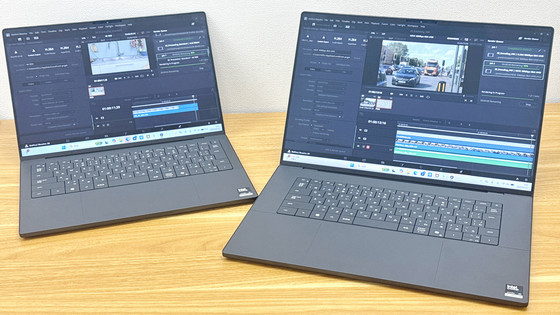
We tested benchmarks, battery life, and thermal performance on the ultra-thin and lightweight Acer Swift Air 16 notebook, equipped with an AMD Ryzen AI 7 350 series processor.
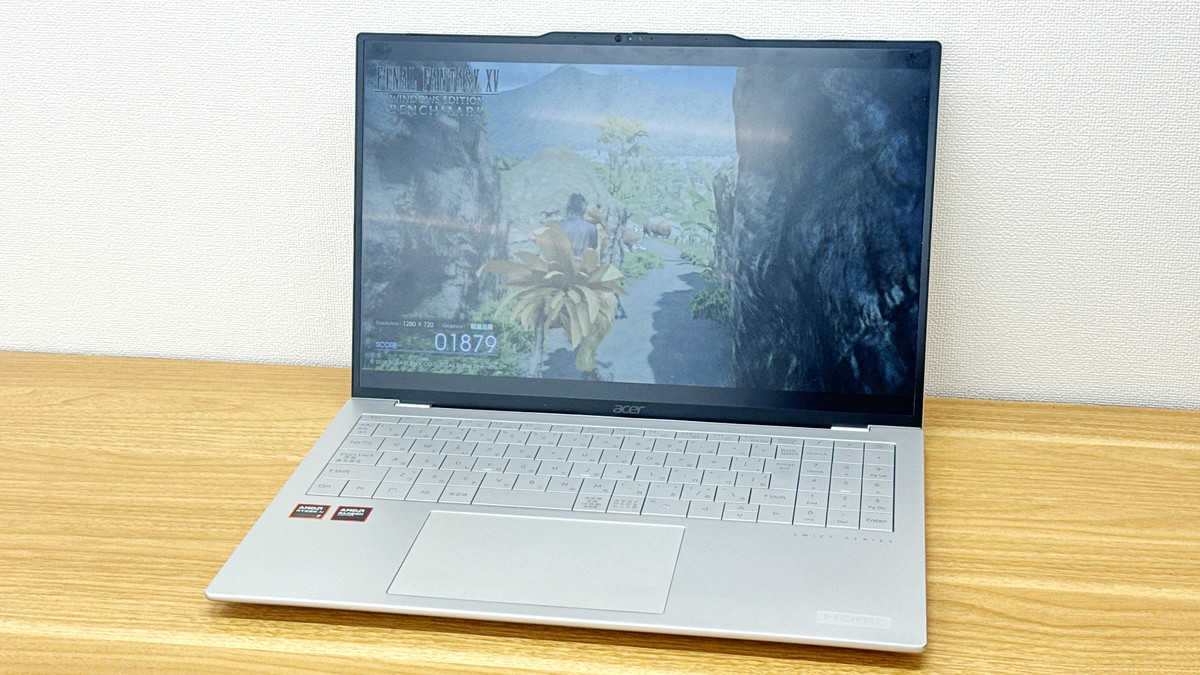
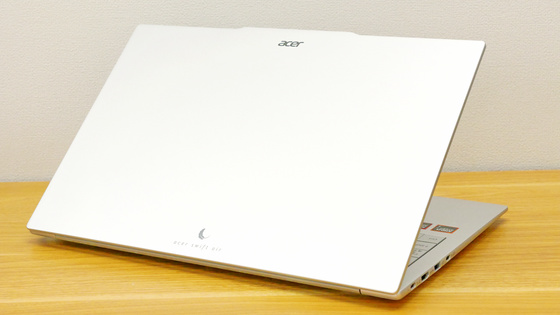
I was able to borrow the ' Swift Air 16, ' an ultra-lightweight and thin notebook PC weighing only 990g and equipped with an AMD Ryzen AI 7 350 series processor, from Acer. Following
Acer Swift Air 16 | Ultra-thin and lightweight laptop | Acer Japan
https://www.acer.com/jp-ja/laptops/swift/swift-air-16
The appearance and weight of the Swift Air 16 have already been checked in the following article.
A photo review of the ultra-lightweight and ultra-thin 'Acer Swift Air 16' notebook PC, weighing just 990g - GIGAZINE
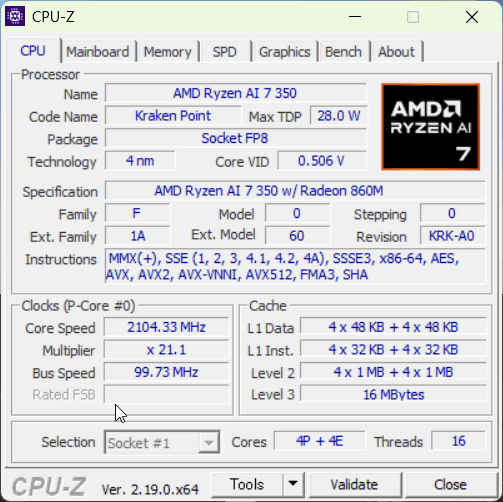
First, let's check the device specifications. According to ' CPU-Z ', the CPU is an Intel Core Ultra X7 358H MMD Ryzen AI 7 350, which has 8 cores and 16 GHz.
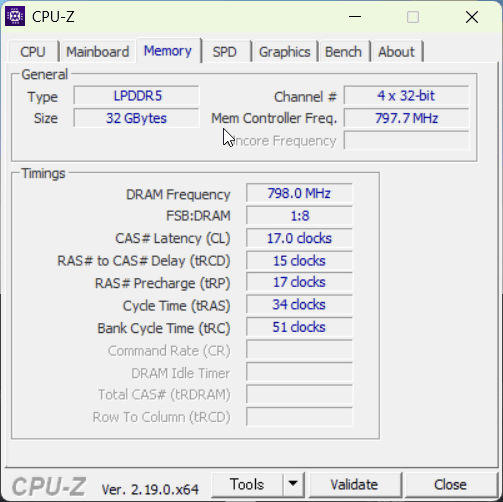
The memory is LRDDR5 32GB.
According to
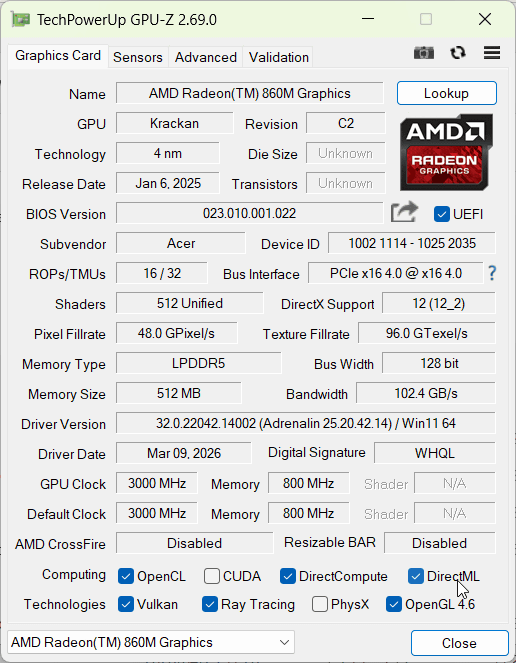
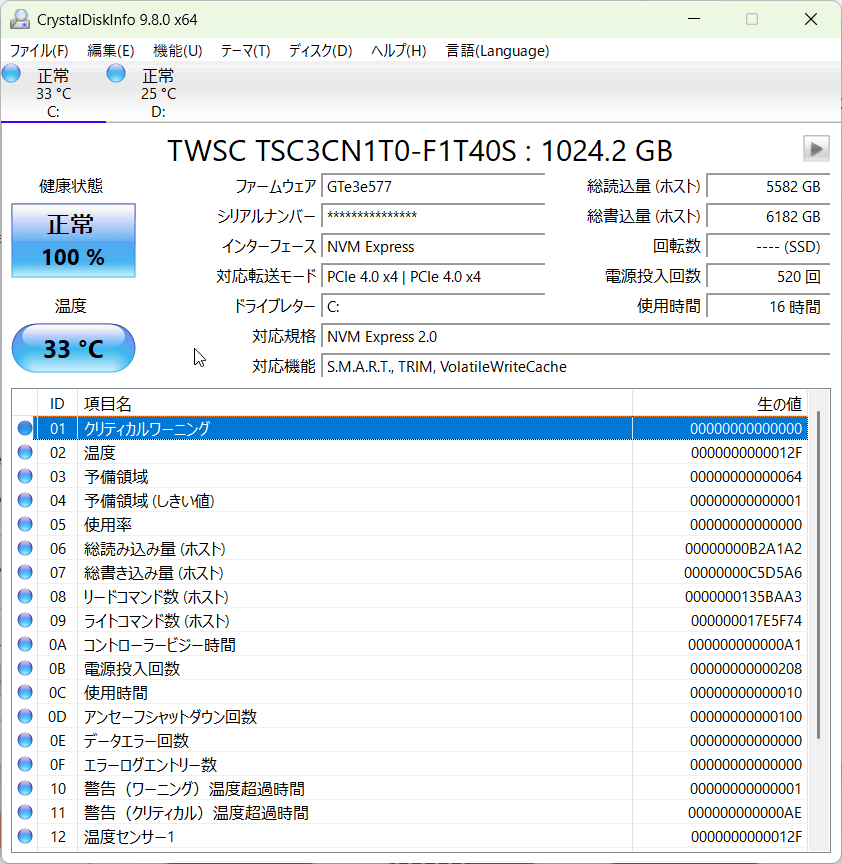
According to CrystalDiskInfo , the storage is a PCI Express 4.0 x4 connected NVMe SSD with a capacity of 1TB. It was manufactured by TWSC (Shenzhen Techwinsemi Technology).
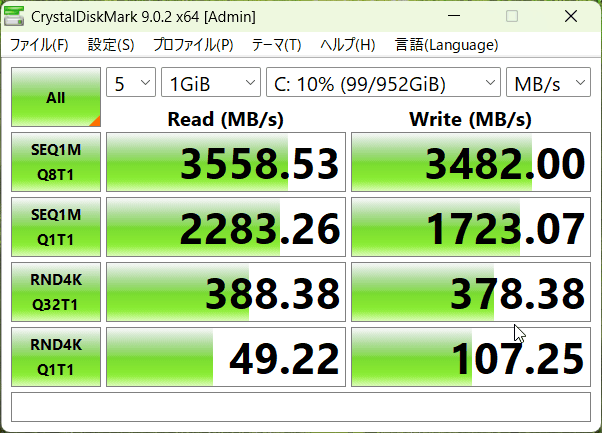
According to '
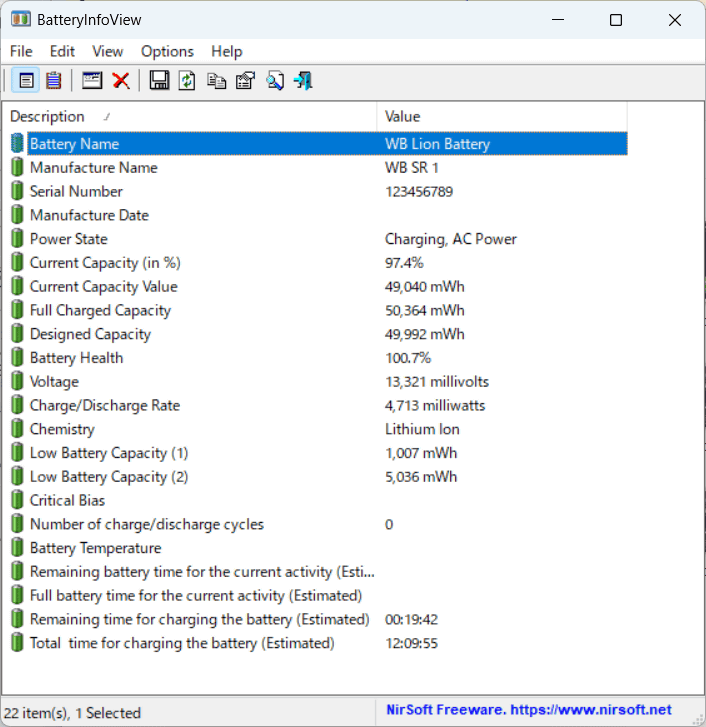
When I ran
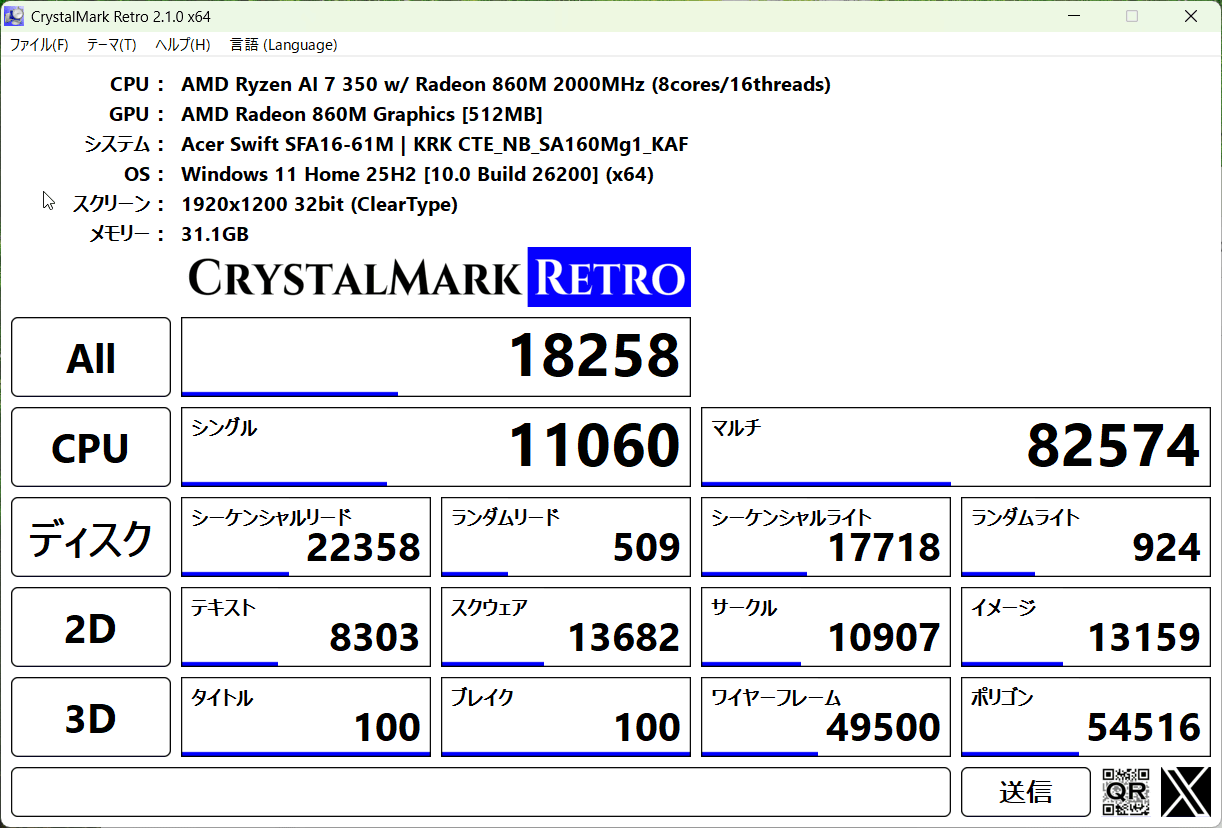
Next, we measured the performance using '
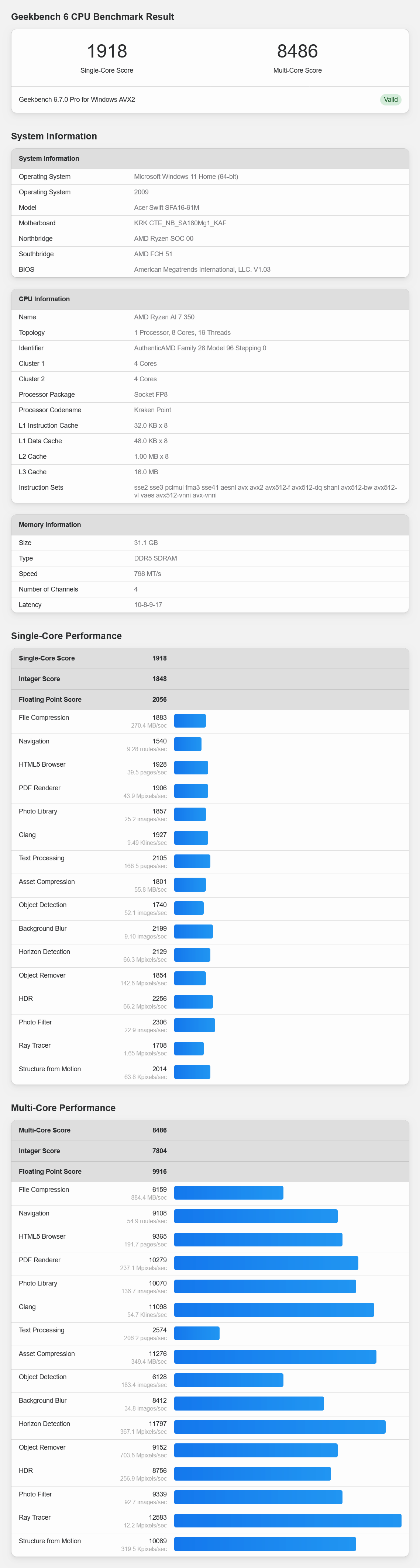
The GPU benchmark score was 18282 in OpenCL. According to
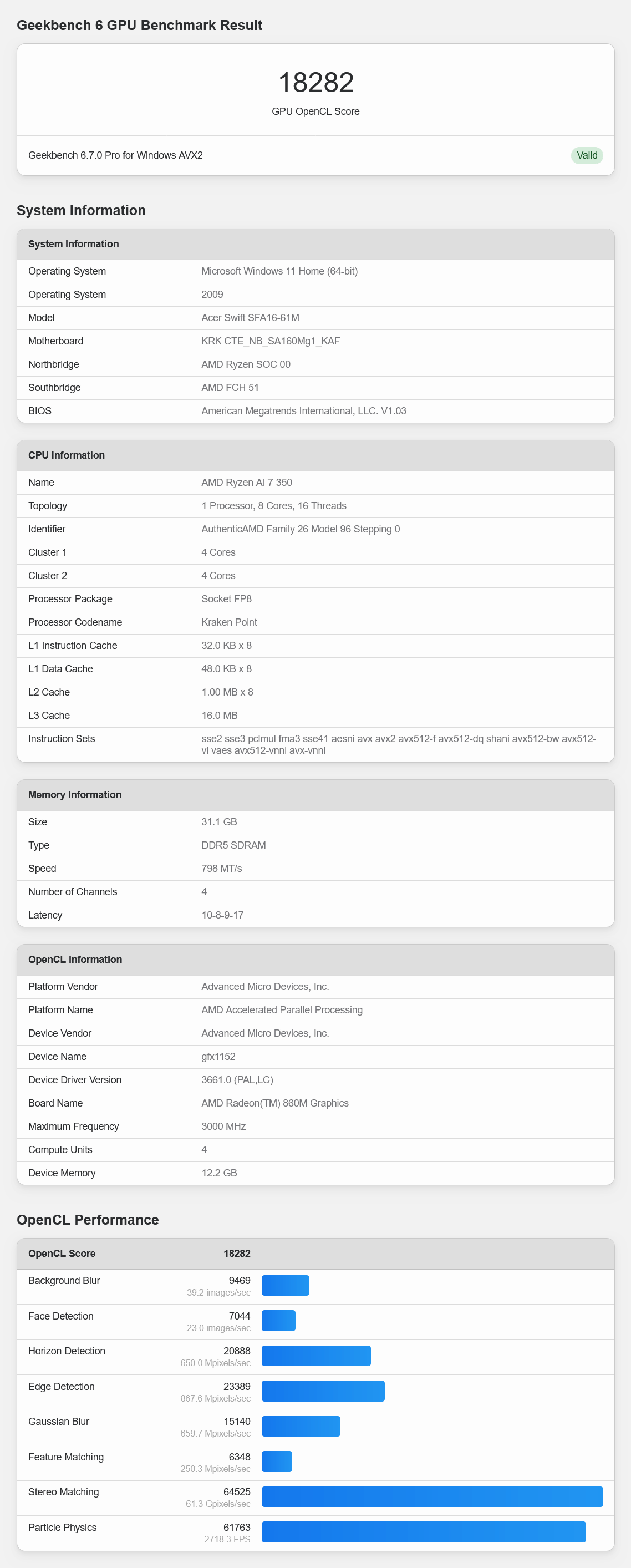
I scored 22511 on Vulkan. Referring to
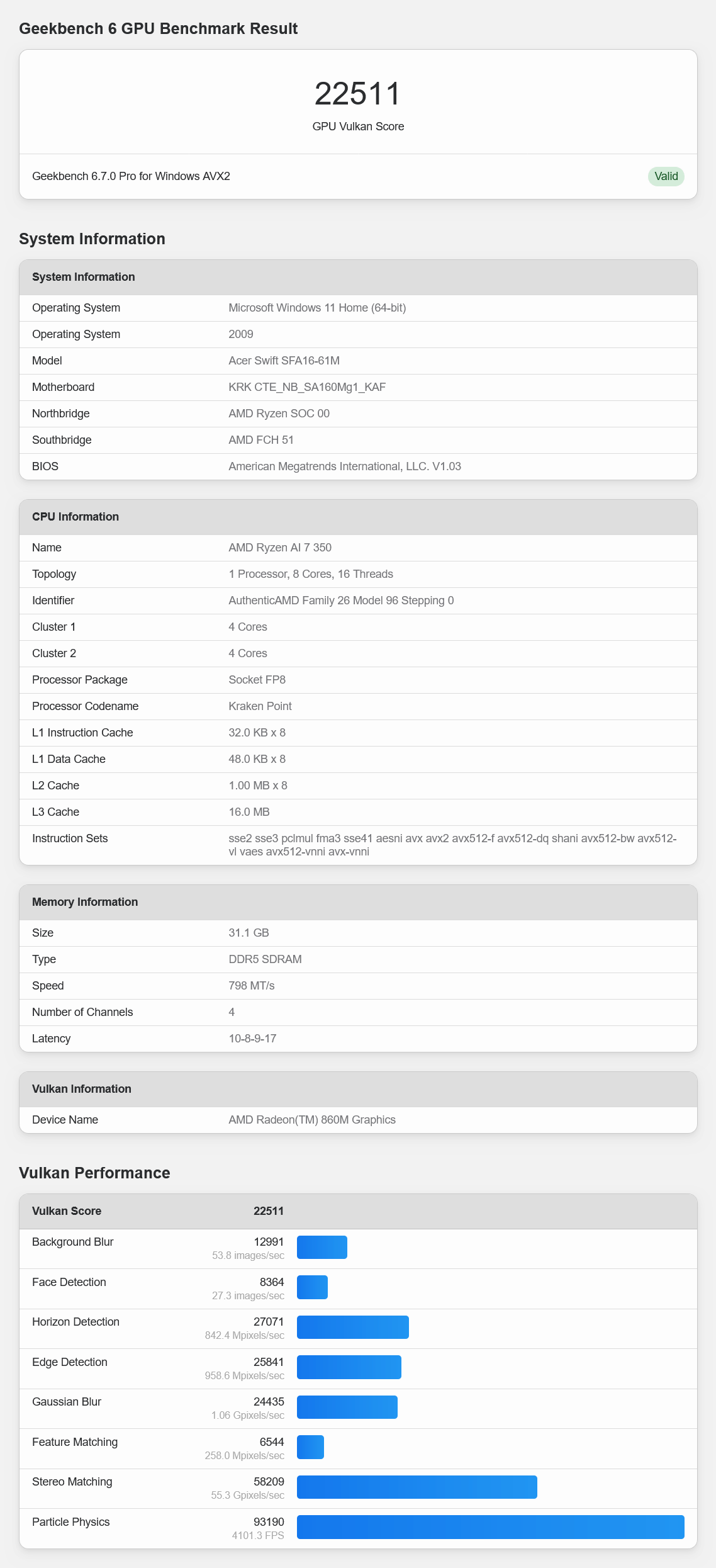
Next, we ran '
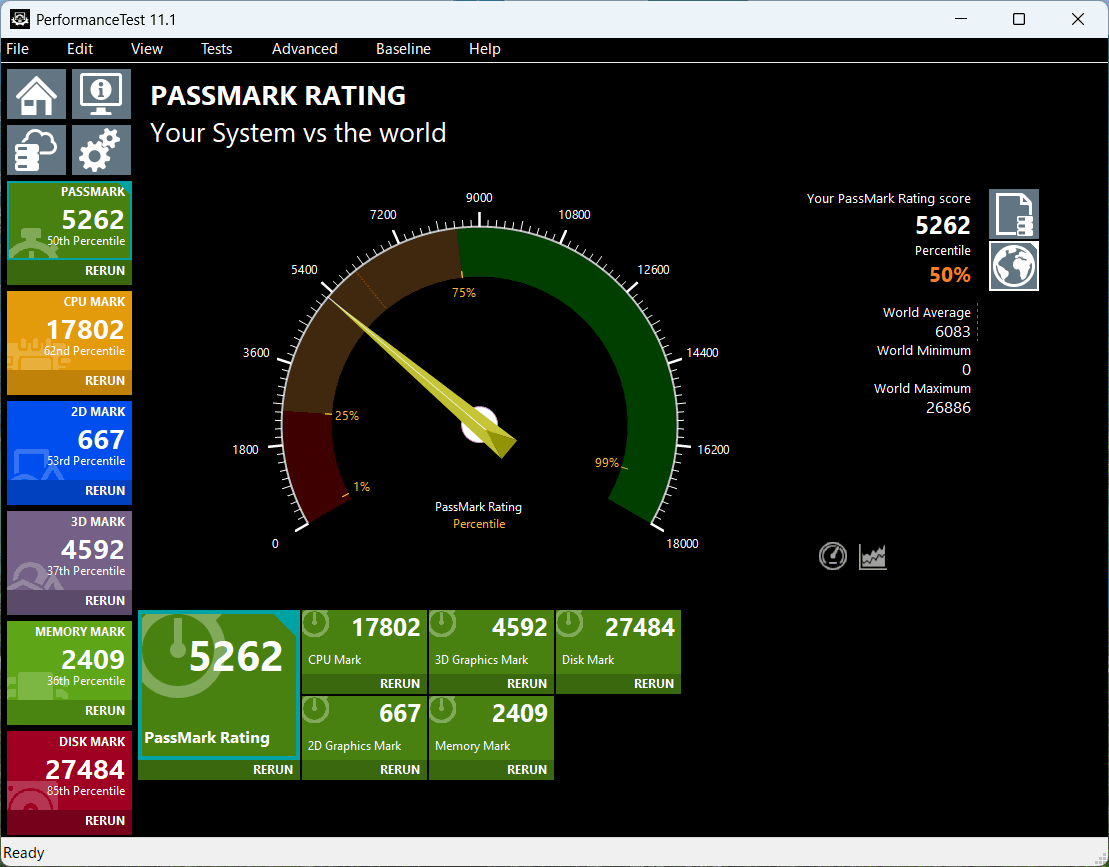
The CPU score was '17802,' placing it at the 52% percentile.
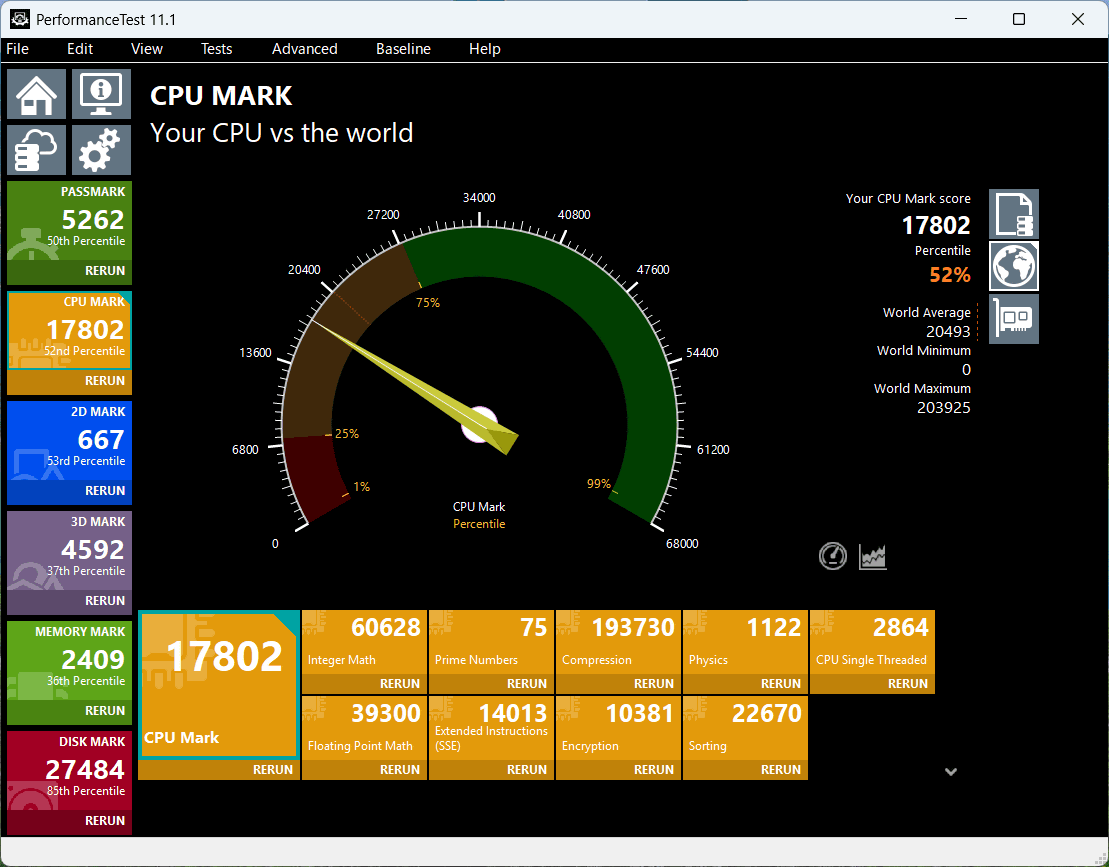
The 2D score is '667,' placing it at the 50th percentile.
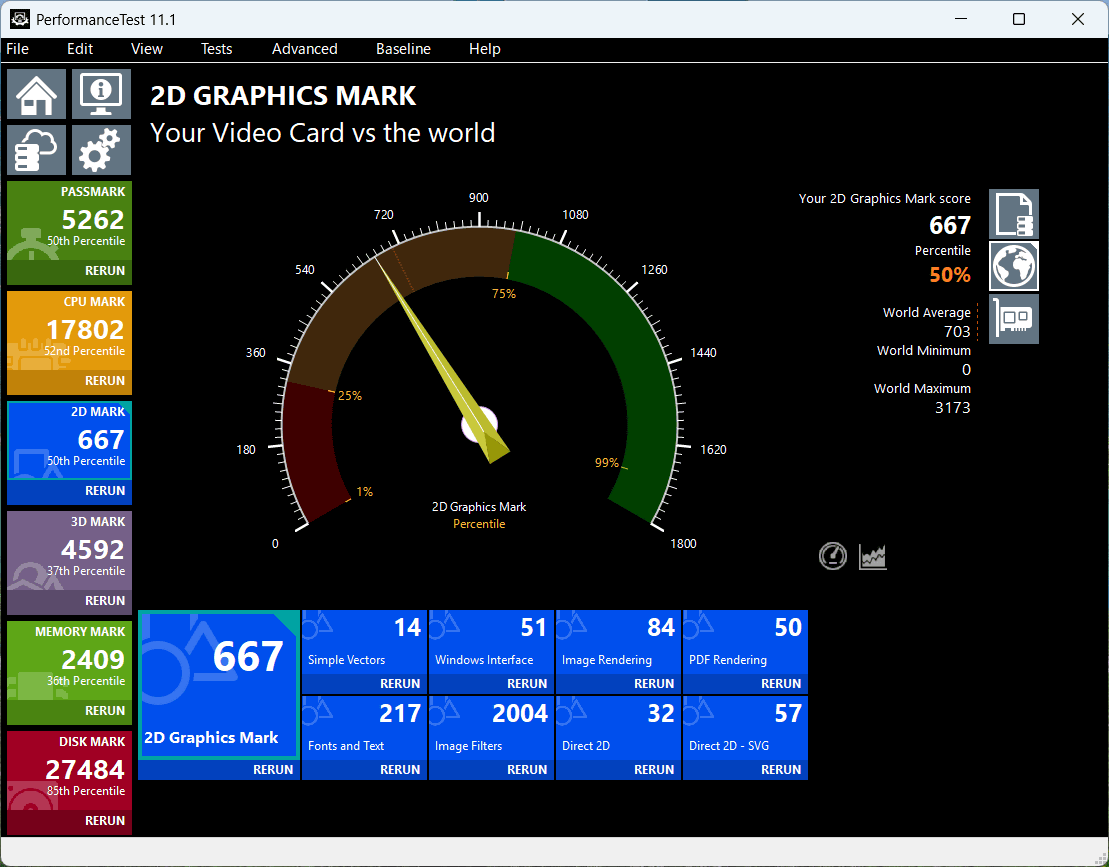
The 3D score was 4592, which is 33%, below the median.
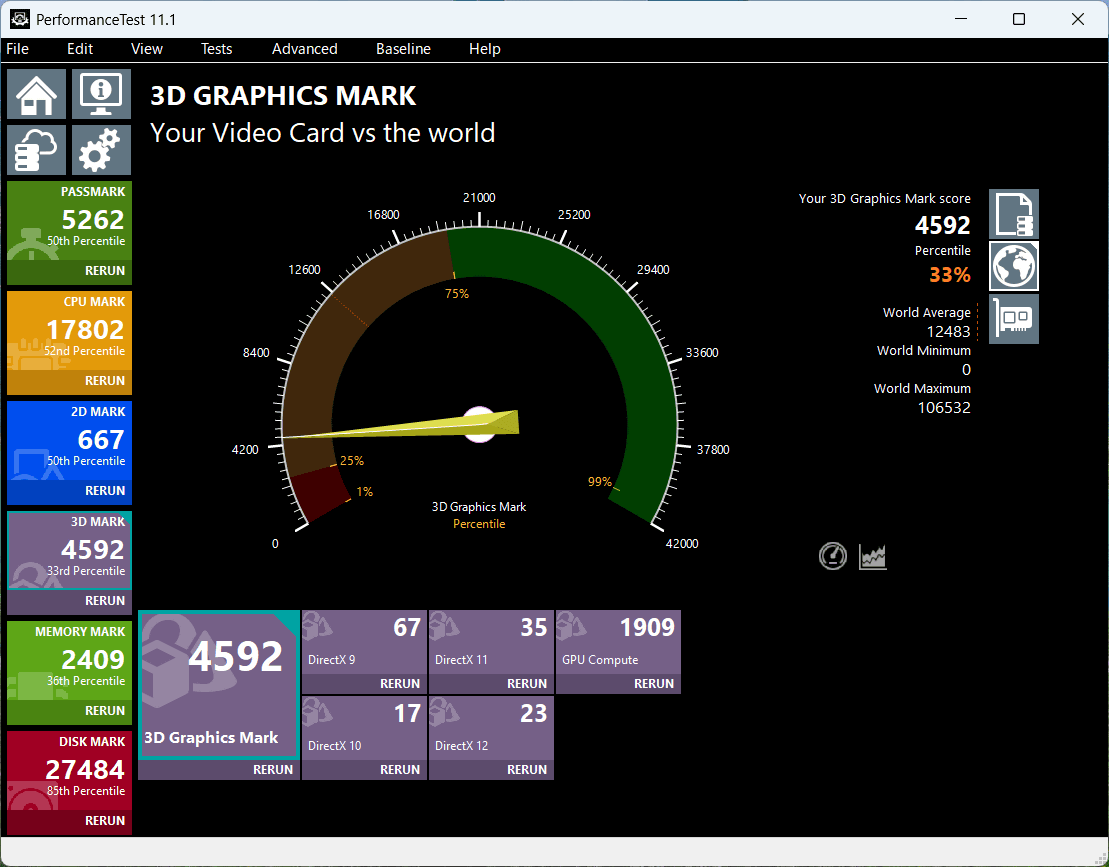
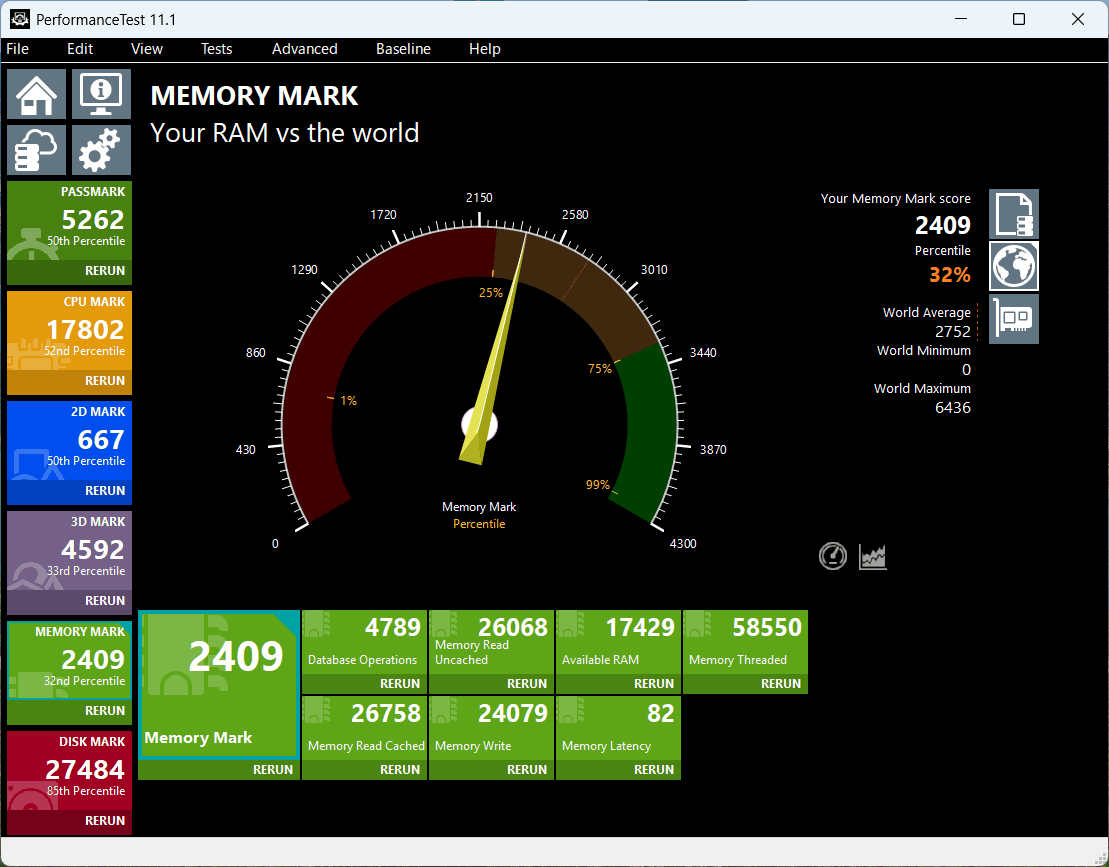
The memory score was 2409, placing it in the 32% percentile.
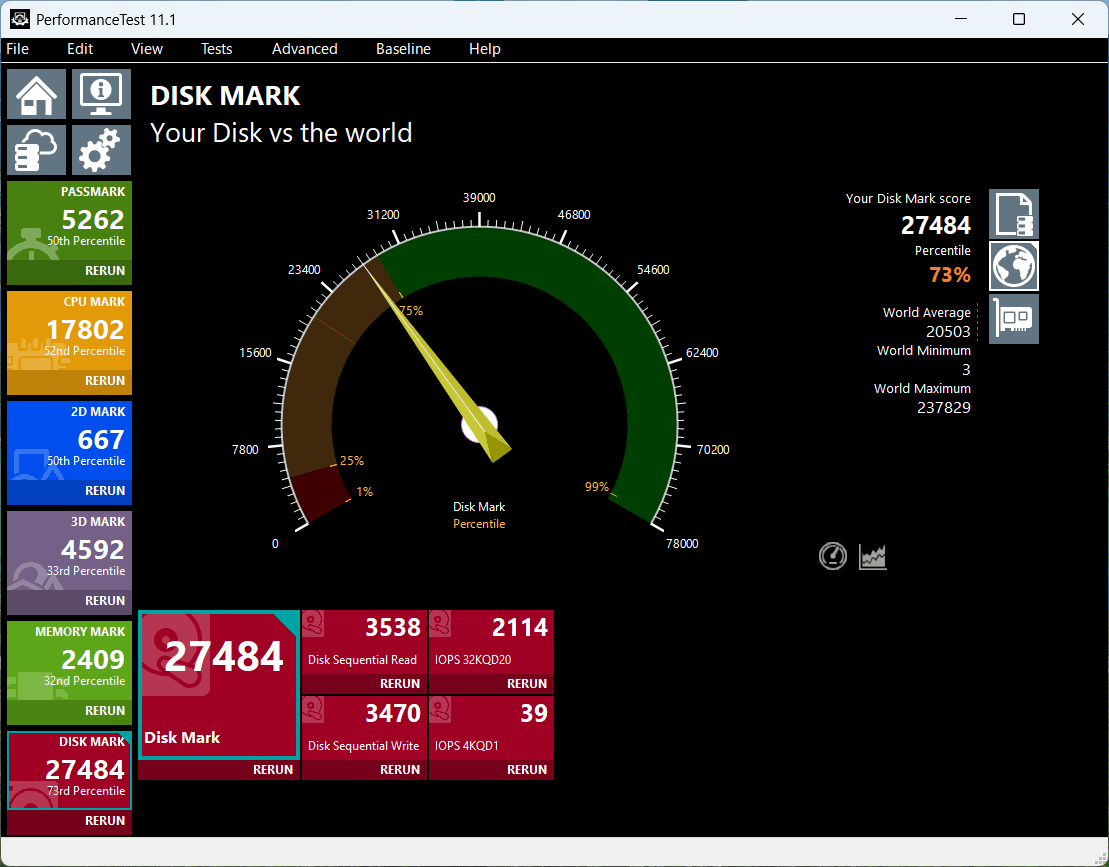
The disk score was 27484, which is 73%.
Next, I ran
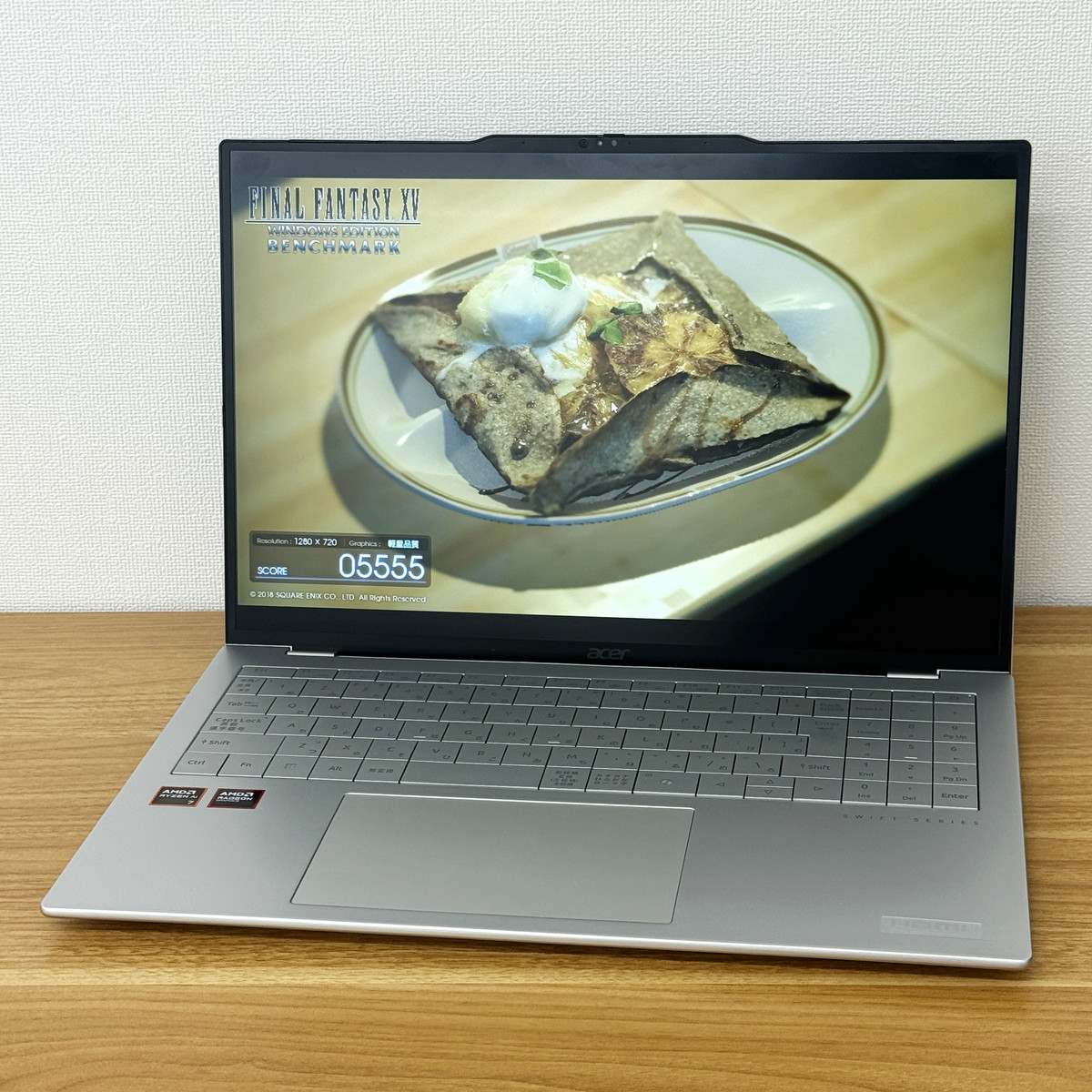
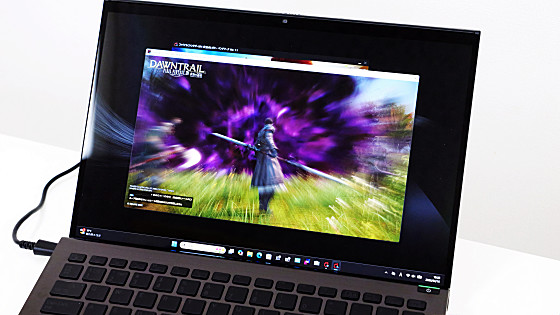
The results are as follows: At 1280x720 resolution, high quality settings were judged as 'somewhat heavy,' and at 1920x1080 resolution, normal quality settings were judged as 'difficult to run.' Furthermore, at 2560x1440 resolution, normal quality and above were judged as 'difficult to operate,' and at 3840x2160 resolution, high quality settings resulted in the benchmark freezing or the benchmark software crashing during the run, making measurement impossible. As expected given the low GPU performance, the Swift Air 16 does not seem to be very suitable for gaming.
| Lightweight quality | normal quality | high quality | |
|---|---|---|---|
| 1280×720 | 5887 (Somewhat comfortable) | 4424 (Normal) | 2785 (slightly heavy) |
| 1920×1080 | 3804 (Normal) | 2854 (somewhat heavy) | 2050 (heavy) |
| 2560×1440 | 2608 (somewhat heavy) | 1909 (difficult to operate) | 1513 (difficult to operate) |
| 3840×2160 | 1424 (difficult to operate) | 1003 (difficult to operate) | Unmeasurable |
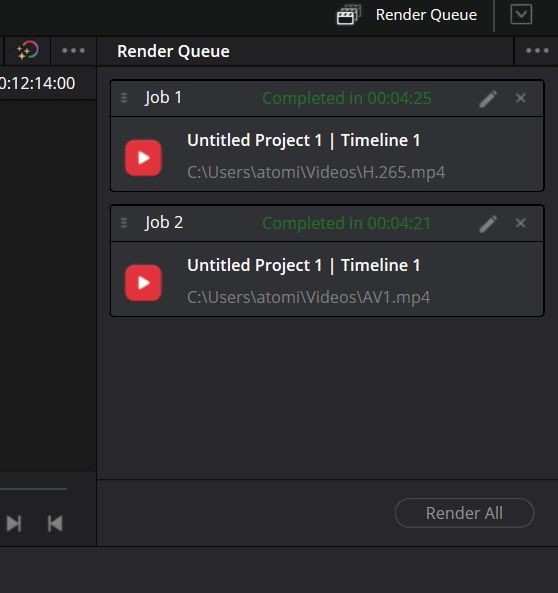
I tried encoding Blender's demo movie ' Tears of Steel ' (3840×1714, 24fps, 8-bit, H.264/AVC, Apple QuickTime, 12 minutes 14 seconds playback time) in H.265 and AV1 using the video editing software DaVinci Resolve. The export time was 4 minutes 25 seconds for H.265 and 4 minutes 21 seconds for AV1.
We also measured the performance using the benchmark tool '
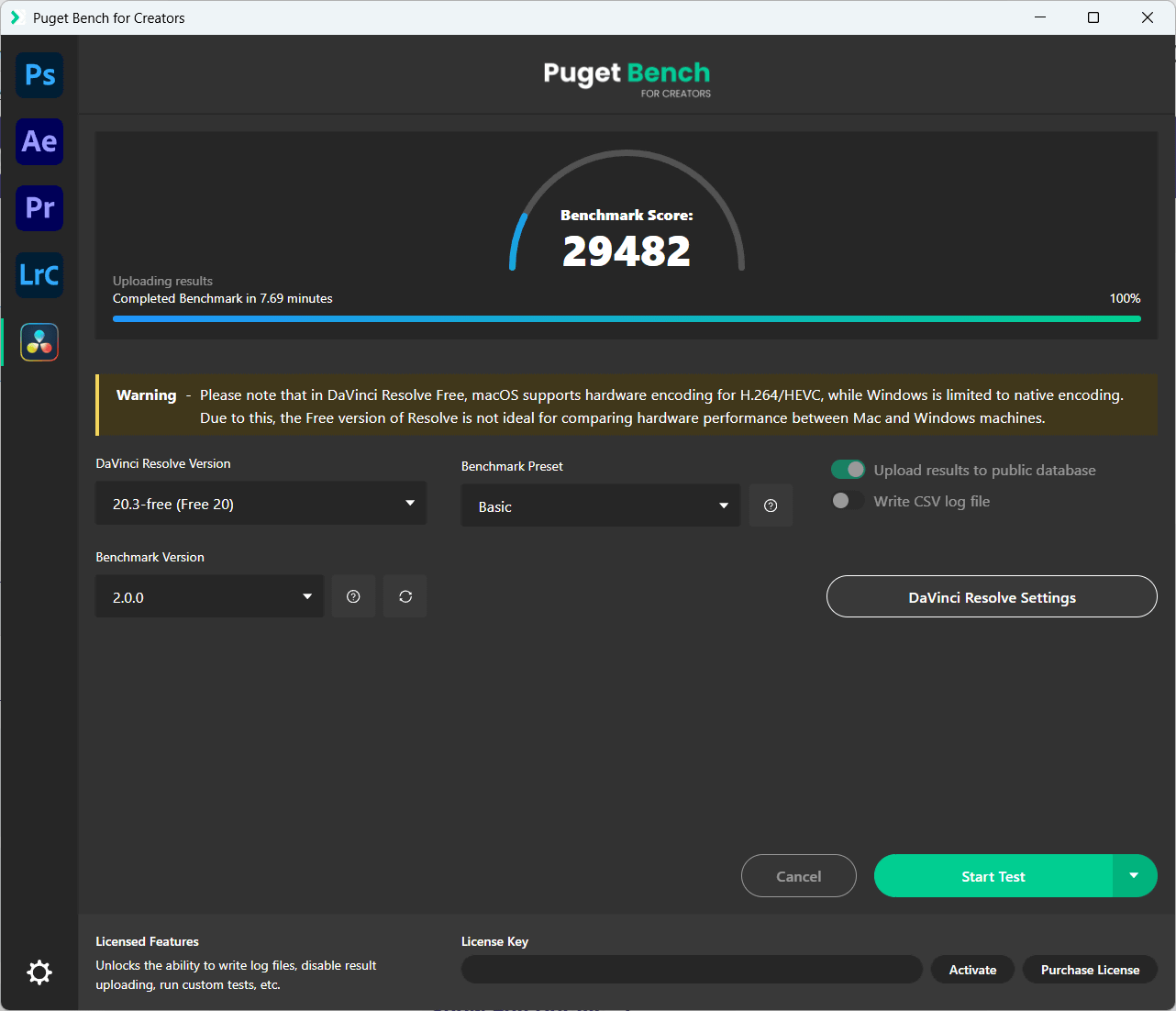
For reference, Apple's MacBook Pro with the M3 Max chip sold for 139,583.
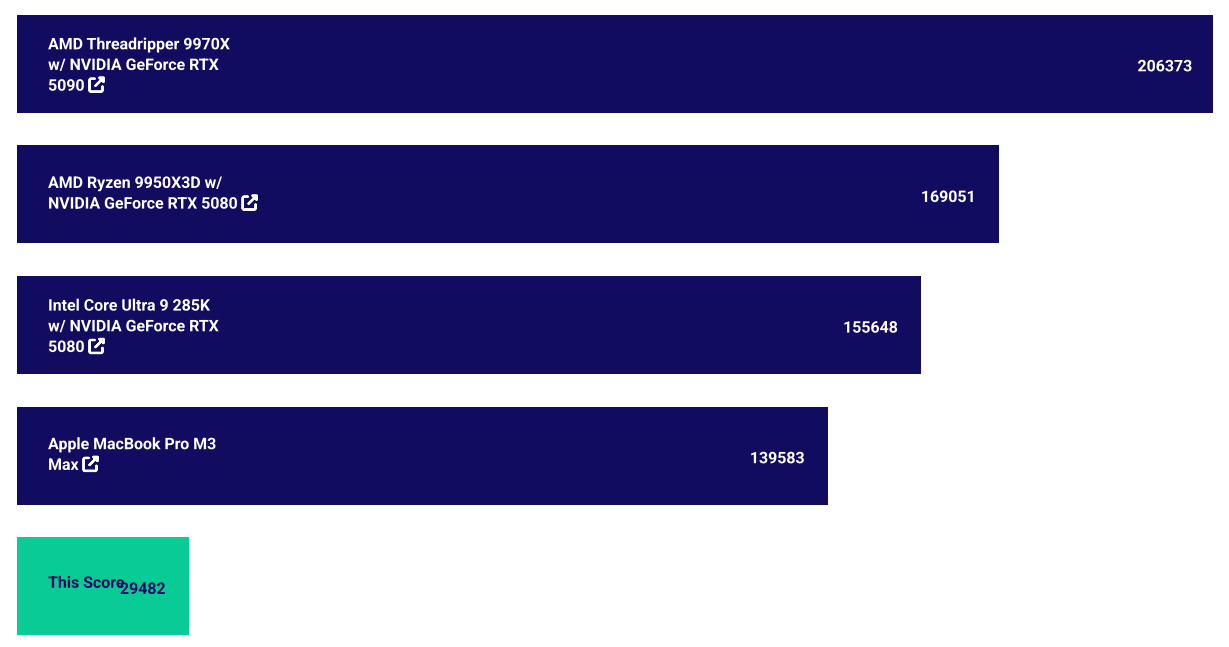
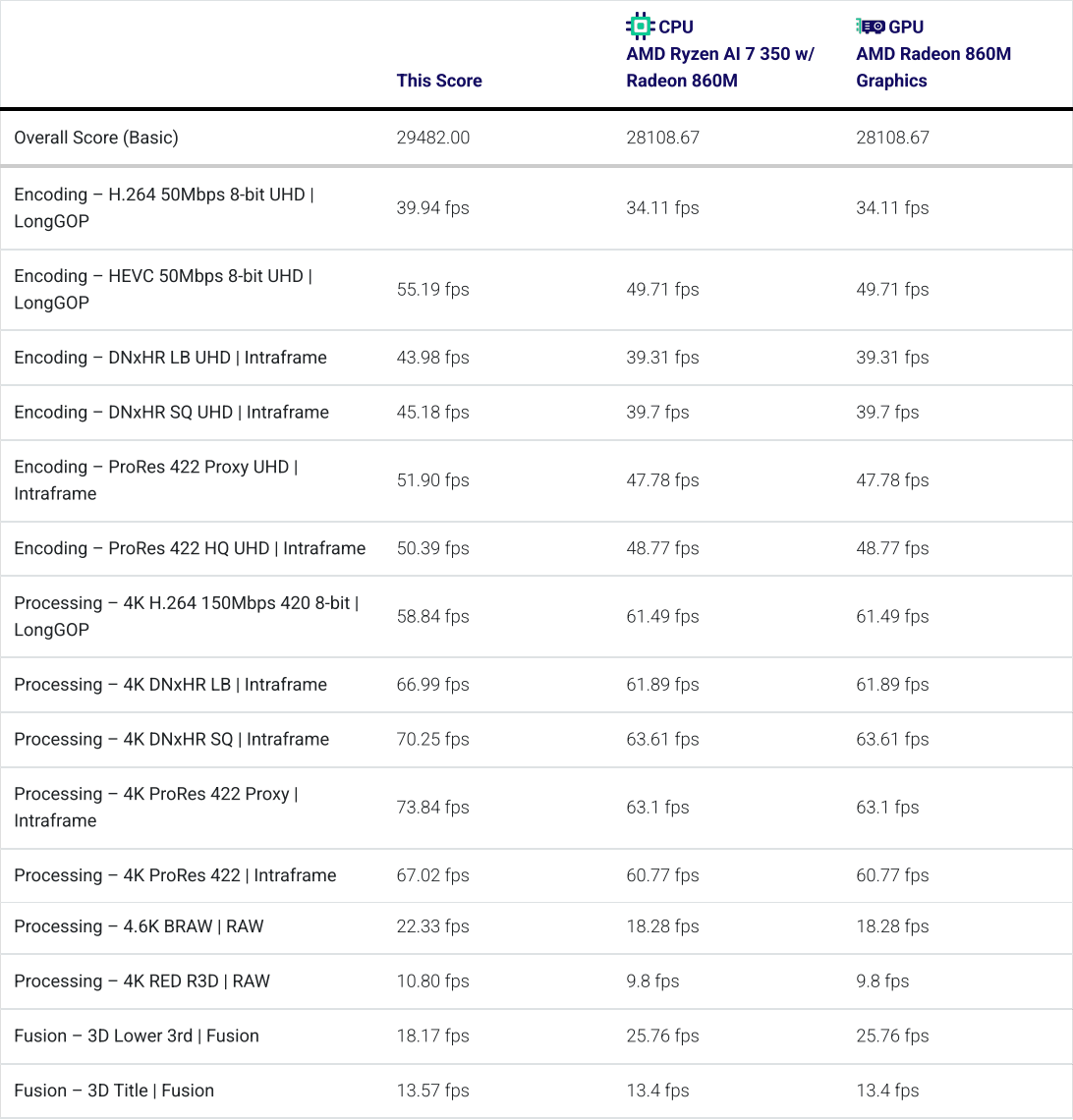
The results of each measurement are as follows.
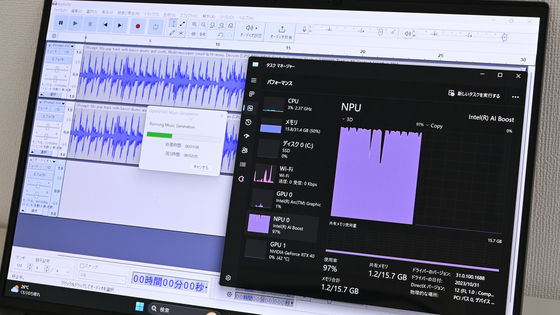
I used
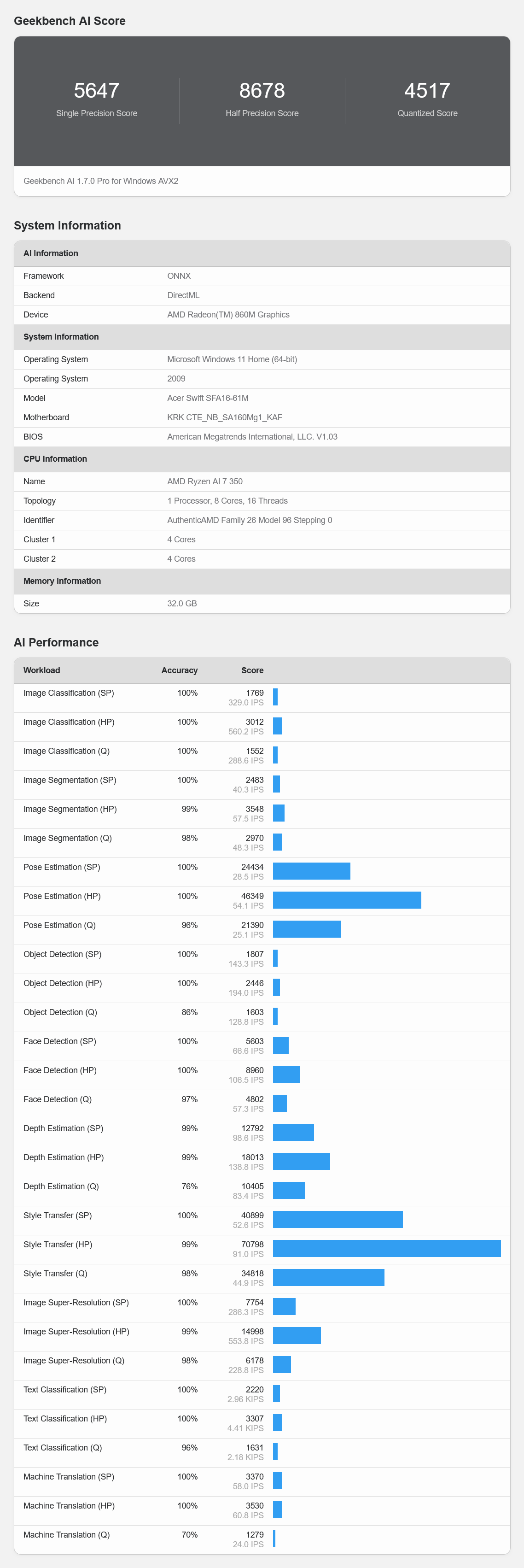
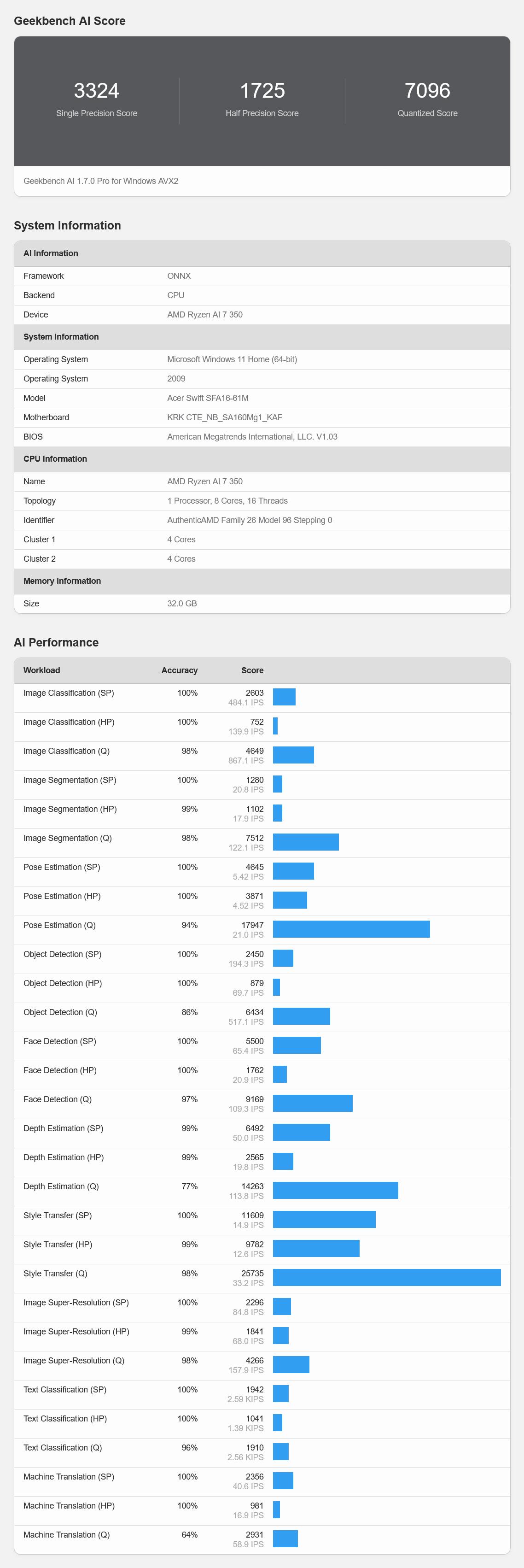
When measured using the CPU & ONNX framework, the Single Precision Score was '3324', the Half Precision Score was '1725', and the Quantized Score was '7096'.
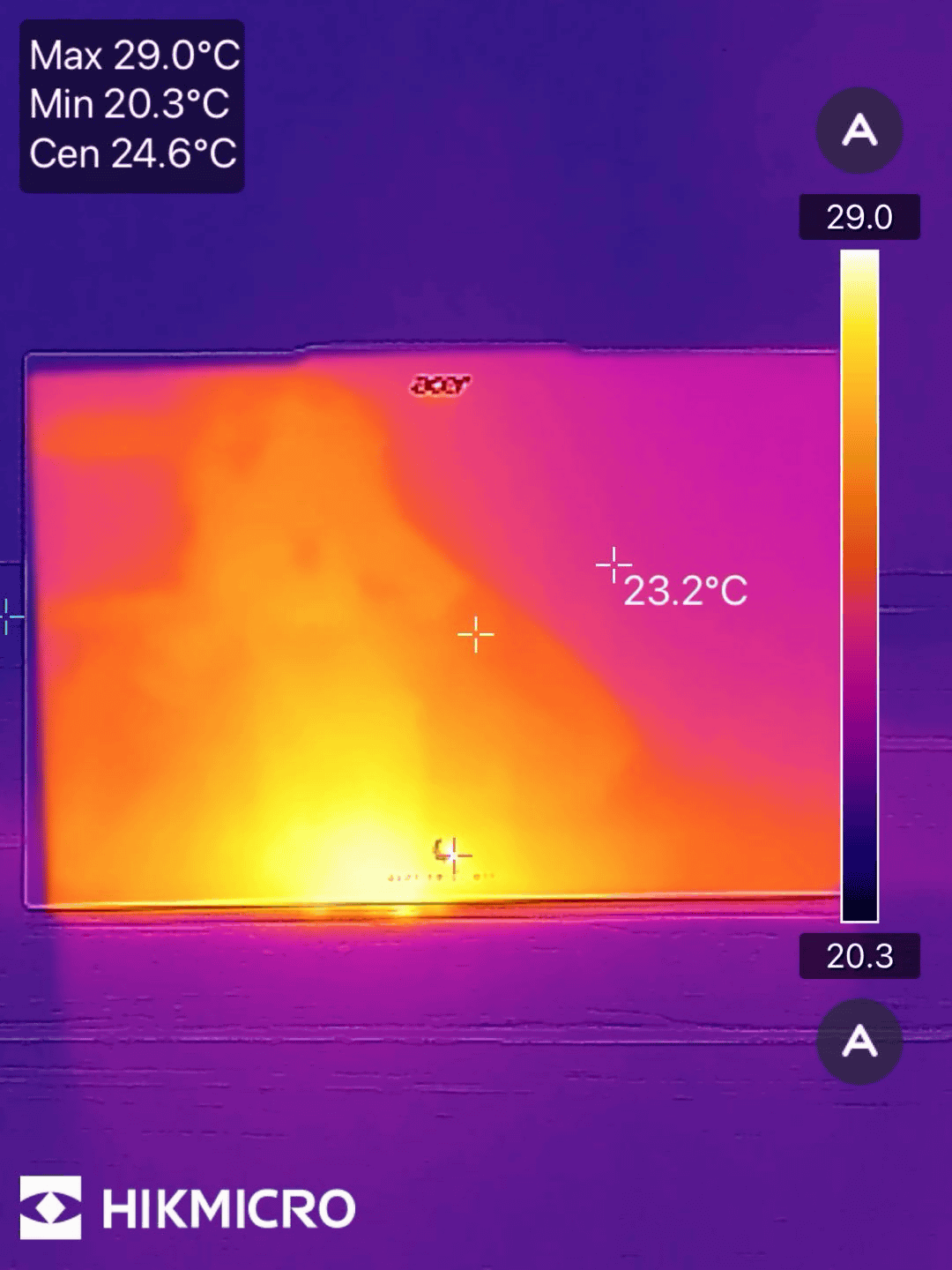
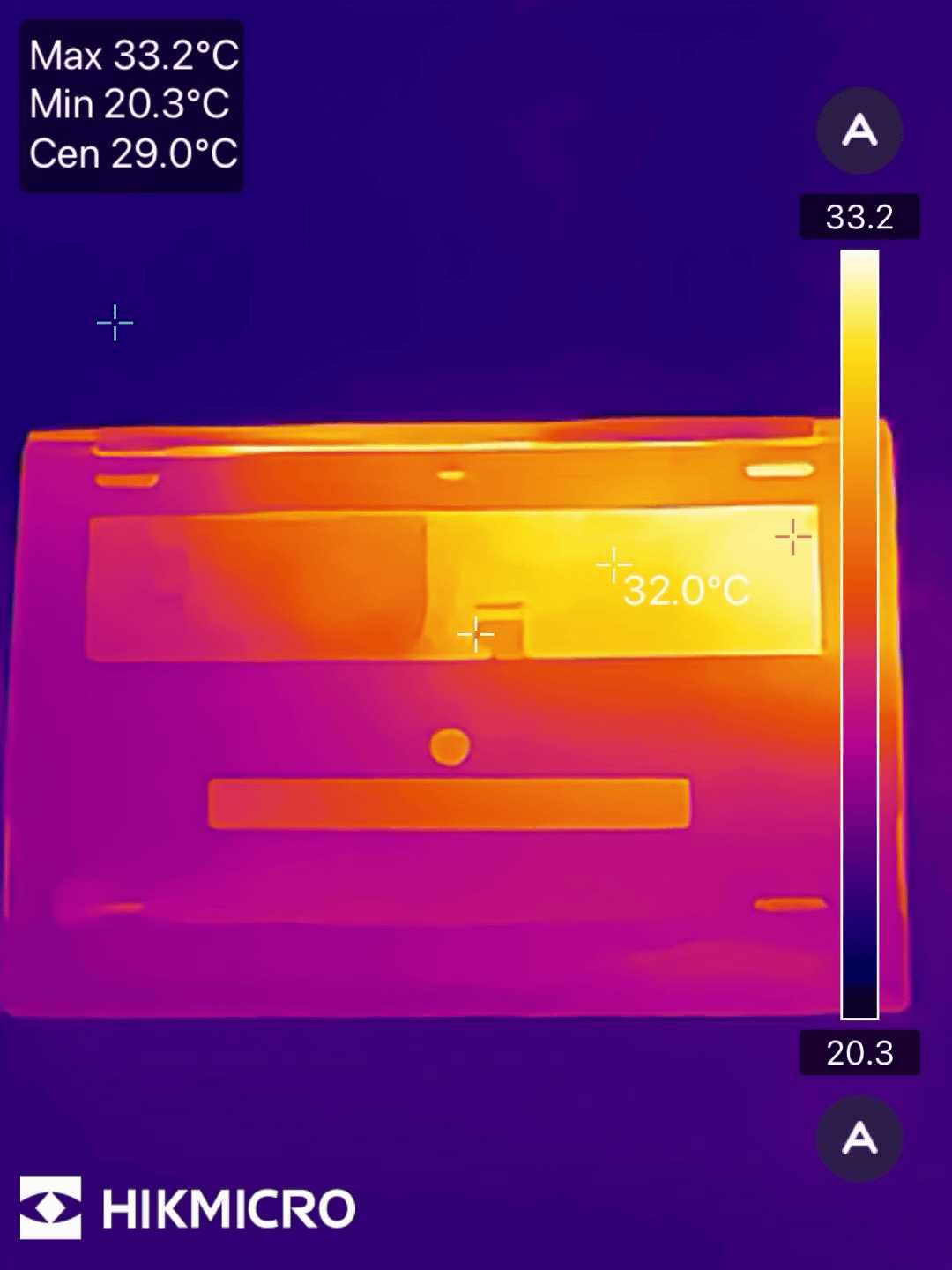
We measured the temperature after continuously playing the FINAL FANTASY XV WINDOWS EDITION benchmark at 1920x1080 resolution and standard quality for 2 hours on a loop using the '
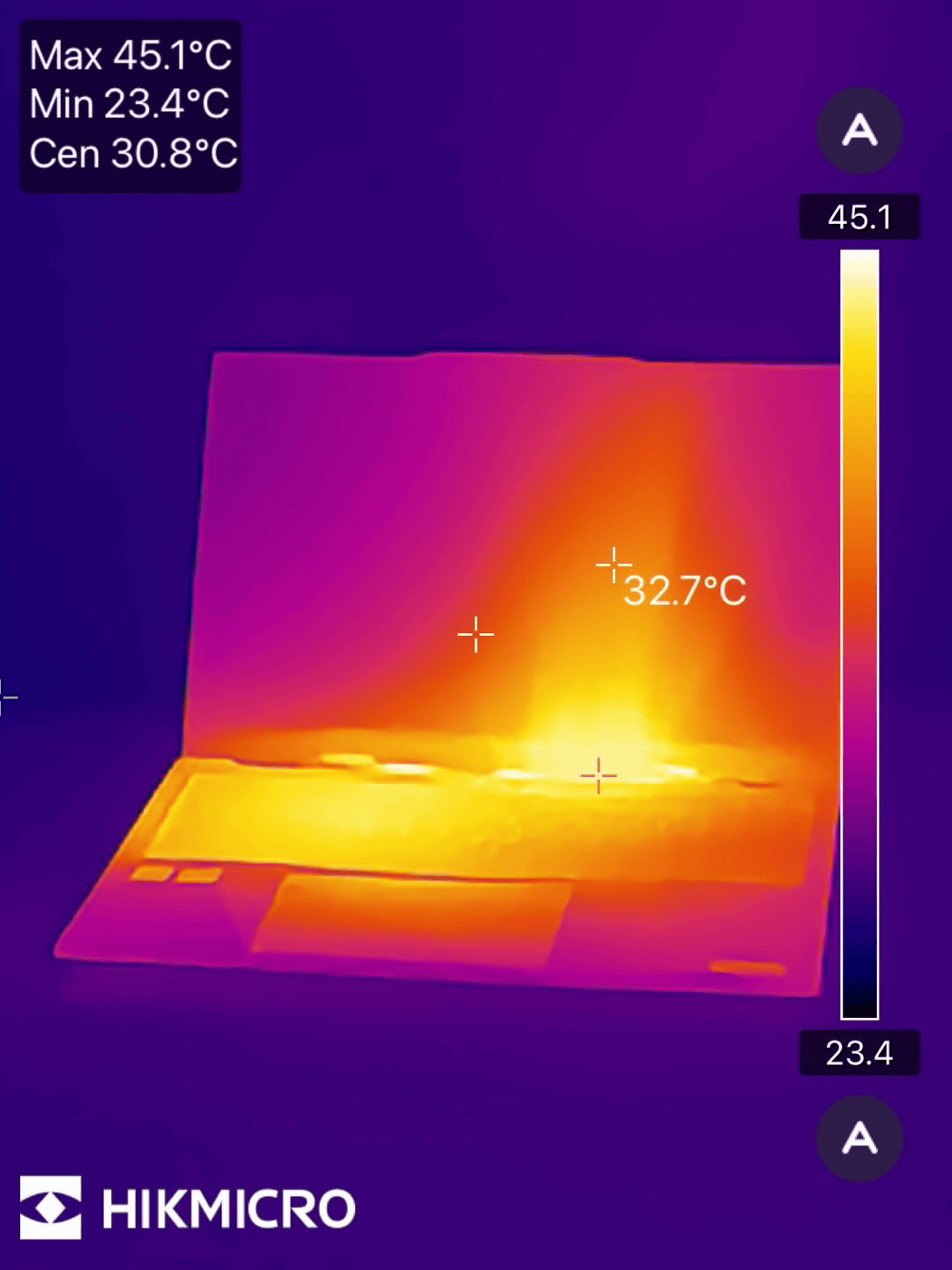
Because the exhaust fan is located at the bottom, there wasn't much temperature rise observed on the top surface.
The bottom of the laptop seems to cool very well, probably due to the large, wide fan; even after two hours, the bottom temperature only reached a maximum of 33.2°C. It's so light that you barely notice its thickness even when it's on your lap.
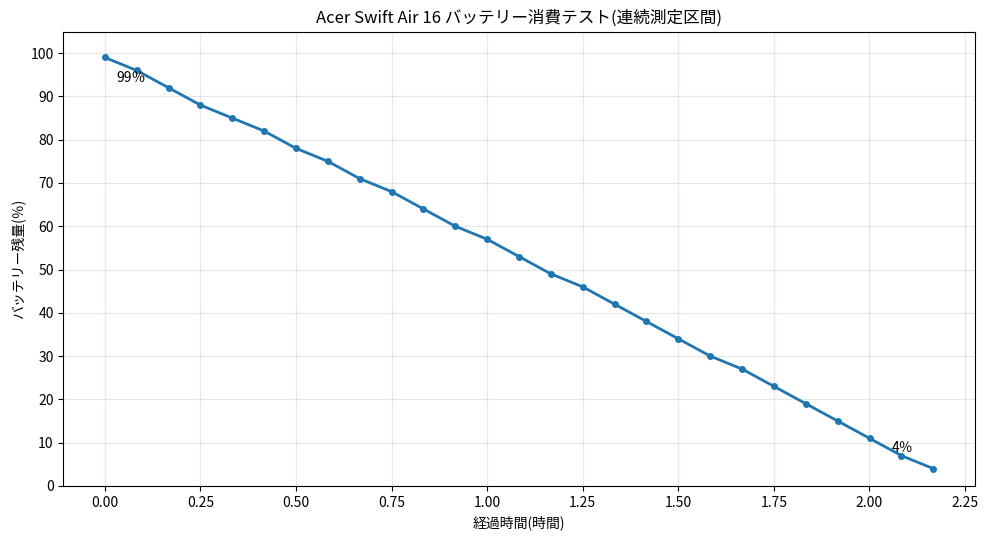
We tested the FINAL FANTASY XV WINDOWS EDITION benchmark at 1920x1080 resolution and standard quality on a loop setting, with the volume at 50%, screen brightness at 50%, and keyboard backlight off, and measured how long the battery lasted from a 100% charge. The result was that the battery ran out in about 2 hours and 15 minutes. The official battery life is about 8 hours for video playback, and of course, actual work doesn't seem to consume as much battery as the benchmark loop playback.
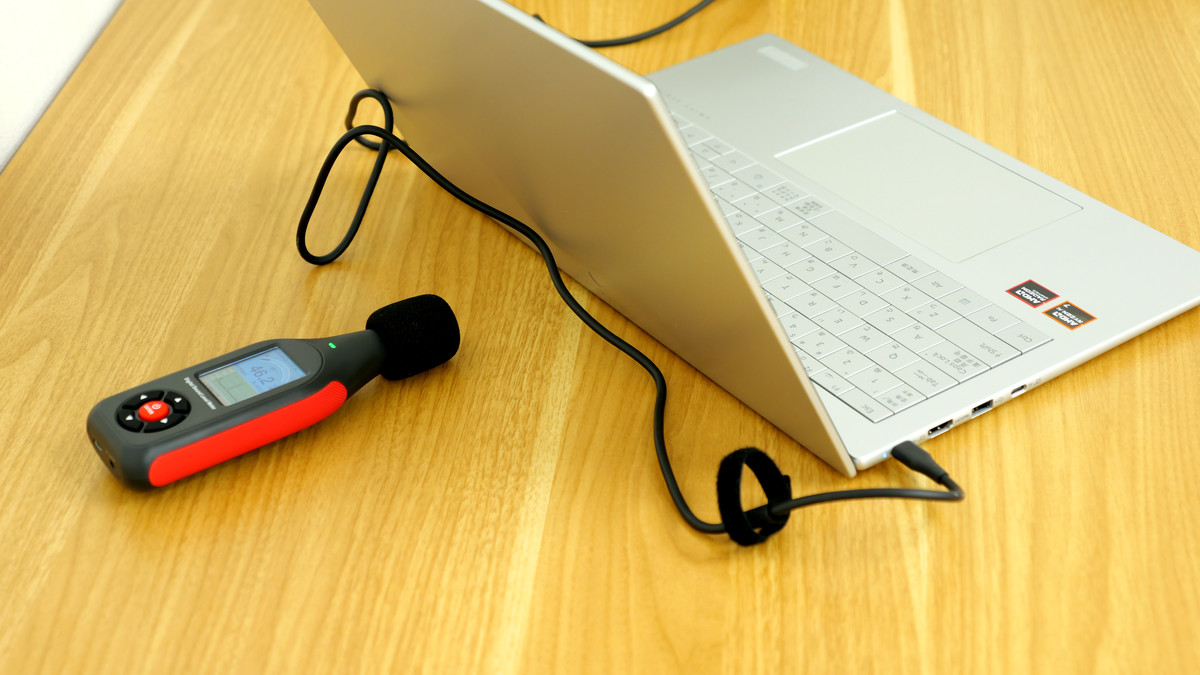
I was bothered by the noise from the large fan on the bottom, so I measured it with
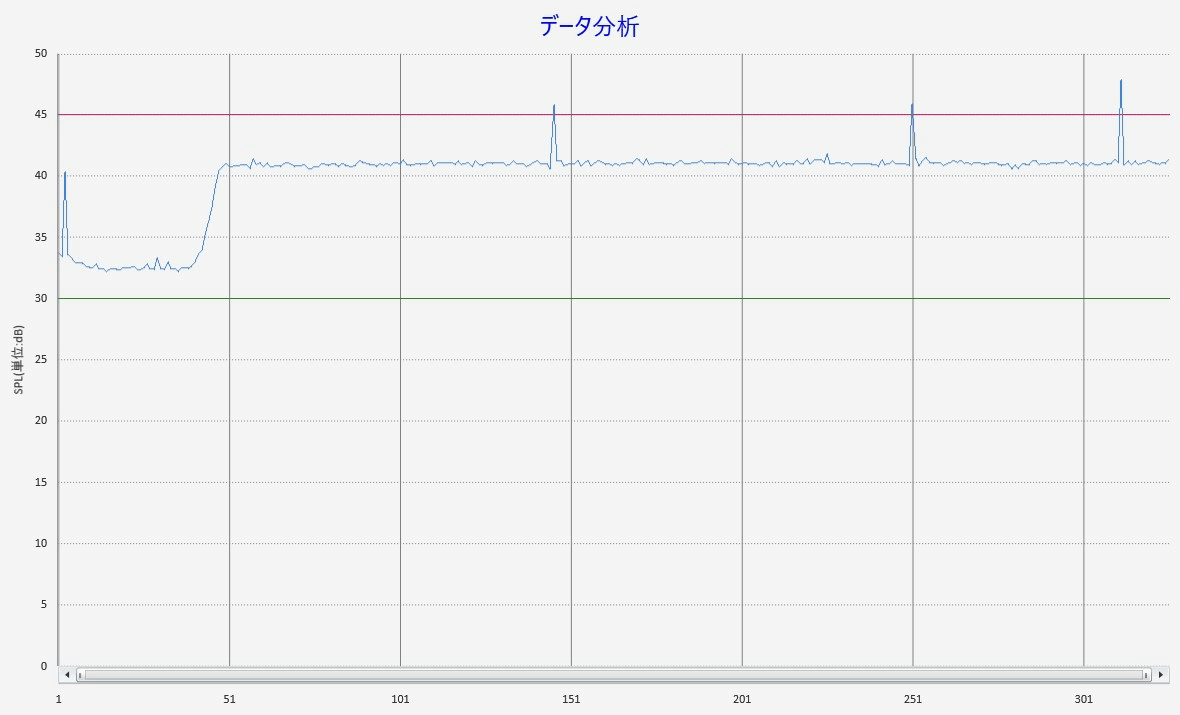
The noise level was around 33 dB when the fan wasn't running, but it rose to 41-42 dB when the fan started. In reality, there was a slight 'humming' sound from the wind, but it was only noticeable in a quiet place and not loud enough to make it difficult to concentrate on work.
The Swift Air 16 is characterized by its lightness and portability. In terms of specifications, it's sufficient for general tasks, and it seems to handle video editing without any problems. However, the GPU is quite weak, and it doesn't seem to be good at creative uses that heavily utilize the GPU, such as playing games or rendering 3D. The battery life is sufficient, but it drains very quickly depending on the task. The cooling performance is excellent, and it doesn't get hot even after prolonged use, and the design prevents heat buildup.
The Acer Swift Air 16 is priced at 259,800 yen at Acer's official store.
Acer Swift Air 16 Windows 11 Home 32GB Memory 1TB SSD 16-inch WUXGA IPS Anti-Glare AMD Ryzen AI 7 350 Radeon 860M Magnesium Aluminum Alloy Thin and Lightweight 990g 13-Hour Battery Life 2.07MP IR Webcam Slide Cover WiFi 6E Copilot+PC Backlit Japanese Keyboard SFA16-61M-F73Z | Acer Official Online Store Acer Japan Online Store
https://store.acer.com/ja-jp/acer-sfa16-61m-f73z
Related Posts: