NocoDB is a free database-driven application that allows you to create your own apps. It's an alternative to Airtable, open-source, self-hostable, and offers visually intuitive controls for Kanban boards, calendars, galleries, tables, and forms.
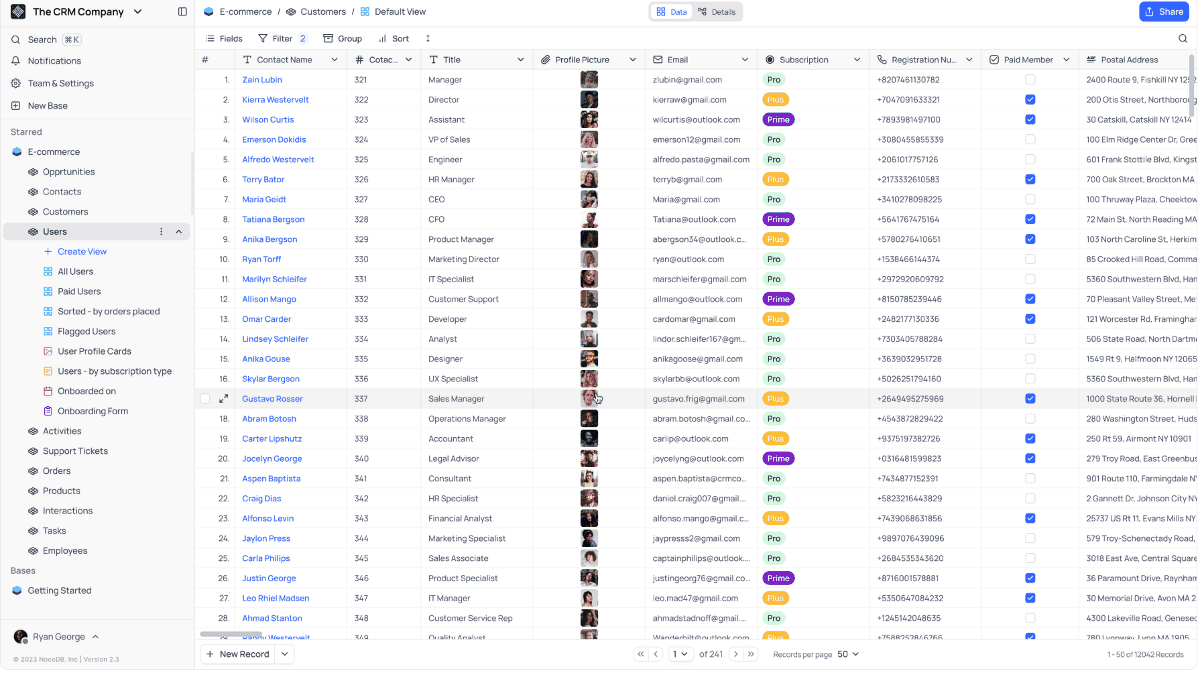
nocodb/nocodb: A Free & Self-hostable Airtable Alternative
https://github.com/nocodb/nocodb
NocoDB Cloud
https://nocodb.com/
◆Comparison of NocoDB and Airtable
| item | NocoDB | Airtable |
|---|---|---|
| database | Reuse the existing database | Dedicated DB |
| Self-host | Possible | Not possible |
| Initial setup | need | Unnecessary |
| UI completeness | Practical level | very |
| graph | Some restrictions apply. | powerful |
| automation | limited | Abundant |
| Data Ownership | User side | Airtable side |
| Cost structure | DB+NocoDB operating costs | subscription |
| Framework dependency | Even if you remove NocoDB, the database can still be used. | Designed with Airtable in mind. |
◆Main features of NocoDB
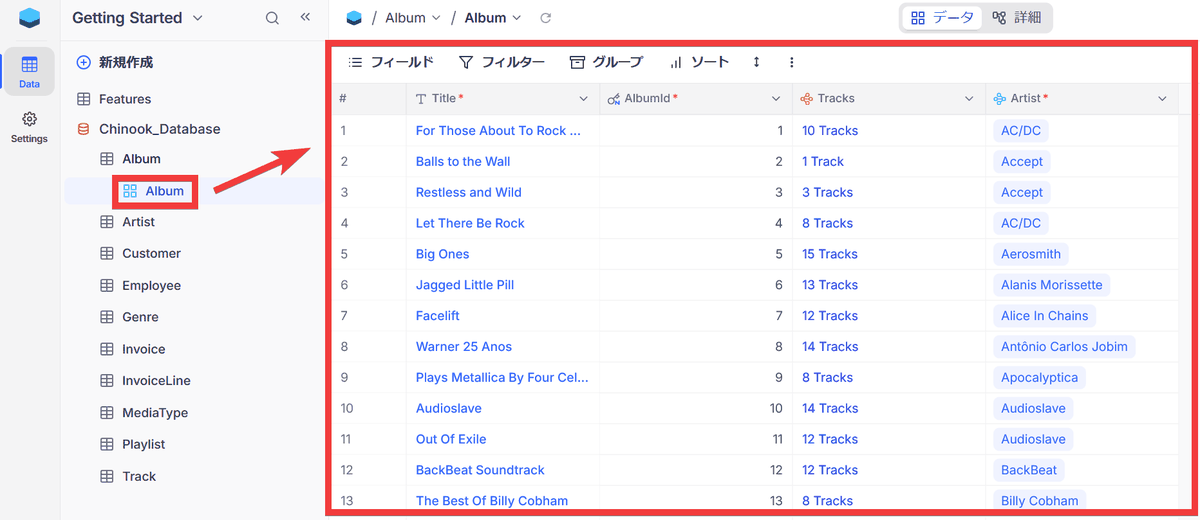
- Checking table contents using grid view
Clicking on a table in the list of databases and tables displayed on the project's homepage will show its contents and related data in a grid format.
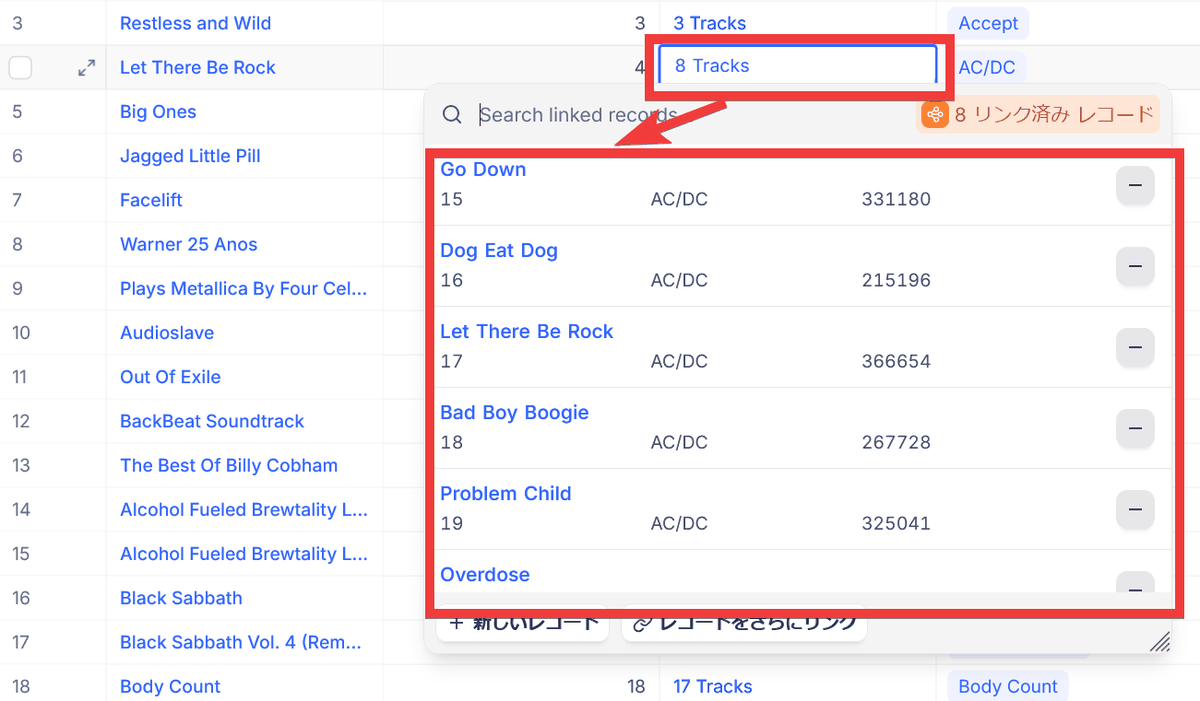
- Displaying related data using foreign keys
When you click on a field that displays data linked to another table, the contents of the other table linked via a foreign key will pop up as a linked record.
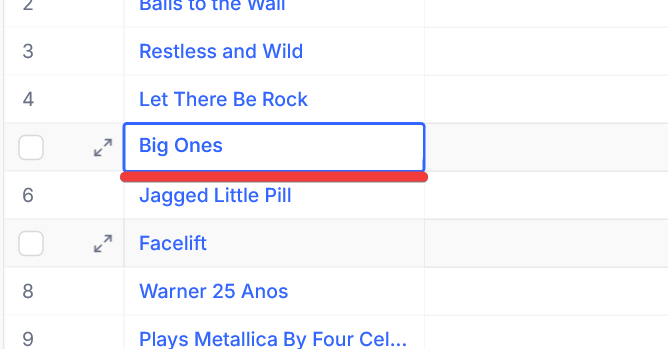
・Simple editing
Clicking on the data field will switch to a simplified editing mode, allowing you to edit directly.
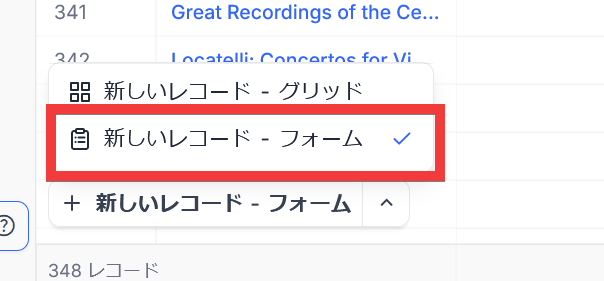
- New record registration can be done using two methods: grid format and form format.
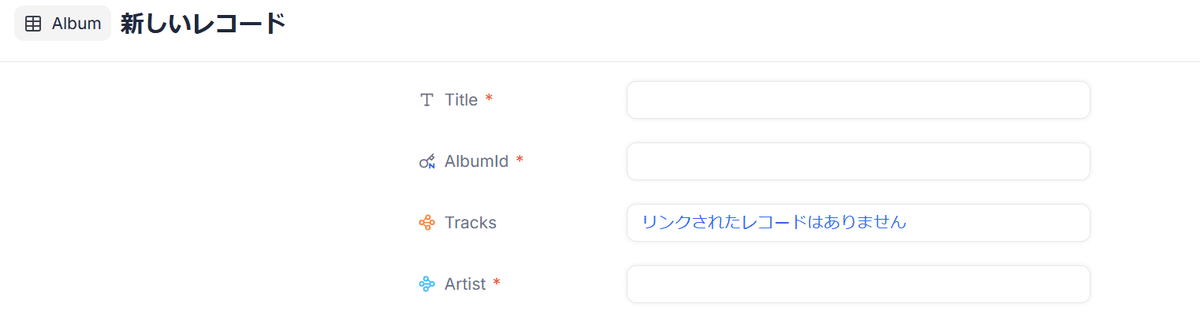
There are two ways to create a new record: by directly entering data in the bottom row of the grid, or by using a form. If you select 'New Record - Form' in the input method selection box...
An input form will appear.
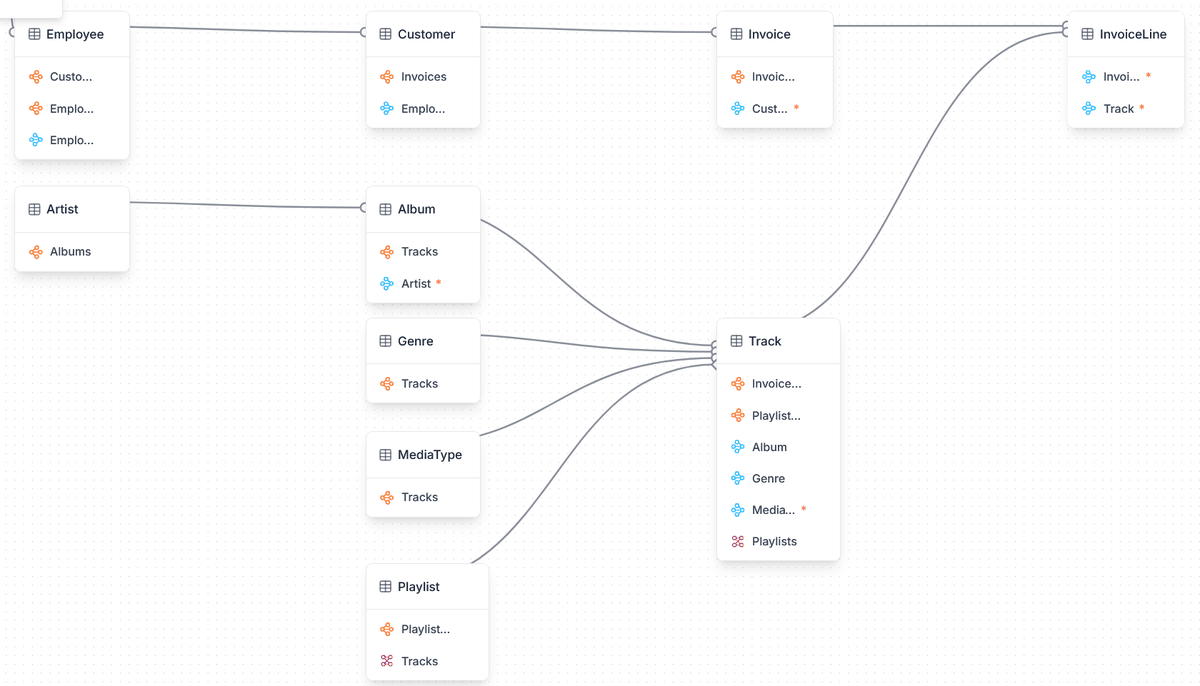
- Check table relationships in a diagram format.
Click the 'three-dot menu' icon to the right of the database name and select 'Relations'.
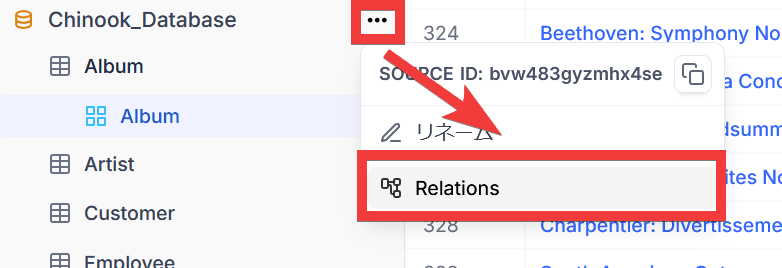
You can view table relationships in a diagrammatic format, allowing you to see at a glance which tables are associated with foreign keys.
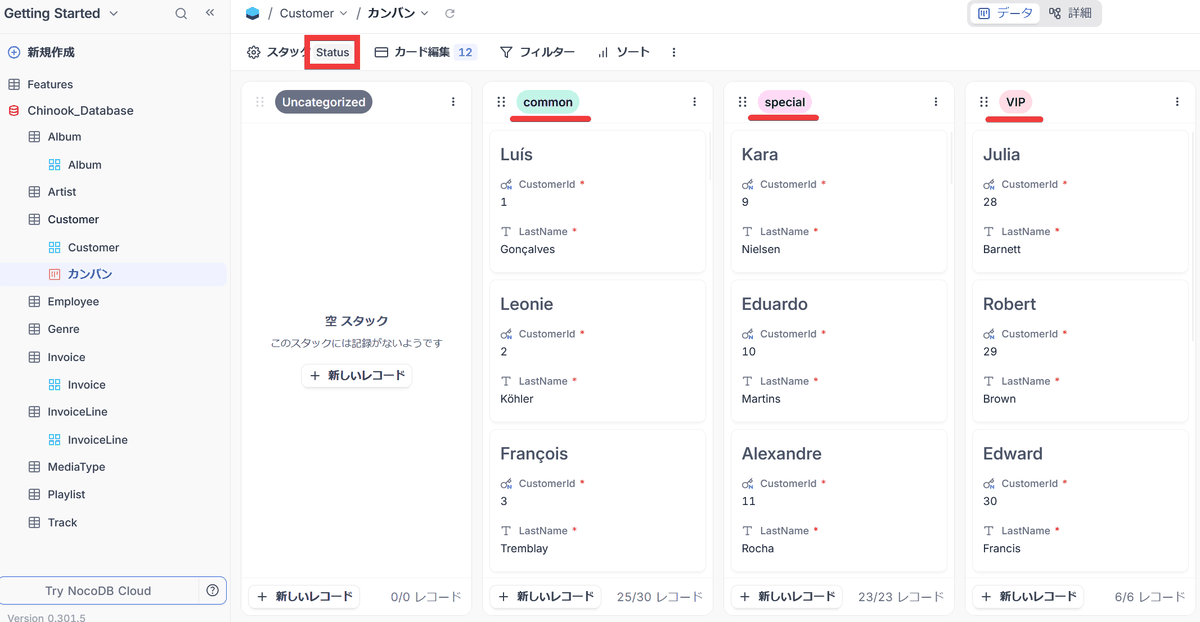
Kanban display
If there is a column representing a state, a list of data assigned to each state value will be displayed in a card format.
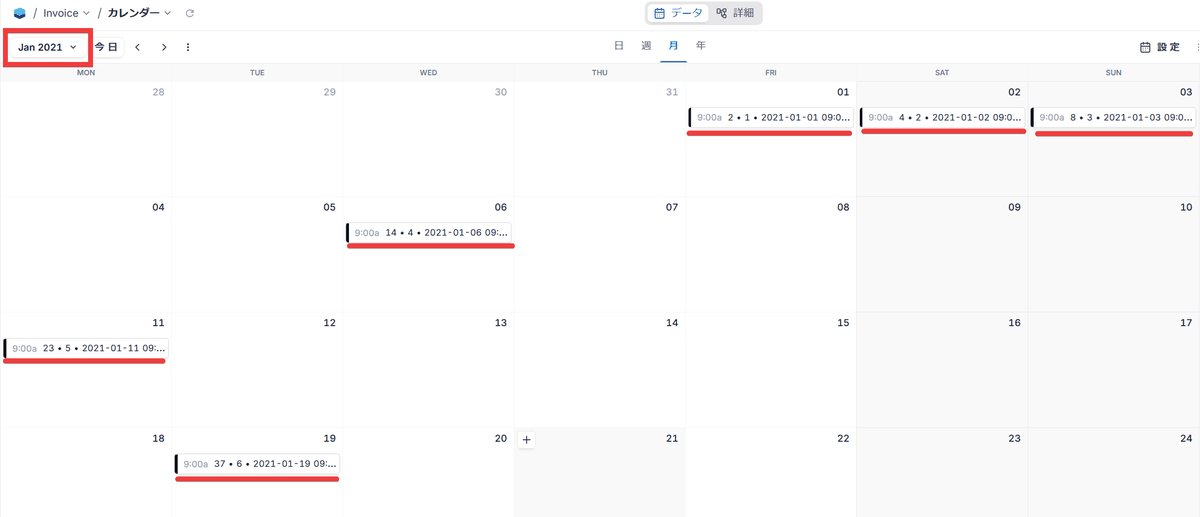
Calendar display
Displays the contents of a table with a date column in a calendar format.
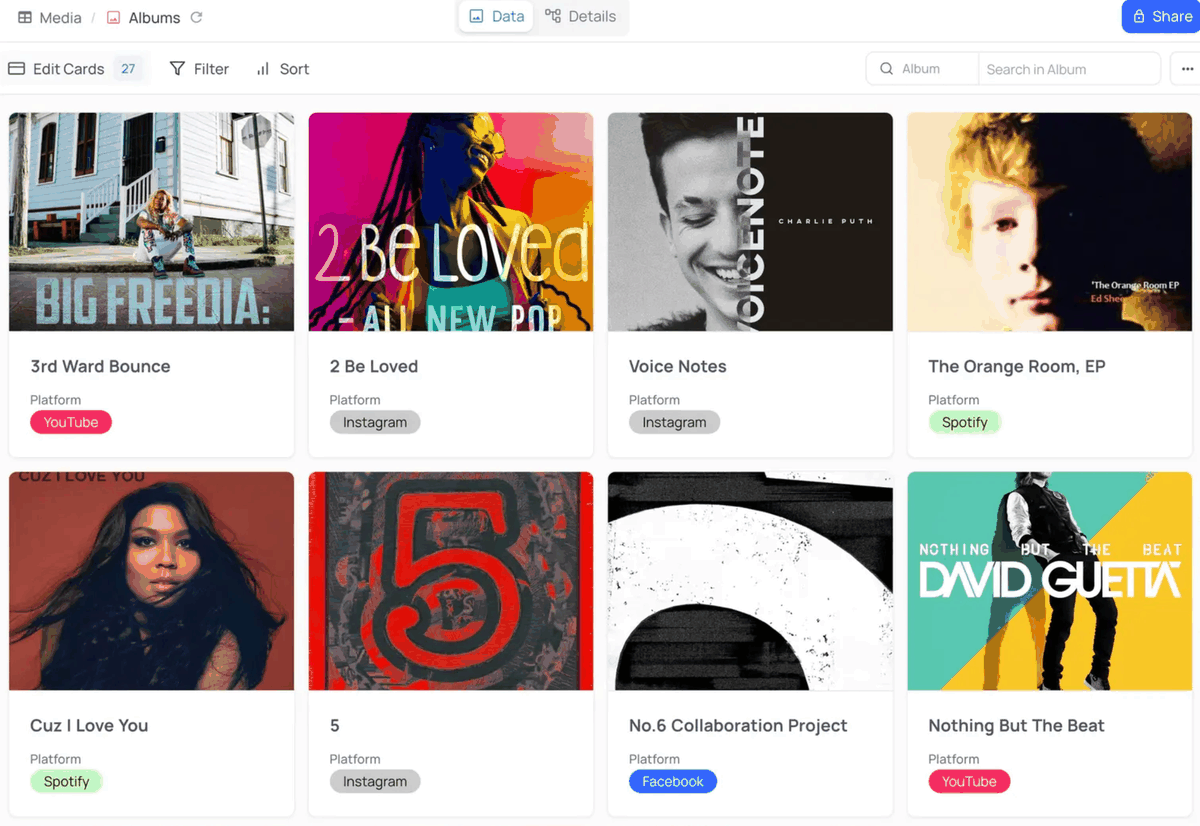
Gallery view
The contents of a table with attached images as data are displayed in gallery format.
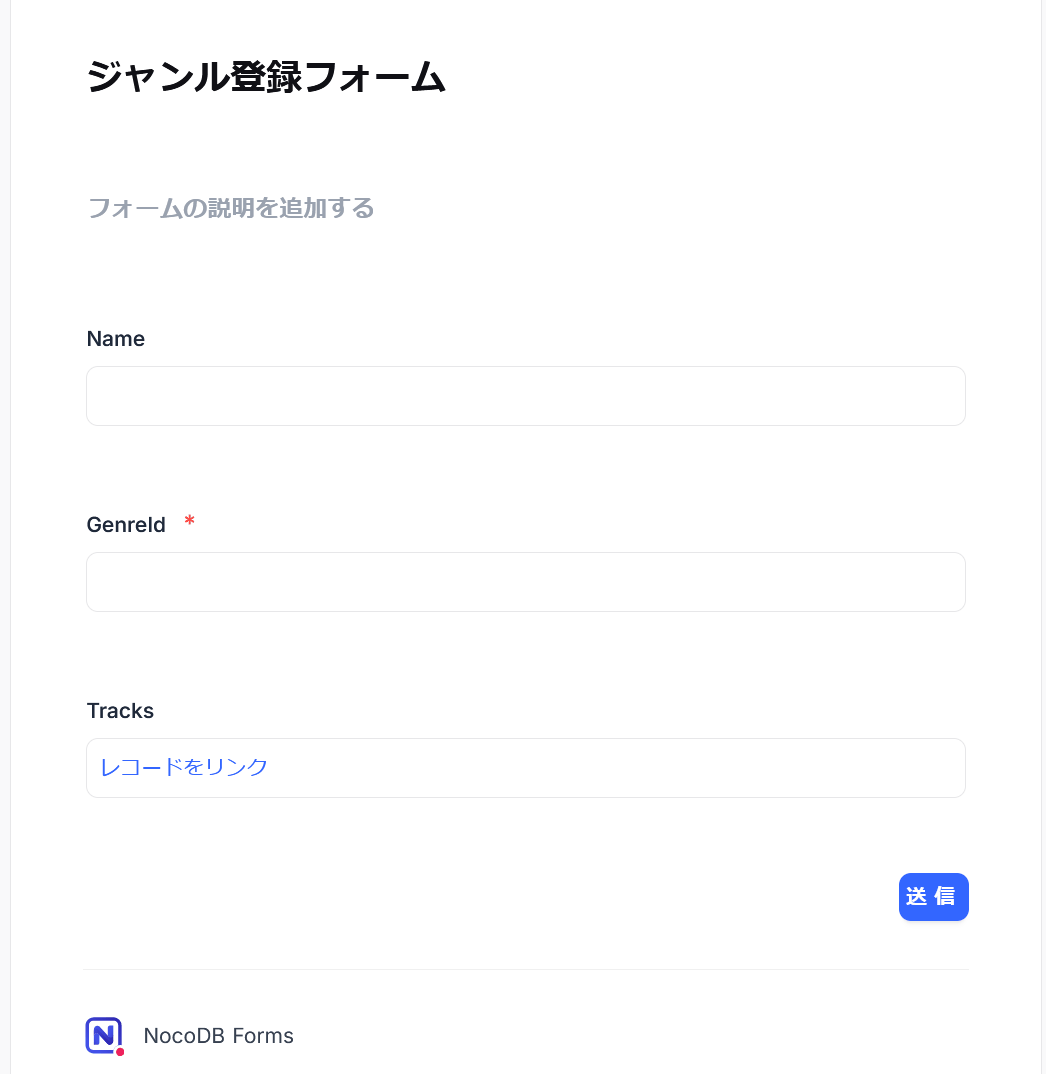
• New registration form page
In addition to creating new records from a data list, it is also possible to create a dedicated registration form page.
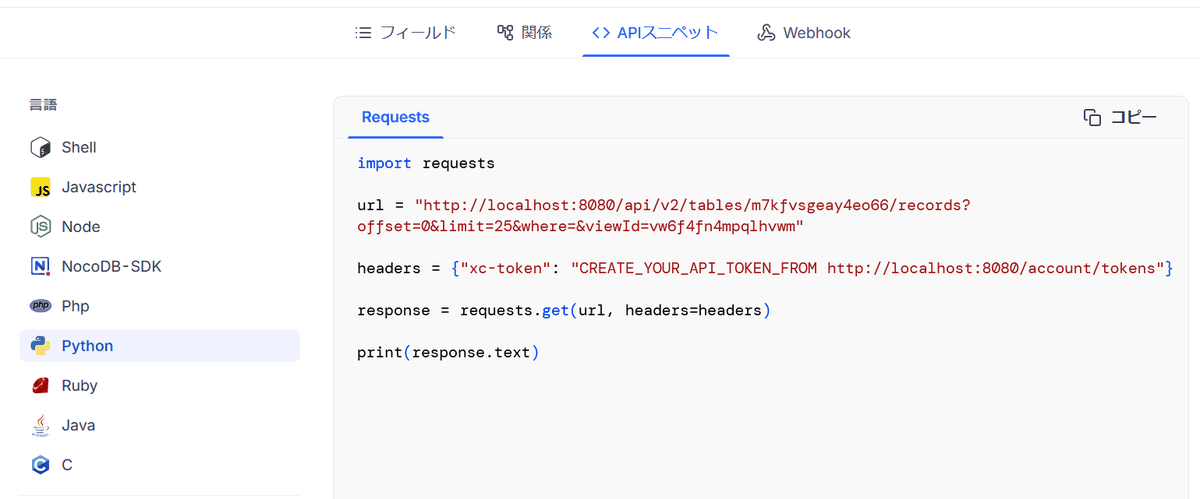
REST API
It can be integrated with external programs, and sample code for each language is provided.
Unlike database management tools such as phpMyAdmin , NocoDB is a database UI designed to be safe and easy for anyone to use by limiting the operations that can be performed on it.
◆ How to set up NocoDB
- Building a demo database
This setup will be conducted in a Windows environment with Docker Desktop and Git Bash for Windows . First, we will clone the sample dataset ' chinook-database ' to create a demo database. This step is unnecessary if you are connecting to an existing database.
git clone https://github.com/lerocha/chinook-database.git
Navigate to the chinook-database folder, modify docker-compose.yml, and remove any services other than the database you need.
 name: chinook
 services:

 #----------------------------------------------------------------------------
 # MySQL Container
 # https://hub.docker.com/_/mysql
 # Commands:
 # mysql -u chinook -p Chinook
 #----------------------------------------------------------------------------
 mysql:
 image: mysql:latest
 environment:
 MYSQL_USER: chinook
 MYSQL_PASSWORD: chinook
 MYSQL_ROOT_PASSWORD: chinook
 MYSQL_DATABASE: Chinook
 ports:
 - '3306:3306'
 volume:
 - ./ChinookDatabase/DataSources/Chinook_MySql.sql:/docker-entrypoint-initdb.d/Chinook_MySql.sql
 - ./ChinookDatabase/DataSources/Chinook_MySql_AutoIncrementPKs.sql:/docker-entrypoint-initdb.d/Chinook_MySql_AutoIncrementPKs.sql
Start the container.
docker compose up -d
- NocoDB setup and database integration
Launch PowerShell, download the executable file for Windows, set the environment variables to allow connection to the local database, and then run it.
 iwr http://get.nocodb.com/win-x64.exe -OutFile Noco-win-x64.exe
 $env:NC_ALLOW_LOCAL_EXTERNAL_DBS='true'
 .\Noco-win-x64.exe
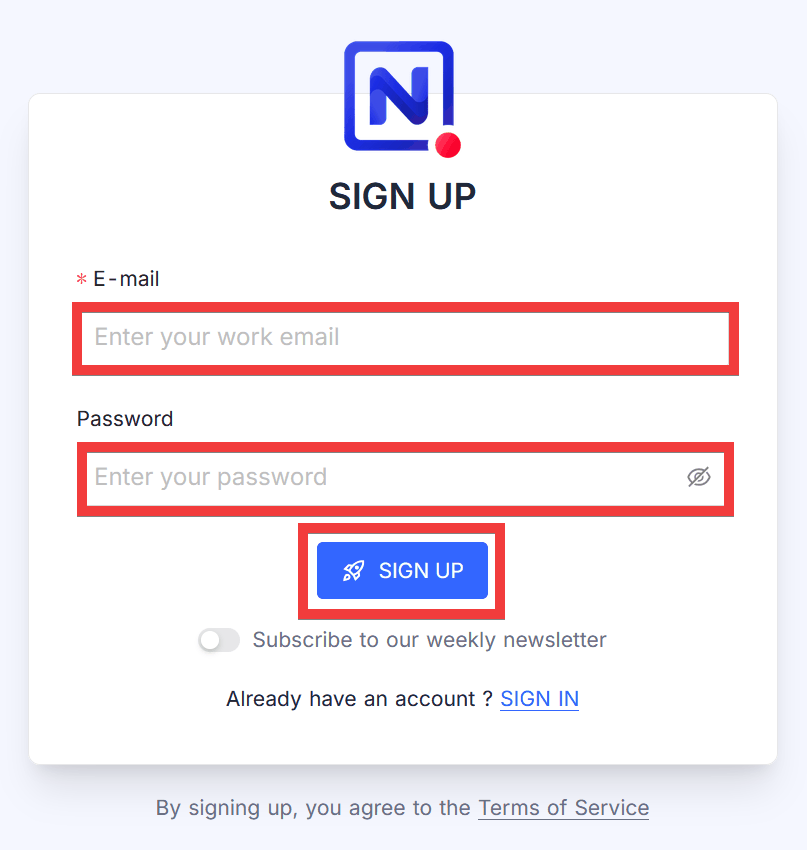
Once launched, access 'http://localhost:8080' in your browser. A 'SIGN UP' form will appear. Enter your desired email address in the 'E-mail' field and your password in the 'Password' field, then click 'SIGN UP'.
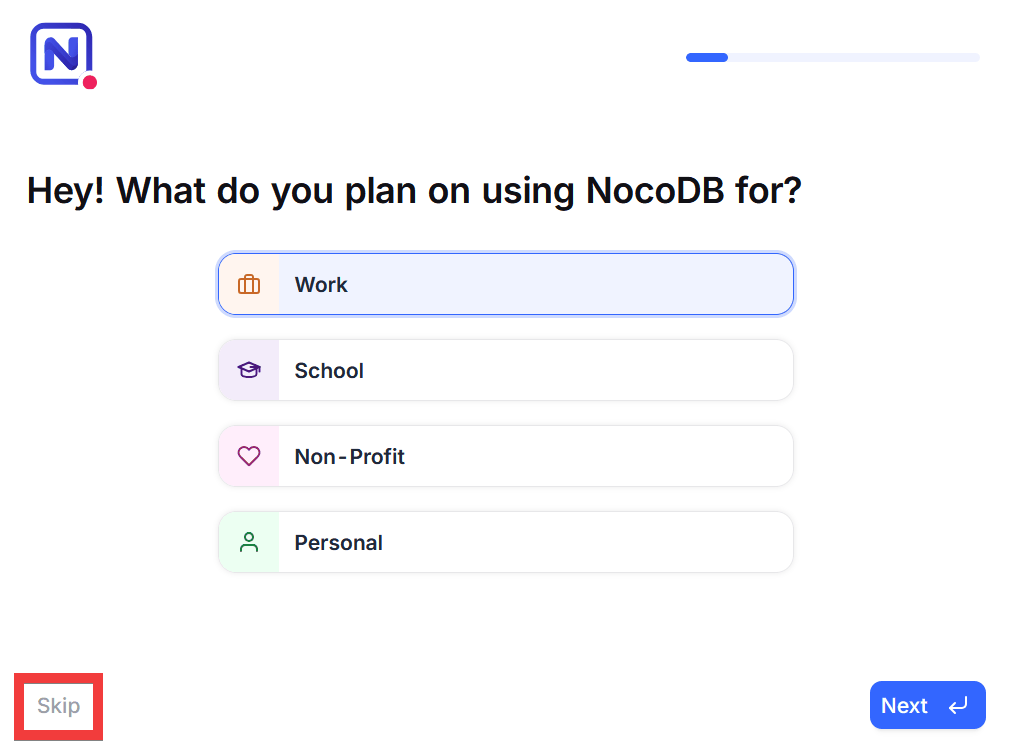
Once you have logged in, a survey will appear, so click 'Skip'.
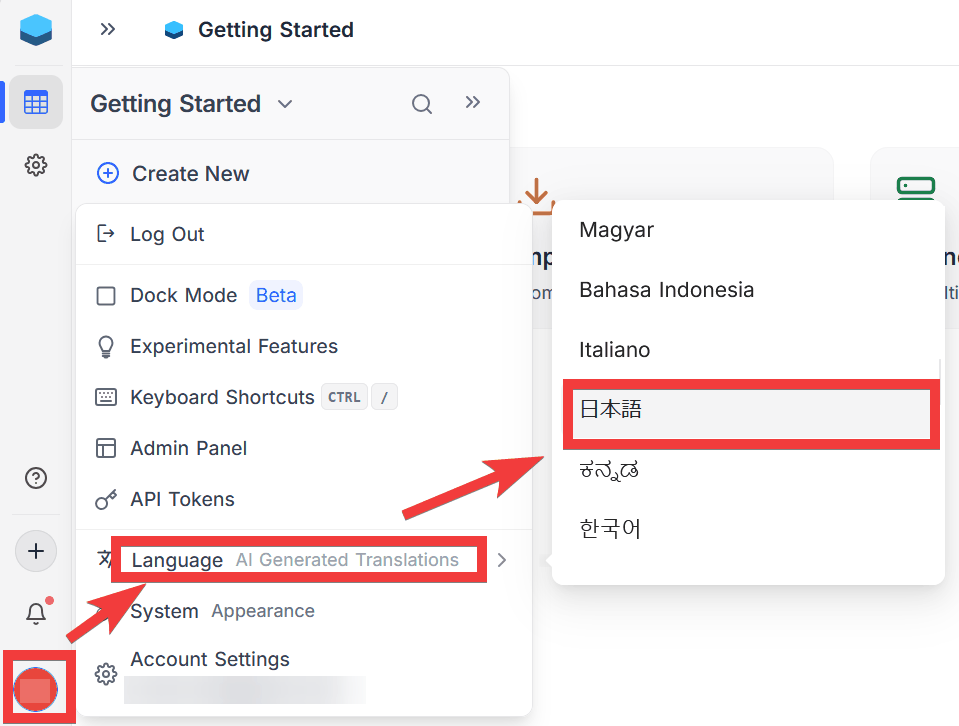
The project's homepage will appear, so click the 'Users' icon in the bottom left, and select 'Japanese' from 'Language'.
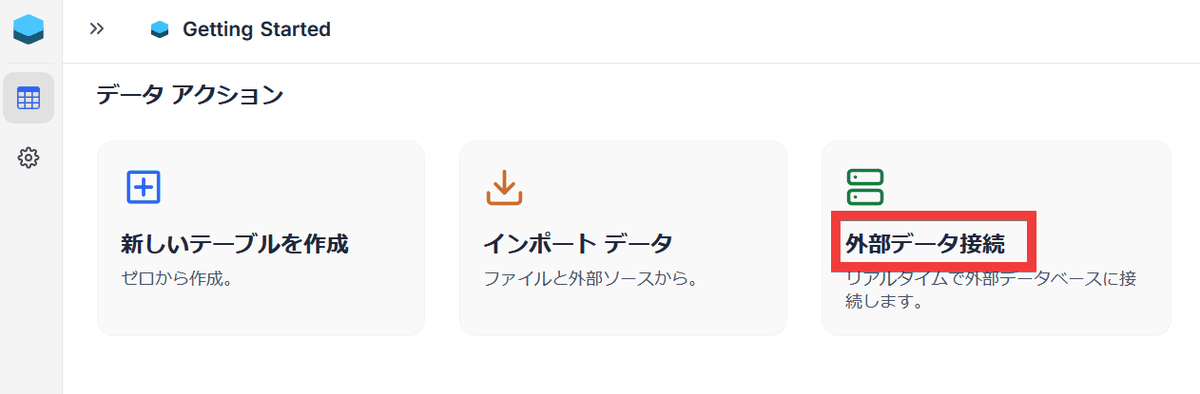
The project's homepage, localized into Japanese, will be displayed. Click 'External Data Connection' to link with the database.
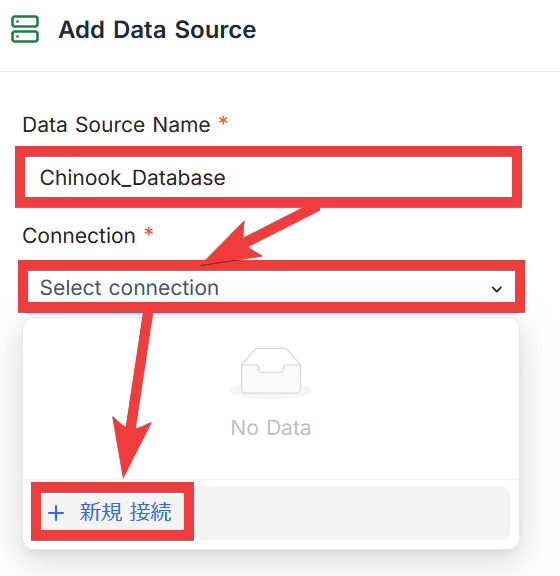
The 'Add Data Source' window will appear. Enter a name of your choice in 'Data Source Name,' then click 'Select connection' under 'Connection,' and then click 'New Connection.'
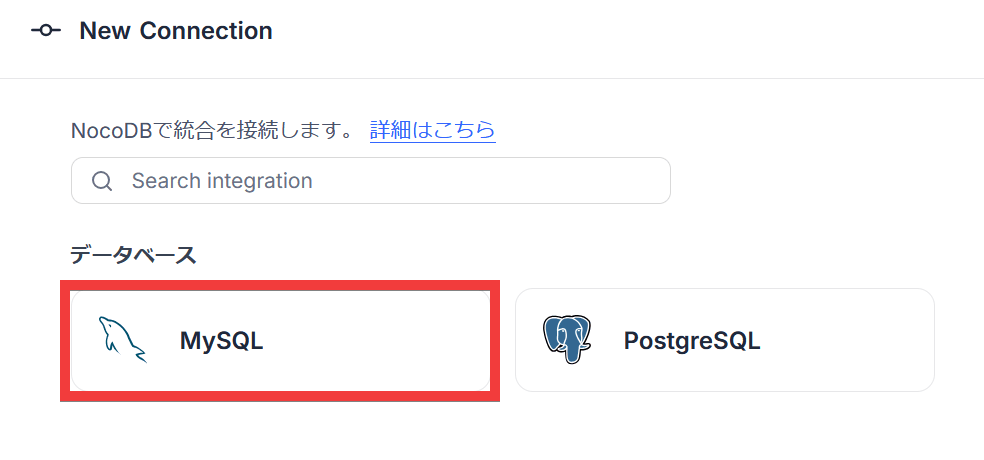
A 'New Connection' screen will appear, so select 'MySQL' from the list.
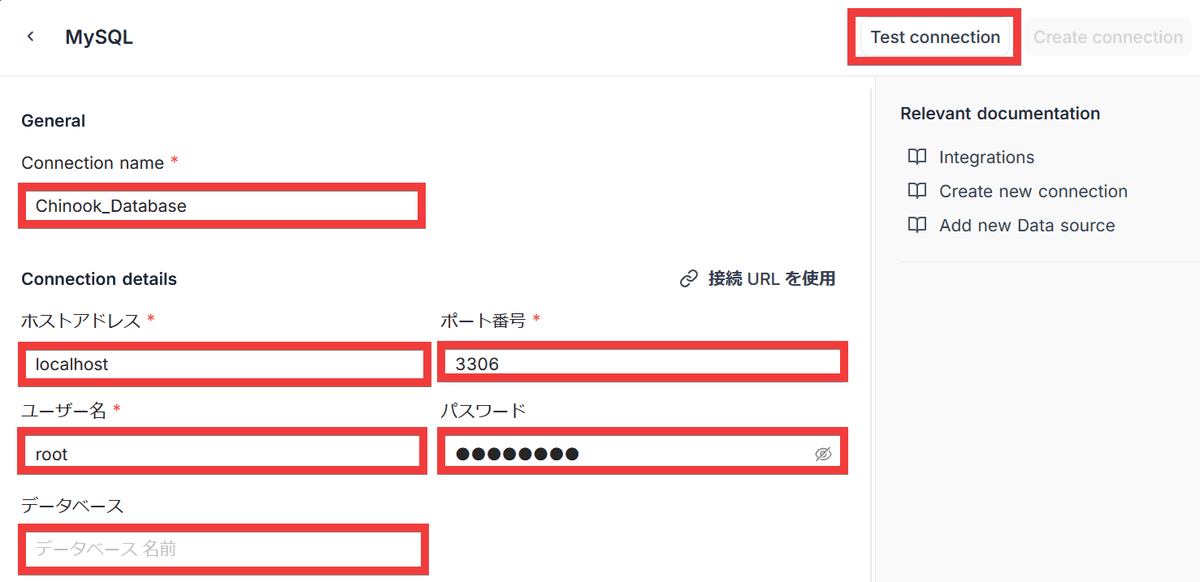
The MySQL registration screen will appear. Enter a name of your choice in 'Connection name,' the host address in 'Host address,' the port number in 'Port number,' your username in 'Username,' your password in 'Password,' and your database name in 'Database,' then click the 'Test connection' button.
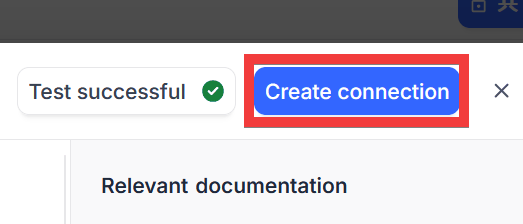
Once the connection is successful, click 'Create connection'.
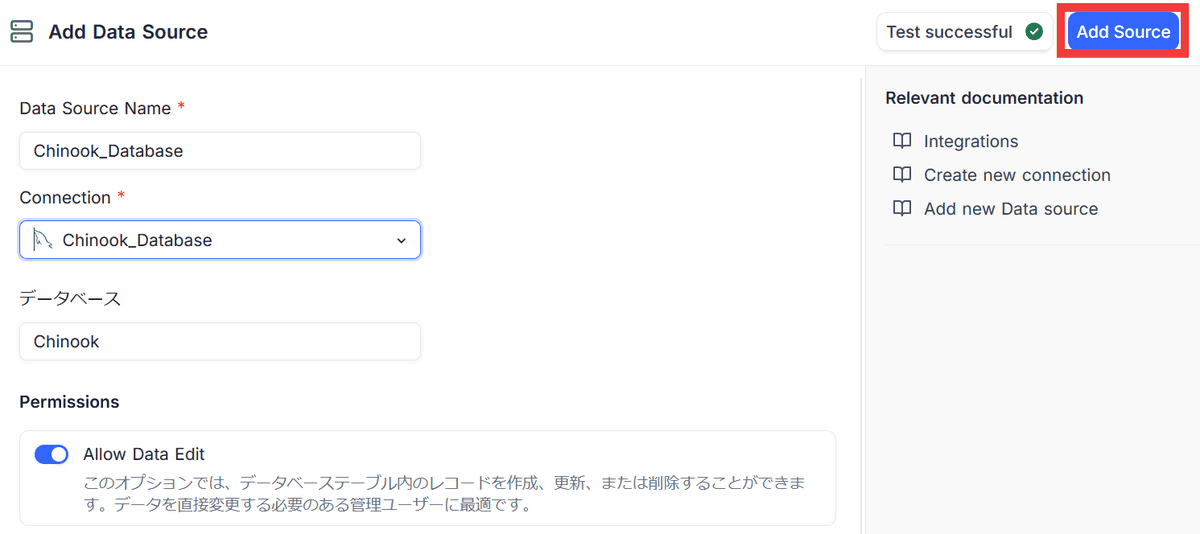
Return to the 'Add Data Source' screen and click 'Add Source'.
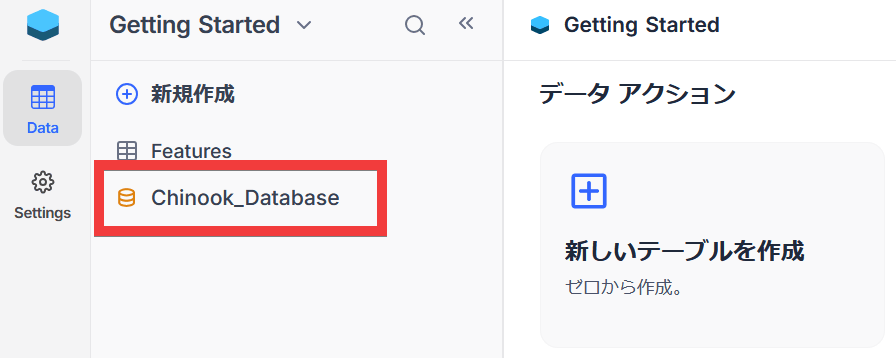
The database you added will be displayed in the database list in the sidebar.
Please note that some features, such as the dashboard and graph display functions, are only available in the cloud version .
Related Posts: