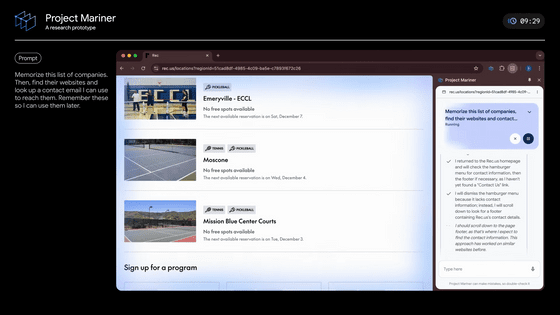
Google releases a preview of its Gemini 2.5 Computer Use AI model, which automates browser operations like filling out forms and logging in.

On October 7, 2025, Google announced Gemini 2.5 Computer Use, an AI agent specialized for operating web browsers. Gemini 2.5 Computer Use can natively fill out forms, operate interactive elements such as dropdowns and filters, and operate behind the scenes while logged in.
Introducing the Gemini 2.5 Computer Use model
— Google AI Studio (@GoogleAIStudio) October 7, 2025
Gemini 2.5 Computer Use is an AI model specifically designed to operate computer screens like a human. It builds on the advanced visual understanding and logical thinking capabilities of Gemini 2.5 Pro, enabling it to operate agents that automate actions that were previously difficult to perform via API, such as filling out website forms and clicking buttons.
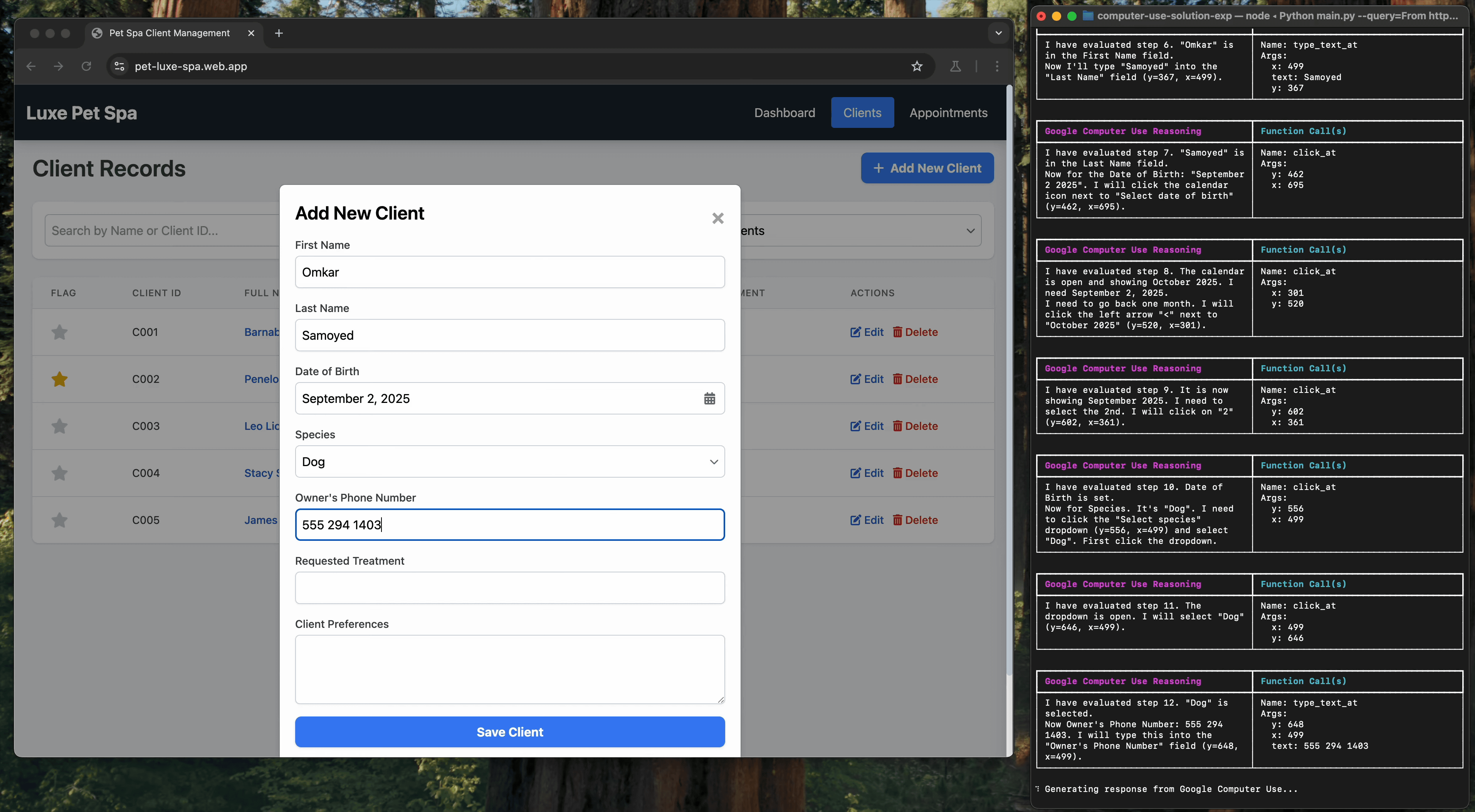
Here's a sample of the task instructed to Gemini 2.5 Computer Use: The prompt read, 'Retrieve all details about California residents' pets from the specified URL and register them as guests in our spa's customer management system. Then schedule a follow-up appointment with specialist Anima LaVar any time after 8:00 AM on October 10th. The reason for the appointment will be the same as the requested treatment.'
Gemini 2.5 Computer Use Model Demo - Pet Spa - YouTube
Gemini 2.5 Computer Use automatically fills in the extracted information into the requested form as instructed.
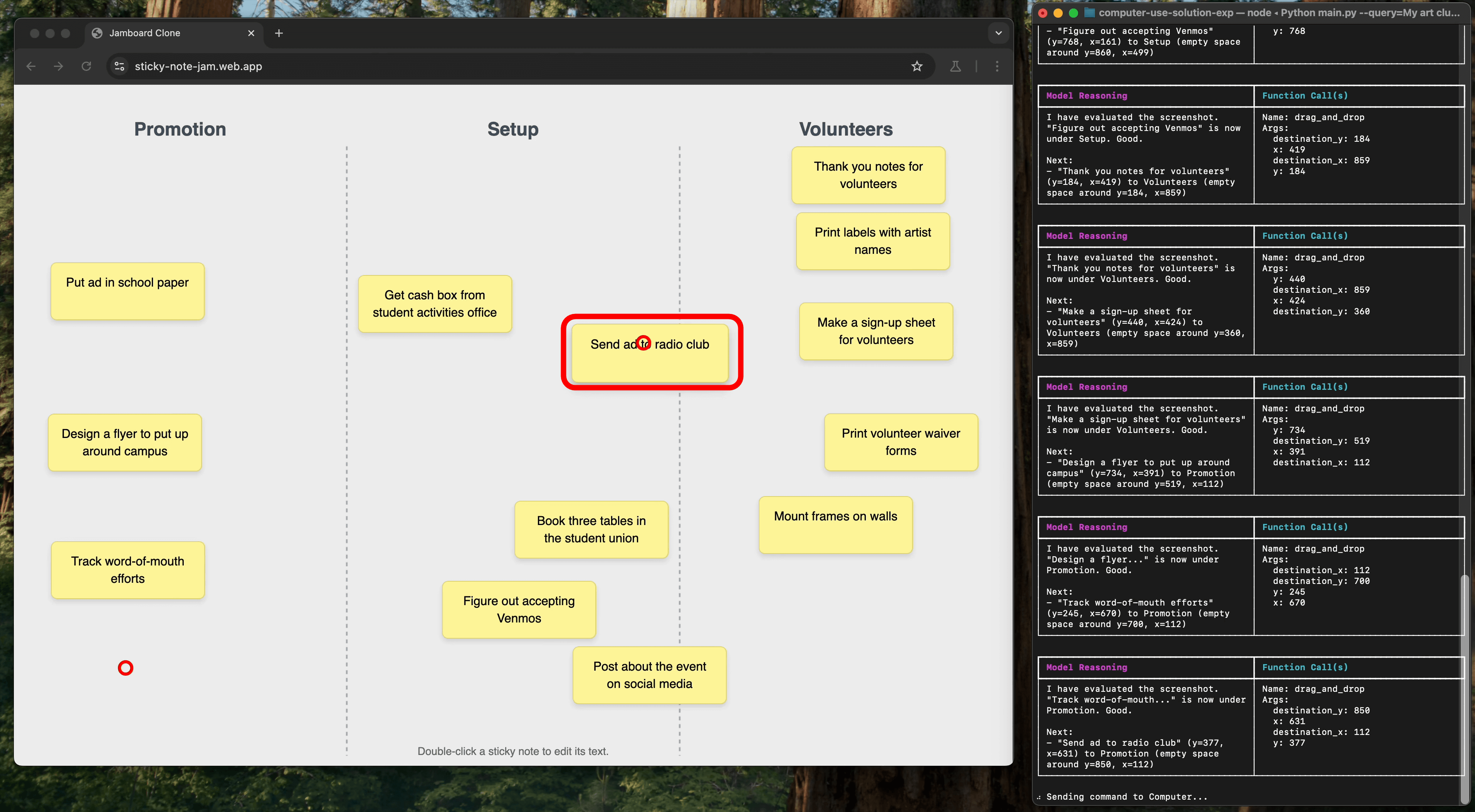
The following is a sample of a task performed with the prompt: 'The art club has brainstormed tasks for an exhibition. The board is a bit cluttered, so I'd like you to help me organize the tasks into the categories I've created. Please visit the URL I provided and make sure your notes are clearly categorized in the correct sections. If they're not, please drag them to move them.'
Task cards on the board are manipulated by dragging them with the mouse, and Gemini 2.5 Computer Use agents have no problem moving and organizing task cards.
The most distinctive feature of the Gemini 2.5 Computer Use model is that it operates within a repetitive structure called a 'loop,' which mimics the process humans follow when operating a computer: look at the screen, think about what to do, perform the operation, and check the results.
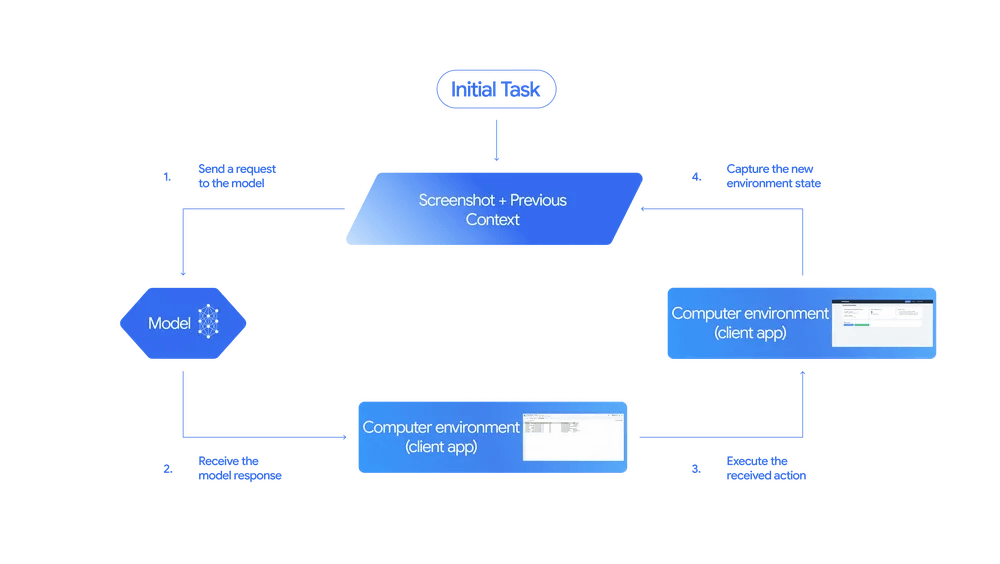
Specifically, repeat the following four steps until the task is completed:
1: Sending status
First, the model receives user instructions, screenshots, and a history of previous actions, allowing it to accurately understand the current situation, just as a human would.
2: Model Judgment
Based on the information sent, the model determines what to do next and decides on specific operations such as 'click this button' or 'enter text in this text box.' However, for certain important actions, such as purchasing a product, it is necessary to confirm with the user before executing them.
3: Take action
The model determines the operations that are then actually carried out by a client-side program on the computer.
4: Check the results and repeat
After the action is performed, a screenshot of the new screen is taken and sent to the model, and the loop begins again. By repeating this cycle, you can steadily complete complex multi-step tasks one step at a time.
Gemini 2.5 Computer Use is based on Gemini 2.5 Pro and has demonstrated superior performance in multiple web and mobile control benchmarks. The table below compares the benchmark results with Claude Sonnet 4.5, Claude Sonnet 4, and OpenAI's
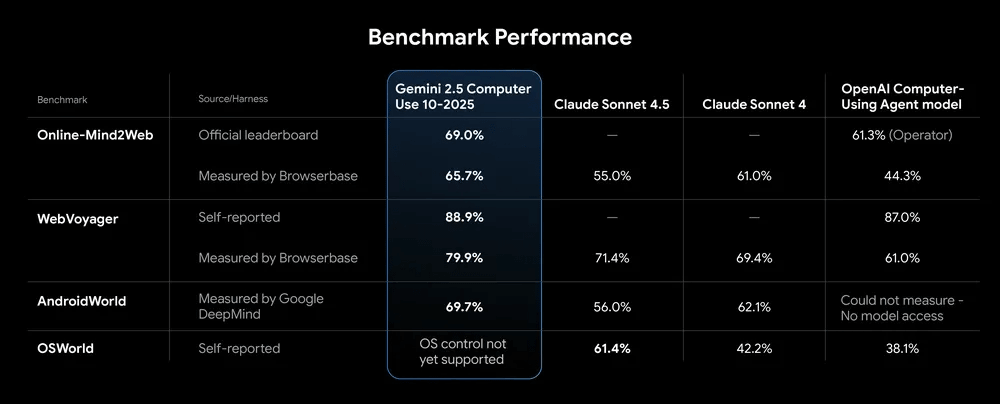
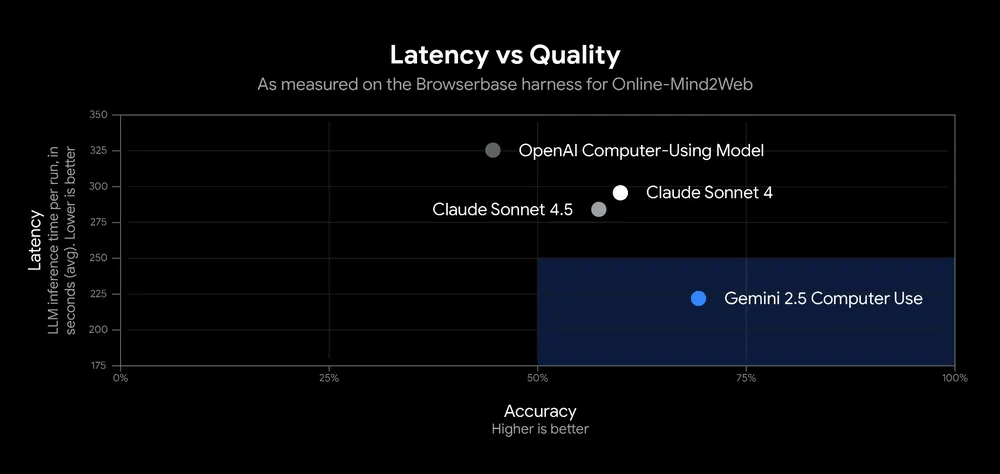
In particular, the performance of the Browserbase harness in ' Online-Mind2Web ' demonstrates that it achieves highly accurate browser control while maintaining low latency.
The Gemini 2.5 Computer Use model is available as a public preview and can be accessed through Google AI Studio and Vertex AI's Gemini API. You can also immediately test the model's performance in a demo environment provided by Browserbase.
Related Posts: