A vulnerability has been reported in GitHub where access tokens can be stolen with 'just one click on a link.'

A vulnerability has been reported in GitHub's browser-based development environment, 'github.dev,' which could allow a user to steal their GitHub authentication token simply by clicking a specially crafted link.
1-Click GitHub Token Stealing via a VSCode Bug – Ammar's Blog
When you want to correct a typo in a README file on GitHub or make a small change to a configuration file, cloning the repository to your local environment and launching an editor is a hassle. By pressing the '.' key on the GitHub repository screen or changing 'github.com' to 'github.dev' in the URL, you can open an editing screen similar to Visual Studio Code (VS Code) in your browser. github.dev has search, syntax highlighting, and a source control view, making it a lightweight development environment where you can edit and commit files directly in your browser.
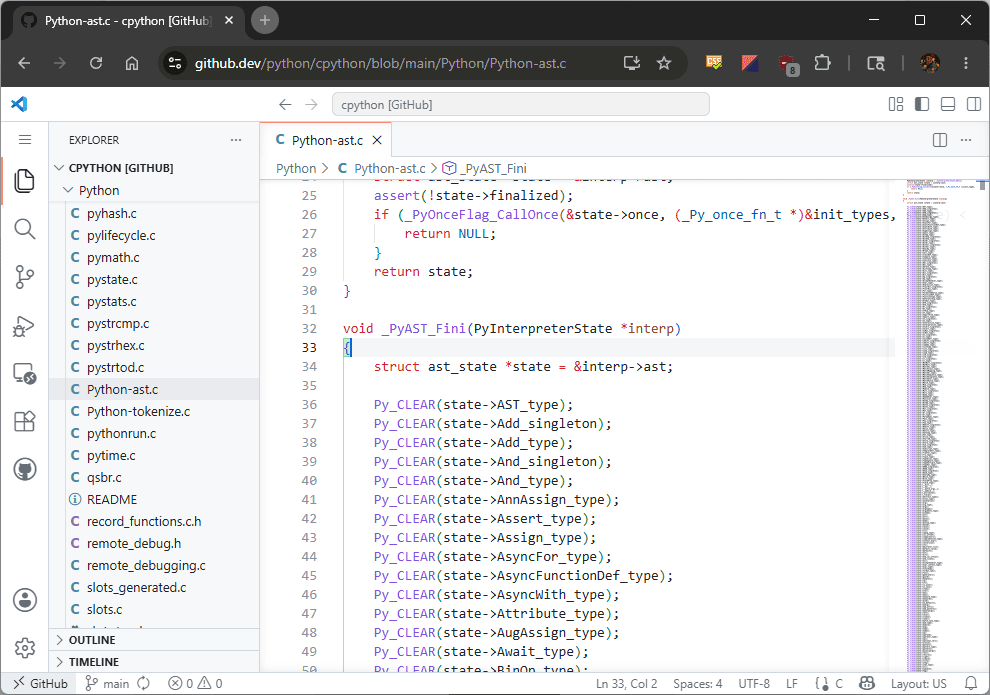
The ability to edit repositories using only a browser also means that github.dev needs to access GitHub on behalf of the user. According to security researcher Amal Askar, an OAuth token is passed from github.com to github.dev, allowing github.dev to operate the GitHub API with the user's permissions.
This bug is related to a mechanism called Webview in VS Code. Webview is a display area used for things like previewing Markdown and displaying Jupyter Notebooks, and it's used to display content that includes HTML and JavaScript within the editor.
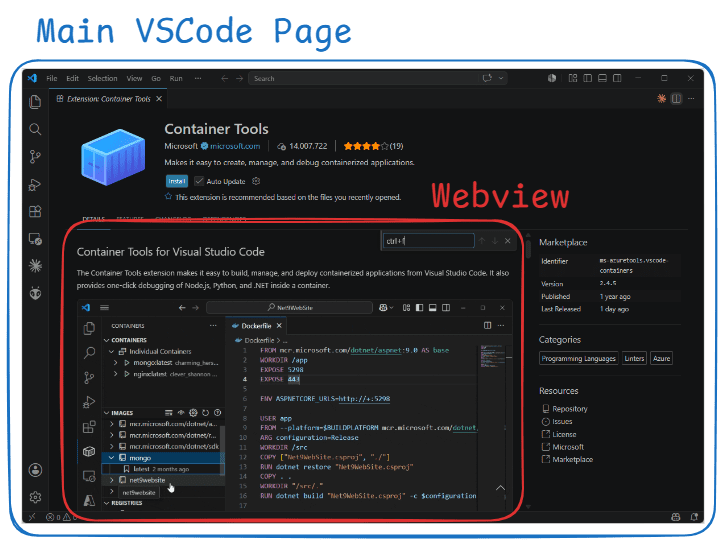
To prevent scripts included in the Notebook's display from accessing VS Code's settings or file operations, the WebView operates in an isolated area, similar to an iframe.
However, simply isolating it completely would make it inconvenient to use, so a mechanism was in place to relay keyboard inputs that occurred within the Webview to the VS Code main program, allowing users to operate shortcuts and the command palette even when the Webview has focus.
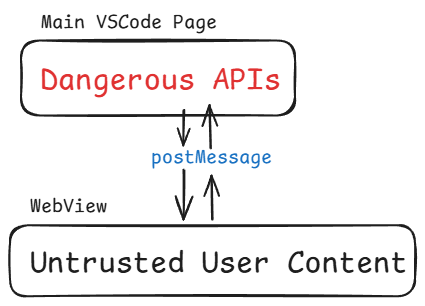
The problem was that the script within the Webview was able to send 'key combinations created by the program' to the VS Code main program, rather than 'keys actually pressed by the user.' Browsers have information to distinguish between actions actually performed by the user and actions created by the script. However, this bug allowed the script to handle keyboard inputs in a dangerous way when relaying them from the Webview to the main program.
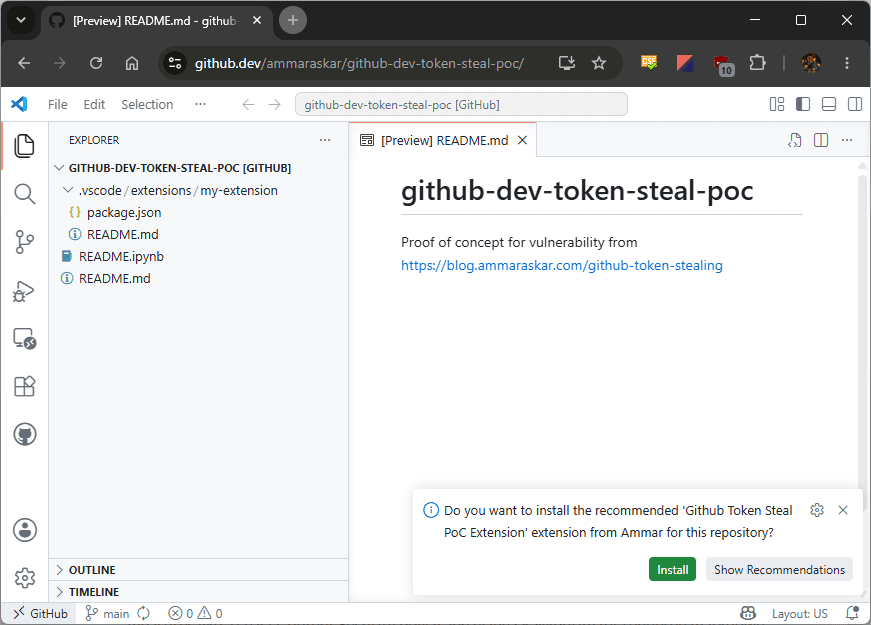
In the demonstration published by Askar, the attack begins simply by having the user click a link to github.dev provided by the attacker. The link leads to a repository containing a Jupyter Notebook, and JavaScript is executed through the display process within the Notebook. The JavaScript impersonates VS Code shortcut operations and proceeds with a process related to extension installation.
VS Code has a feature that allows you to specify recommended extensions on the workspace side. In team development, this is a useful mechanism to ensure that members use the same linter or the same language support extensions. However, in this demonstration, the notification to accept recommended extensions and the mechanism to install extensions placed in the workspace were combined to allow the execution of extensions prepared by the attacker.
When the attacker's extension was activated, it was able to obtain the GitHub API token used within github.dev and query the GitHub API to display a list of private repositories that the user could access. Askar's proof-of-concept code shows the stolen token and private repository information displayed in an information box. In an attack intended to cause actual harm, it is also possible that the same information would be sent to the attacker's server.
It appears that a similar vulnerability exists in the desktop version of VS Code, but the difficulty of the attack differs from that of github.dev. In the desktop version, the user needs to clone the repository and then open the problematic Notebook in VS Code. On the other hand, with github.dev, the browser editor opens simply by clicking a link, making the entry point for the attack much shorter.
Following this report, Microsoft added a trust check when opening Notebooks that run solely in a browser on June 3, 2026, and incorporated a fix to prevent arbitrary caller information from being accepted in extension installation commands. Furthermore, on June 4, 2026, they incorporated a fix to prevent untrusted events created by scripts from being forwarded to the main system in some cases, regarding key and click operations sent from Webview.
Related Posts:





in Web Service, Security, Posted by log1d_ts