'urlwatch' is a free, open-source, self-hostable service that monitors web pages and notifies you of changes via email, smartphone, or other means.
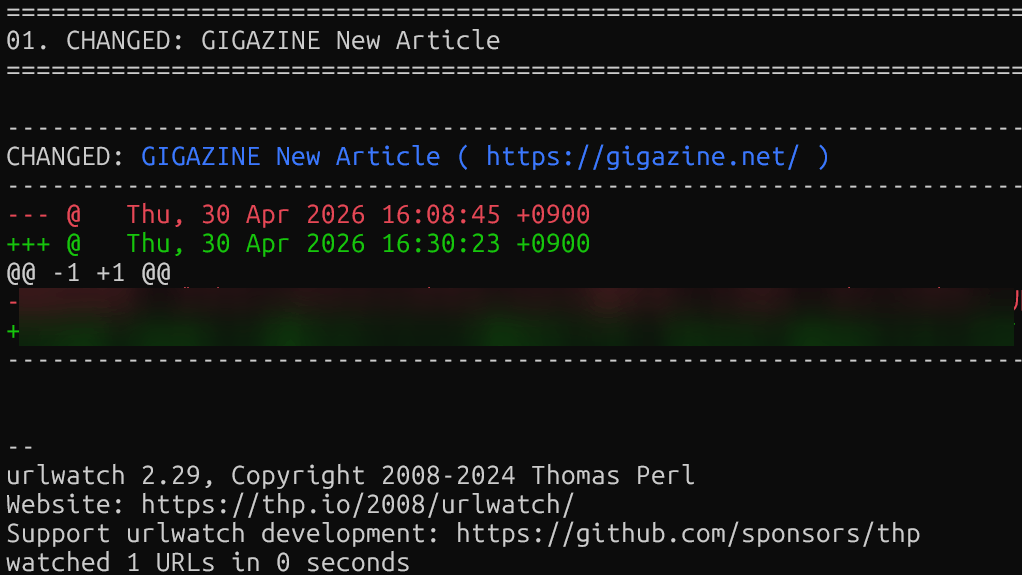
Many websites, such as blogs, company sites, and government announcement pages, still lack RSS feeds, making it difficult to track updates. 'urlwatch' allows you to periodically retrieve data from specified pages, compare the changes to the previous version, and receive notifications only when changes have occurred. It supports email, Slack, Discord, Telegram, and more, allowing you to build your own personalized update notification system.
urlwatch monitors webpages for you (thp.io)
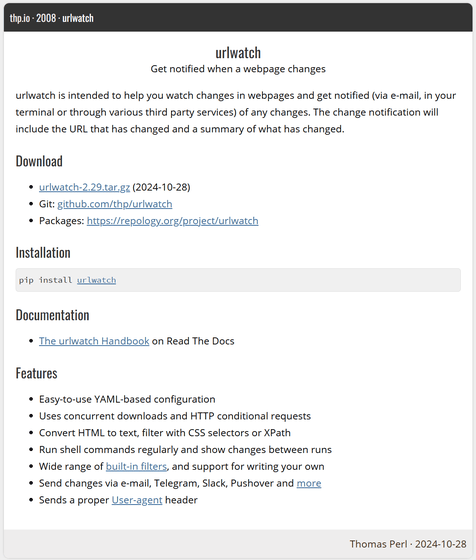
thp/urlwatch: Watch (parts of) webpages and get notified when something changes via e-mail, on your phone or via other means. Highly configurable.
https://github.com/thp/urlwatch/
◆urlwatch features
This is a Python-based change monitoring tool that periodically retrieves output from web pages and local commands, detects the differences from the previous version, and notifies the user.
◆How to install urlwatch
We will install it on WSL2 , which has Ubuntu 24.04.4 LTS set up on Windows 11. To use pipx, install pipx using the following command.
 sudo apt update
 sudo apt install -y pipx
 pipx ensurepath
Restart the shell and install urlwatch.
pipx install urlwatch
◆How to use urlwatch
Since 'urlwatch' checks for differences from the previous execution each time it's run and notifies you if there are any changes, it needs to be run periodically using cron or a task scheduler.
◆ How to set up the monitoring targets
Open the configuration file with 'urlwatch --edit' and write down what you want to monitor. The simplest configuration for monitoring the entire site is as follows:
 name: 'urlwatch webpage'
 url: 'https://thp.io/2008/urlwatch/'
The filter function allows you to narrow down what you monitor based on various criteria. For example, by monitoring the titles of the latest articles on the GIGAZINE homepage, you can receive notifications when new articles are published.
 Name: 'GIGAZINE New Article'
 URL: https://gigazine.net/
 filter:
 - xpath: '(//h2/a)[1]'
 - html2text
The main filters available are as follows. By combining these, you can monitor only specific parts of a web page or perform flexible data processing.
| Filter | Purpose |
|---|---|
| beautify | HTML formatting |
| css | Extract XML/HTML using CSS selectors |
| csv2text | Convert CSV to plain text |
| element-by-class | Extract HTML elements using class specification. |
| element-by-id | Extract HTML elements by specifying their ID. |
| Element-by-style | Extract HTML elements using style specifications. |
| element-by-tag | Extract HTML elements using tag specifications. |
| format-json | Format JSON |
| grep | Extract only the lines that match the regular expression. |
| grepi | Exclude lines that match the regular expression |
| hexdump | Dump binary into hexadecimal |
| html2text | Convert HTML to plain text |
| pdf2text | Convert PDF to text |
| pretty-xml | XML formatting |
| ical2text | Convert iCalendar to text |
| OCR | Extracting text from images using Tesseract OCR |
| re.sub | Replace with Python's re.sub |
| re.findall | Extraction using Python's re.findall |
| Reversal | Invert the input fields. |
| sha1sum | SHA-1 hashing |
| shellpipe | Execute shell commands as filters |
| sort | sort |
| remove-duplicate-lines | Remove duplicate rows |
| strip | Remove leading and trailing spaces |
| striplines | Remove leading and trailing whitespace from each line. |
| xpath | Extract XML/HTML using XPath |
| jq | Extracting and converting JSON using jq |
In addition to web pages, all output will be monitored. You can configure the settings as follows to detect and notify you of changes in the number of output items when a user is added to the database.
 name: DB record count
 command: mysql -e 'SELECT COUNT(*) FROM users;'
◆ How to receive notifications from urlwatch
The following notification methods are provided by default in the official system.
Pushover
Pushbullet
Telegram
Slack
Mattermost
Discord
Gotify
ntfy.sh
IFTTT
Matrix
Gmail SMTP
Amazon SES
SMTP
XMPP
Prowl
In addition, it can execute shell commands, so it can handle a wide range of notification methods.
URLWatch is a long-established project that was released in 2008. While there are simpler GUI-based tools like Visualping that allow for easy configuration, URLWatch remains popular among users who require more advanced control.
Related Posts: