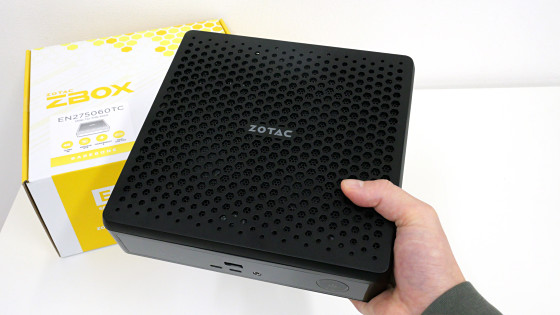
We thoroughly tested whether the ZOTAC mini PC 'MAGNUS EN275060TC' equipped with a desktop graphics card 'GeForce RTX 5060 Ti' with 16GB of VRAM is practical for local AI and games.
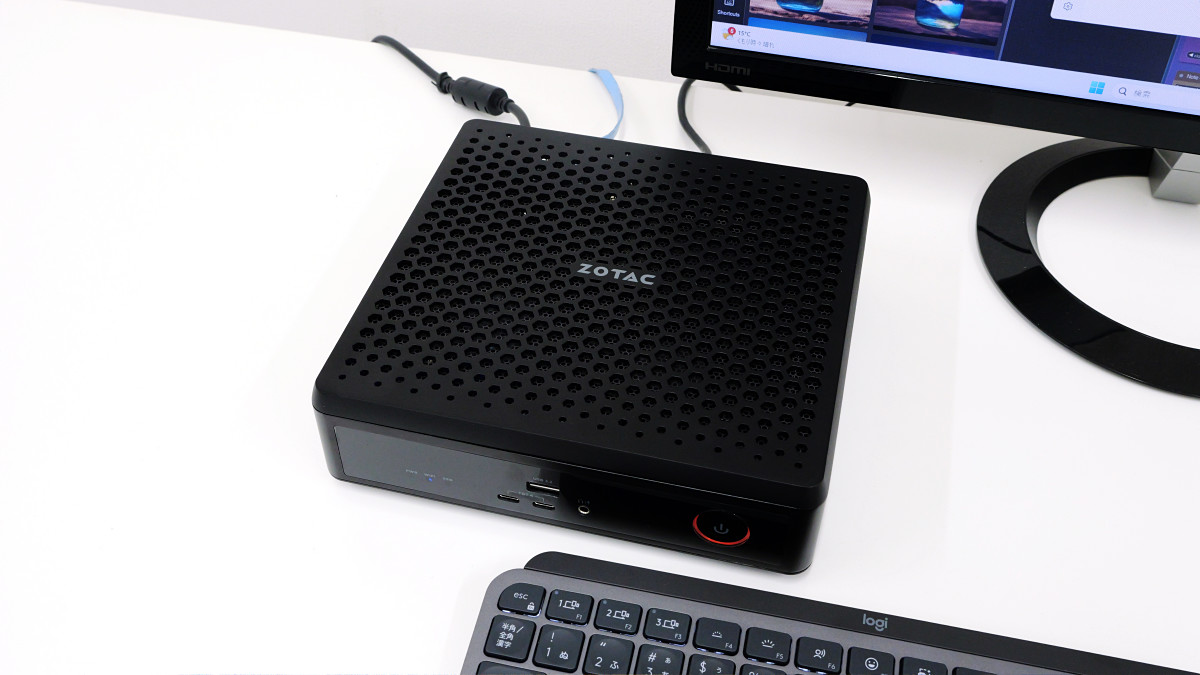
PCs equipped with high-performance graphics cards tend to be large, and small mini PCs often suffer from reduced graphics performance. The MAGNUS EN275060TC mini PC, scheduled for release on Friday, December 12, 2025, packs a GeForce RTX 5060 Ti desktop graphics card with 16GB of VRAM into a compact, handheld body, achieving both high processing power and space-saving design. We were able to borrow a real MAGNUS EN275060TC ahead of its release, and ran various benchmark tests to thoroughly test its performance in tasks such as gaming, video editing, and image generation AI. We also measured the temperature and noise levels of each component under heavy load.
MAGNUS EN275060TC (Windows) | ZOTAC
https://www.zotac.com/jp/product/mini_pcs/magnus-en275060tc-windows
The MAGNUS EN275060TC measures 210mm x 203mm x 62.2mm and has a volume of 2.65L. It features three DisplayPort 2.1b ports and one HDMI 2.1b port for video output. It also has five USB Type-A ports (front and rear) that support USB 3.2 Gen 2, as well as two USB Type-C ports that support Thunderbolt 4. It also features two 2.5Gbps Ethernet ports, Wi-Fi 7, and Bluetooth 5.4, providing expandability comparable to that of a large desktop PC. The MAGNUS EN275060TC's exterior and port layout can be viewed in the article below.
We took a closer look at the appearance of the ZOTAC mini PC 'MAGNUS EN275060TC' packed with a desktop version of GeForce RTX 5060 Ti in a size that can be held in one hand - GIGAZINE
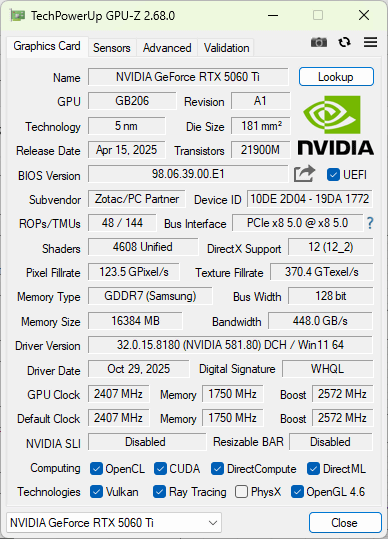
Mini PCs often come equipped with performance-limited graphics cards designed for laptops, but the MAGNUS EN275060TC is equipped with the desktop version of the GeForce RTX 5060 Ti. The GPU information screen shown below is from GPU-Z . It has 16GB of VRAM, and we can see that the original GeForce RTX 5060 Ti is packed in without any performance limitations.
Check the CPU information with ' CPU-Z '. The CPU is equipped with Intel's ' Core Ultra 7 Processor 255HX '.
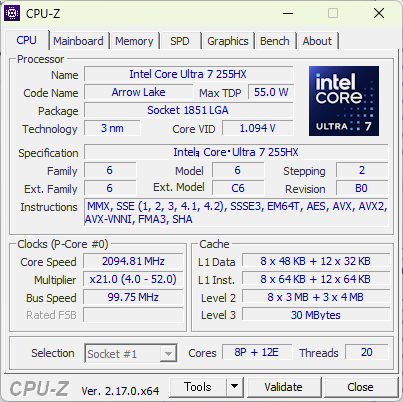
The main specifications of the MAGNUS EN275060TC I borrowed this time are as follows. You can replace the memory and storage yourself.
| Model name | MAGNUS EN275060TC |
|---|---|
| CPU | Intel Core Ultra 7 Processor 255HX |
| GPU | ZOTAC GAMING GeForce RTX 5060 Ti GPU |
| RAM capacity | 16GB (expandable up to 96GB) |
| VARM capacity | 16GB |
| Storage | 1TB M.2 NVMe SSD |
| Input/Output | HDMI 2.1b x1 3 x DisplayPort 2.1b 5x USB 3.2 Gen 2 2 x Thunderbolt 4 earphone jack |
| Wired communication | 2.5Gbps Ethernet |
| Wireless communication | Wi-Fi 7 Bluetooth 5.4 |
| OS | Windows 11 Home |
So, let's run various benchmarks to check the performance. The power mode was set to 'Optimal Performance' by default, so we ran the benchmarks with this setting. The OS and drivers used were the latest versions at the time of testing: Windows 11 Home version 10.0.26200, and GPU driver version 581.80.

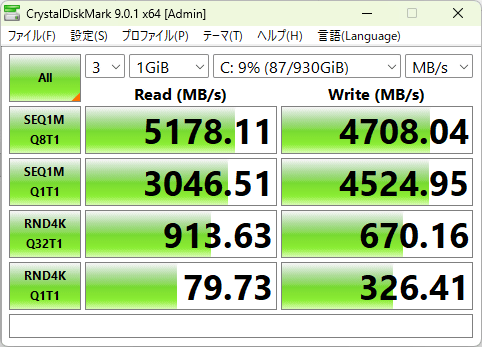
First, we ran the storage speed measurement tool ' CrystalDiskMark .' The sequential read speed was 5178.11MB/s, the sequential write speed was 4708.04MB/s, the random read speed was 913.63MB/s, and the random write speed was 670.16MB/s.
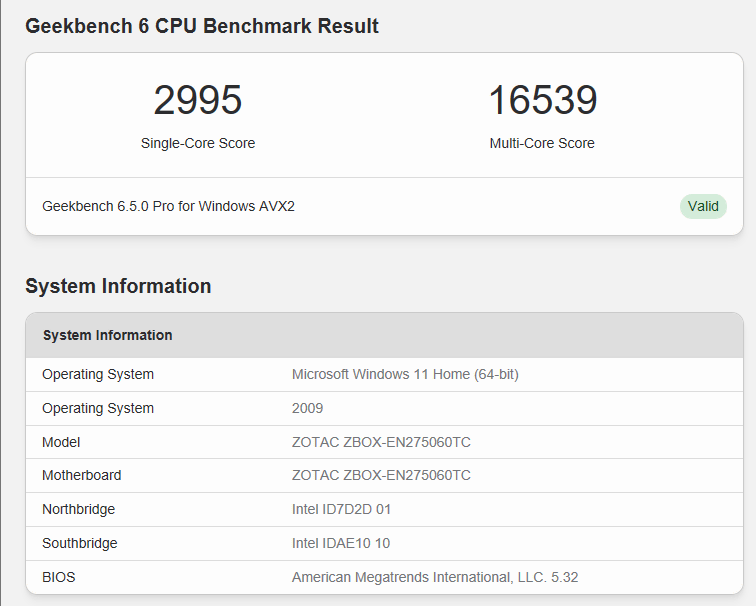
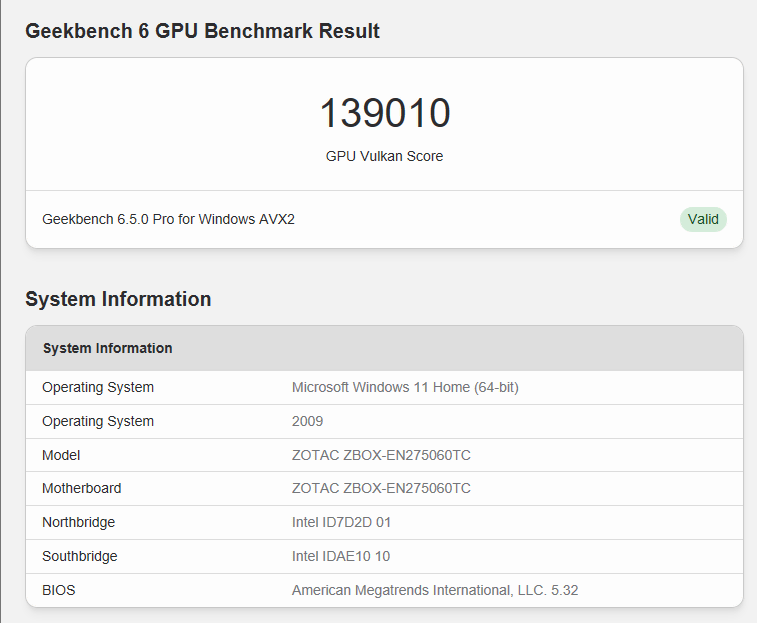
When we ran the CPU test using the popular benchmark app Geekbench 6 , the single-core score was 2995 and the multi-core score was 16,539.
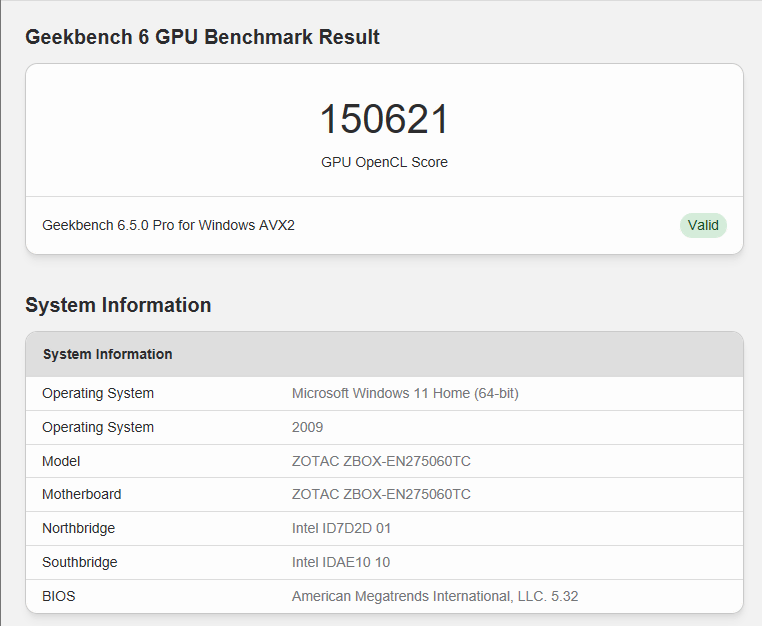
The GPU computing performance score for OpenCL is 156,210.
On Vulkan it was 139,010.
I also tested it with
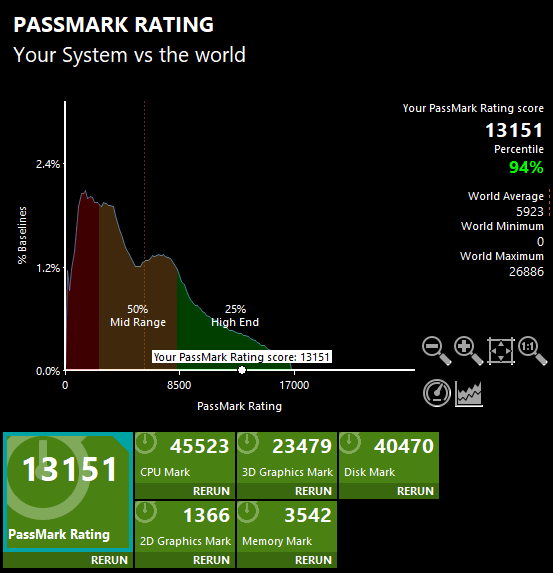
The CPU test score was 45,523, with a percentile of 93%.
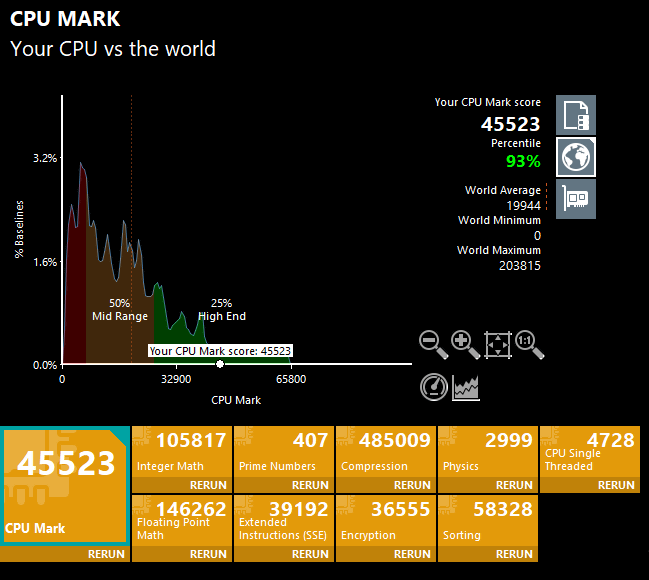
The 2D graphics test score was 1366, which is a percentile of 94%.
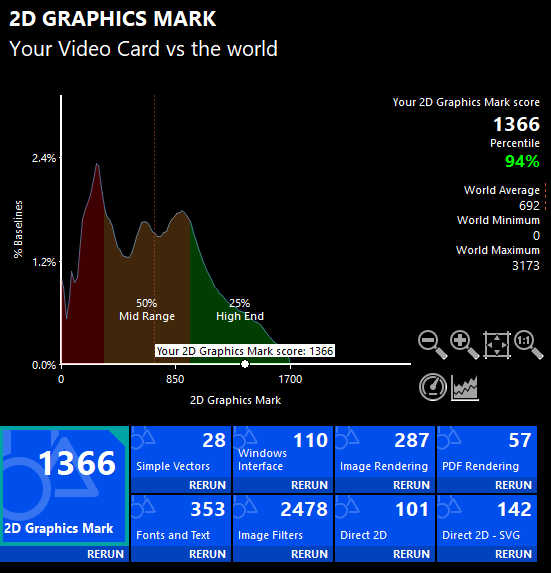
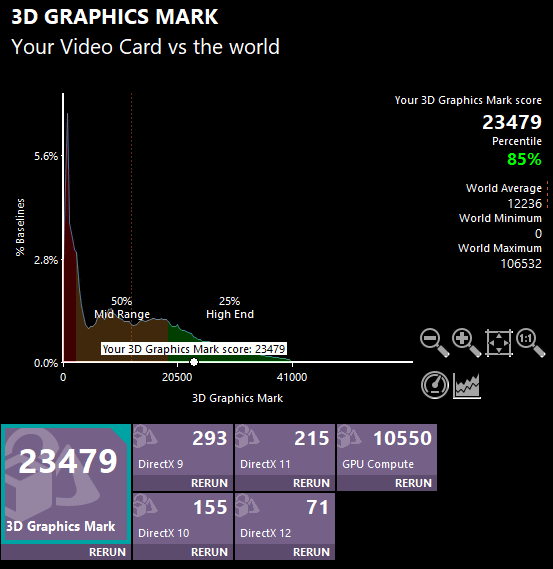
The 3D graphics test score was 23,479, which is a percentile of 85%.
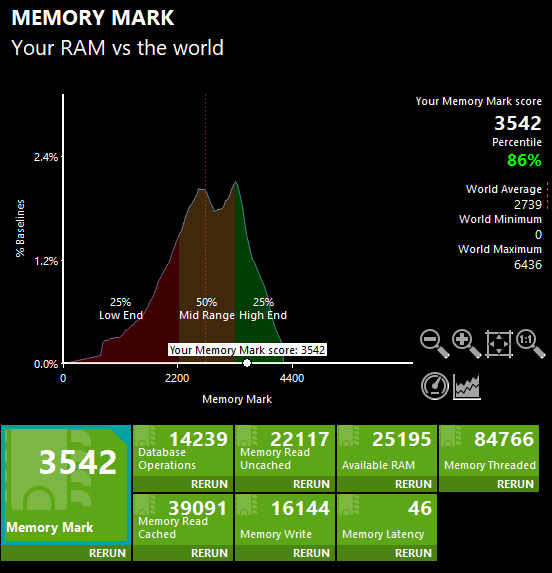
The memory test score was 3542, which is a percentile of 86%.
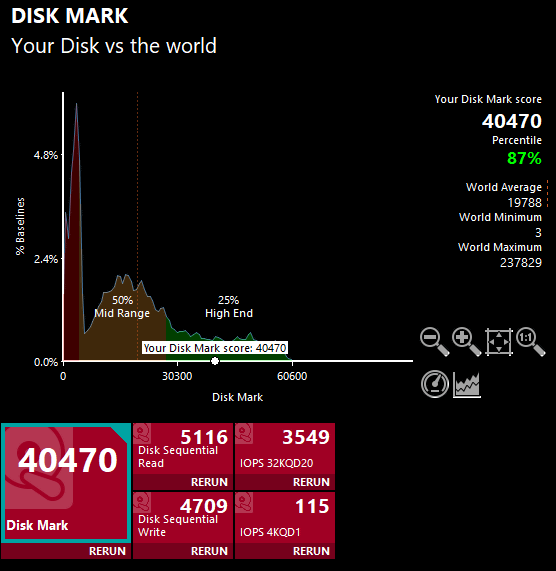
The storage test score was 40,470, which is a percentile of 87%.
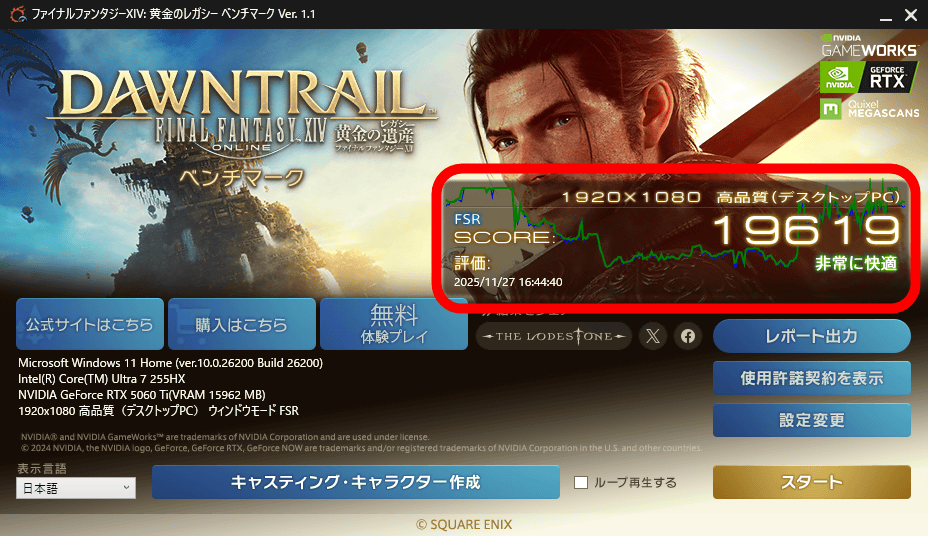
To measure gaming performance, we ran the '
The GeForce RTX 5060 Ti features the 9th generation NVIDIA Encoder (NVENC), enabling extremely fast video encoding in compatible apps. To measure the encoding time for a 4K video, we used a 4K video file of the short film '
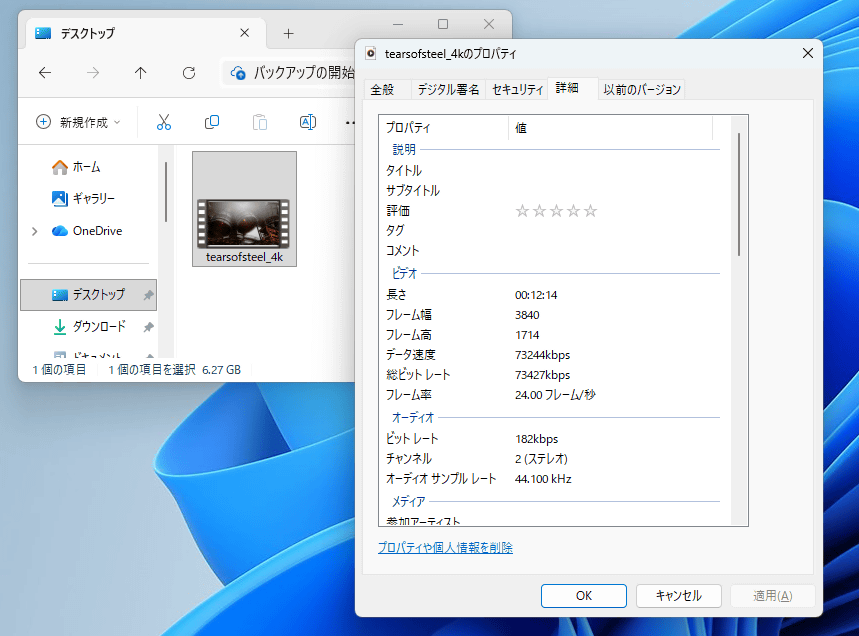
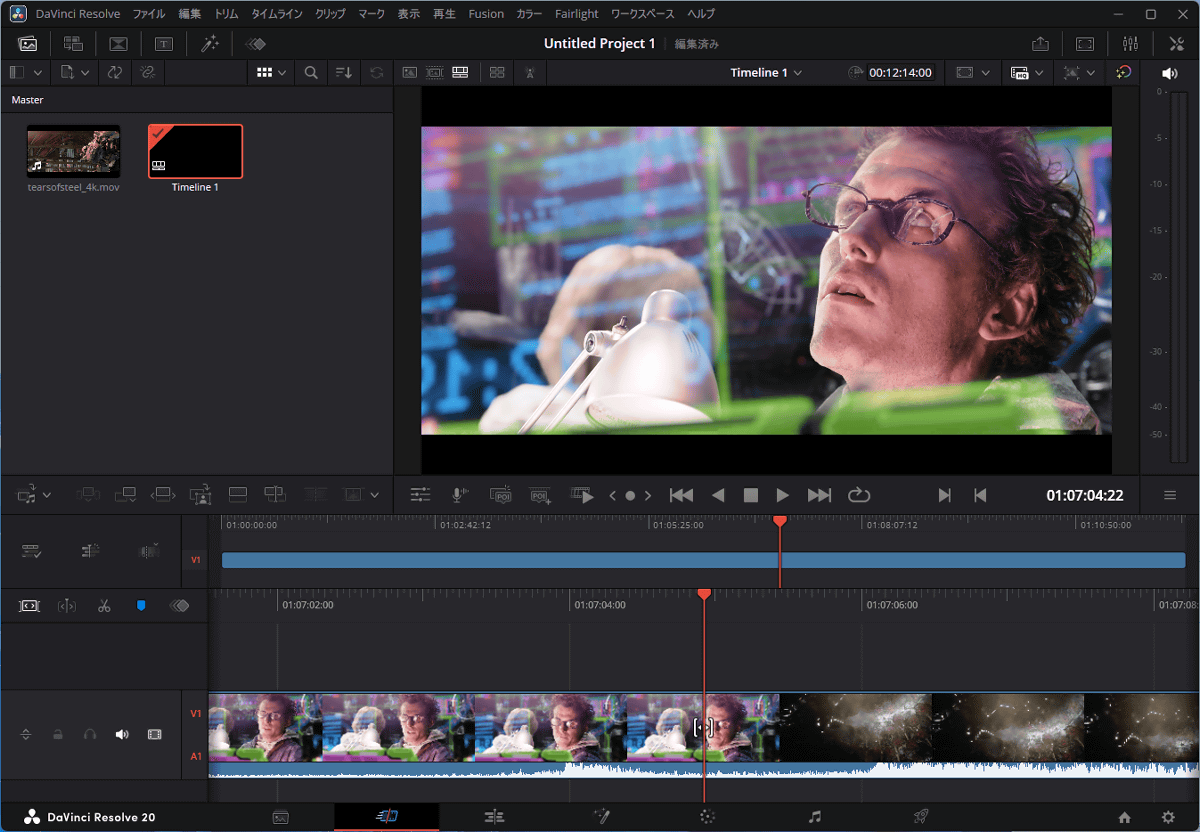
When I loaded the video file into the video editing app '
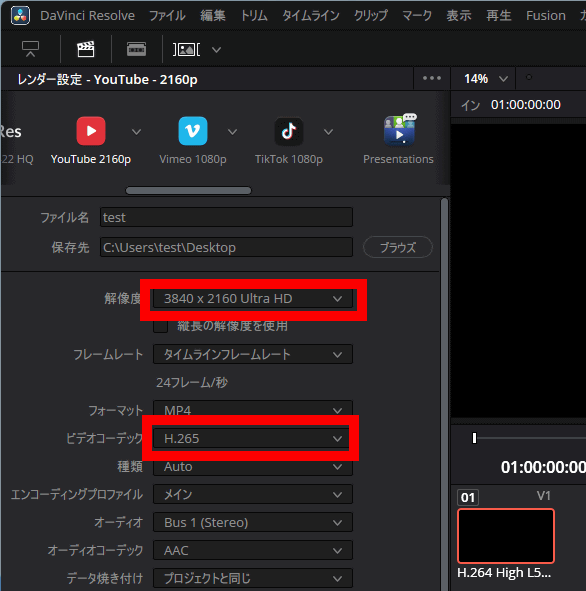
Let's try encoding by setting the resolution to 3840 x 2160 pixels (4K) and the codec to H.265.
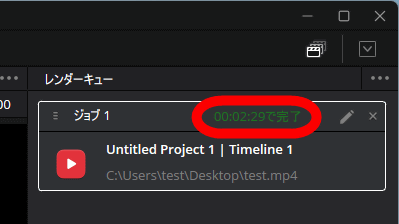
The encoding was completed in just 2 minutes and 29 seconds. The video playback time is 12 minutes and 14 seconds, so it shows that extremely fast encoding is possible.
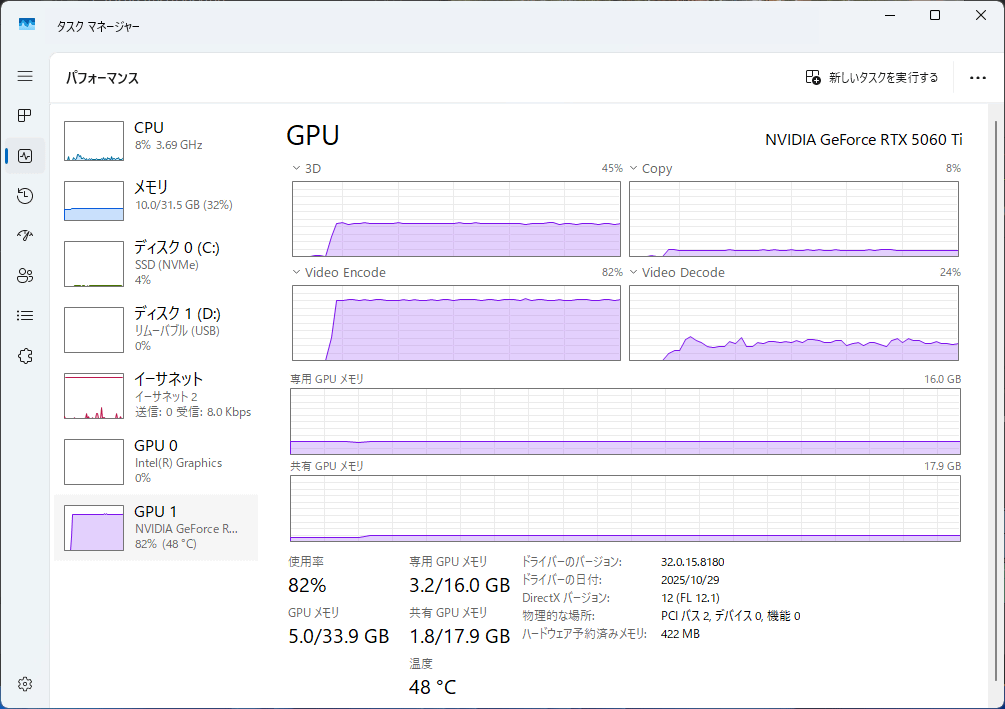
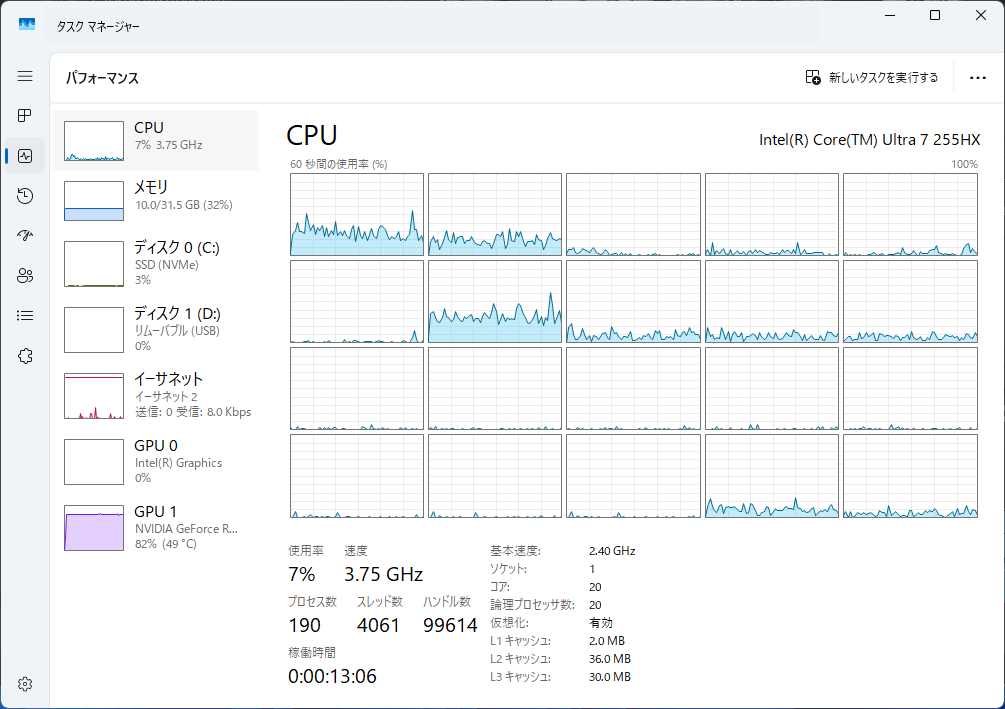
I checked the load during encoding using Task Manager. It seems that the GPU's 3D rendering core and NVENC are heavily used.
Meanwhile, there is almost no load on the CPU, which means you can continue working on other tasks while a long video is being encoded.
The GeForce RTX 5060 Ti has 16GB of VRAM, making it suitable for running local AI, which requires a lot of VRAM. As a test, we used the generative AI tool '
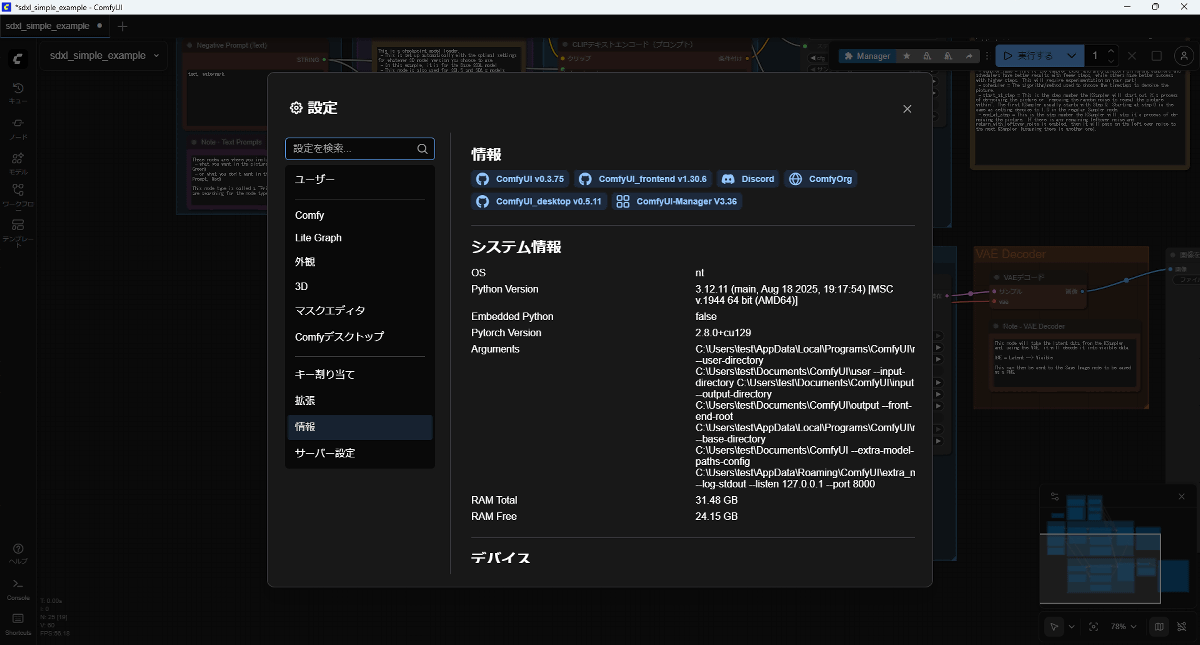
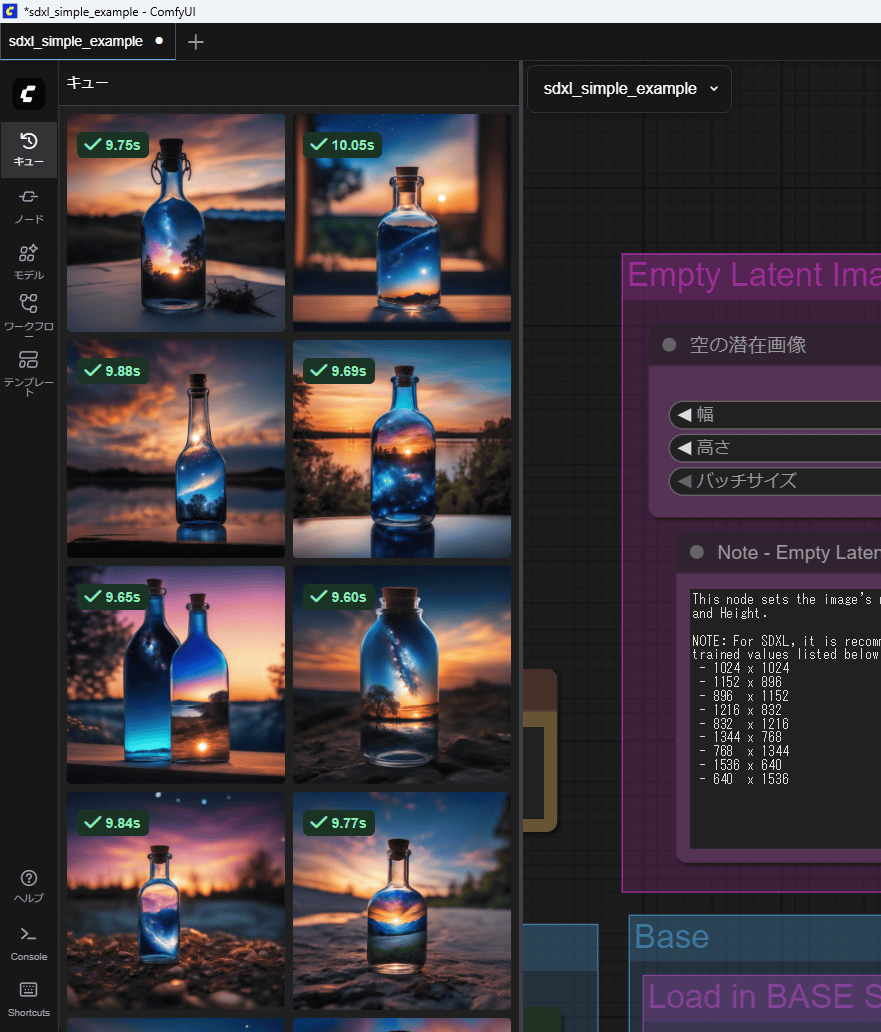
ComfyUI can generate images and videos using a wide variety of AI models. This time, we will use the official workflow, which generates images using
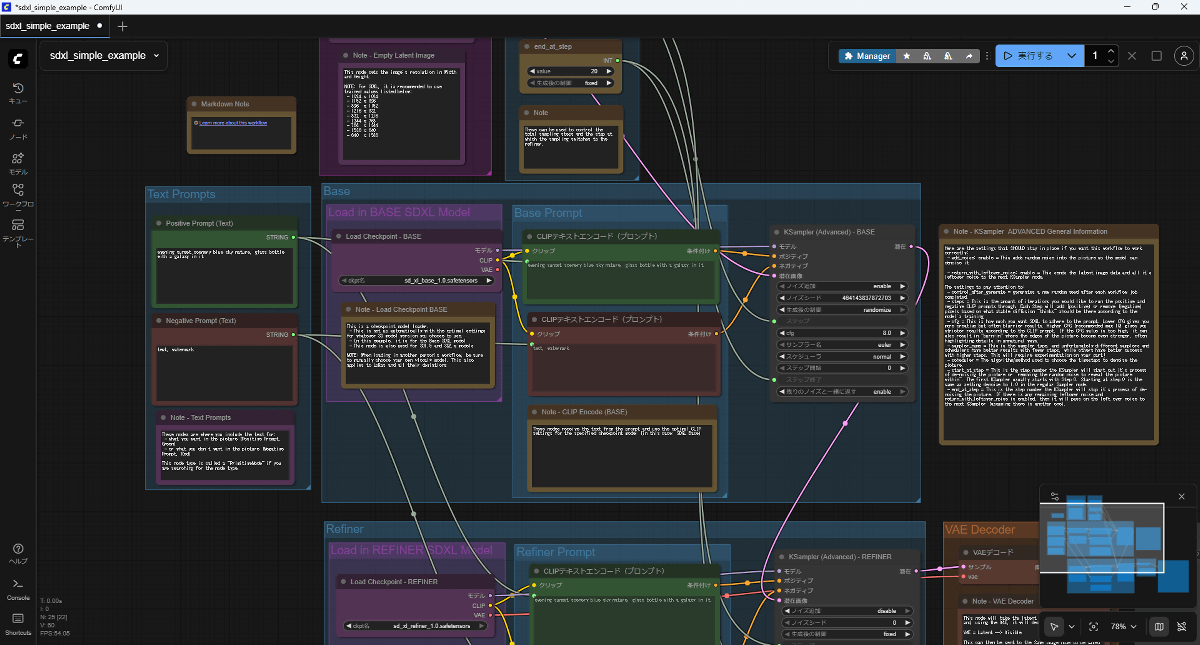
When images were generated continuously, each image was generated in 9.5 to 10.1 seconds.
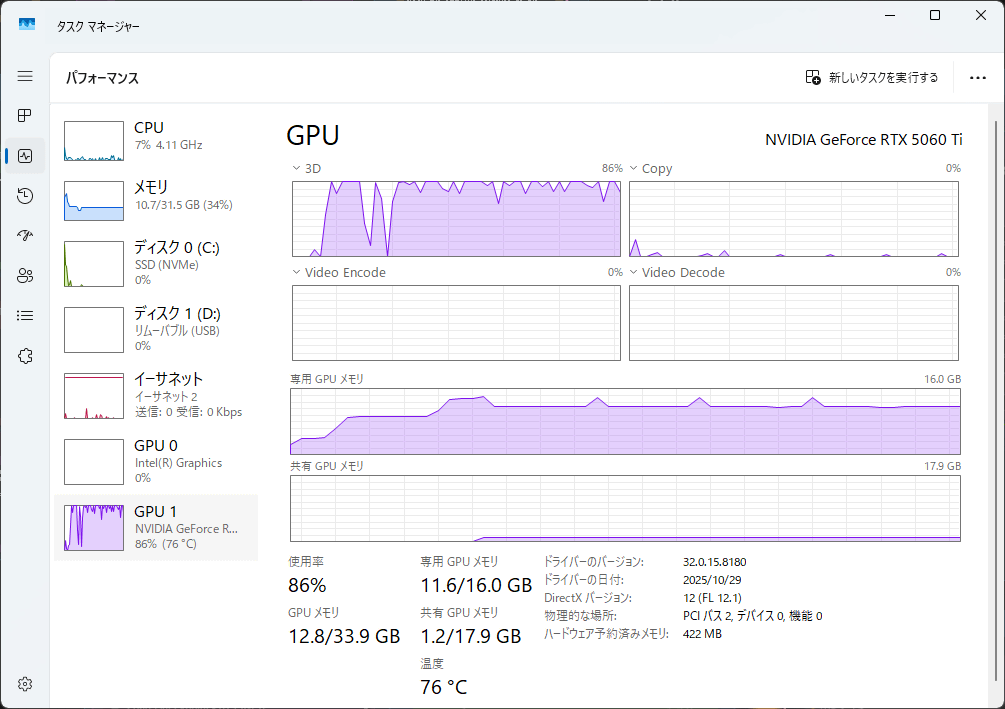
The load during image generation looks like this. Around 12GB of VRAM is used. If you're using a graphics card with limited VRAM, the AI model and other data will overflow into RAM and slow down the generation process. The MAGNUS EN275060TC is equipped with a GeForce RTX 5060 Ti with 16GB of VRAM, enabling high-speed generation.
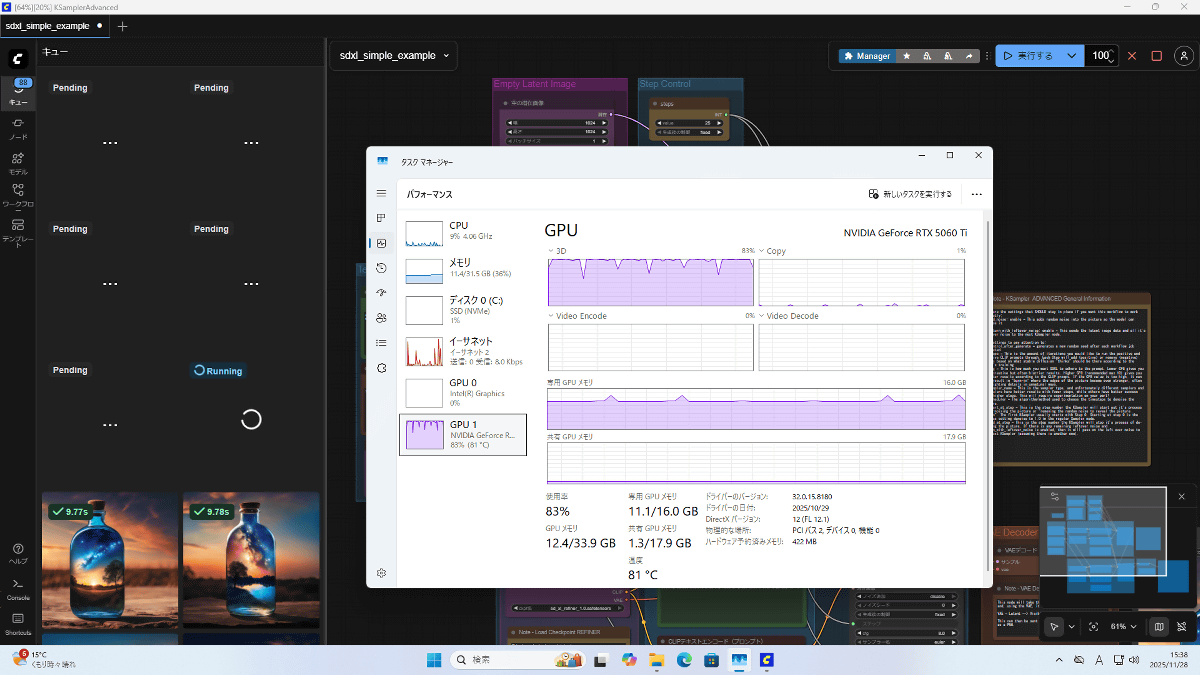
To measure the temperature of each part under high load, we will generate images continuously using the above settings. The GPU will be under nearly 100% load while generating the images.
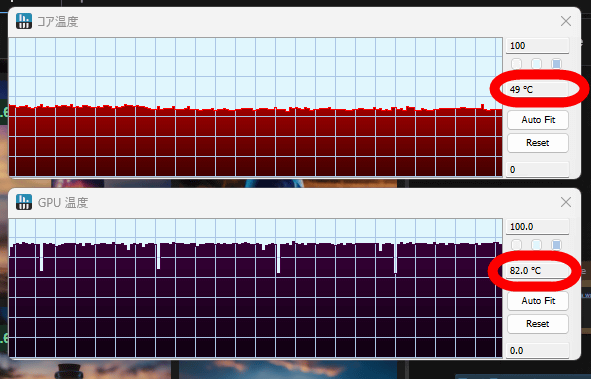
We continued generating images for 10 minutes while checking the CPU core temperature (top) and GPU core temperature (bottom) using the PC information display app '
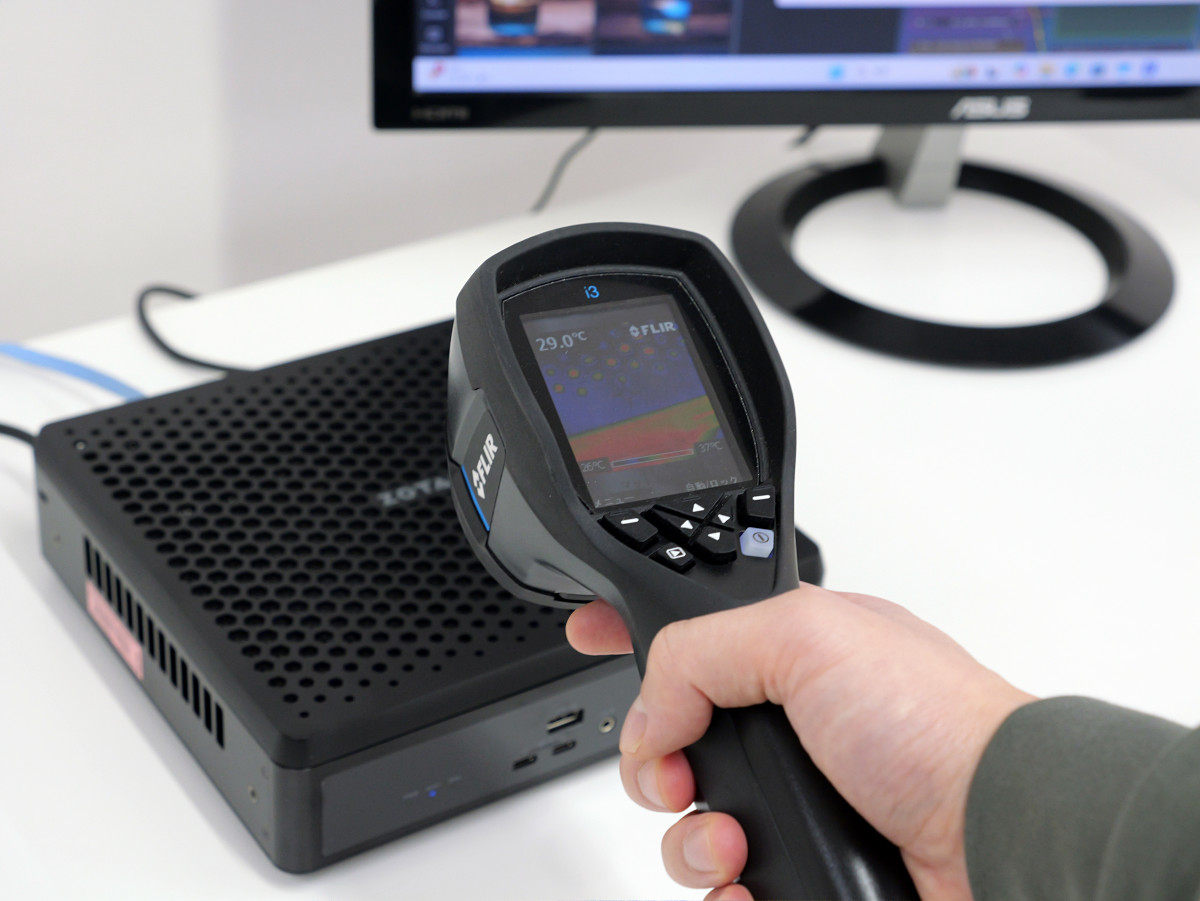
In addition, the temperature of each part is measured using the infrared thermography camera '
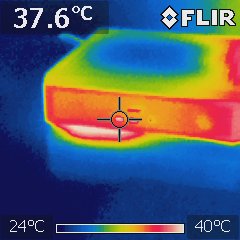
The front is 37.6 degrees.
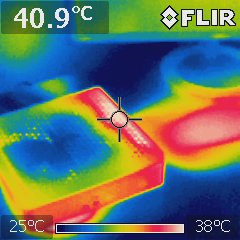
The right side of the top surface was 40.9 degrees.
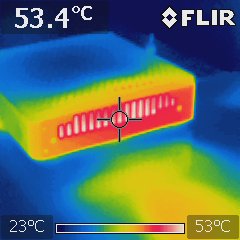
Heat is being expelled vigorously from the right side, and the temperature has risen to 53.4 degrees.
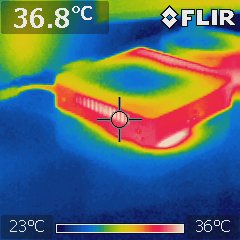
There is also a vent on the left side, but the temperature is low at 36.8 degrees.
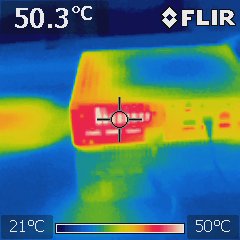
The temperature near the rear vent was 50.3 degrees.
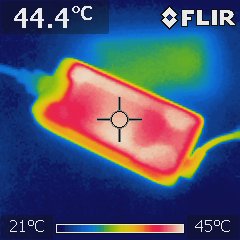
The power adapter is 44.4 degrees.
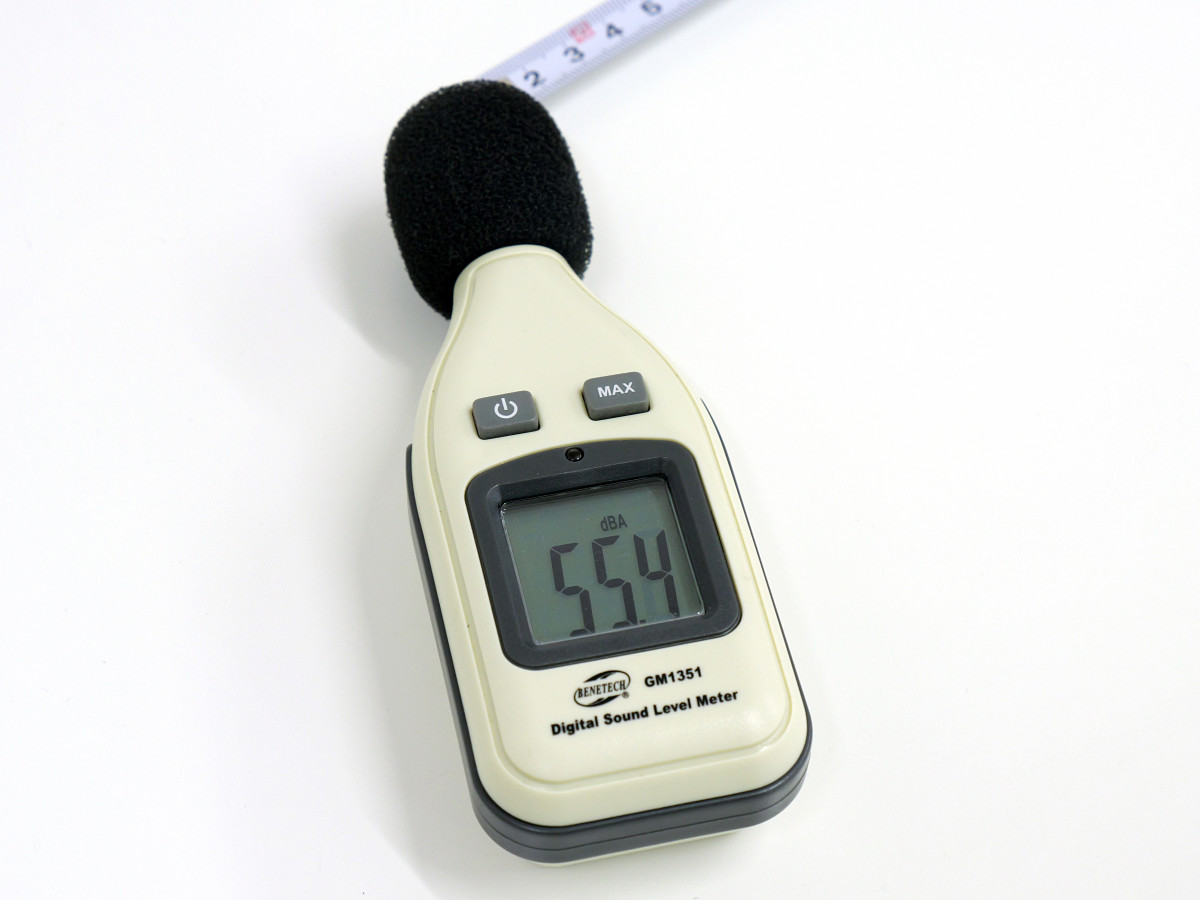
To measure the noise level under high load, a digital sound level meter '
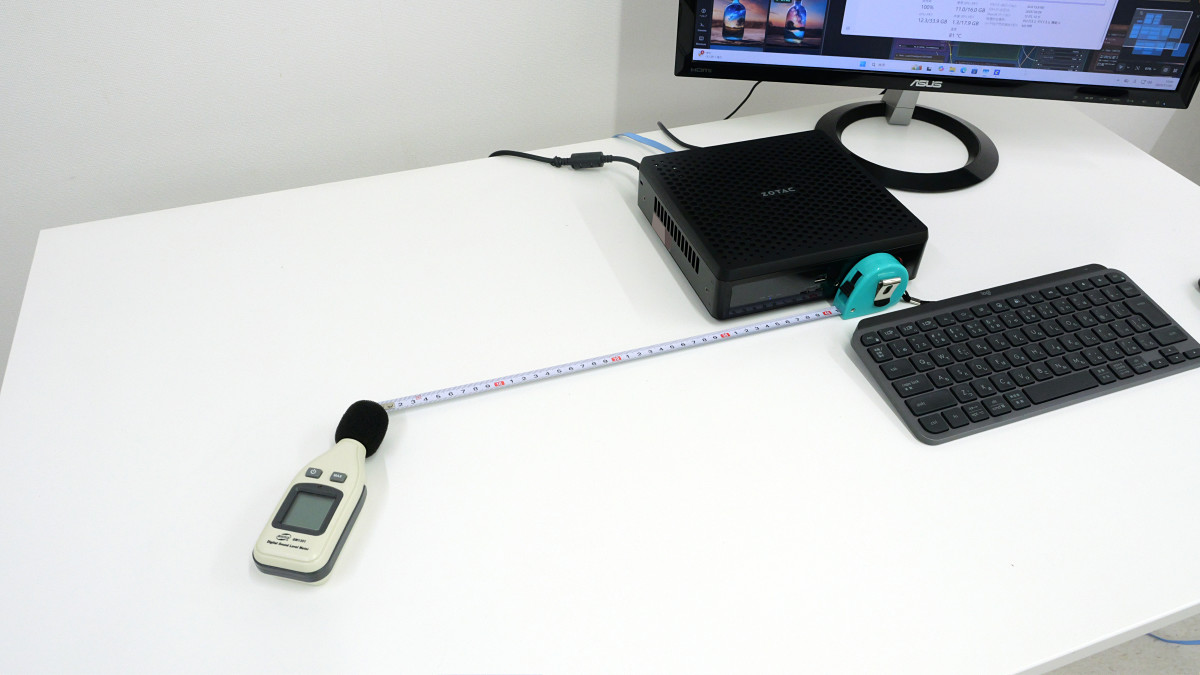
The noise level was 55.4dBA. The fan spins vigorously and makes quite a loud noise.
After running various benchmarks, we found that the MAGNUS EN275060TC, equipped with the desktop GeForce RTX 5060 Ti, delivers excellent performance in areas requiring a high-performance PC, such as gaming, creative tasks, and local AI execution. While the fan noise is a concern, the combination of high performance and a compact body is a major advantage. It can also be mounted on a wall or behind a desk using dedicated mounting parts, making it highly recommended for those seeking a space-saving, high-spec PC.
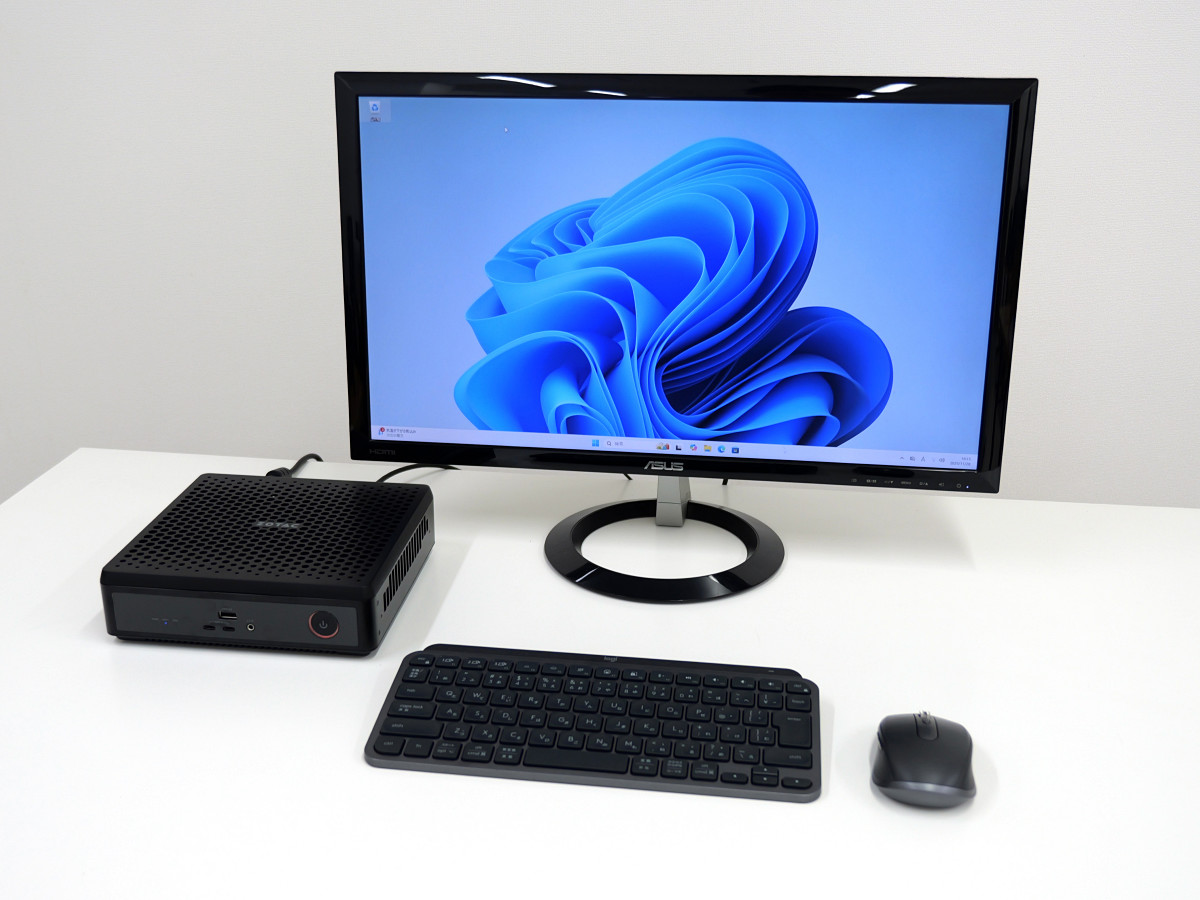
The MAGNUS EN275060TC will be available for purchase on the official online store on Friday, December 12, 2025, with the price yet to be determined.
Related Posts: