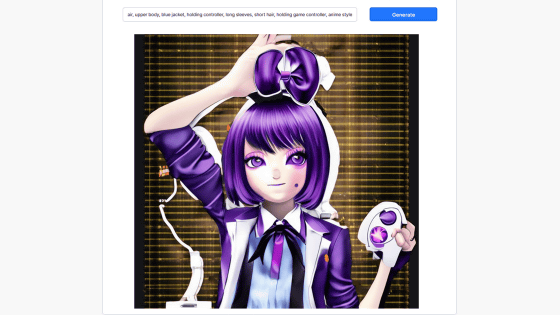
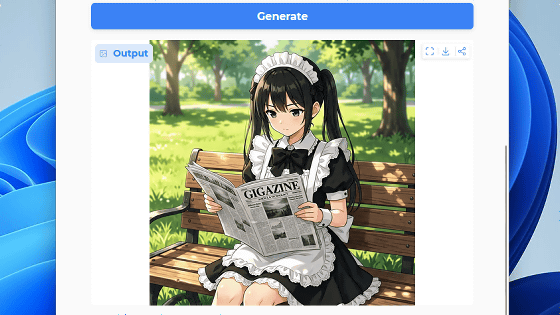
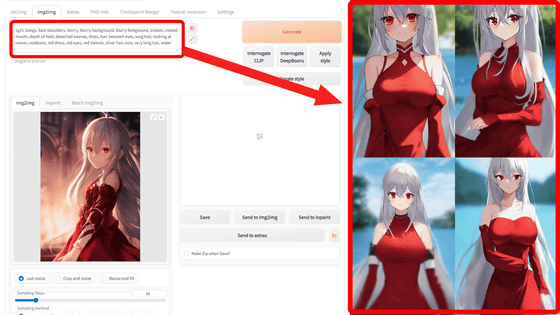
The official version of 'Anima,' an AI image generation tool specializing in anime and illustrations, has finally been released. It supports both tags and natural language processing and can easily run locally on any PC that can handle SDXL or Illustrious-type models.
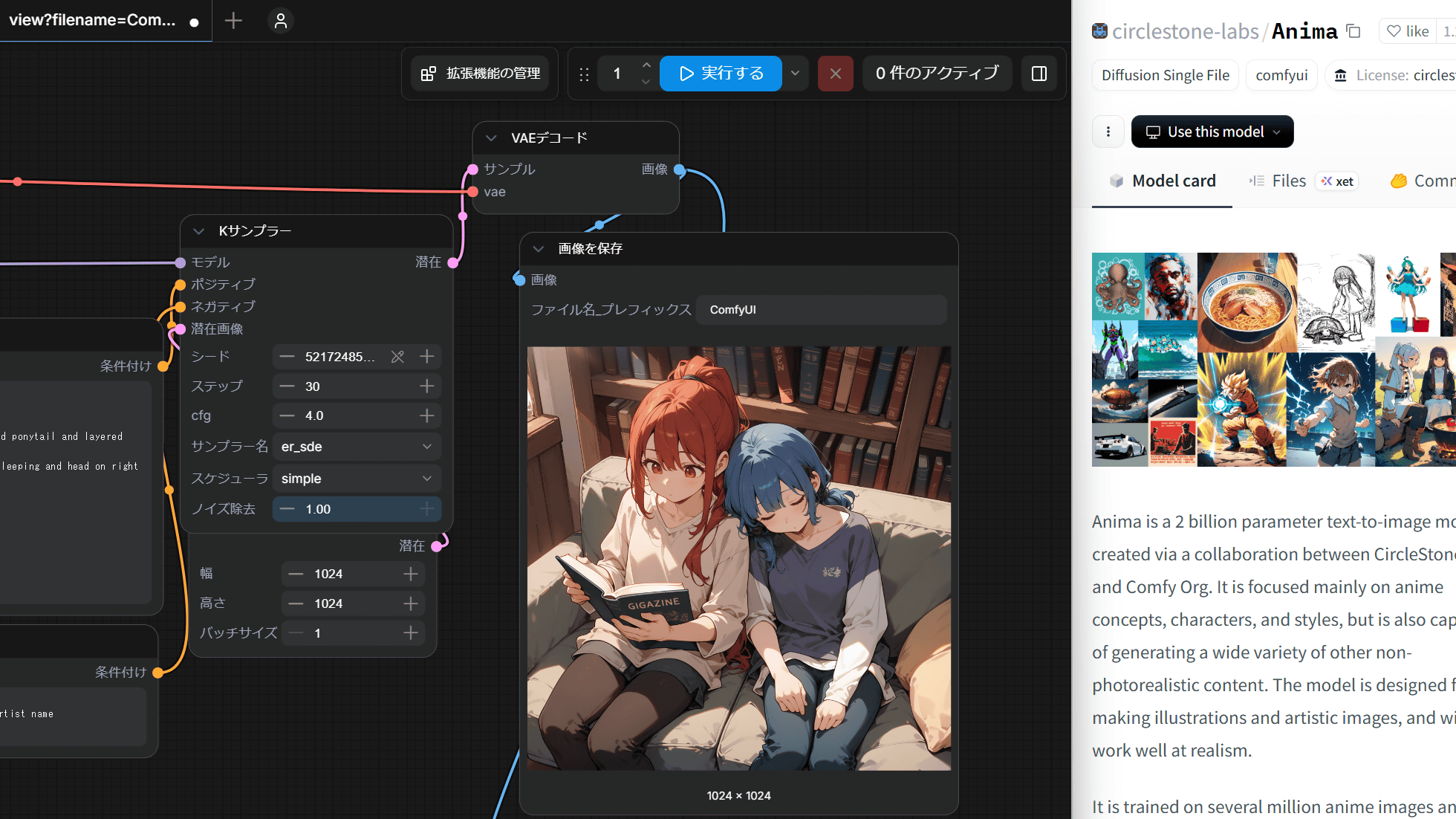
CircleStone Labs released its image generation AI model, ' Anima-Base ,' on May 15, 2026. Anima had been available in preview since January 2026 and attracted significant attention even in its preview stage due to its features such as 'the ability to input prompts using both tags and natural language' and 'higher prompt tracking performance compared to SDXL and Illustrious models.' Now that the official version has been released, we've put together a summary of the steps for actually generating images with ComfyUI and some tips for prompting.
circlestone-labs/Anima · Hugging Face
Anima is an image generation model specializing in anime and illustrations, developed in collaboration with CircleStone Labs and Comfy Org. 'Anime Preview' was released in January 2026, followed by 'Preview2' in March 2026, and 'Preview3 Base' in April 2026, and it has been steadily updated ever since. Even in the preview stage, it was praised for features such as 'the ability to enter prompts in natural language,' 'high prompt tracking performance,' 'works on PCs that can handle SDXL models,' and ' unrestricted expressiveness,' and it became a hot topic in the local image generation community. The official version of this model, 'Anima-Base,' was released on May 15, 2026.
The procedure for generating images using Anima-Base is as follows. This time, we will generate them using ComfyUI .
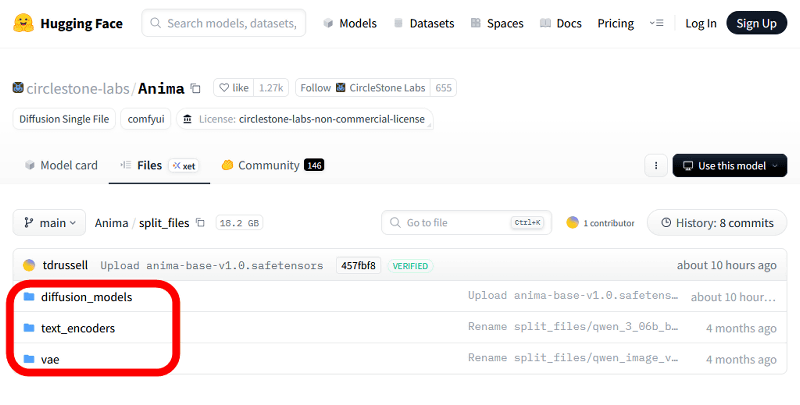
First, download the main model file ' anima-base-v1.0.safetensors ', the text encoder ' qwen_3_06b_base.safetensors ' which handles the bridging of text and images, and ' qwen_image_vae.safetensors ' which handles the conversion process between human images and AI images. Each file is stored in 'diffusion_models', 'text_encoders', and 'vae' at the following links.
circlestone-labs/Anima at main
https://huggingface.co/circlestone-labs/Anima/tree/main/split_files
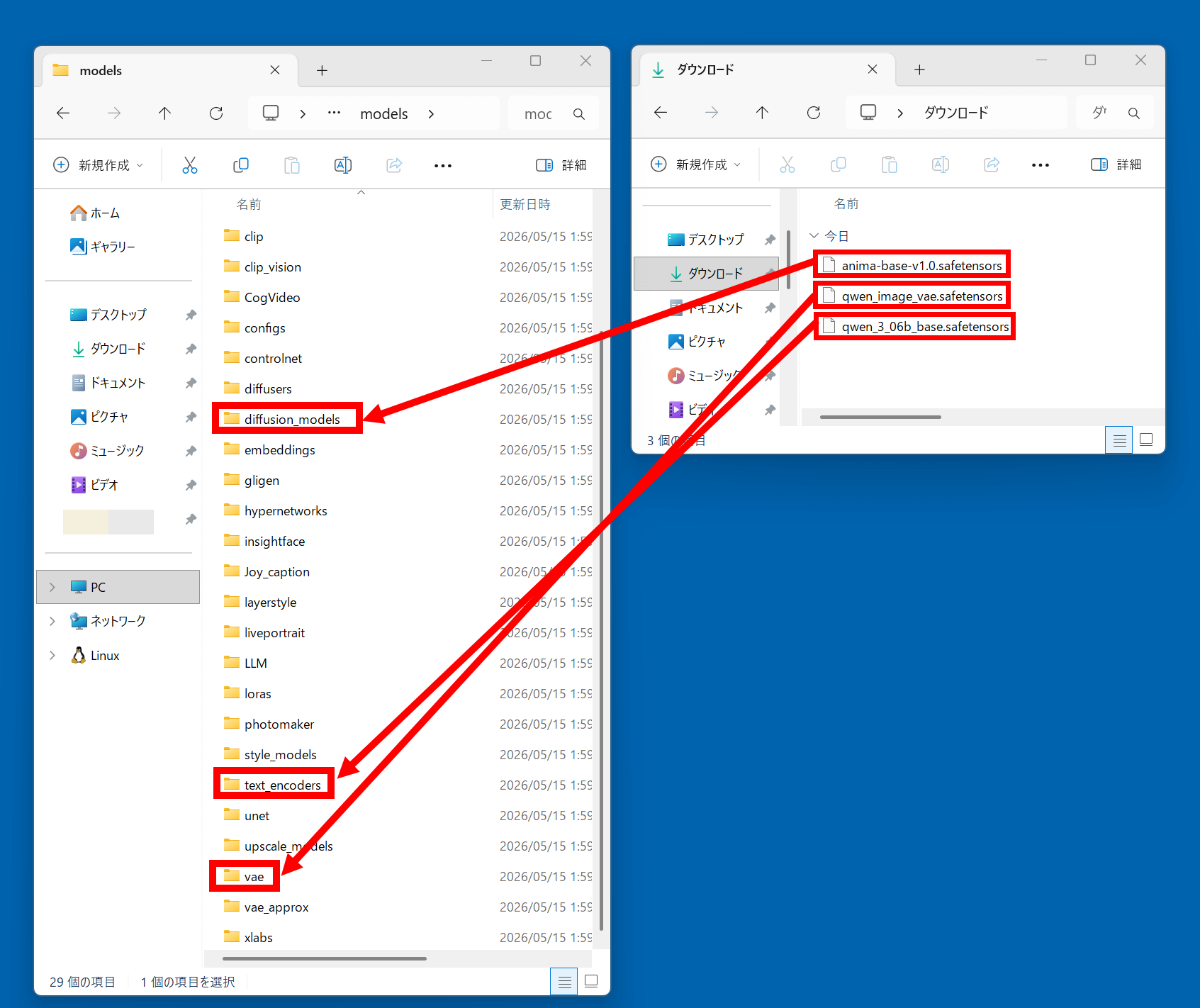
Once the file download is complete, open the Downloads folder and the ComfyUI data folder, and move 'anima-base-v1.0.safetensors' into 'diffusion_models', 'qwen_3_06b_base.safetensors' into 'text_encoders', and 'qwen_image_vae.safetensors' into 'vae'. The ComfyUI data folder will vary depending on where you installed ComfyUI; if you installed it in 'C:\comfyui\', it will be in 'C:\comfyui\models'.
Next, launch ComfyUI, open the Anima
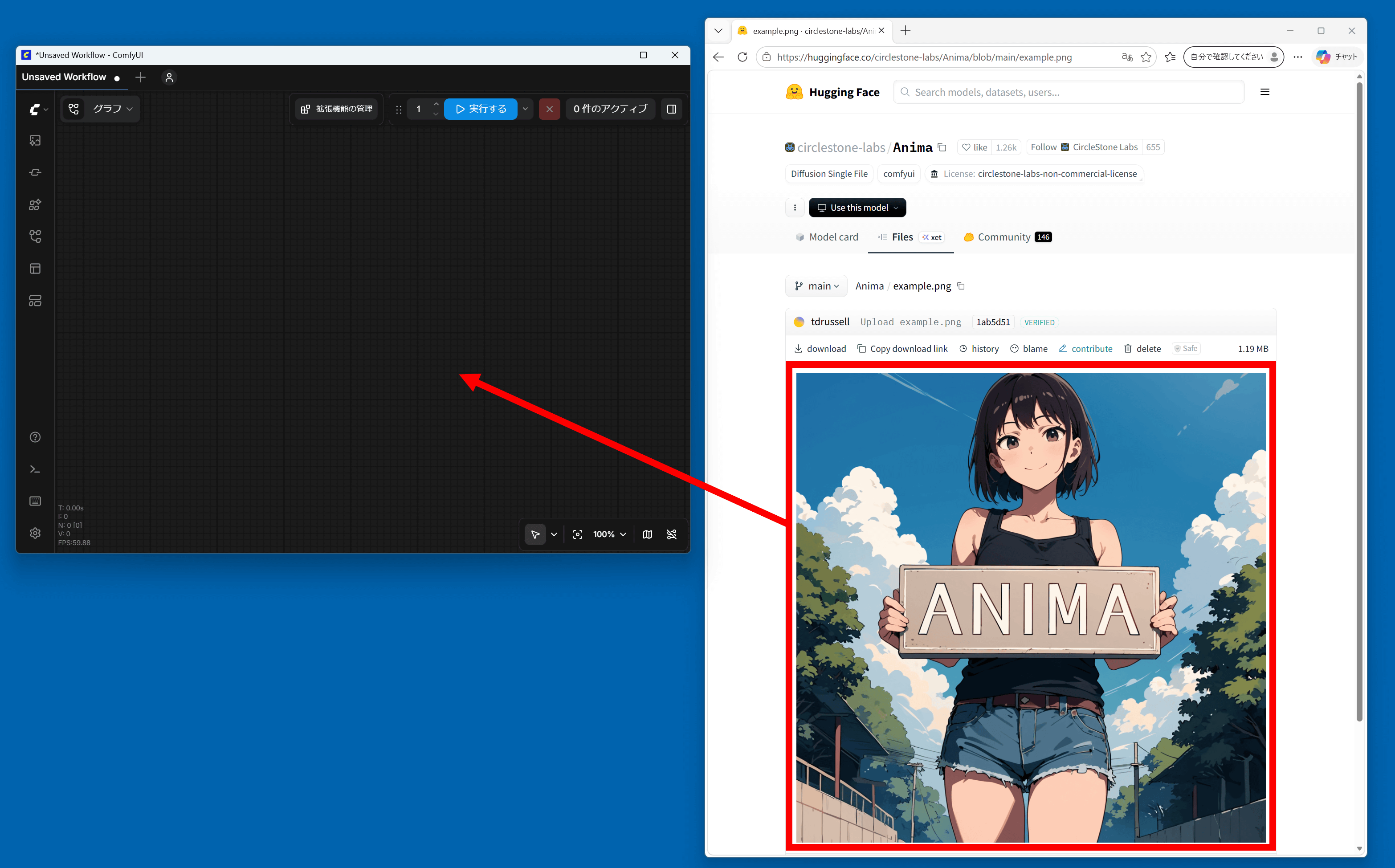
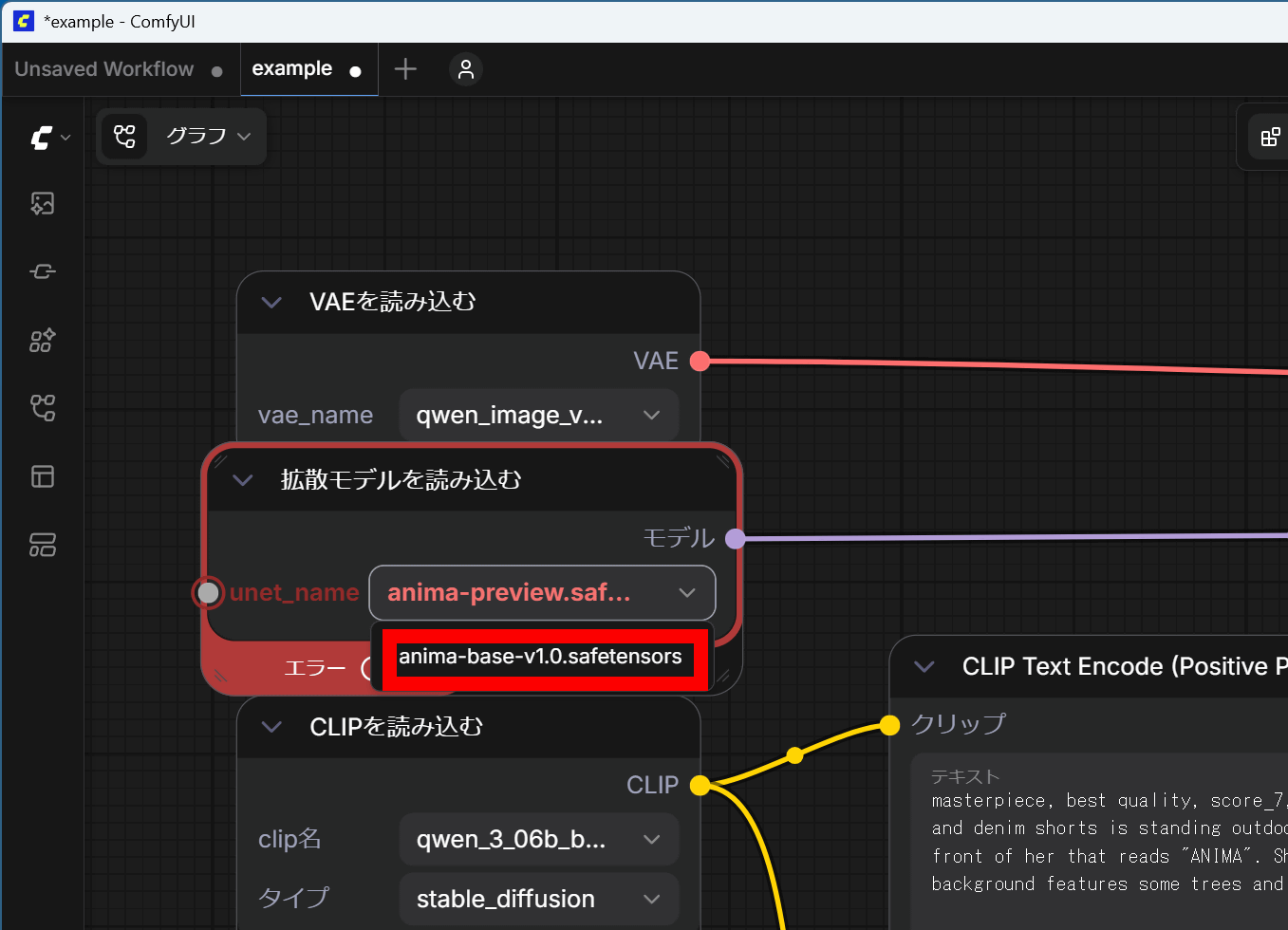
The workflow is for the initial preview version, so we will change the settings. First, in the model selection field within the 'Load Diffusion Model' node, select 'anima-base-v1.0.safetensors'.
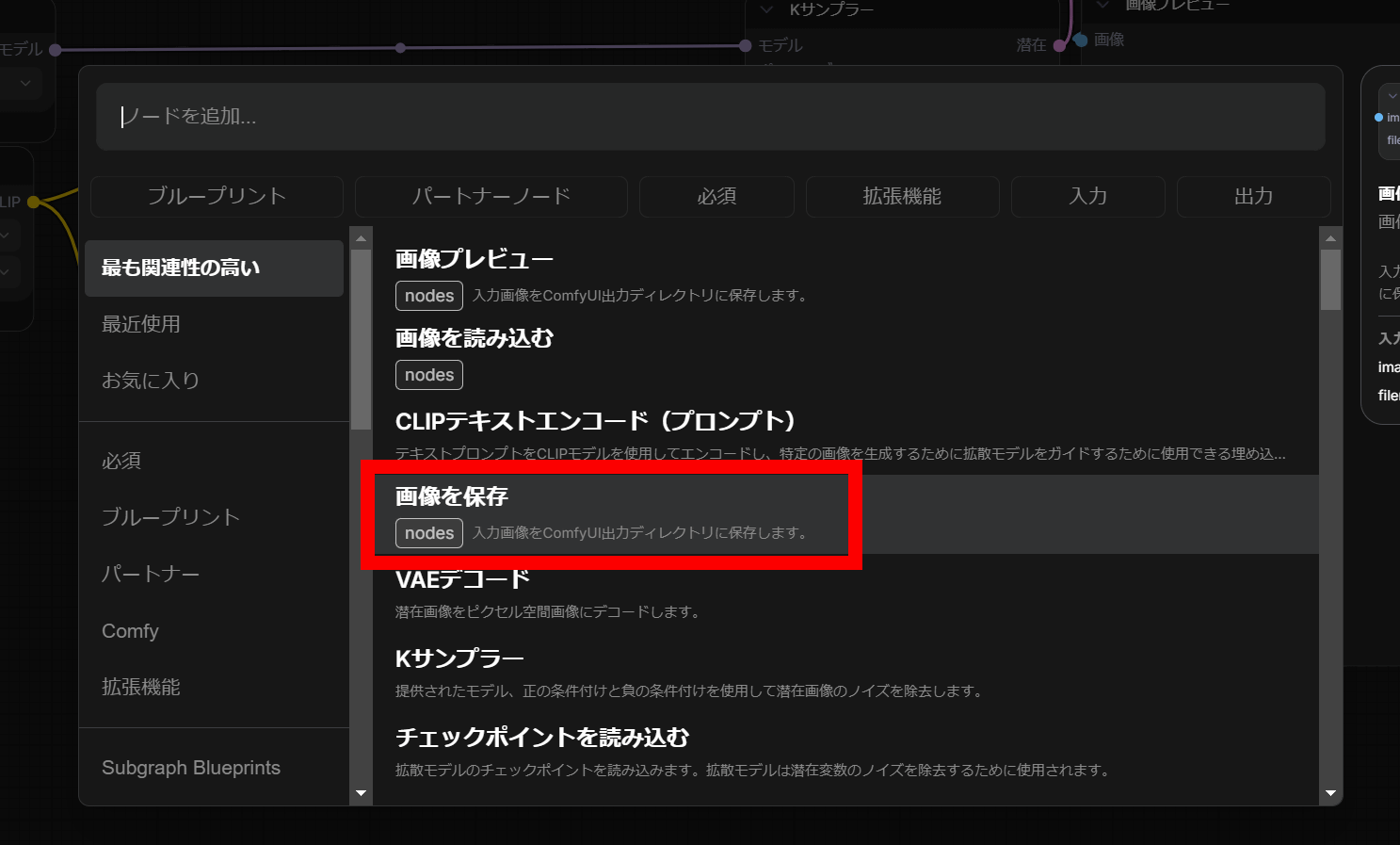
Next, double-click on an empty area.
Click 'Save image'.
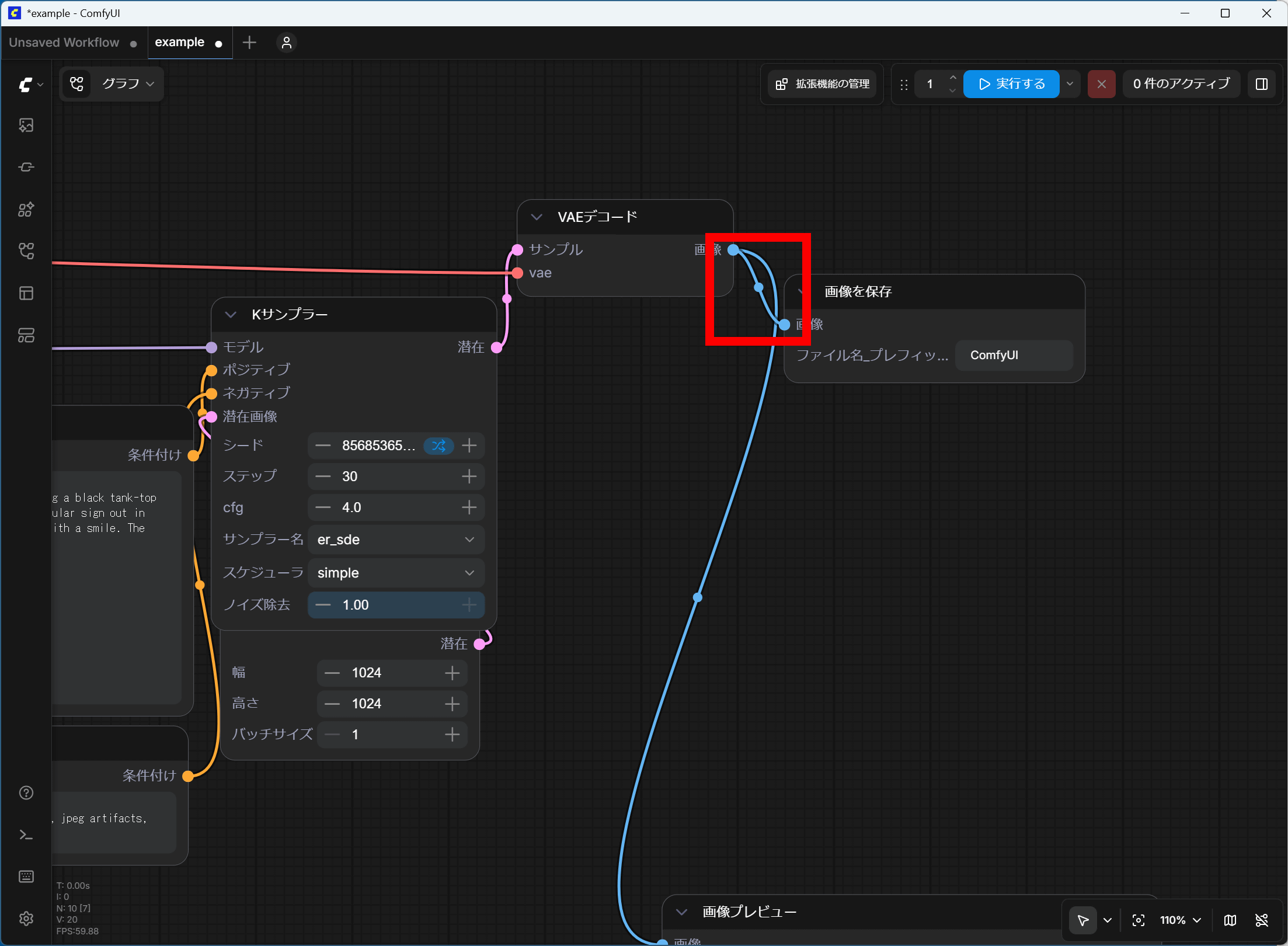
Once you've connected the 'Save Image' node and the 'VAE Decode' node, you're ready to go.
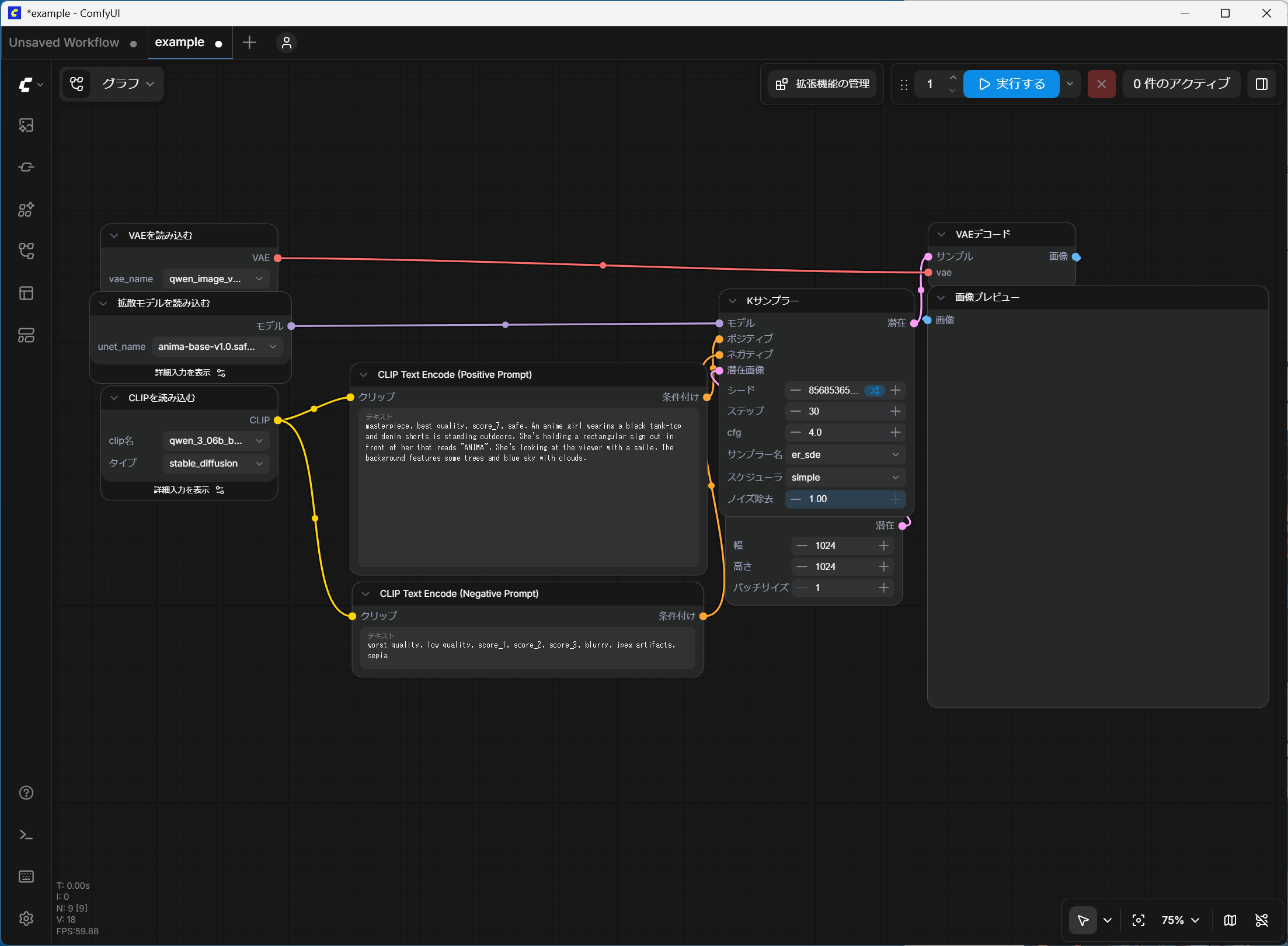
Click 'Execute' and wait a while for the image to be generated.
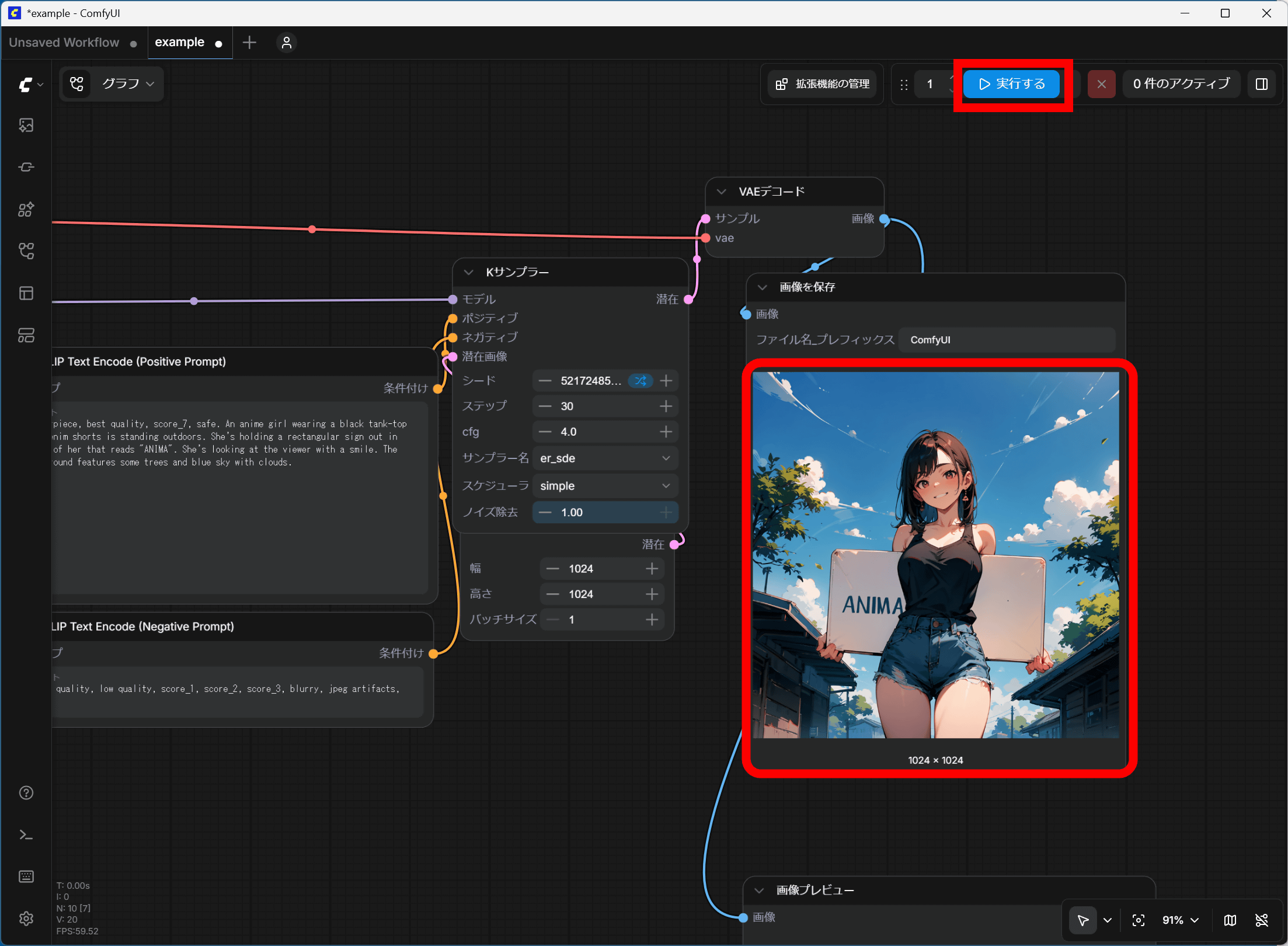
To generate high-quality images, enter 'masterpiece, best quality, score_7, safe,' as the recommended prompt for positive prompts, and 'worst quality, low quality, score_1, score_2, score_3, artist name' as the recommended prompts for negative prompts.
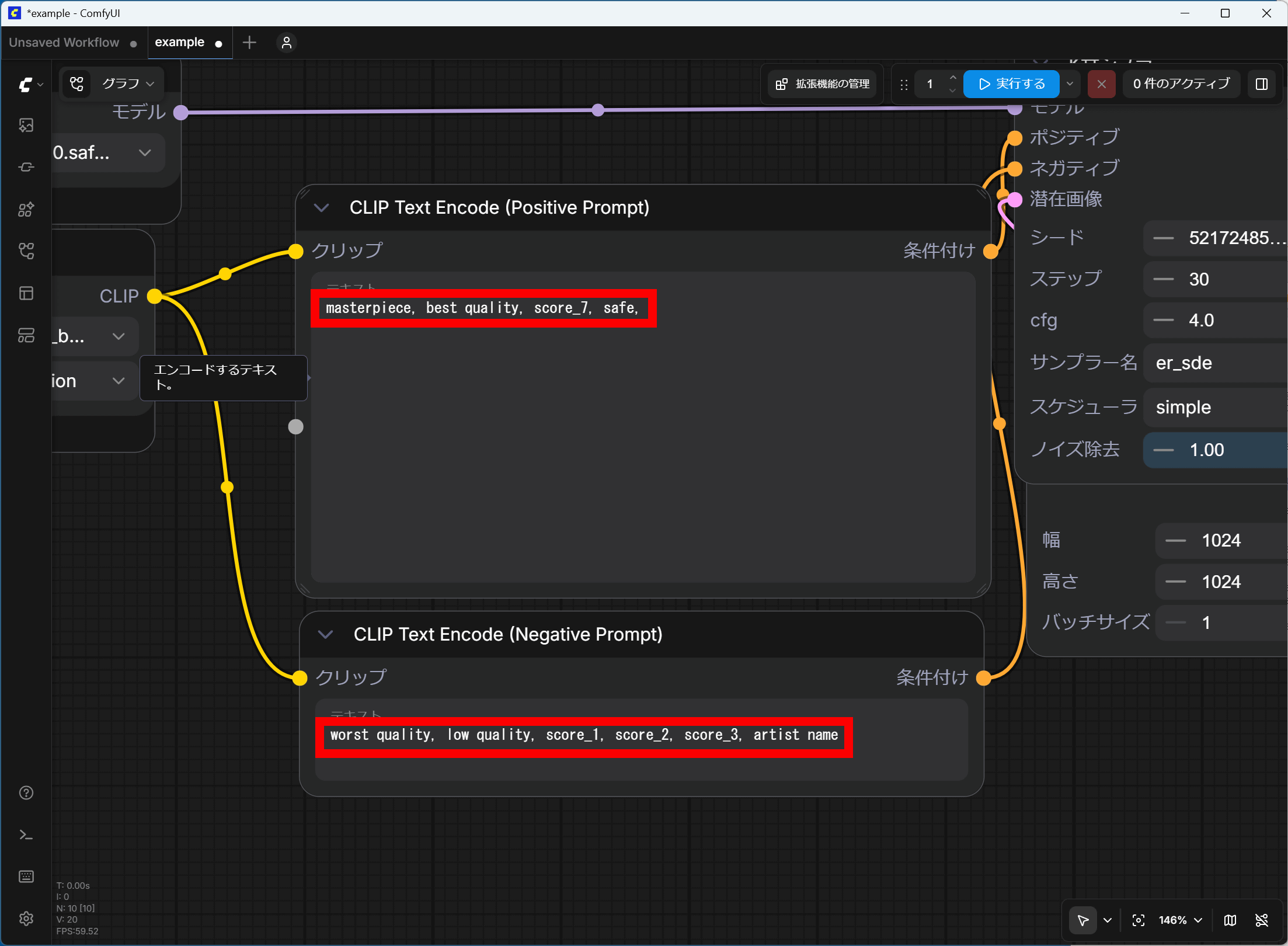
All that's left is to customize your workflow to your liking by changing the prompts, resolution, sampler, and number of steps.
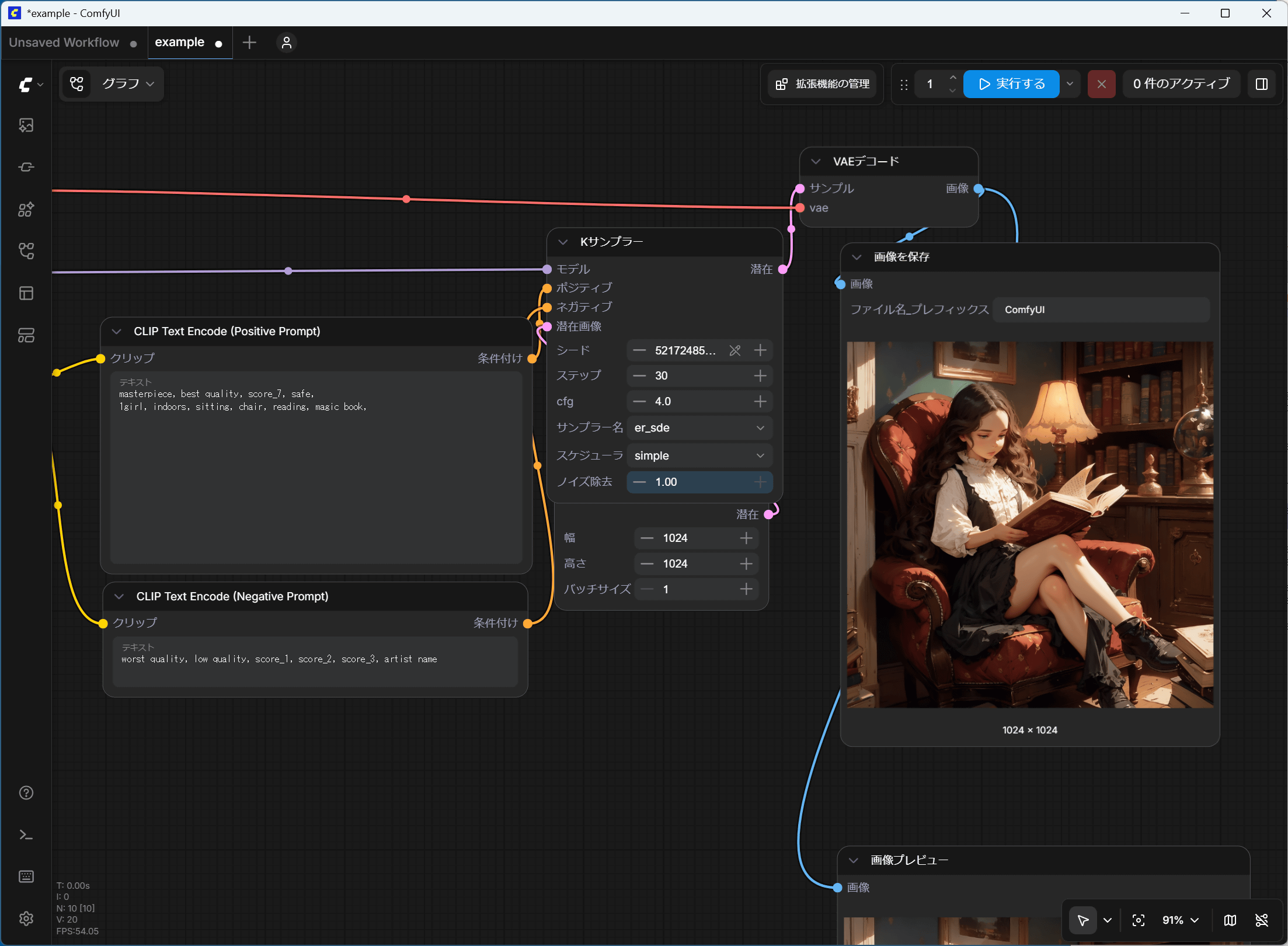
A key feature of Anima is that you can write prompts using both 'Danbooru-style tags' and 'natural language'.
I created an image of 'a girl sitting in a chair reading a magic book' using a tag-based prompt.
masterpiece, best quality, score_7, safe,
1girl, indoors, sitting, chair, reading, magic book,
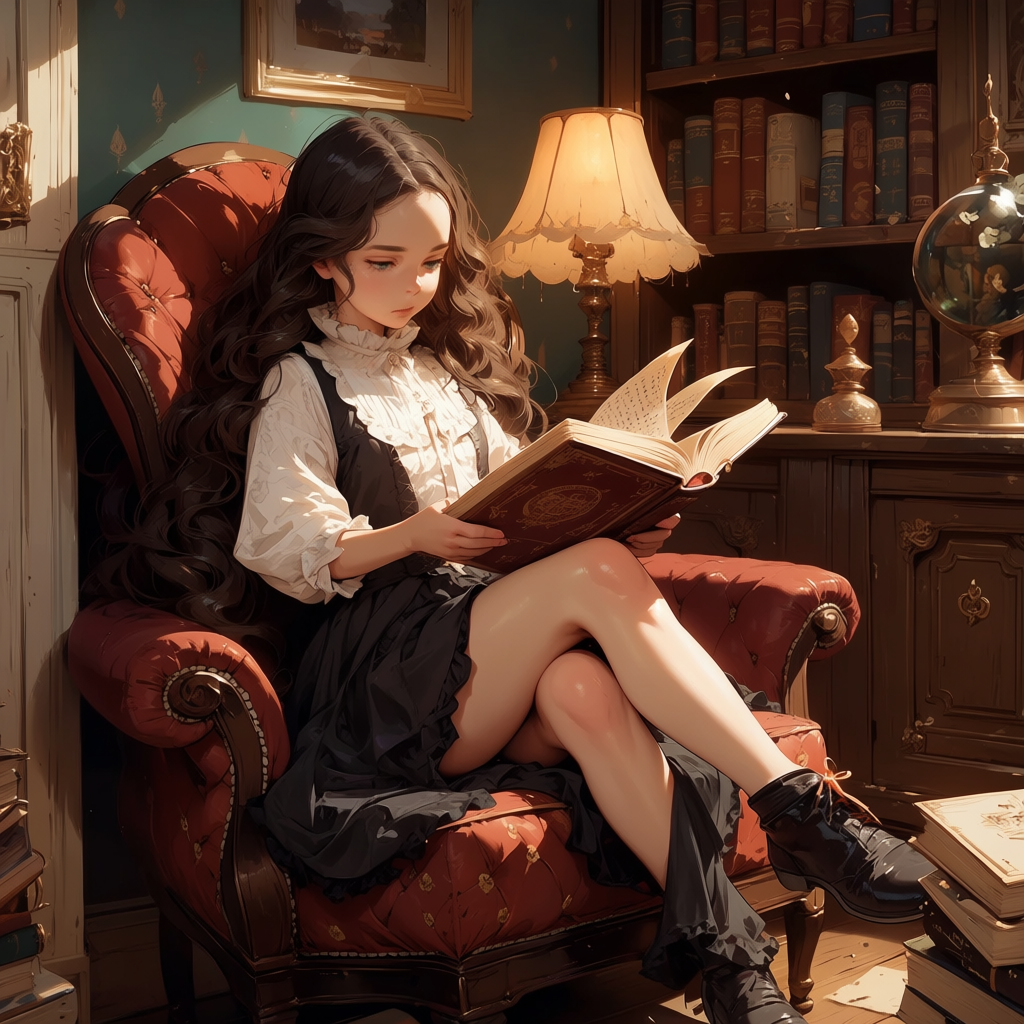
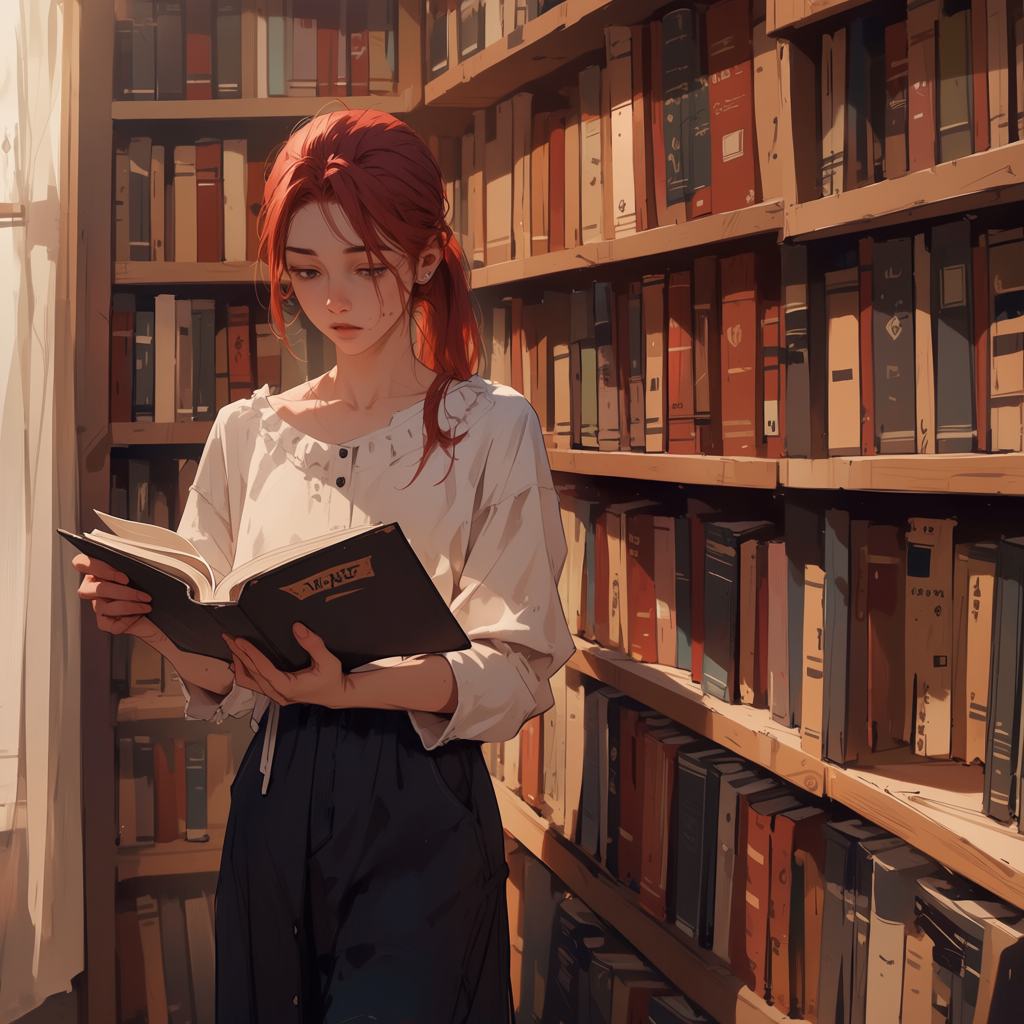
Generate an illustration of 'a girl with red hair and a ponytail reading a book indoors' using natural language prompts. Even though it's natural language, you don't need to strictly adhere to English grammar; simply connect the features you want to include, such as 'red hair' and 'ponytail,' with 'and.' Also, mixing tags and natural language is not a problem.
masterpiece, best quality, score_7, safe,
A girl is reading a book indoors and red hair and long hair and ponytail and layered clothes.
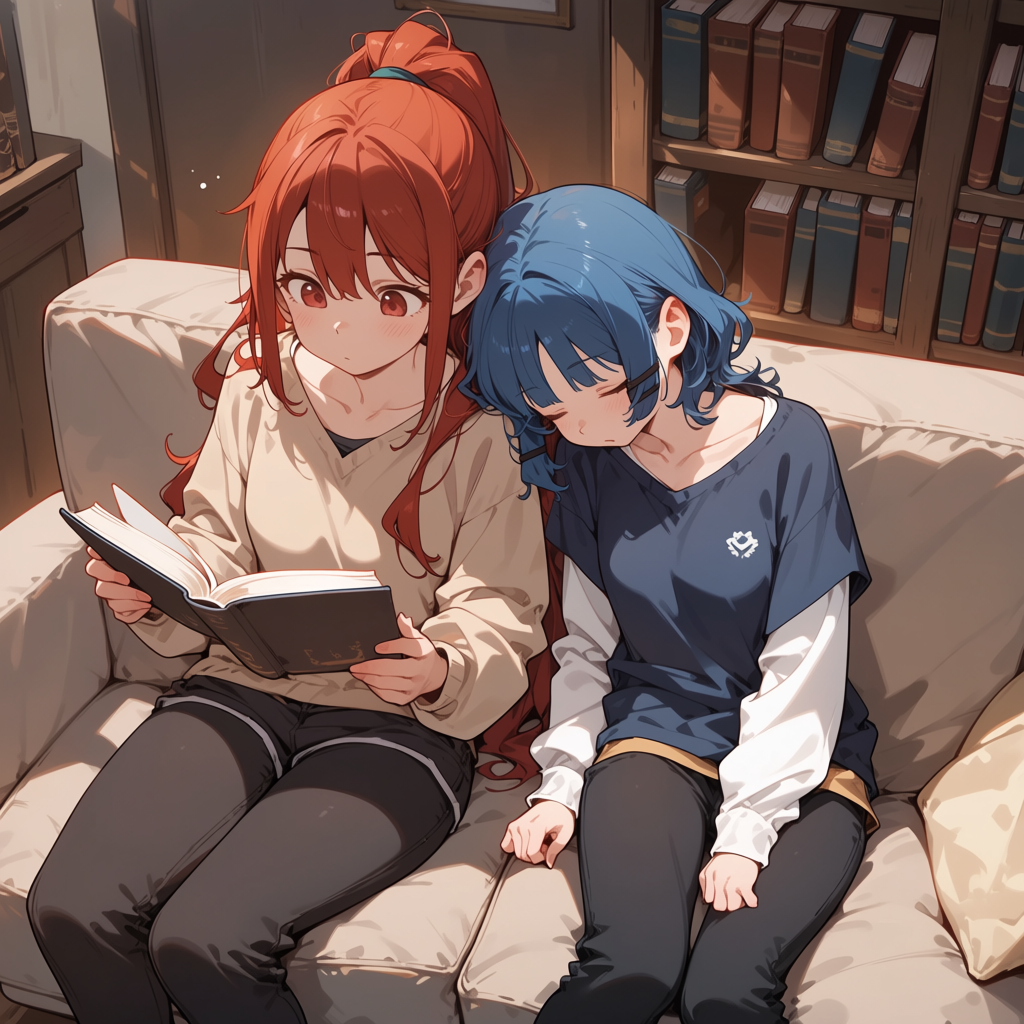
It excels at differentiating between multiple characters, which is difficult with SDXL models. The following is the result of instructions such as 'The girl on the left is reading a book, has red, long hair, and a ponytail,' and 'The girl on the right has blue, medium-length hair, is sitting, lying down, and resting her head on the right girl's shoulder.' With SDXL models, instructions for hair color and pose tend to get mixed up, but Anima generates the characters exactly as instructed.
masterpiece, best quality, score_7, safe,
2 girls,
left girl is reading a book and red hair and long hair and ponytail and layered clothes.
right girl is blue hair and medium hair and sitting and sleeping and head on right girl's shoulder.
indoors, couch, bookshelf, from above,
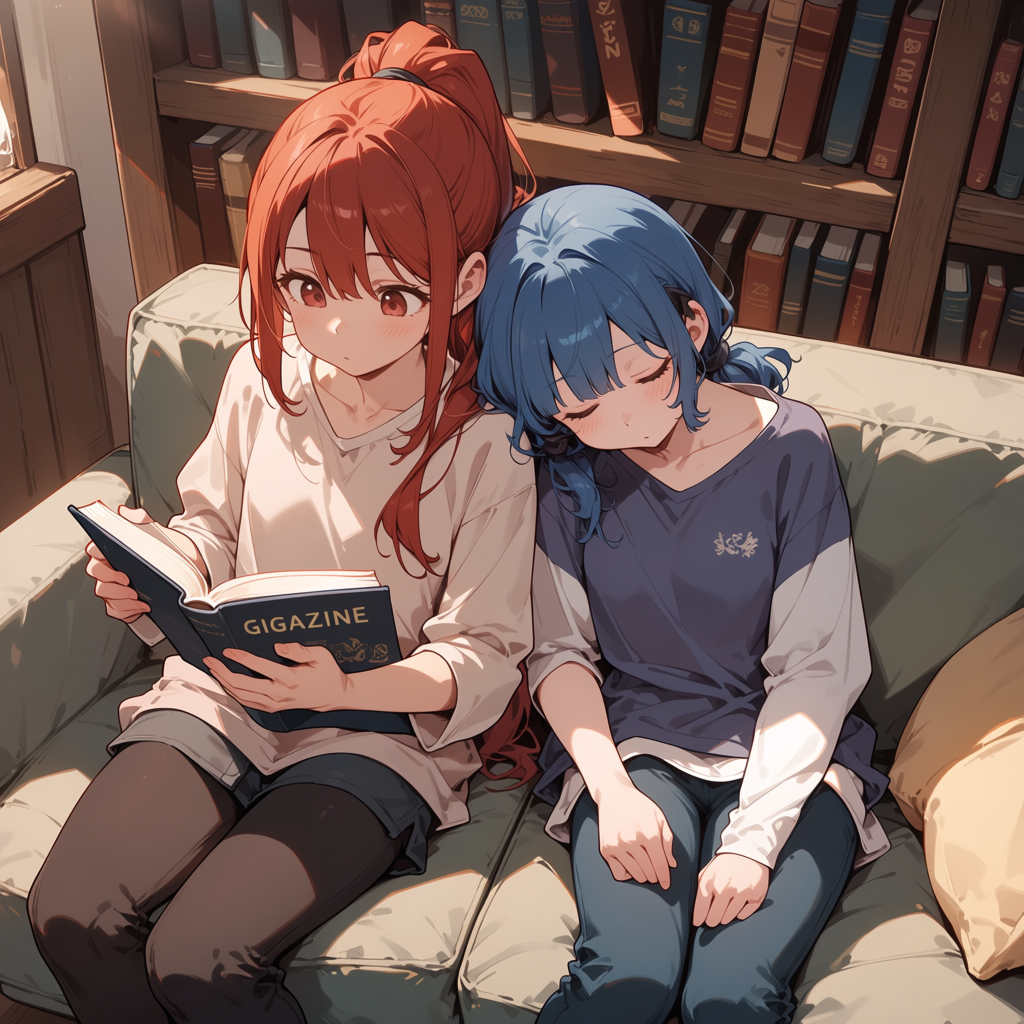
Furthermore, it's possible to draw letters of the alphabet to a certain extent according to instructions. When the instruction 'The book title is 'GIGAZINE'' was added, it was filled in according to the instructions.
masterpiece, best quality, score_7, safe,
2 girls,
left girl is reading a book and red hair and long hair and ponytail and layered clothes.
right girl is blue hair and medium hair and sitting and sleeping and head on right girl's shoulder.
indoors, couch, bookshelf, from above,
The book title is 'GIGAZINE'.
Furthermore, by entering an artist's name in the format '@○○', it's possible to mimic the style of the corresponding artist. It also supports outputting NSWF (Non-Stroke Wave Format) images.
As mentioned earlier, Anima has been popular since its preview stage, and many derivative models and LoRAs have been released on sharing services such as Civitai. Official LoRAs from CircleStone Labs are also posted on Civitai. At the time of writing this article, Civitai is divided into 'civitai.com' for all ages and 'civitai.red' which also handles NSWF data.
Furthermore, Kohya, known as the creator of sd-scripts, has developed ControlNet-like and inpaint-like systems. CircleStone Labs has also announced that they will be releasing 'Anima-Turbo' soon.
I've released weights for LLLite in Anima, similar to anytest. I've increased the step values to 1000 and 2000. Step 2000 is stronger, so please use them as needed. The attached images show step 1000 (first image) and step 2000 (second image). https://t.co/pPIhx0FYmk
— Kohya Tech (@kohya_tech) April 30, 2026
I would like to express my gratitude once again to Tsukisuwa Nana for the idea behind anytest. pic.twitter.com/qSnPmfDOSQ
Sample weights for inpainting ControlNet-LLLite for Anima Preview3 have been released. Use with masked i2i is recommended. https://t.co/pPIhx0FYmk
— Kohya Tech (@kohya_tech) May 11, 2026
We've also updated the ComfyUI nodes, so please use the latest version. The learning code will be released soon.
Related Posts: