This review examines the ASUS Zenbook DUO UX8407, a dual-display notebook PC that can switch between notebook PC mode and dual-screen mode, and tests its suitability for working on the go through benchmarks, noise levels, and heat dissipation.
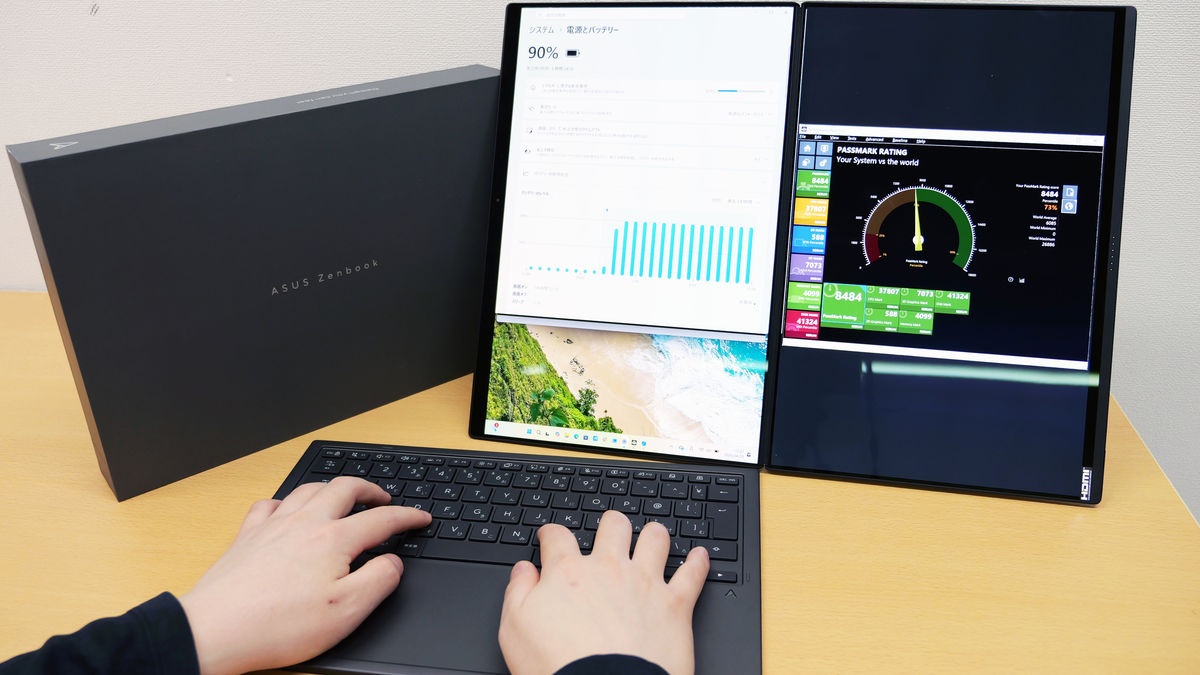
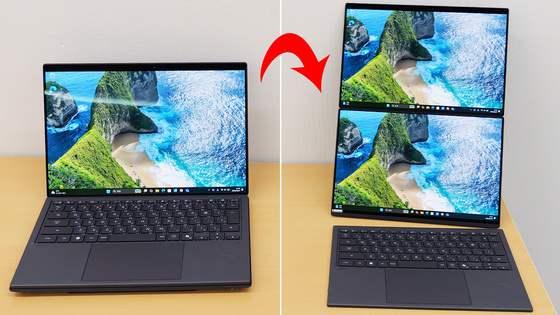
The ASUS Zenbook DUO UX8407 , which ASUS began selling in Japan on April 16, 2026, can be switched from a notebook PC style to a 'foldable dual display + wireless keyboard' style by detaching the keyboard. In addition to being able to switch modes by changing the display, it is a notebook PC that is easy to carry around at approximately 1.6kg, despite having high performance AI processing capabilities with an
ASUS Zenbook DUO (UX8407) | Personal Notebook PC | ASUS Japan
https://www.asus.com/jp/laptops/for-home/zenbook/asus-zenbook-duo-ux8407/
The following article provides a good overview of the UX8407's appearance and mode transformation.
Photo review of ASUS's Intel Core Ultra X9-powered notebook PC 'Zenbook DUO UX8407' that transforms into a dual OLED touch display by detaching the keyboard - GIGAZINE
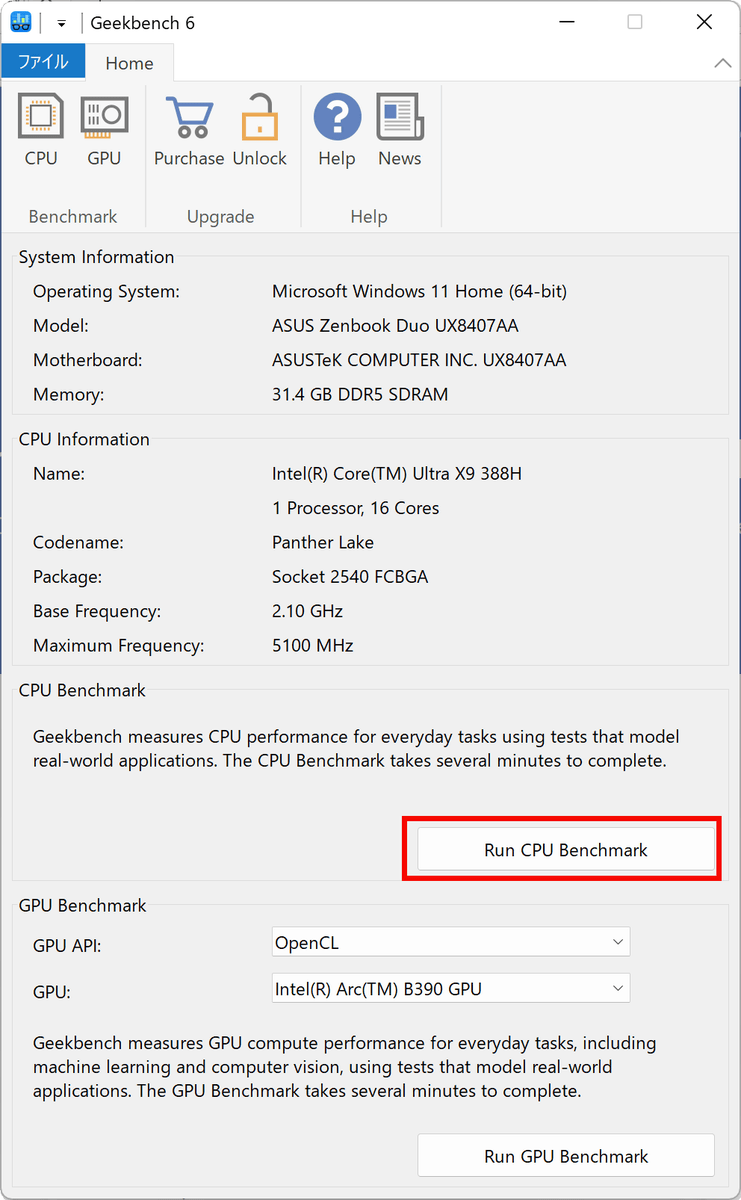
First, I installed ' Geekbench 6, ' a standard CPU and GPU benchmarking software. The following is a screenshot of Geekbench 6 opened on the UX8407, showing the system information. The UX8407 has 32GB of memory, an 'Intel Core Ultra X9 388H' CPU, and 1TB of storage. The OS is Windows 11 Home (64-bit version). I clicked 'Run CPU Benchmark' to start the CPU measurement.
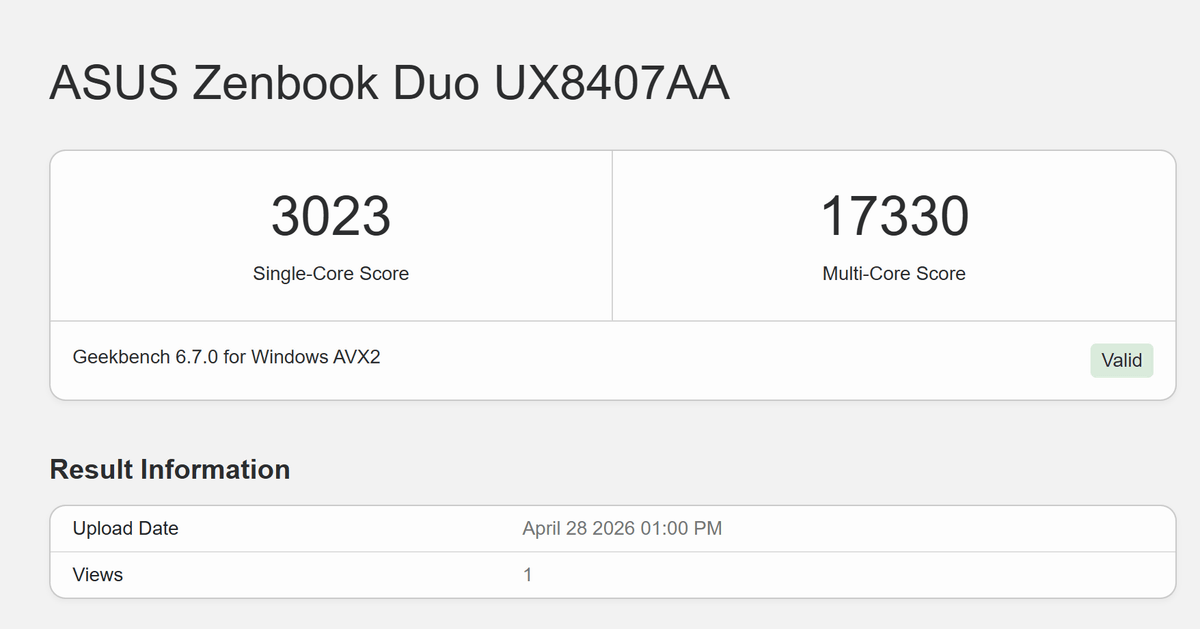
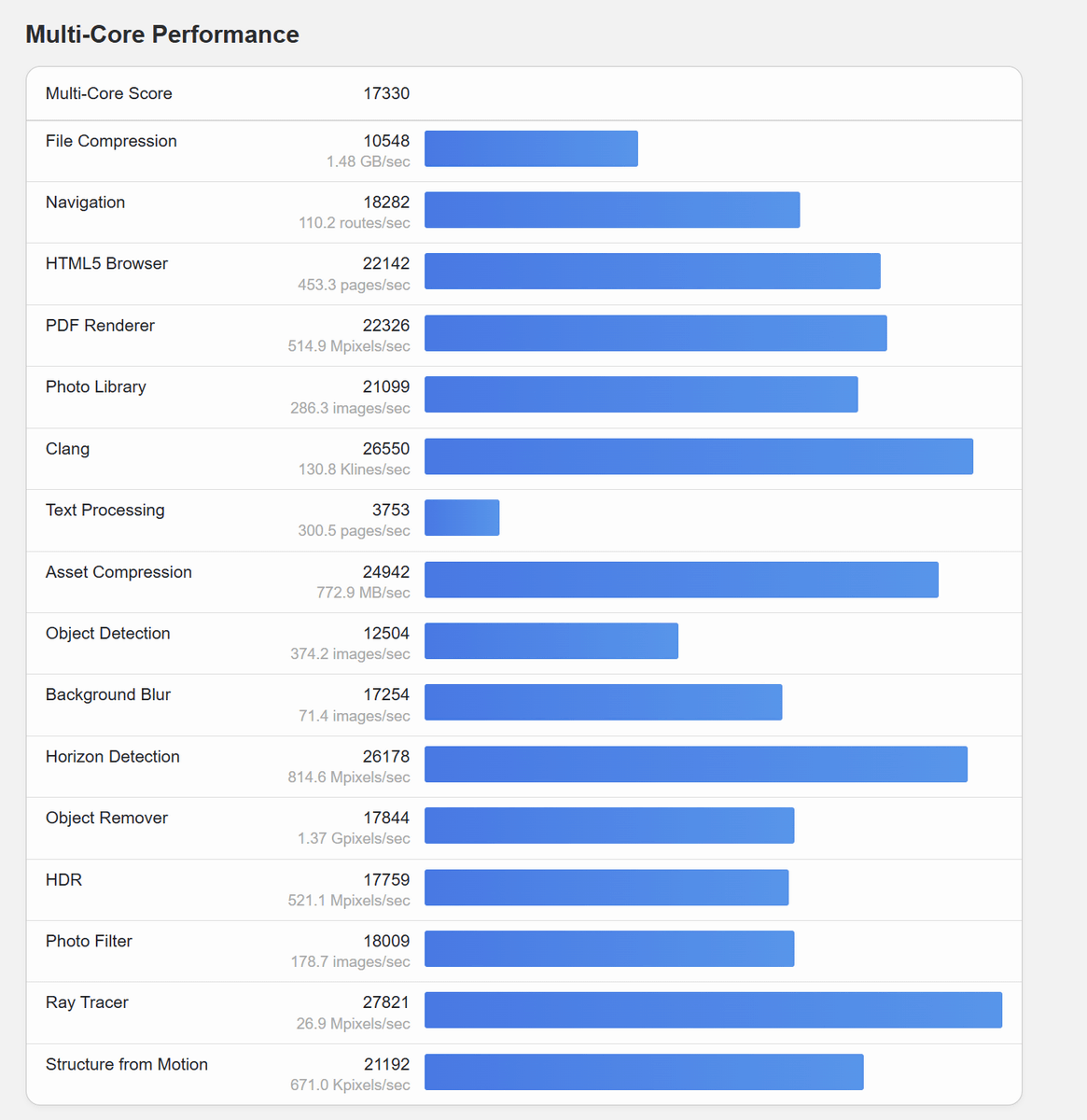
The CPU benchmark results showed a single-core score of 3023 and a multi-core score of 17,330.
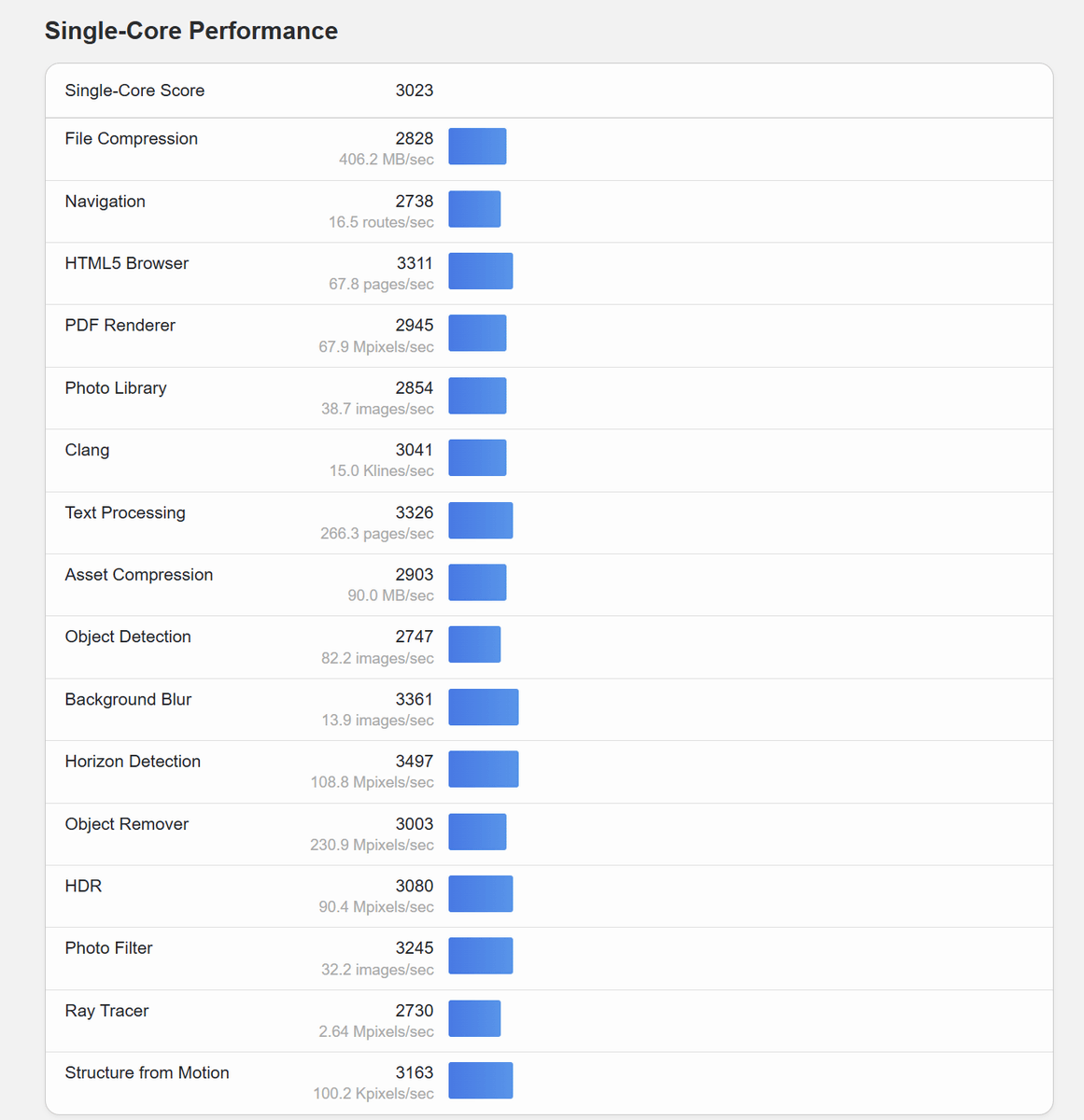
Here are the detailed single-core benchmark results.
Here are the detailed multi-core benchmark results.
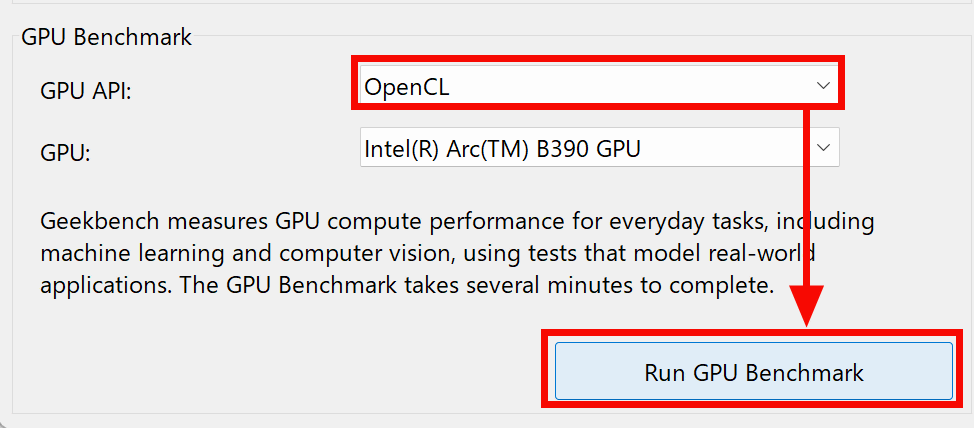
Next, we'll measure the GPU performance with Geekbench 6. Select 'OpenCL' as the API and click 'Run GPU Benchmark'.
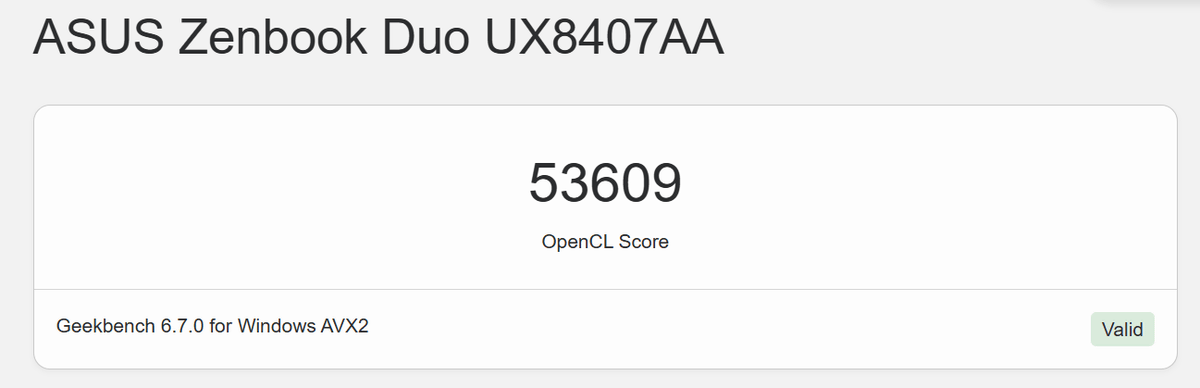
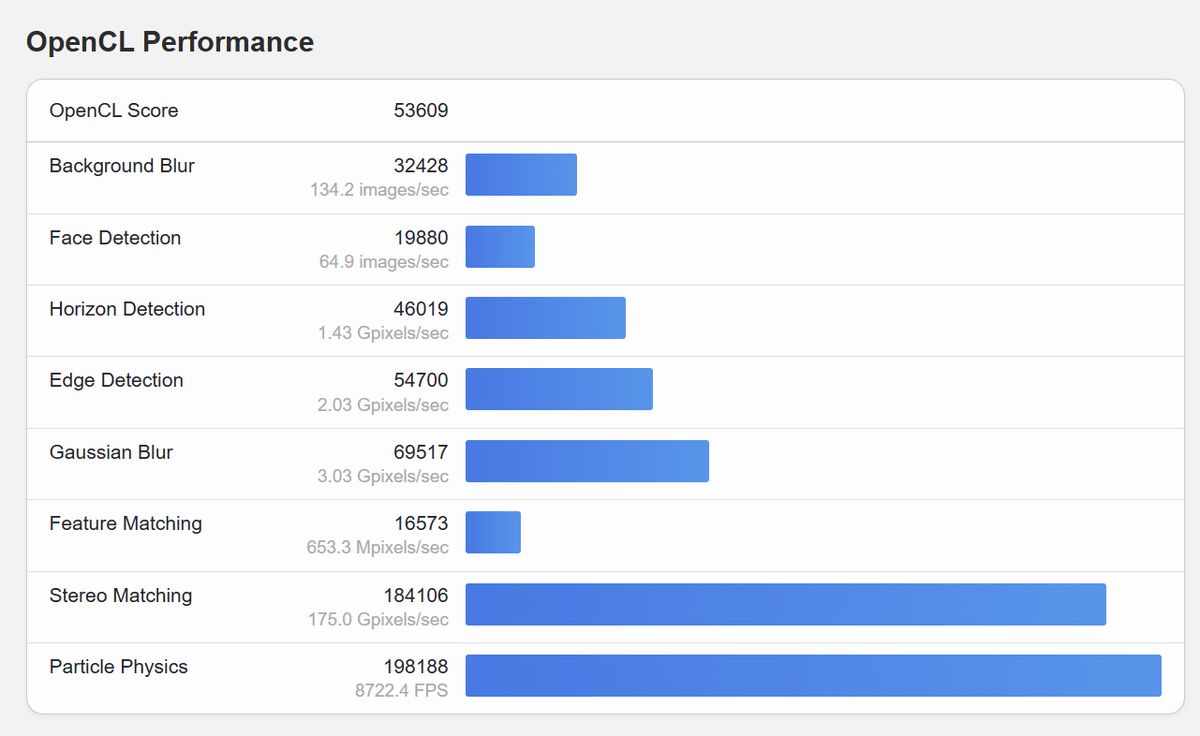
The OpenCL GPU benchmark score was 53,609.
Here are the score details.
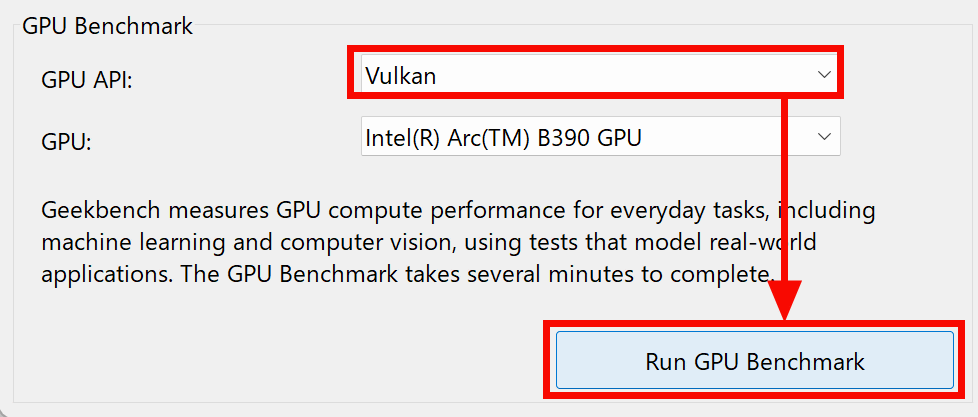
Next, change the API to Vulkan and click 'Run GPU Benchmark' to take measurements.
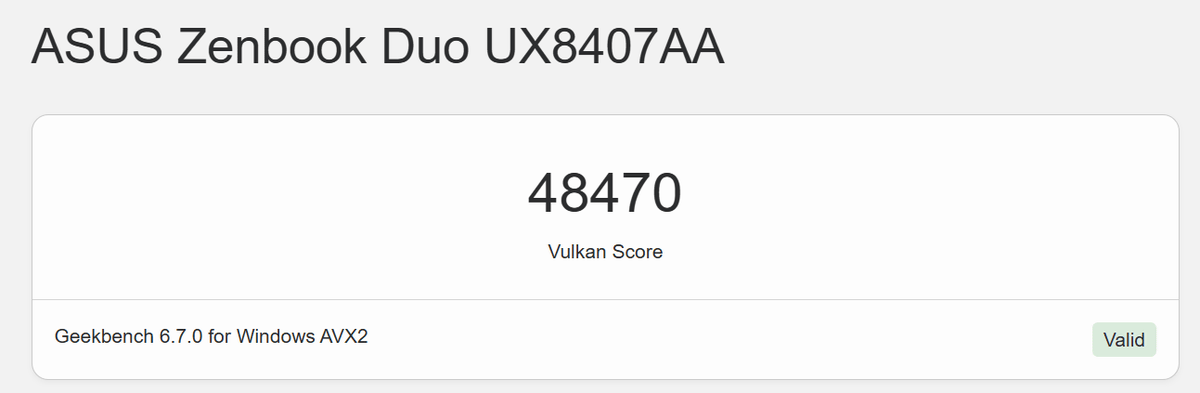
The Vulkan benchmark score was 48,470.
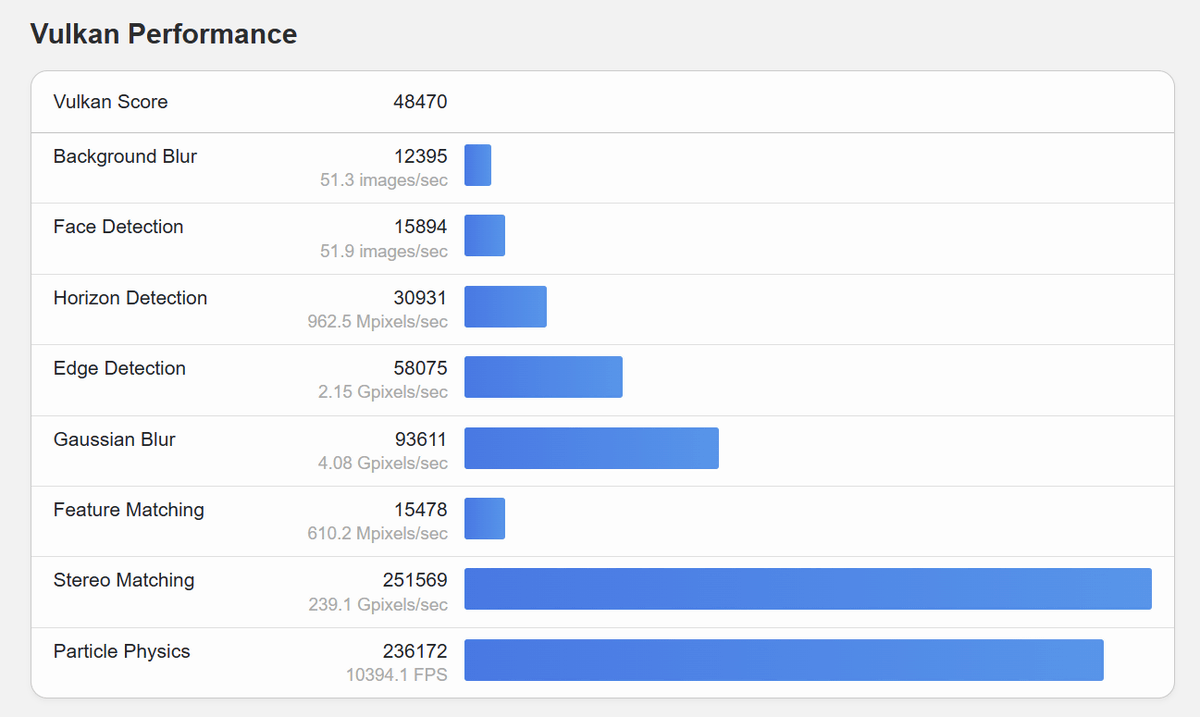
The score details are as follows.
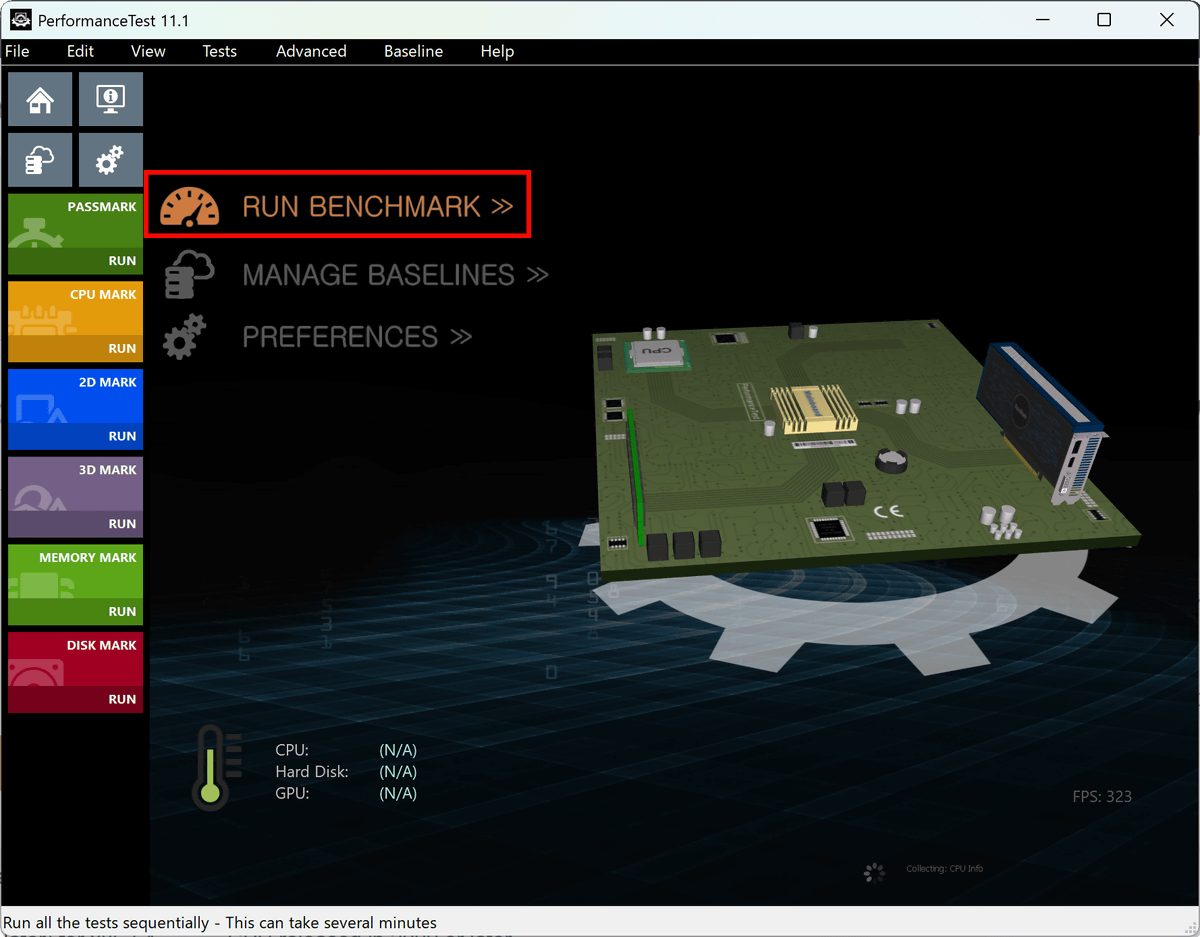
Next, we also tested it using 'PassMark PerformanceTest,' which measures CPU, 2D, 3D, memory, and disk performance separately. After installing and launching it, click 'RUN BENCHMARK' to start the measurement. The measurement takes about 10 minutes.
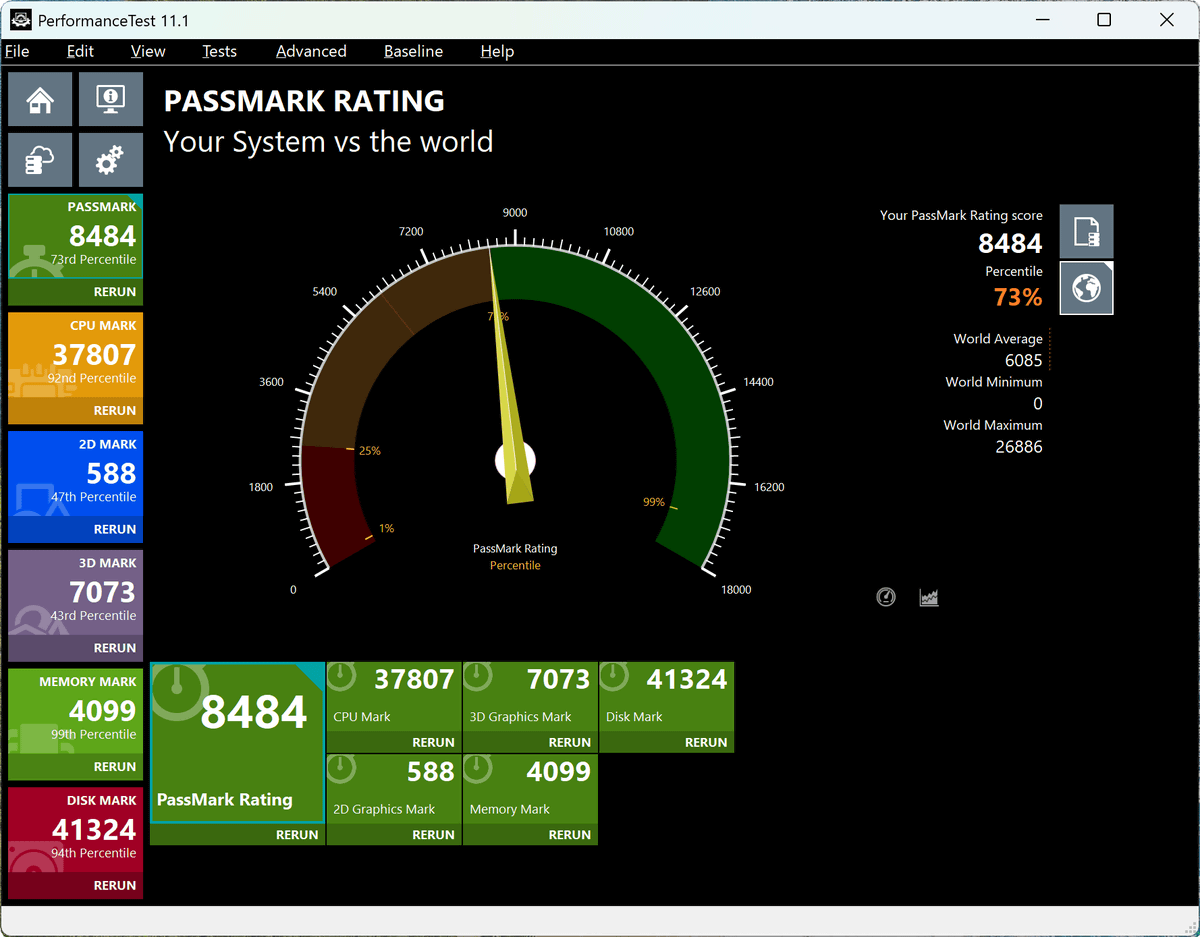
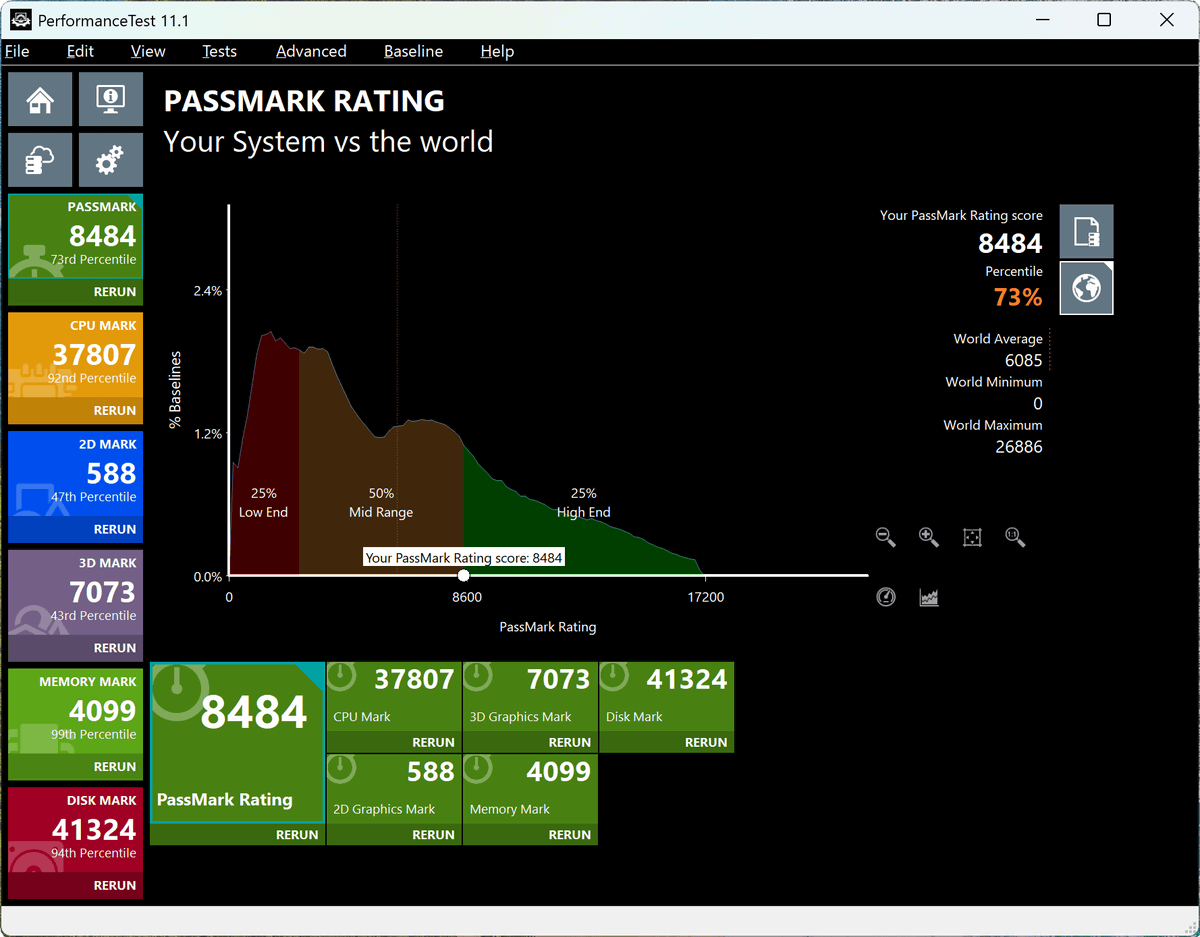
The measurement results showed an overall score of 8484, placing the percentile at 73%, where a higher number indicates a higher ranking.
Looking at the overall score on the graph for the entire PC, it was positioned in the 'lower end of the high-end category.'
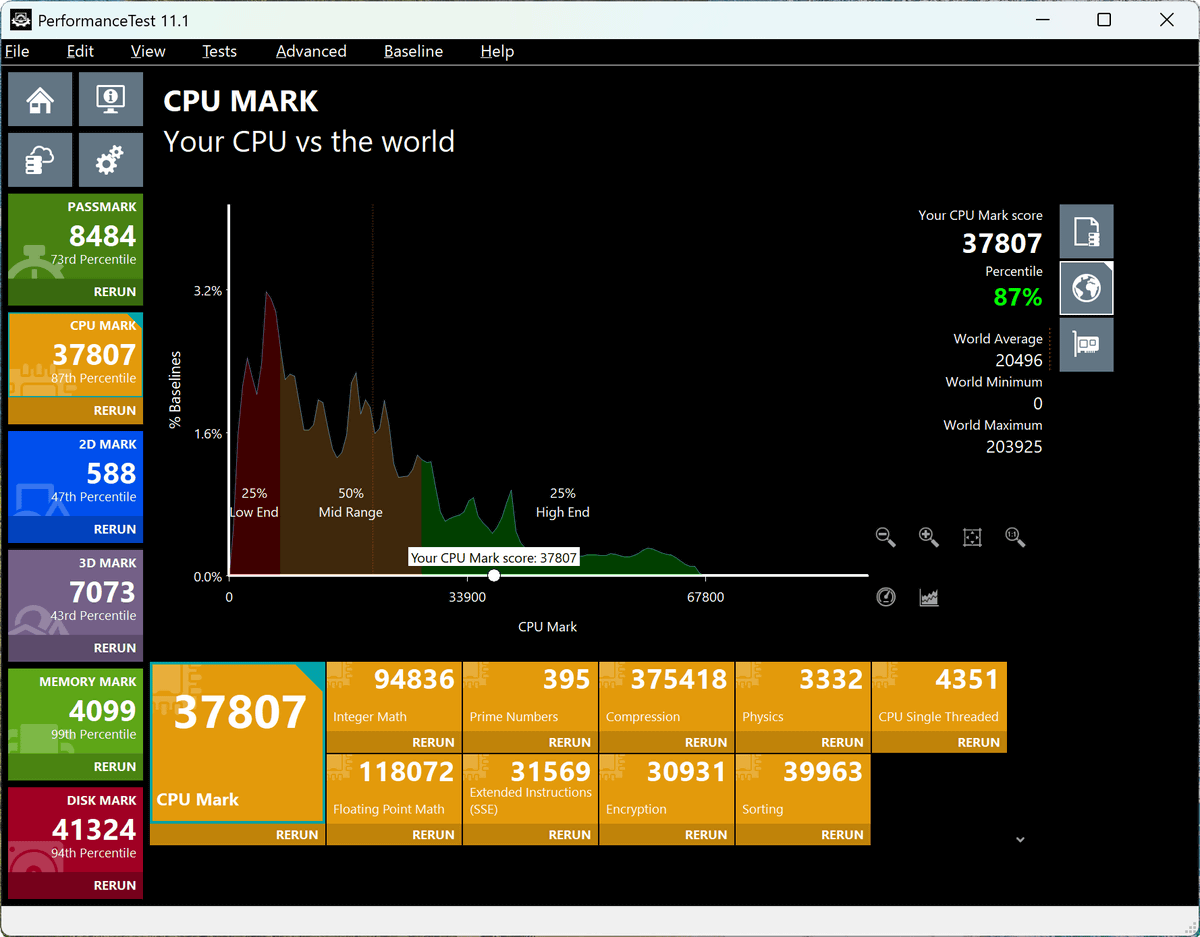
The CPU benchmark score is 37,807, placing it at the 87th percentile. The graph also shows that it can deliver high performance, placing it in the mid-range of the high-end category.
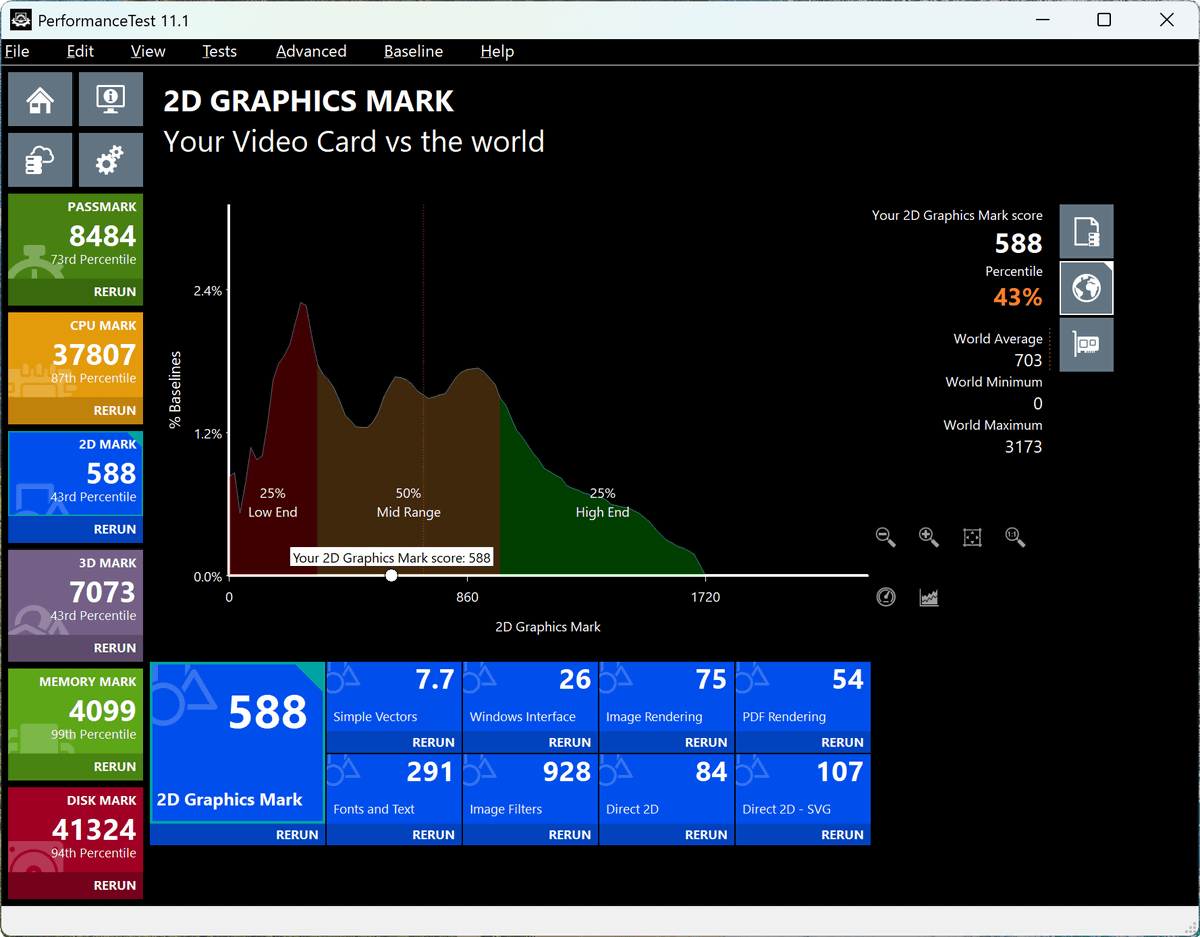
The 2D graphics benchmark score was 588. The percentile is 43%, which is about average on the graph, indicating that 2D graphics are a weaker area compared to other categories.
The 3D graphics benchmark score was 7073, placing it at a relatively low percentile of 39%.
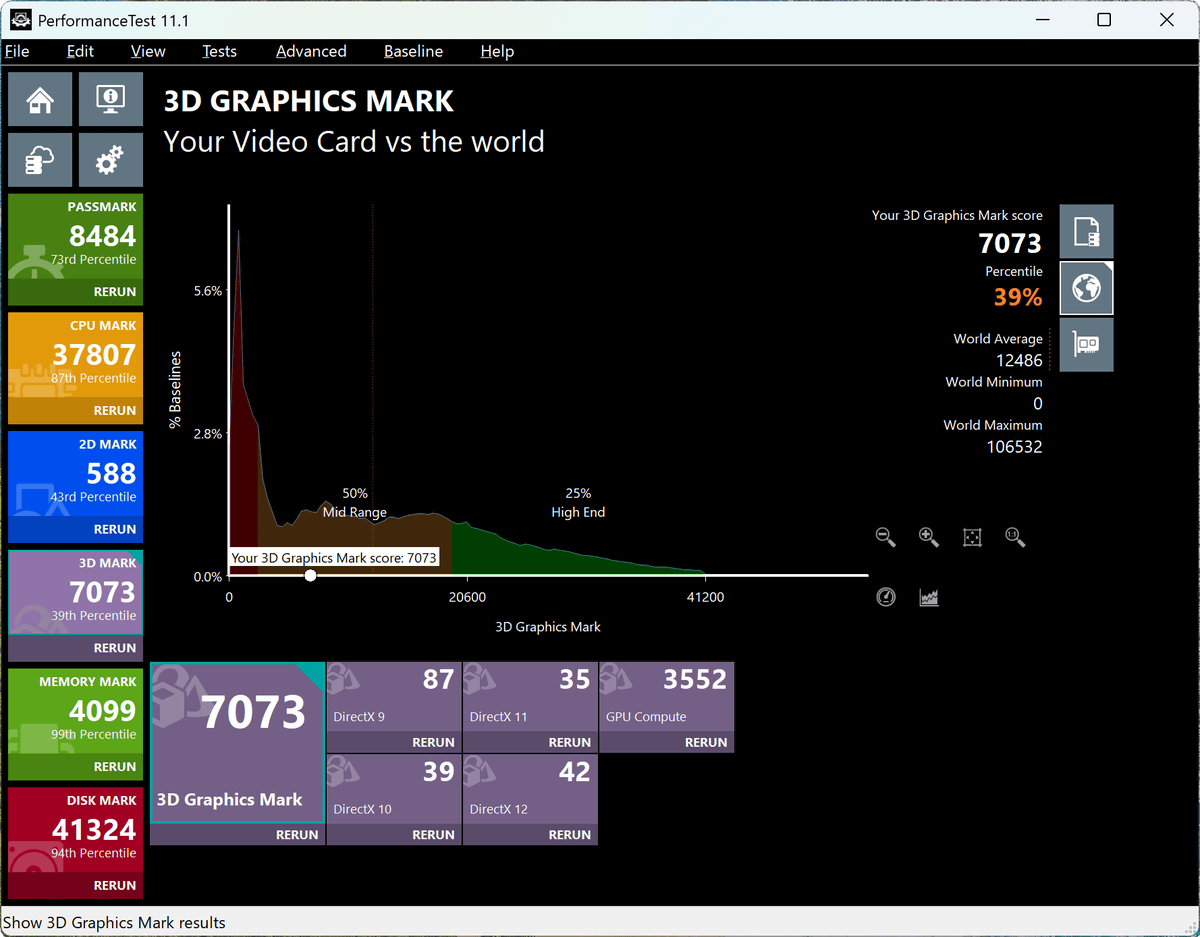
The memory benchmark score was 4099, placing it at a very high percentile of 99%.
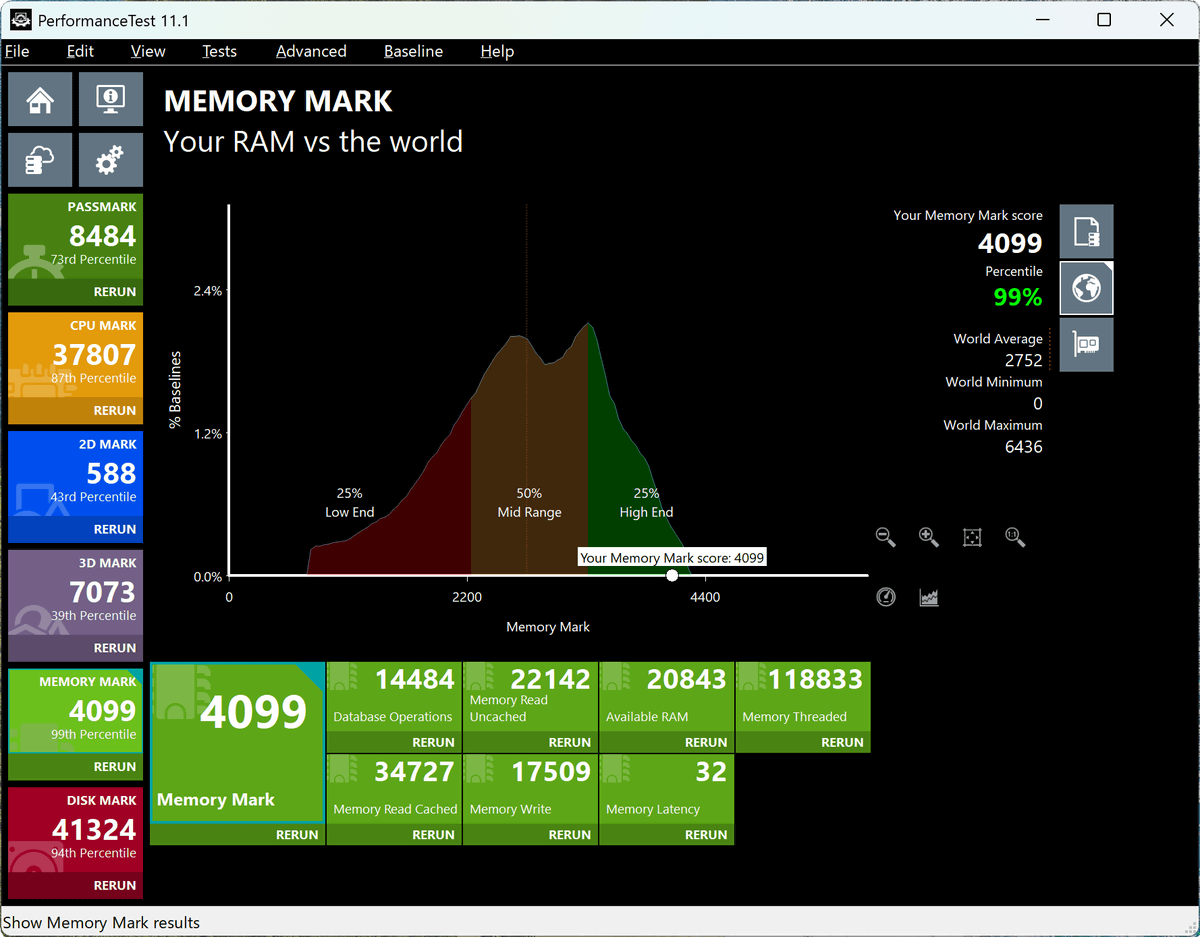
The disk benchmark score was 41,324, placing it at the 86th percentile, which is also a very high number.
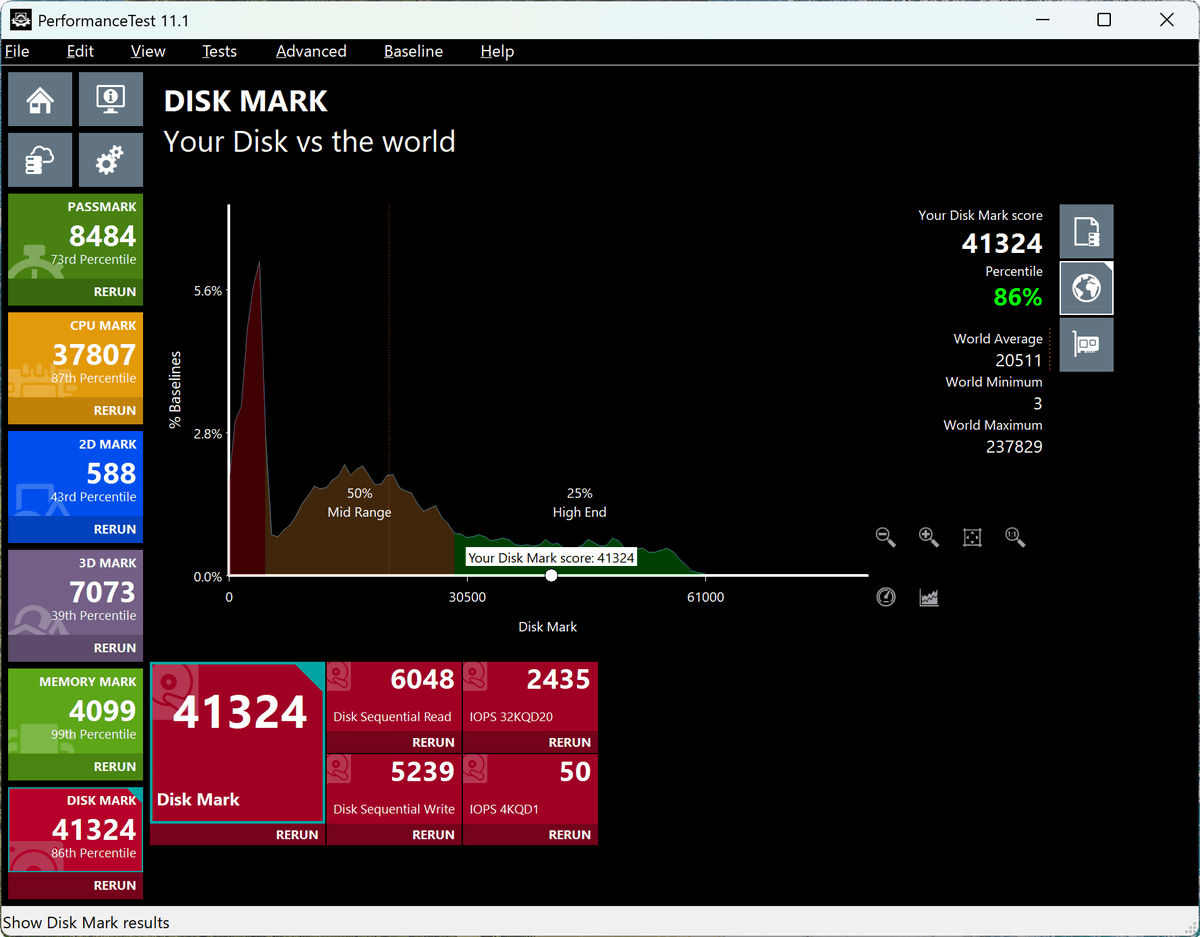
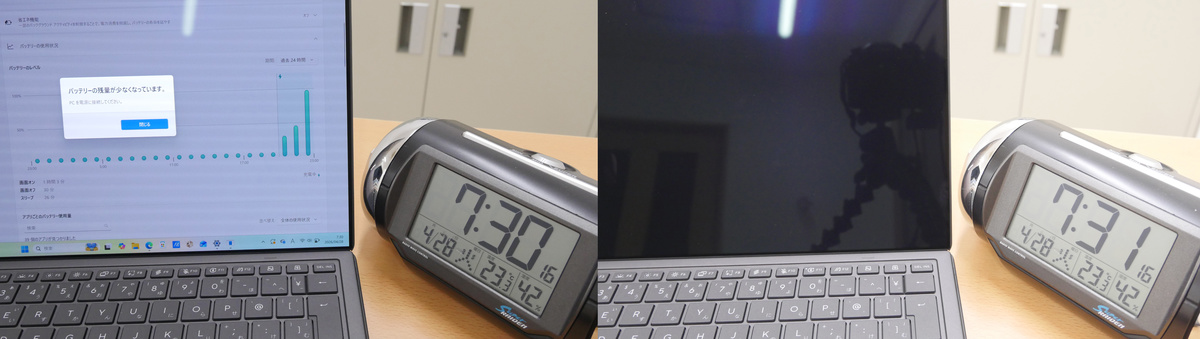
Next, we tested how long the battery lasts when used on the go. We set the screen brightness to maximum and disabled screen sleep. Then, we played a YouTube Live stream at 'volume 50%' and measured how long it could run continuously. The measurement started at 11:29 PM.
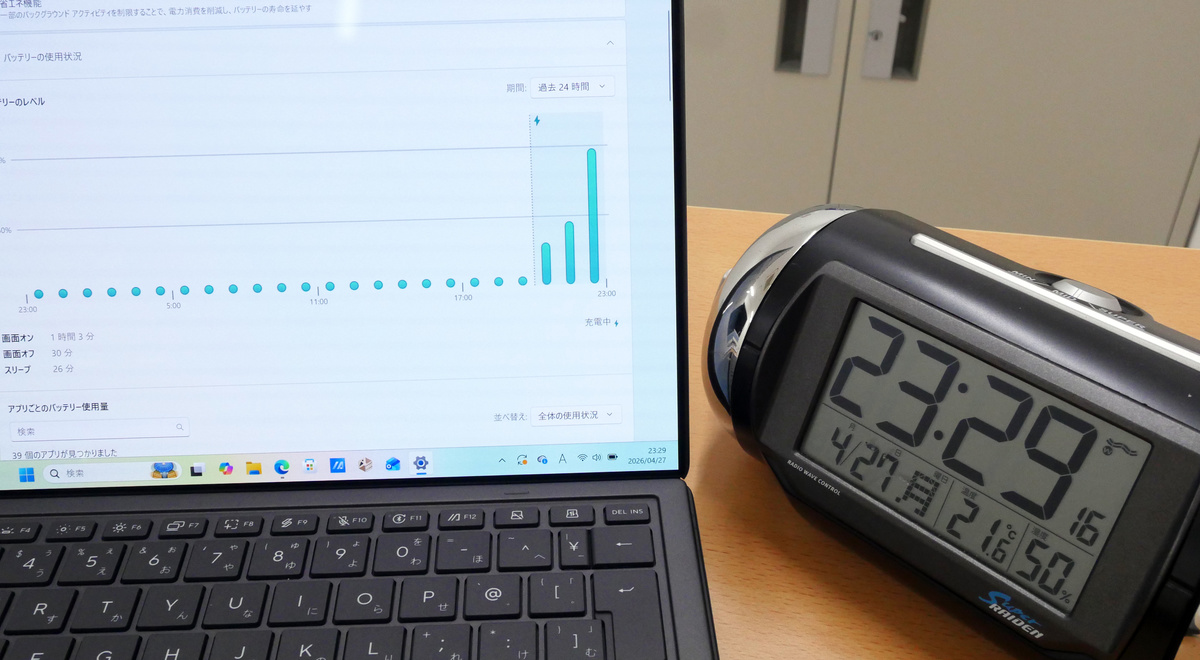
The screen turned off at 7:31. This means it was able to operate continuously for approximately 8 hours.
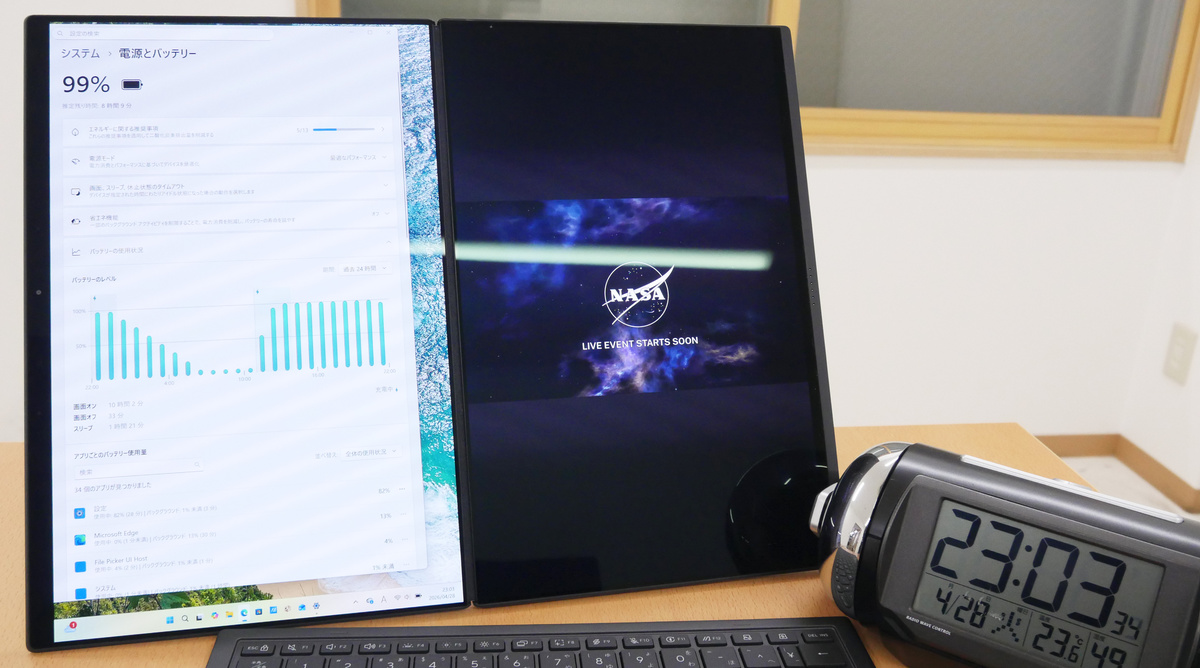
Next, I performed the same measurement in 'desktop mode,' where the keyboard is detached and the foldable dual displays are used to their full potential. The measurement started at 11:03 PM.
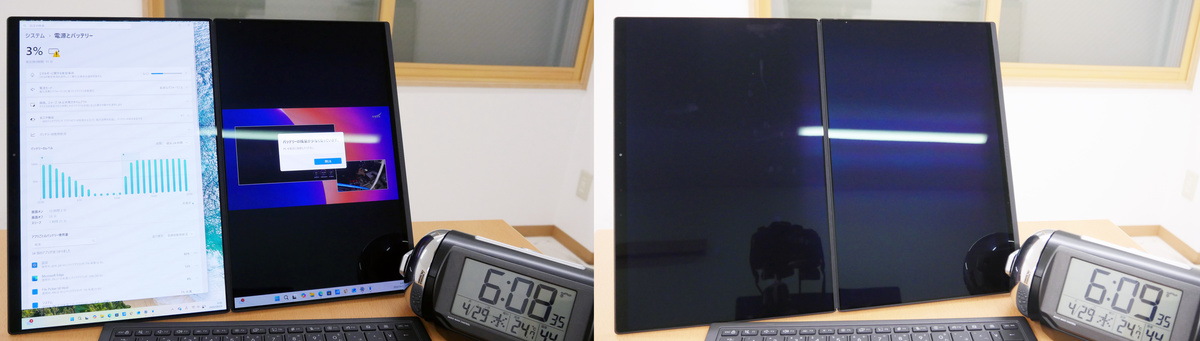
The screen turned off at 6:09 AM, after approximately 7 hours of continuous operation. In this test, the battery drained 1 hour faster when using dual displays compared to notebook PC mode.
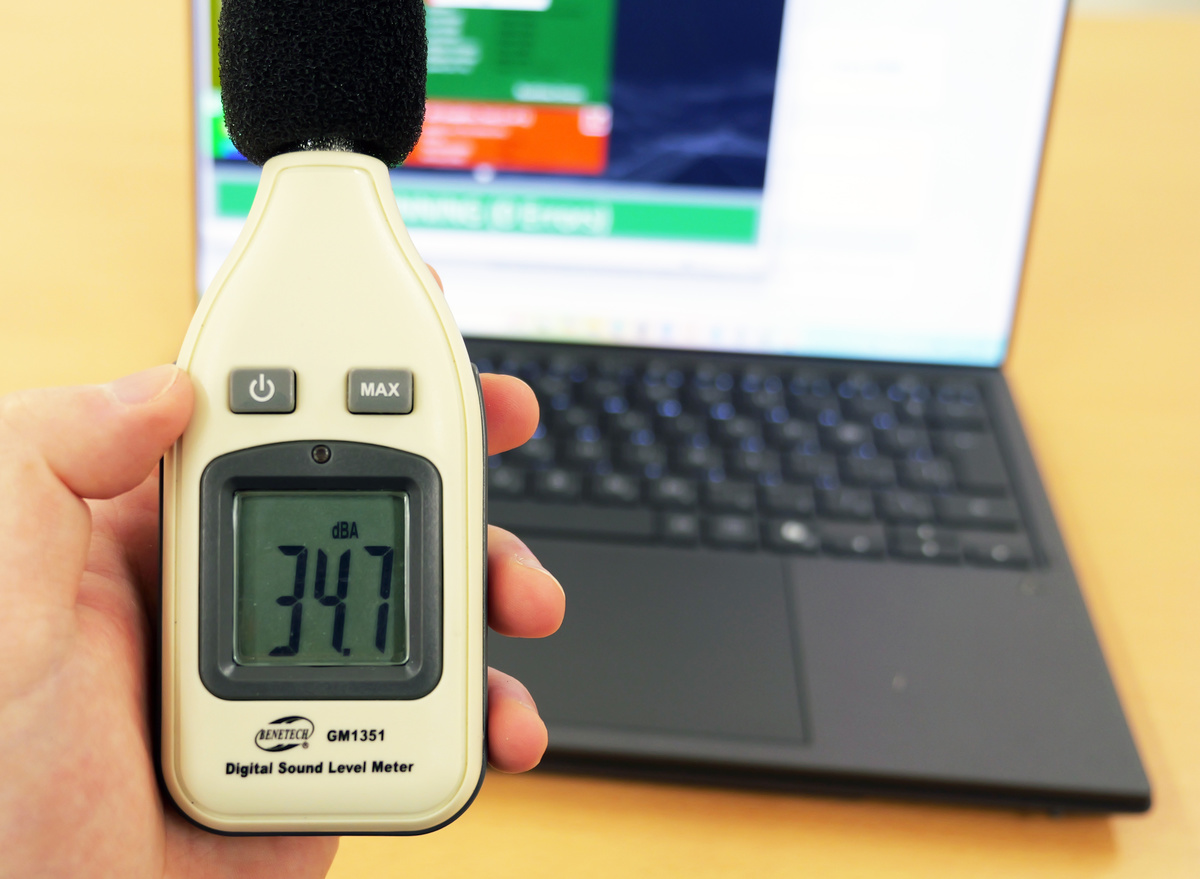
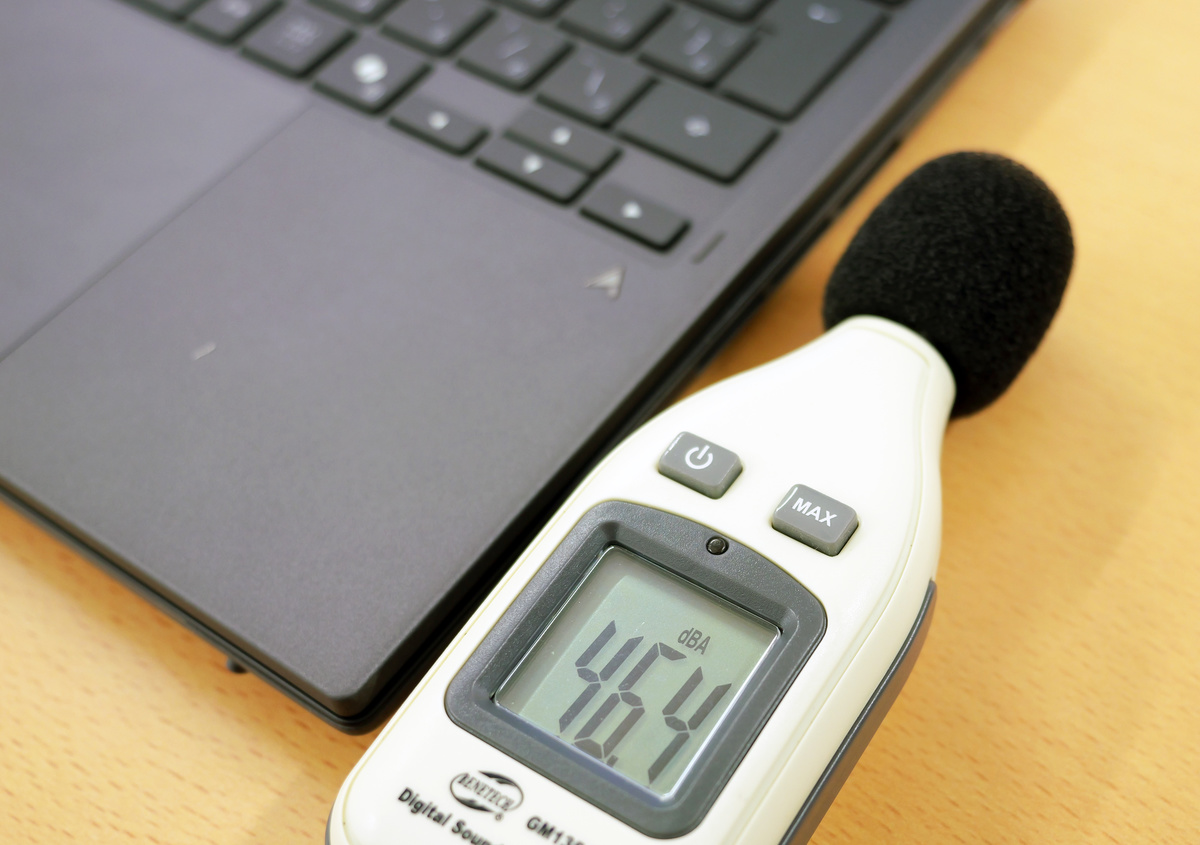
Next, we measured the fan noise while the system was under load using the load testing software 'BurnInTest'. The following is a reading of 34.7 dB, recorded with a sound level meter placed near the ear while using the laptop in notebook mode.
When a sound level meter was placed near the exhaust fan, the reading was 46.4 dB. According to
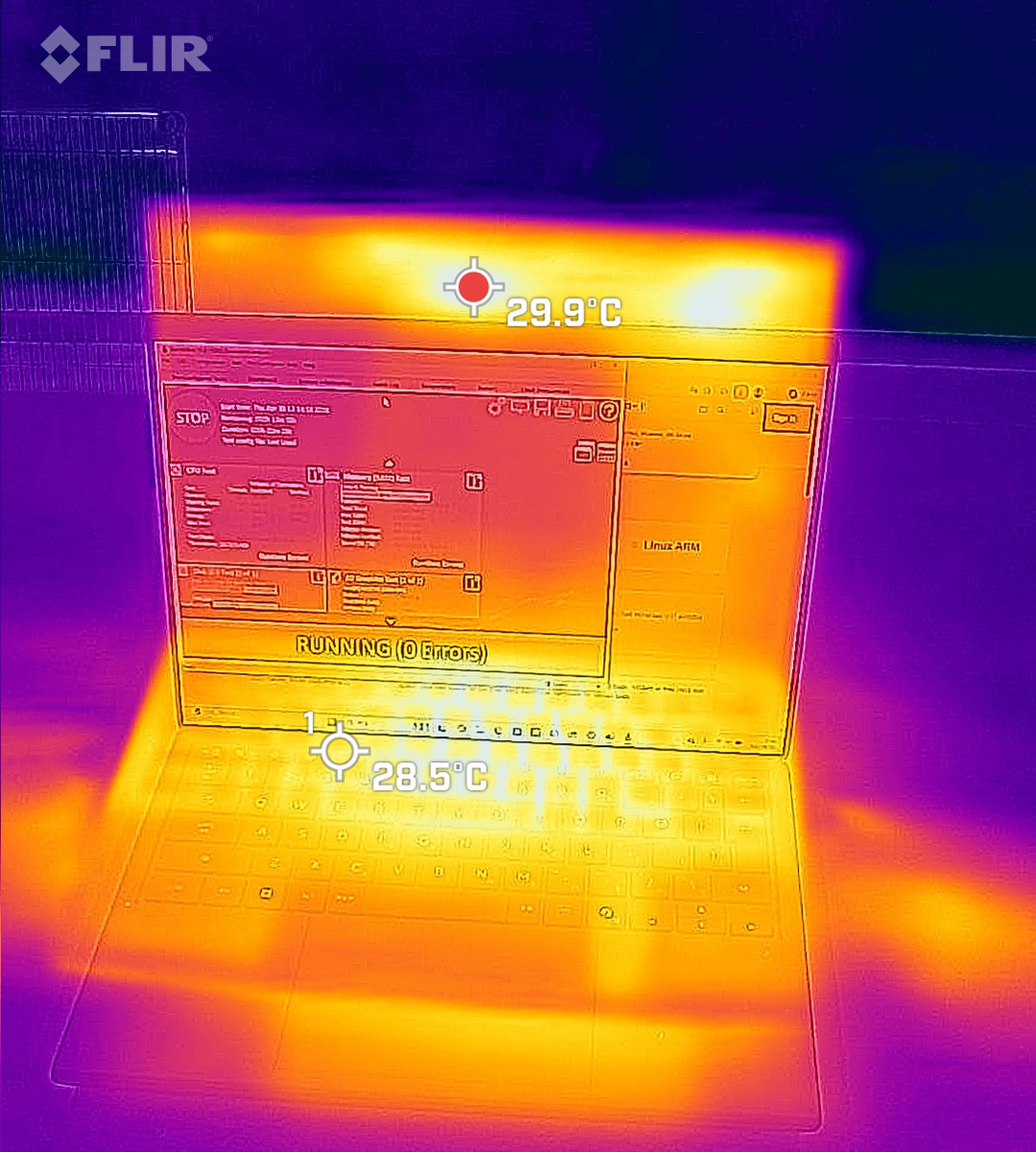
Furthermore, we measured the temperature using a thermal camera 'FLIR ONE Pro' after approximately 30 minutes of browsing in a room with a room temperature of about 22 degrees Celsius, followed by a 15-minute load test. The hottest part was 29.9 degrees Celsius, and the keyboard part was 28.5 degrees Celsius, meaning they were only 'slightly warm' to the touch.
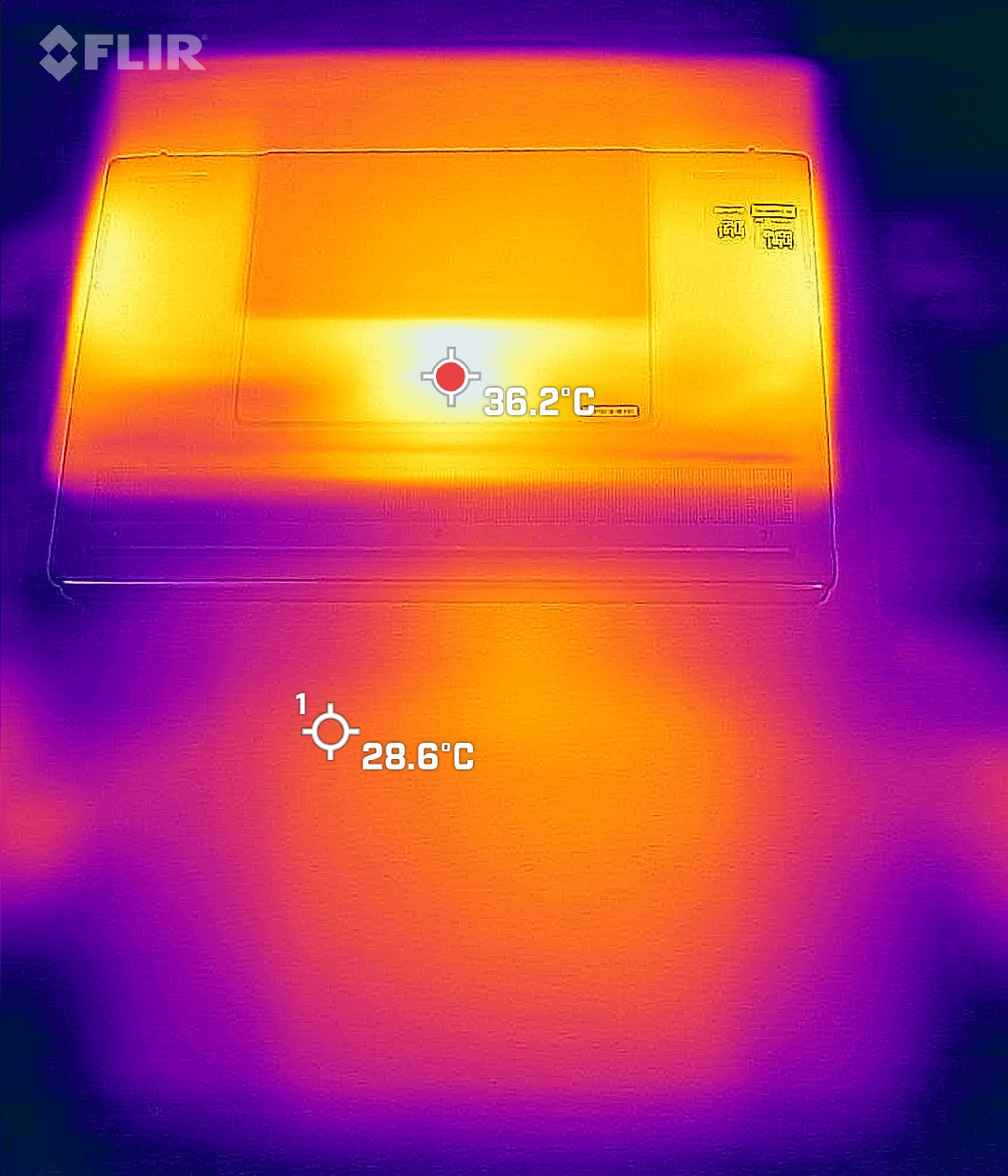
The back of the PC was 36.2 degrees Celsius, and the desk it was on was 28.6 degrees Celsius, so it wasn't that hot.
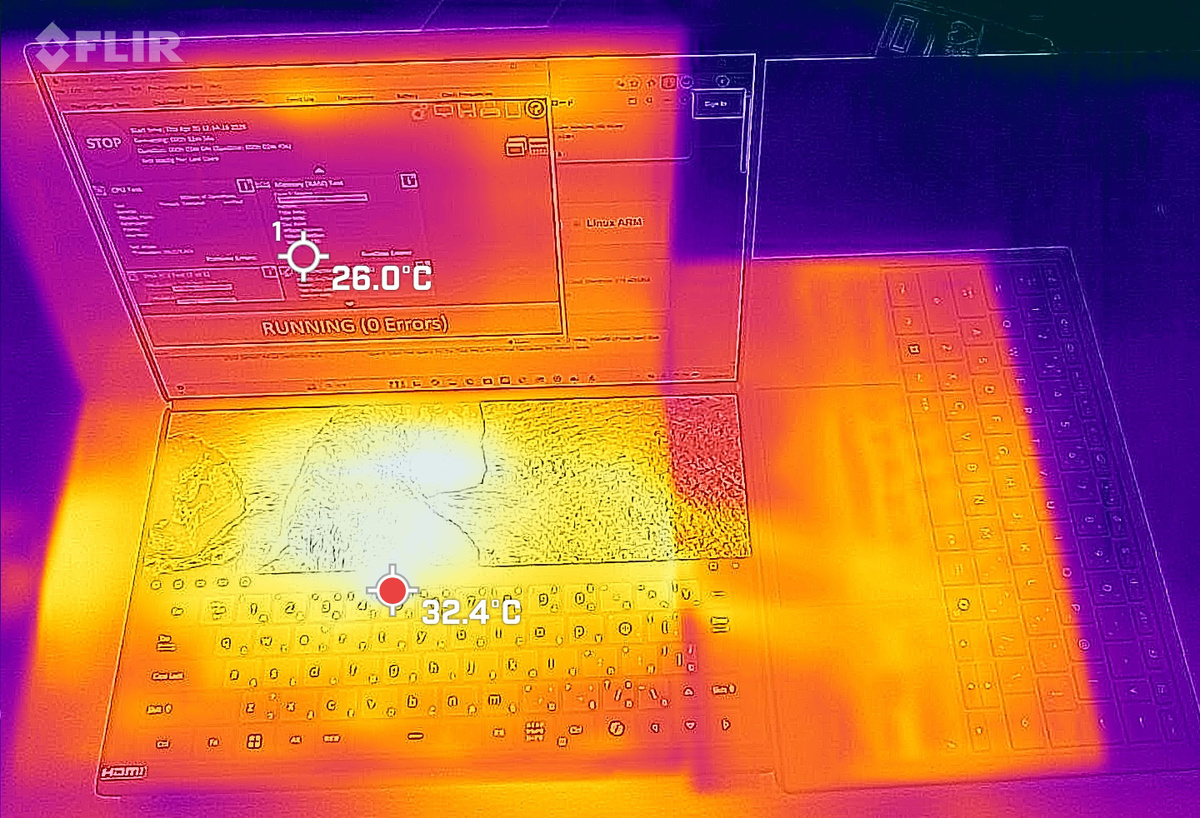
When I removed the keyboard and set up a dual-display configuration, the display below the keyboard reached 32.4 degrees Celsius, which was hotter than the keyboard.
Other key specifications of the UX8407 are as follows:
| OS | Windows 11 Home 64-bit |
|---|---|
| CPU | Intel® Core Ultra X9 Processor 388H 2.1 GHz (18MB Cache, up to 5.1 GHz, 16 cores, 16 Threads); Intel NPU up to 50TOPS |
| Graphics | Intel Arc Graphics (integrated into the CPU) |
| AI function | Intel NPU up to 50 TOPS |
| display | 14.0-inch OLED display with 2,880 x 1,800 pixels, 144Hz refresh rate, 1000 nits HDR peak brightness, and touchscreen. |
| Main memory | 32GB LPDDR5X |
| storage | SSD 1TB (PCI Express 4.0 x4 connection NVMe/M.2) |
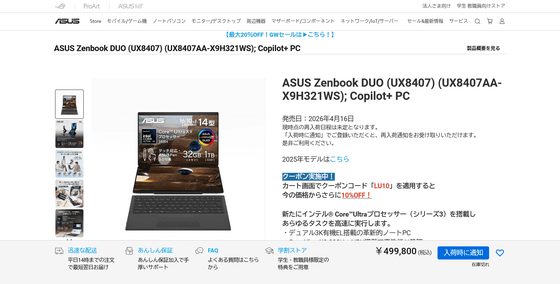
The Zenbook DUO UX8407 was released in Japan on April 16, 2026, and is priced at 499,800 yen at the ASUS official store .
ASUS Zenbook DUO Recommended Dual-Screen Laptop | Windows 11 | 3K OLED x 2 | Core Ultra X9 | ASUS Store [Official] | ASUS Store [JAPAN]
https://store.asus.com/jp/90nb16v1-m00cz0-asus-zenbook-duo-ux8407-copilot-pc.html
Related Posts: