Windows Update is getting a major improvement: it can now be paused indefinitely every 35 days.
Microsoft has released significant improvements to the update experience, giving users more control over when Windows updates occur. These changes allow users to pause Windows Update for up to 35 days, and extend the pause period any number of times without limit.
Your Windows update experience just got updated | Windows Insider Blog
Microsoft will let you pause Windows Updates indefinitely, 35 days at a time | The Verge
https://www.theverge.com/tech/918572/microsoft-windows-updates-pause-35-days
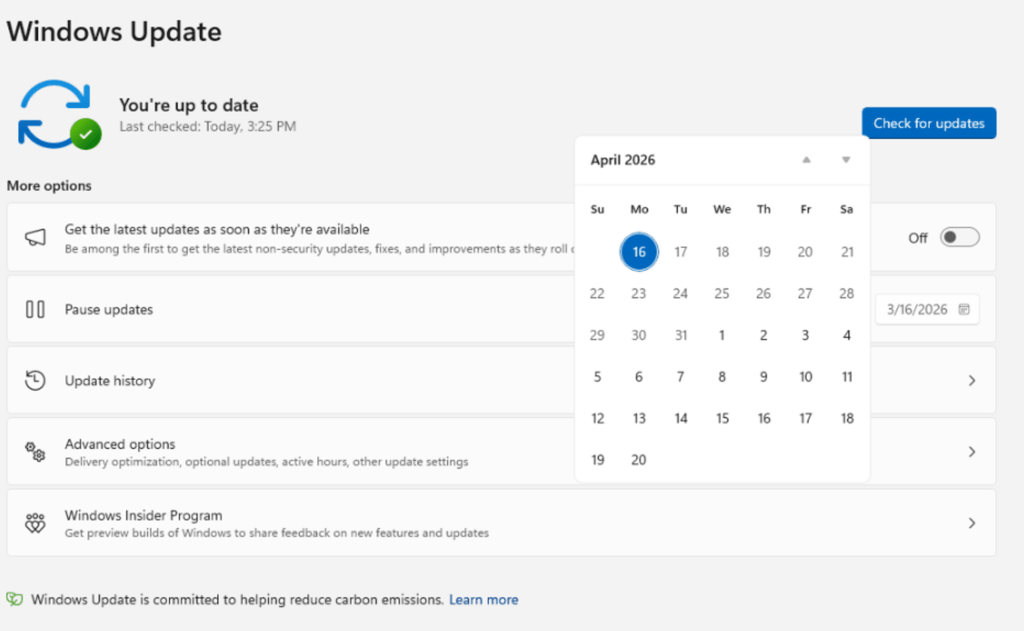
This new feature is now available to users of the Windows Insider Dev channel and the newly established Experimental channel. The new calendar-style screen allows you to specify a restart date up to 35 days in advance, so you can plan your updates to avoid busy periods like travel or exams. If 35 days isn't enough time, you can reset the pause end date as many times as needed.
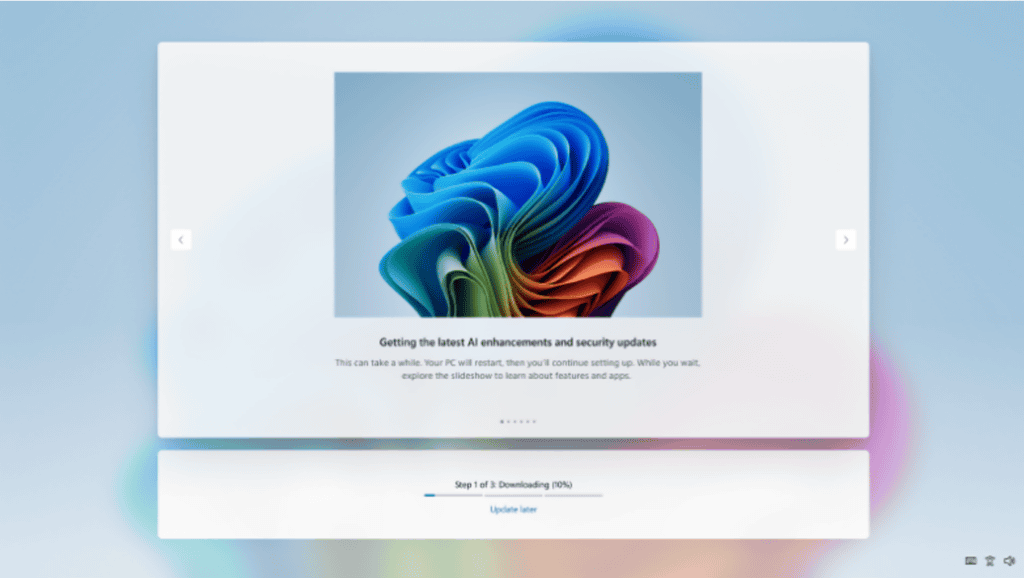
Additionally, an option has been added to immediately skip updates and proceed to the desktop during the initial device setup (OOBE).
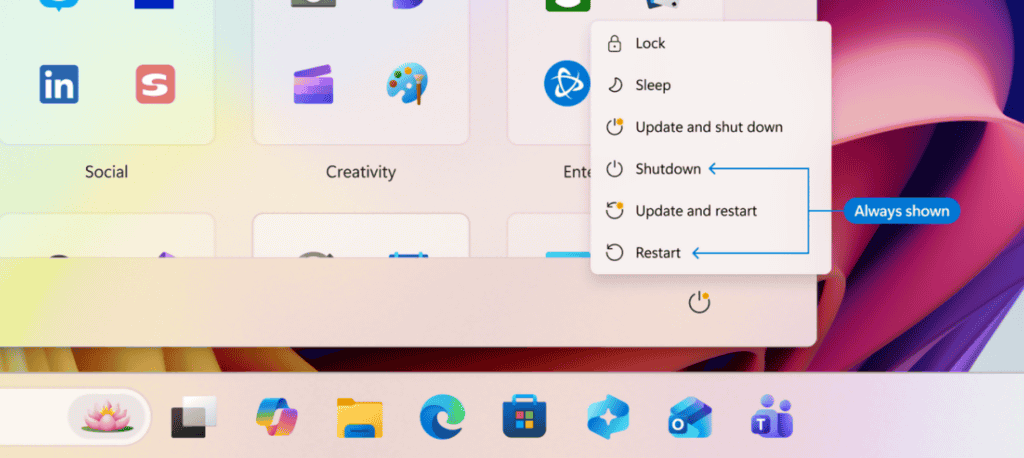
Furthermore, while previously, when updates were available, the Start menu's power options displayed 'Update and restart' and 'Update and shut down,' this change means that even with updates available, only the standard restart and shutdown options will be displayed. Microsoft states that this will prevent unintended update processes from starting when users are in a hurry, and will allow users to control power operations according to their own will.
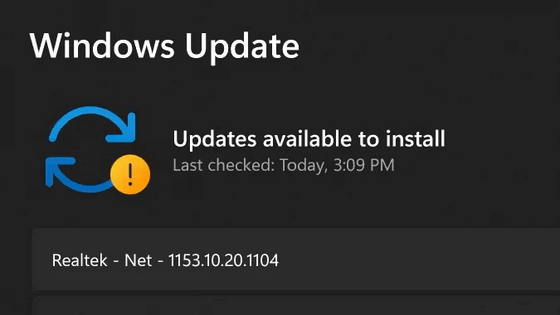
Furthermore, driver update titles now clearly indicate the target device class, such as display, audio, or battery. This allows users to understand the details of the update more thoroughly before deciding whether to install it.
To reduce the frequency of restarts associated with updates, a system has been implemented that integrates driver, .NET, and firmware updates with monthly quality updates. Since the updates are downloaded in the background and installed all at once at a coordinated time, the number of restarts is reduced to approximately once a month.
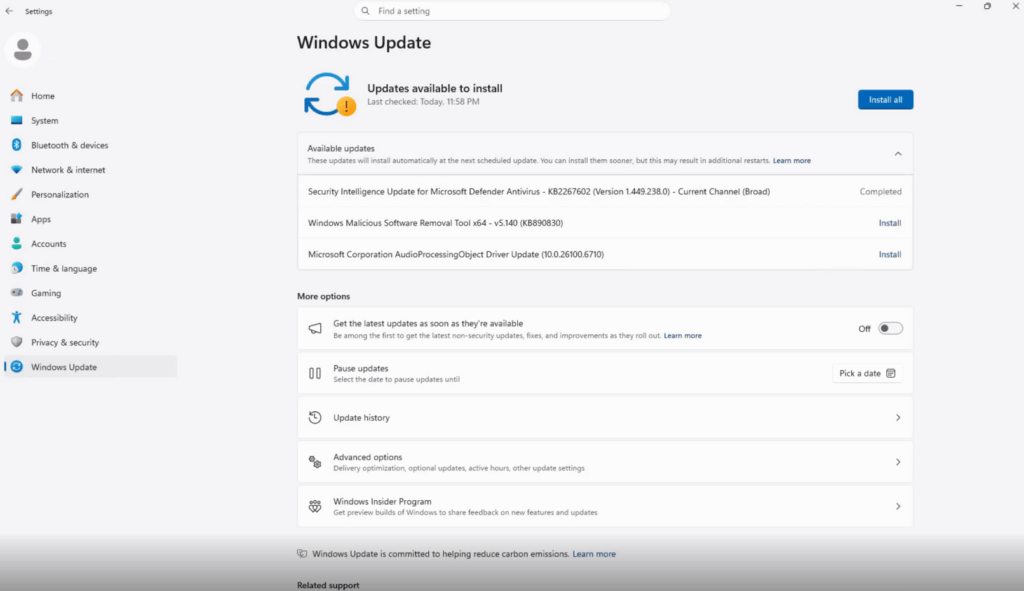
On the other hand, Microsoft continues its policy of keeping devices secure in their default state, based on the Secure Future Initiative. It has a feature that automatically attempts to recover in the background if an update fails, and is designed to maintain the latest security status with a high success rate.
This Windows Update is now being rolled out to users of the Windows Insider 'Dev channel' and the newly established 'Experimental channel.' While a specific release date for the retail version has not yet been announced, it is expected to be widely available in future updates based on feedback from the channels where it has been distributed first.
Related Posts:





in Software, Posted by log1i_yk