Video.js v10 beta release: Why did it take so long?
Video.js is an open-source framework for building HTML5-based web video players and is one of the most popular in the world. In March 2026, the Video.js development team released a beta version of Video.js v10. It took Video.js a long time to release the v10 beta, and the reasons for this are explained in the blog on their official website.
Video.js v10 Beta: Hello, World (again) | Blog | Video.js | Open Source Video Player
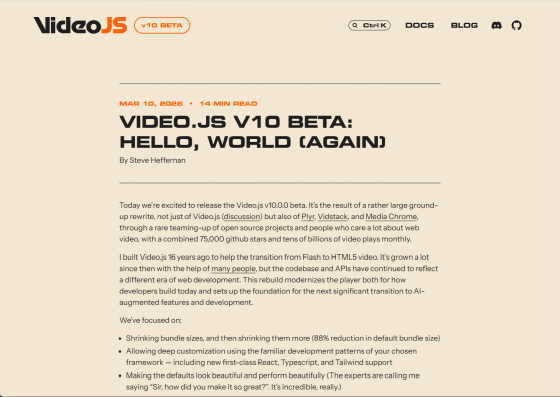
◆v10 Beta Release
The main reason for the delay in releasing the Video.js v10 beta is the extensive rewrite of the underlying codebase. This rewrite wasn't limited to Video.js; it also affected other open-source projects such as
The impetus for the development of Video.js was around 2010, when Adobe, the developer of Flash Player, began hinting at a transition to HTML5. At the time, Flash was the primary technology for playing videos on the web, but due to security issues and lack of support on mobile devices, the transition to HTML5-based video players was progressing. Video.js was developed to support this transition to HTML5 and has provided tools and functions to facilitate the construction of HTML5 video players. However, the codebase and API were designed during the Flash Player era, and a major overhaul was needed to incorporate modern development methods and AI-driven solutions.
The following explains the areas in which Video.js focused its efforts for the v10 beta version:
◆Bundle size reduction
The biggest problem with video players was their large file size. One reason for Video.js's bloat was that it included a lot of rarely used code to provide many features. The default player in v10 achieves an 88% size reduction compared to the previous default player by taking measures such as removing support for Adaptive Bitrate (ABR) . Even excluding the effect of removing ABR for a more direct comparison, the default player in v10 is 66% lighter than the previous version, and can be even lighter depending on the bundle.
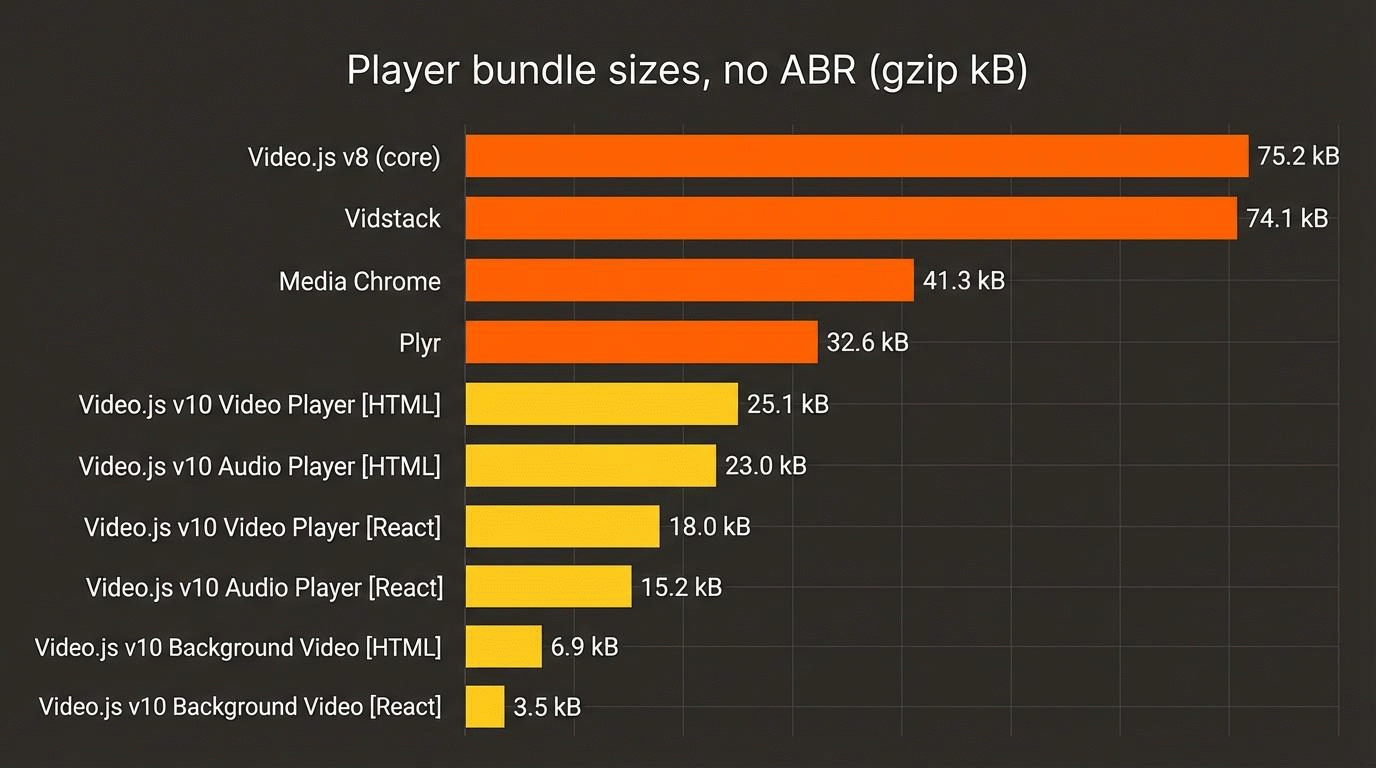
Looking at a full-featured video player, the streaming engine required to handle ABR formats such as
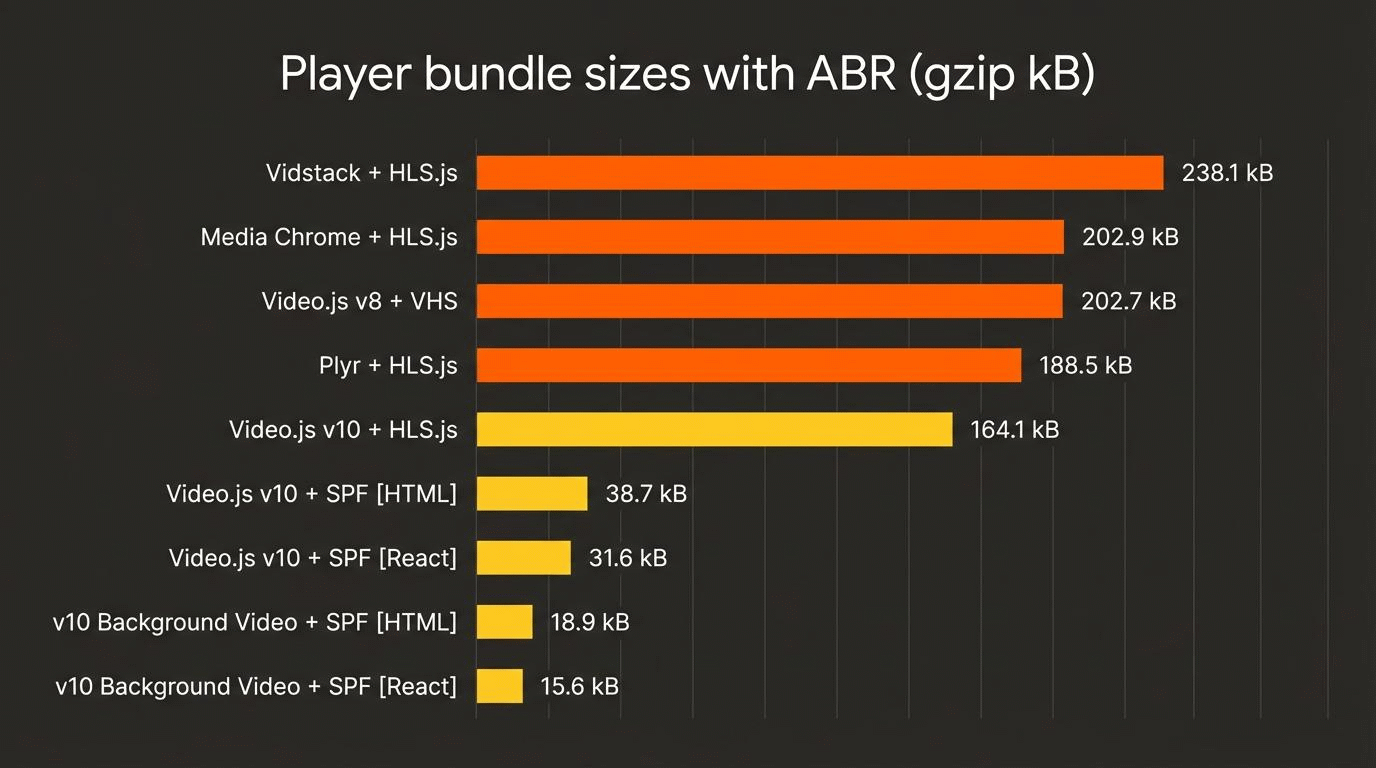
Comparing each engine makes the features of Video.js v10 clearer. While miniaturization of the other engines is extremely difficult unless they are forked, the engine built using SPF includes only the features necessary for simple adaptive streaming using HLS, resulting in a file size that is only 12% of HLS.js-light.
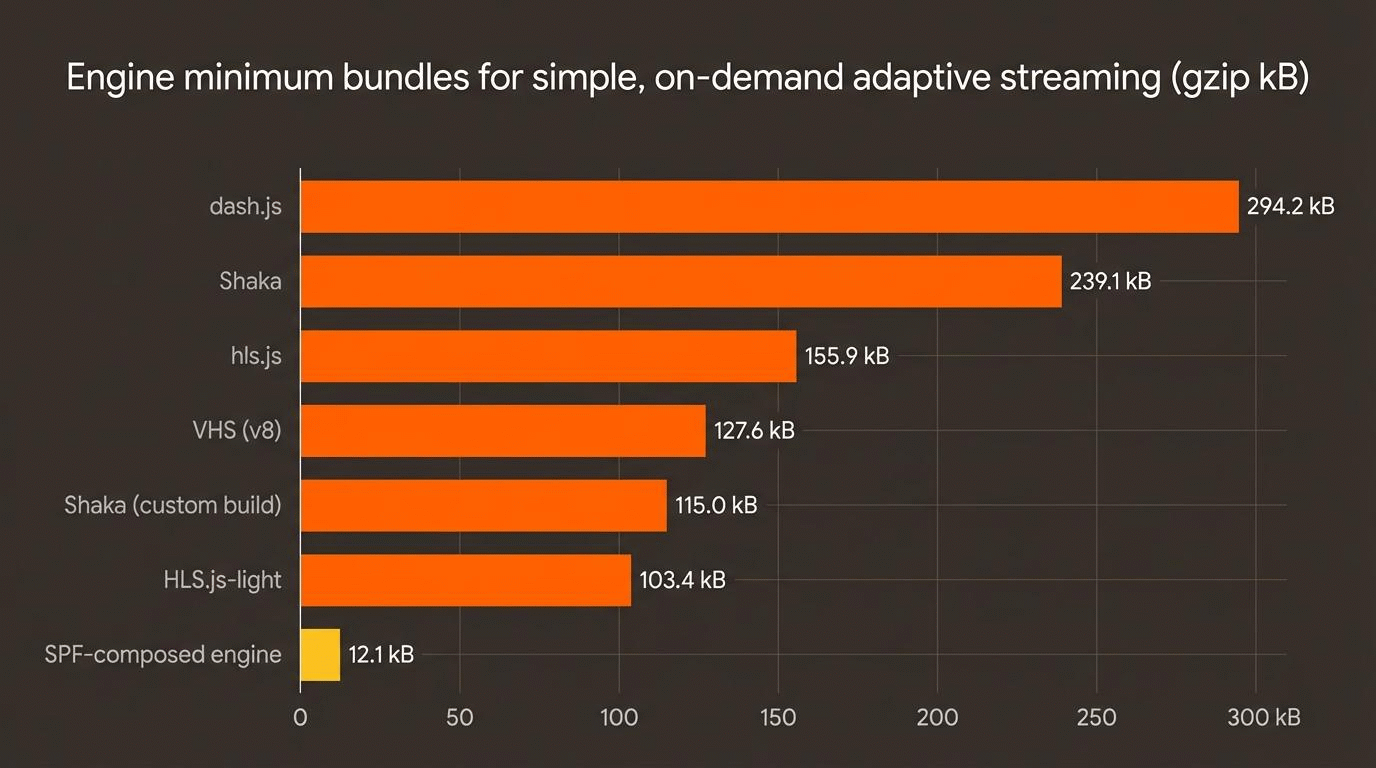
However, the goal isn't necessarily to replace other feature-rich streaming engines with SPF; in fact, Video.js v10 can work with other engines. Video.js v10 aims to significantly reduce file size in common and simple use cases. At the same time, they believe that more sites and apps can benefit from the file size reduction provided by simple ABR, and SPF is positioned as one of the means to achieve this.
◆Customization
Video.js v10 is designed to reduce file size by allowing you to configure the player with only what's necessary, which can further reduce the size in simple use cases. For example, a React 'hello world' player consisting only of a video player and a play button is less than 5KB when gzip compressed.
[code]
import { createPlayer, features } from '@videojs/react';
import { Video } from '@videojs/react/video';
const Player = createPlayer({
features: [features.playback],
});
function App() {
const store = Player.usePlayer();
const paused = Player.usePlayer((s) => s.paused);
return (
<Player.Provider>
<layer.Container>
<Video src='video.mp4' />
<button onClick={() => (paused ? store.play() : store.pause())}>
{paused ? 'Play' : 'Pause'}
</button>
</Player.Container>
</Player.Provider>
);
}
[code]
In v10, State, UI, and Media are first separated into their own components, which then work together via API contracts. Each major component is optional and can be easily replaced and configured, and the UI and media components can also be used individually. The internal state and functionality can be built by passing the necessary functions as an array called 'features' to the createPlayer() function, which initializes the player. In the example above, only the playback function is used, so only 'features.playback' is specified. If the player does not require audio functionality, there is no need to include volume or mute. While file size is important in a video player, it is only one performance indicator, but if it is not properly designed from the beginning, it can quickly become uncontrollable. Regarding the performance of the new architecture at the time of the beta release, they said, 'There is still room for improvement, but we are very satisfied.'
While Video.js v10 beta includes several ready-to-use, polished skins (control sets), it's mentioned that if you're not satisfied, you can use the 'Eject' function on any skin to obtain the complete source code in the framework's language. The source code consists of real components that you can actually use and modify, and each component generates a single HTML file, giving you direct access to all events that occur within the UI.
◆Improvements to design and UI
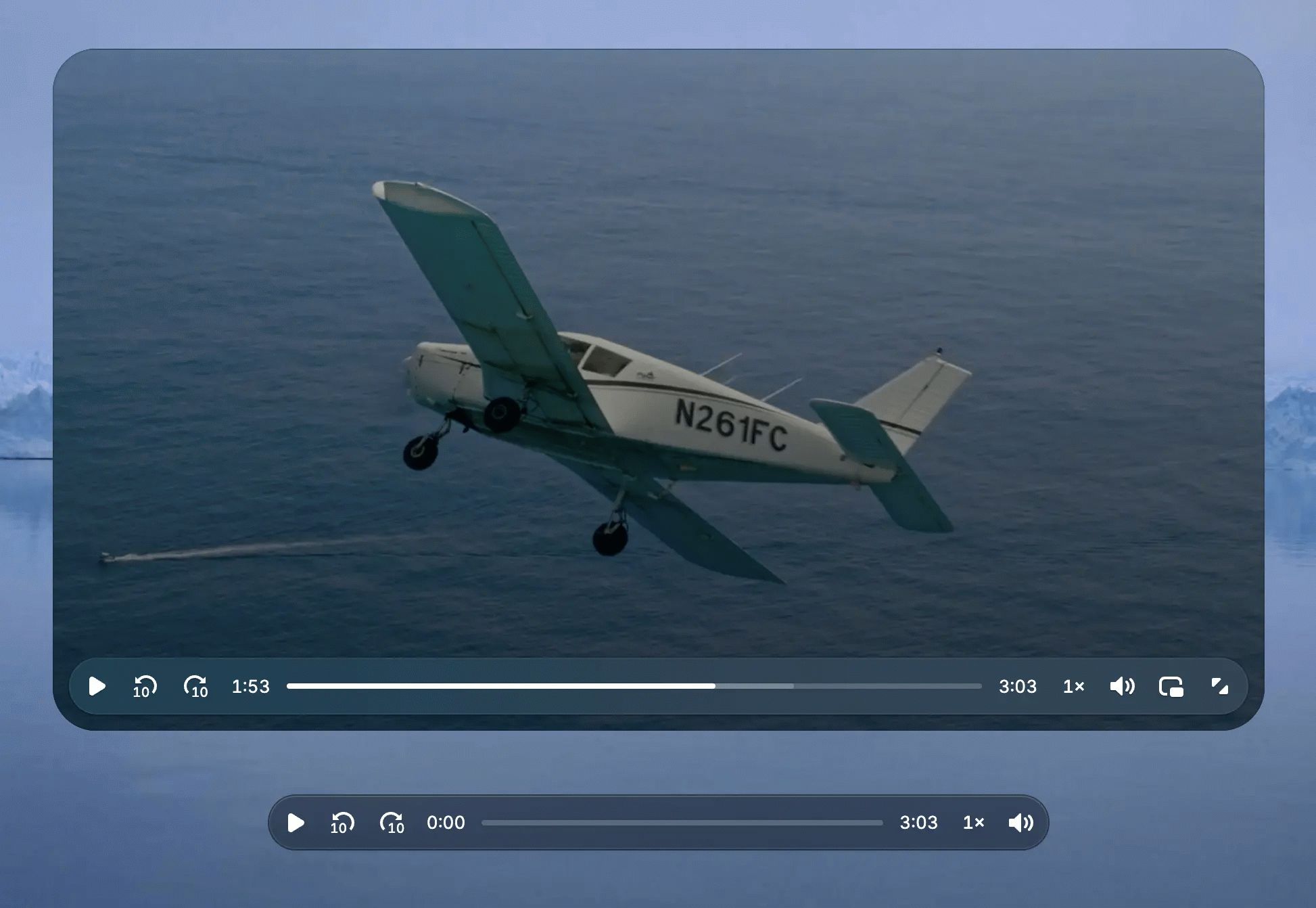
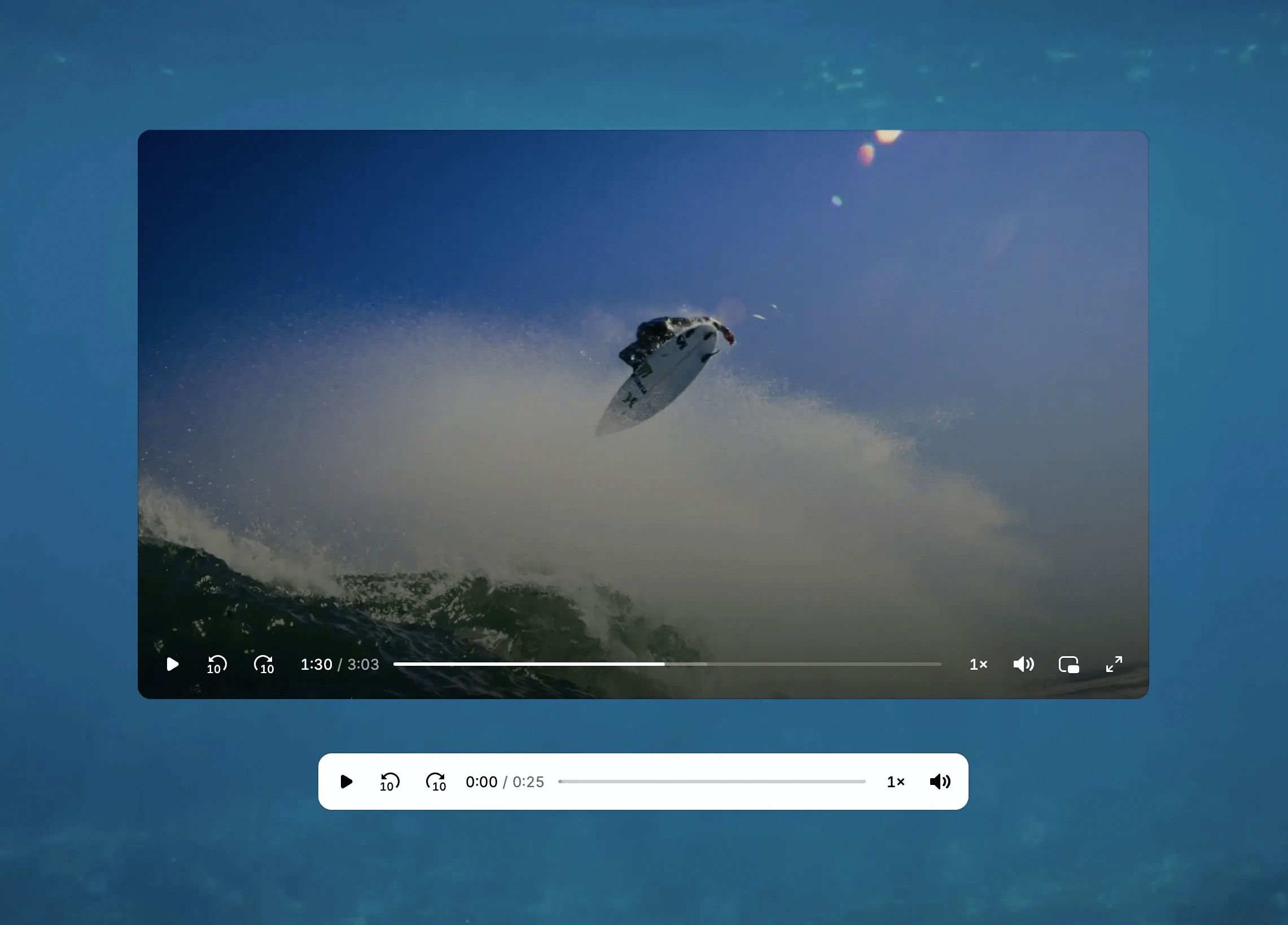
The v10 beta comes with two skins: a default skin with a frosted aesthetic and a minimalist skin for developers. Both feature refined controls, smooth interactions, and meticulously crafted animations.
The following shows the appearance of the default skin. Both the video and audio skins are displayed.
The following is a minimal skin for developers.
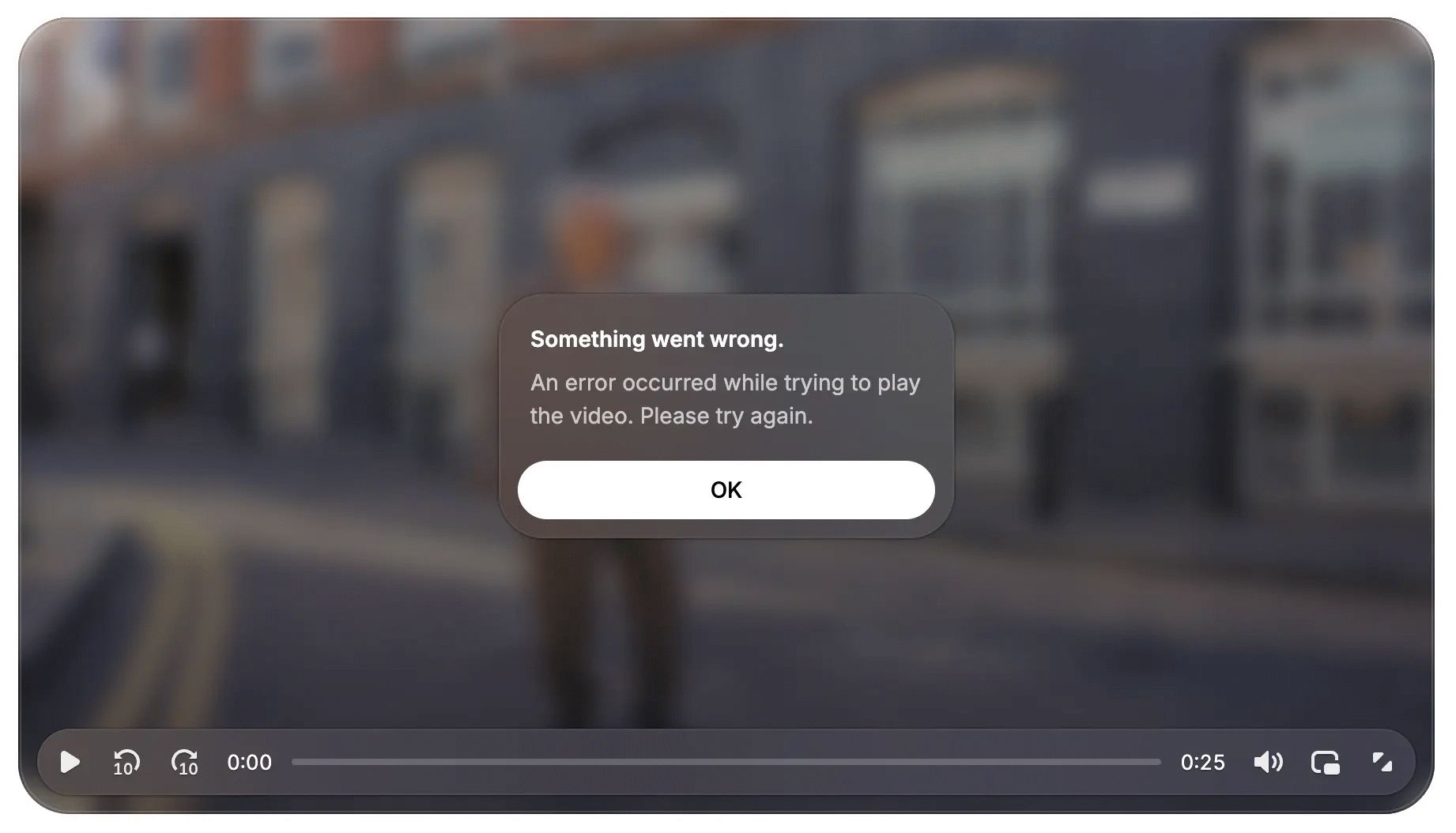
The most significant change from the previous UI is the error dialog. The following is from the default skin.
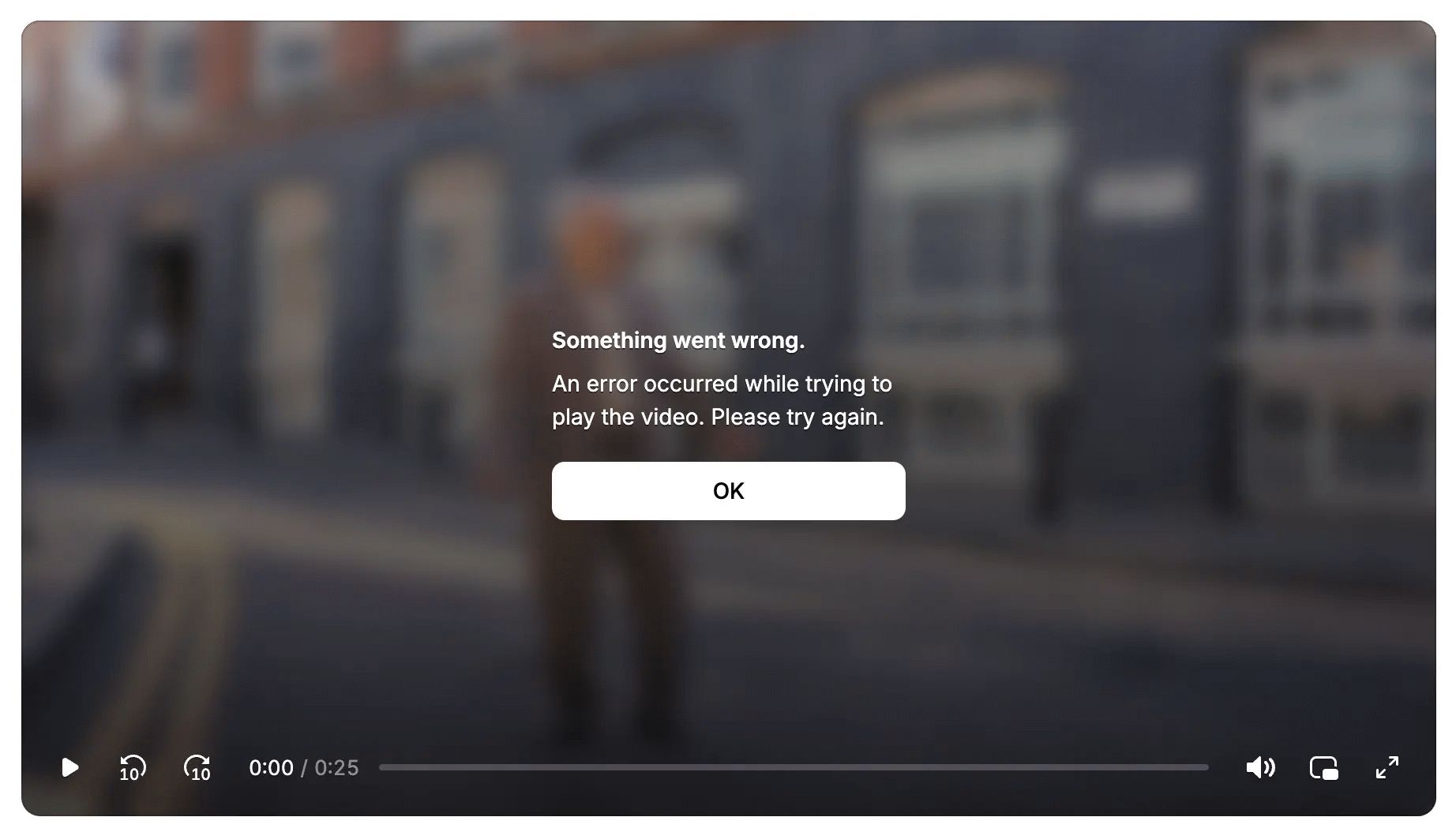
The error dialog for the minimal skin is as follows:
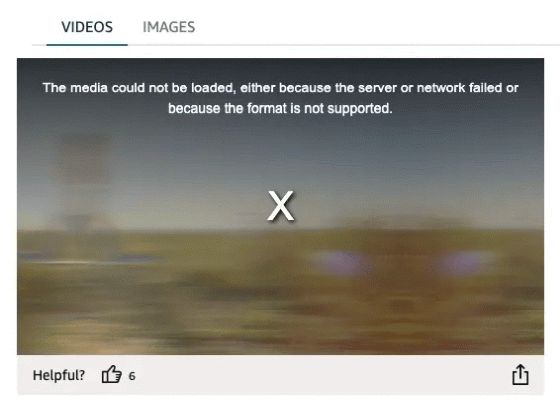
Incidentally, the previous error dialog looked like this. At the time, design considerations were not a high priority, so in every skin, the error dialog was simply a 'bad-looking' thing that just displayed a bulky 'X'.
Additionally, v10 will include pre-packaged presets tailored to anticipated use cases, and three are currently available in beta. The following is the default video preset.
[code]
const Player = createPlayer({
Features: videoFeatures,
});
function App() {
return (
<Player.Provider>
<VideoSkin>
<Video src='video.mp4' />
</VideoSkin>
</Player.Provider>
);
}
[code]
The following are audio presets.
[code]
const Player = createPlayer({
Features: audioFeatures,
});
function App() {
return (
<Player.Provider>
<AudioSkin>
<Audio src='audio.mp3' />
</AudioSkin>
</Player.Provider>
);
}
[code]
The following are background video presets. Background videos require a layout but no control, so this is a use case where the preset concept of 'providing the most suitable player for the purpose' truly shines.
[code]
const Player = createPlayer({
features: backgroundVideoFeatures,
});
function App() {
return (
<Player.Provider>
<BackgroundVideoSkin>
<BackgroundVideo src='video.mp4' />
</BackgroundVideoSkin>
</Player.Provider>
);
}
[code]
By using presets, the underlying composable structure makes it easy to add, delete, and replace elements, allowing web developers to start working immediately without sacrificing flexibility. In the future, they plan to offer various presets such as 'for creator platforms,' 'for swipeable short videos,' and 'for educational purposes.'
◆Collaboration with AI
In developing the v10 beta version, we focused on designing the developer experience for building Video.js-based players using AI.
By providing 'UI primitives' that are less abstract and have no styles applied, agents can directly utilize the code within the project, reducing reliance on external documentation.
- By providing documentation explaining the code within the project as 'llms.txt', agents can efficiently browse the Video.js documentation.
- By providing Markdown versions of all documents, the burden on agents to read unnecessary contextual information is significantly reduced.
- Support development by accumulating AI skill sets within the repository.
◆Summary
Since Video.js v10 is in beta at the time of writing, the following points should be noted and considered.
The API is not yet stable enough.
- Functionality may be limited.
We welcome feedback on GitHub and Discord .
Although it has the limitations of being a beta version, they say 'now is a good time to try v10 if you're starting something new,' so if you're interested, please try the Video.js v10 beta version.
Related Posts: