Thunderbird 150 has arrived, now featuring PDF editing capabilities and customizable UI accent colors.
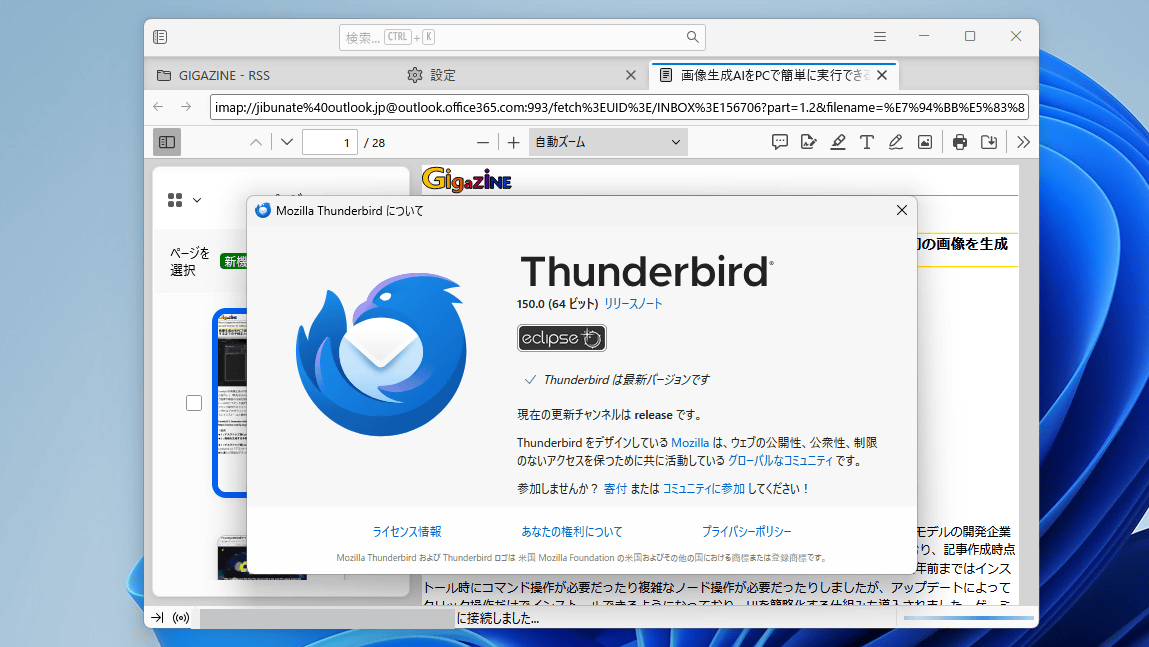
Version 150.0 of the email application 'Thunderbird' was released on April 21, 2026. New features include editing capabilities for PDF viewers, such as the ability to rearrange and delete pages, as well as a customizable accent color feature.
Release Notes — Thunderbird
This is what it looks like when you open a PDF file attached to an email in Thunderbird 150. Thumbnails of each page are displayed in the sidebar on the left side of the screen.
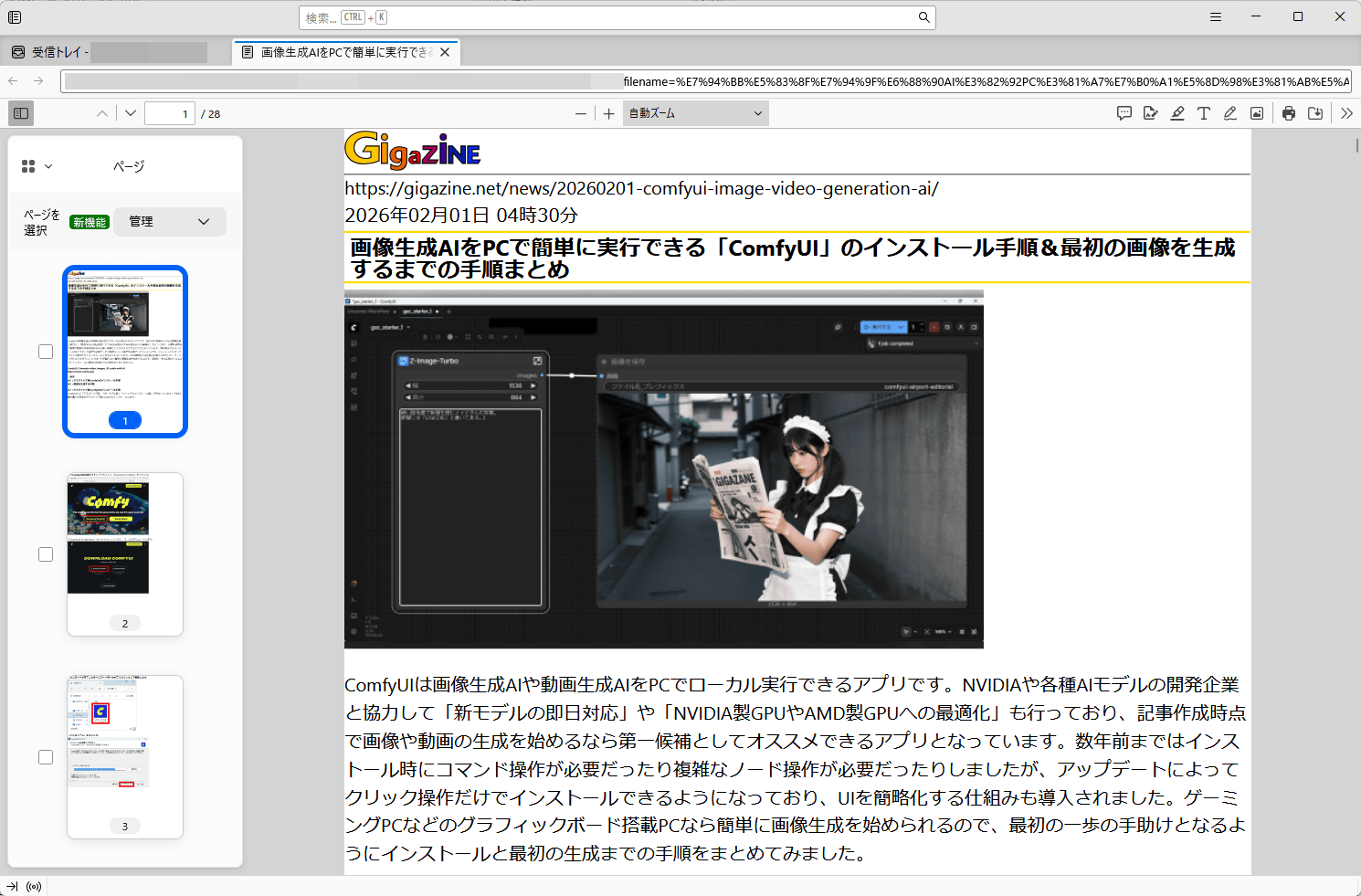
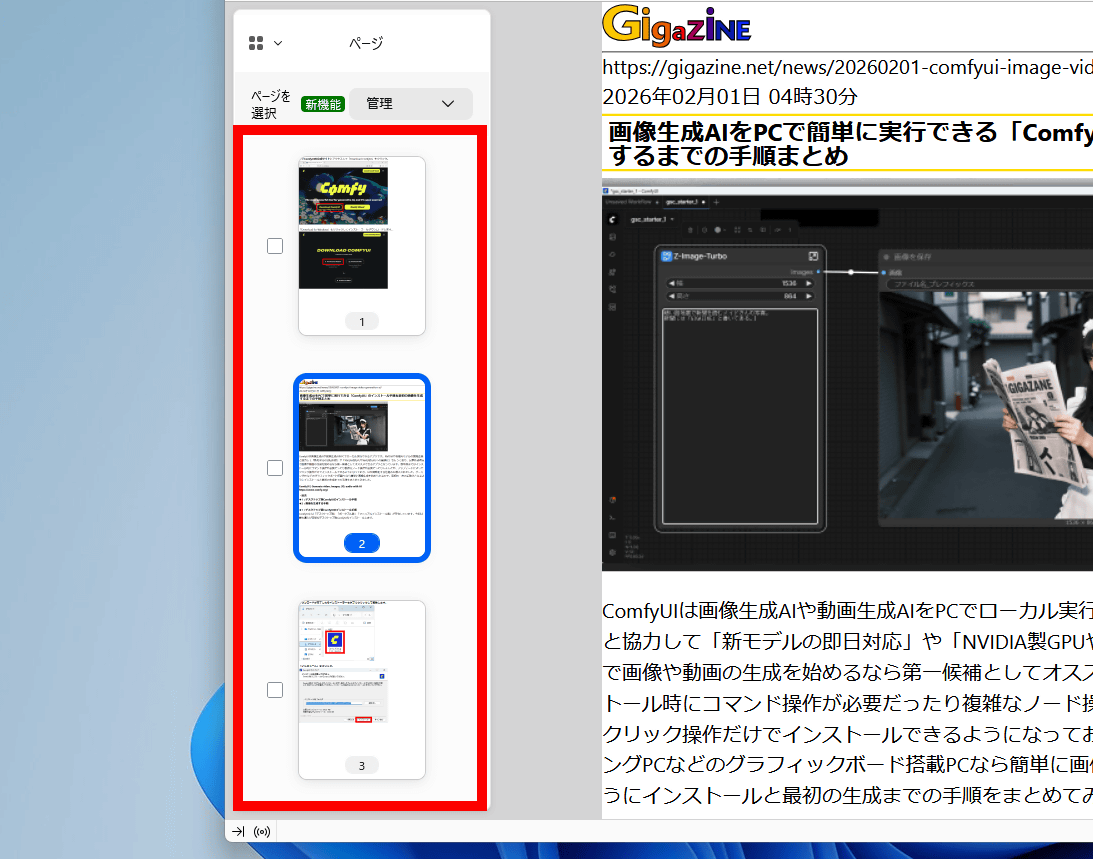
You can rearrange the order of the pages by dragging the thumbnails.
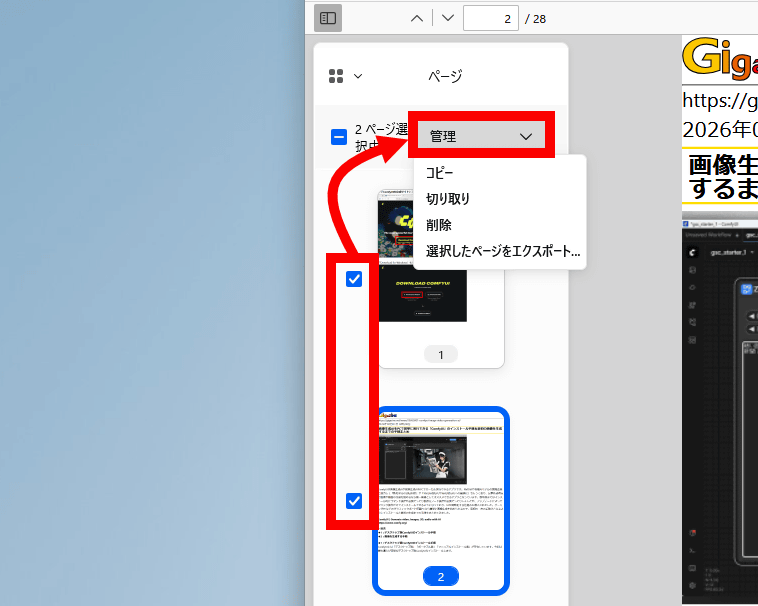
Additionally, clicking the checkbox on the left and then clicking 'Manage' allows you to perform copy, cut, delete, and export operations.
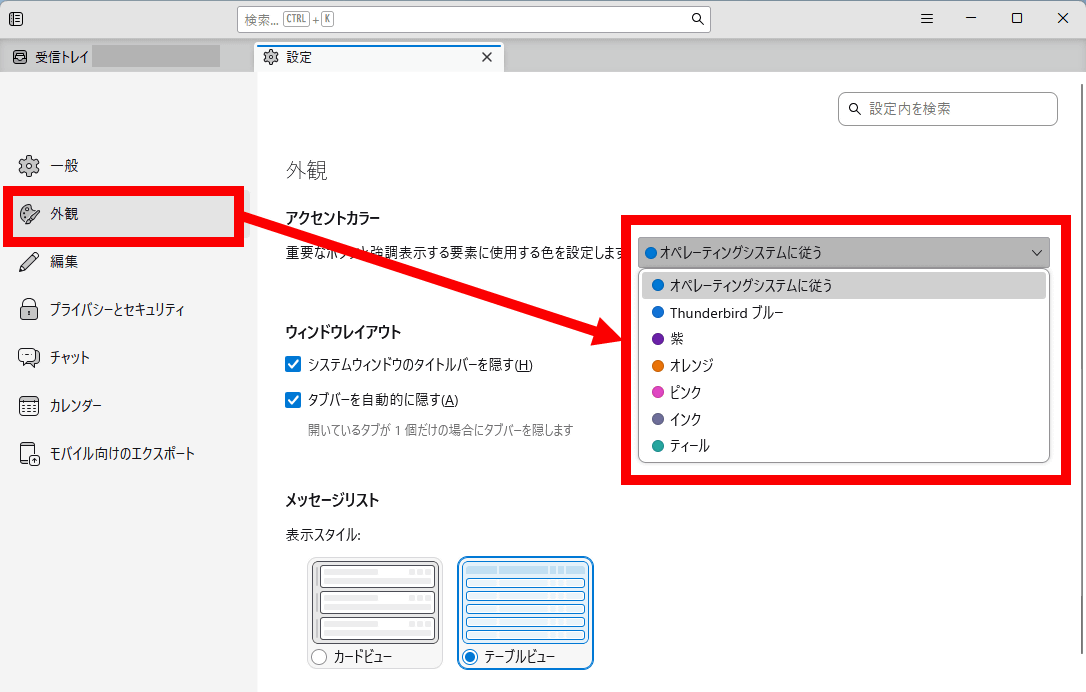
Furthermore, a custom accent color option has been added to the 'Appearance' settings. By default, the same accent color as the OS setting is used, but you can change it to one of the following: 'Thunderbird Blue,' 'Purple,' 'Orange,' 'Pink,' 'Ink,' or 'Teal.'
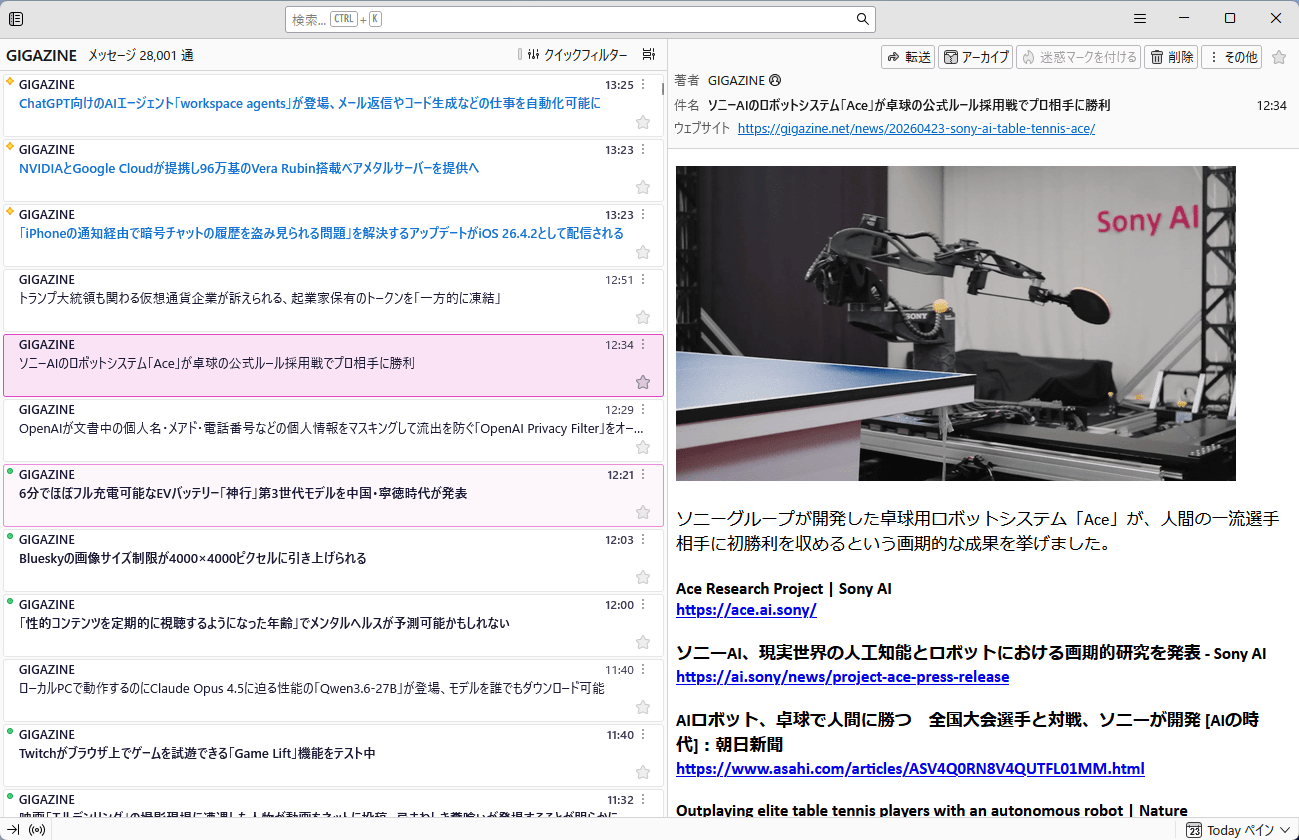
Accent colors are used for things like filling in the currently selected email.
Thunderbird 150 also includes other updates such as the ability to search the body of emails encrypted with OpenPGP and improved touch operation for the calendar.
Related Posts:

in Software, Posted by log1o_hf