GitClassic is a GitHub-like service that's completely free of unnecessary features, minimizing JavaScript usage to keep the file size under 14KB.

Since its launch in 2008,
GitClassic – Fast, lightweight GitHub browsing – GitClassic
https://gitclassic.com/

GitClassic explained in a blog post why GitHub had become slow:
Why has GitHub gotten so slow? – GitClassic
- Feature bloat : The transformation from a simple code hosting platform to a comprehensive DevOps ecosystem has come at the cost of increased JavaScript overhead.
• JavaScript performance and the complexity of the modern web : The bloat of JavaScript bundles often leads to significant delays when loading repositories containing many files, scrolling through long pull requests, and filtering issues.
• Server-side scaling challenges : The backend infrastructure is under extremely high load to handle millions of concurrent users.
• The trade-off for being all-in-one : The architecture becomes too complex, causing each function to compete for resources, resulting in lower performance compared to specialized tools.
GitClassic was born from an analysis of GitHub's slowness and a return to the fundamentals of code hosting. While integrating with existing GitHub repositories, it eliminates unnecessary UI elements and performance-degrading features, resulting in an ultra-fast and minimalist interface. The key features of GitClassic can be summarized as follows:
• Instant page loading : Provides fast rendering and smooth interaction.
• Focused code reviews : Eliminate the clutter of the sidebar and focus on the differences and discussions.
• High responsiveness : Operates smoothly even in slow connection environments.
- Adherence to the Git workflow : Maintaining GitHub's core functionality while eliminating unnecessary features.
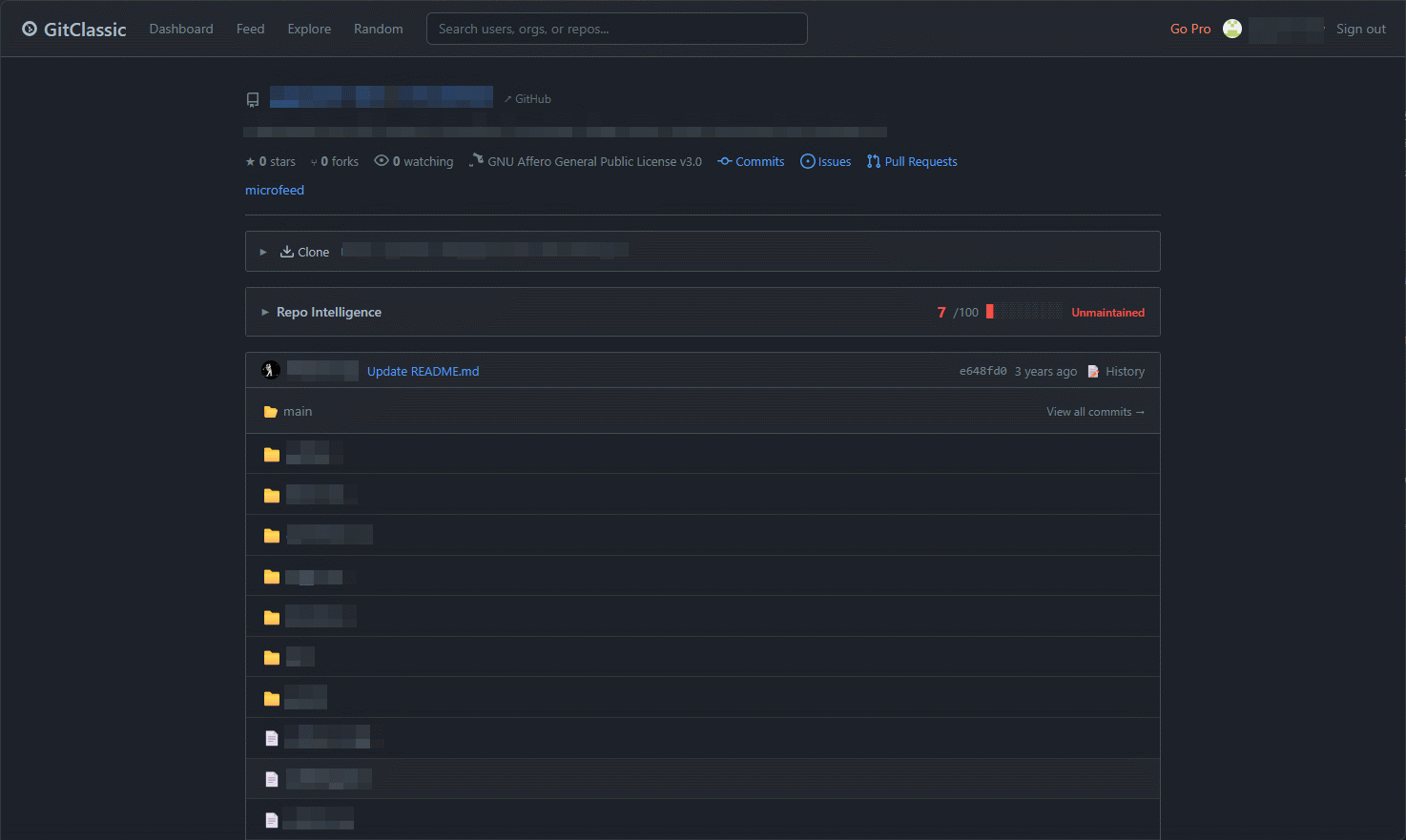
In short, GitClassic aims to provide a lighter, more performance-oriented interface while retaining the assets that GitHub has built up. Furthermore, GitClassic delves deeper into the problem that GitHub faces in large-scale open-source projects: the slow loading of large pull requests containing hundreds of files.
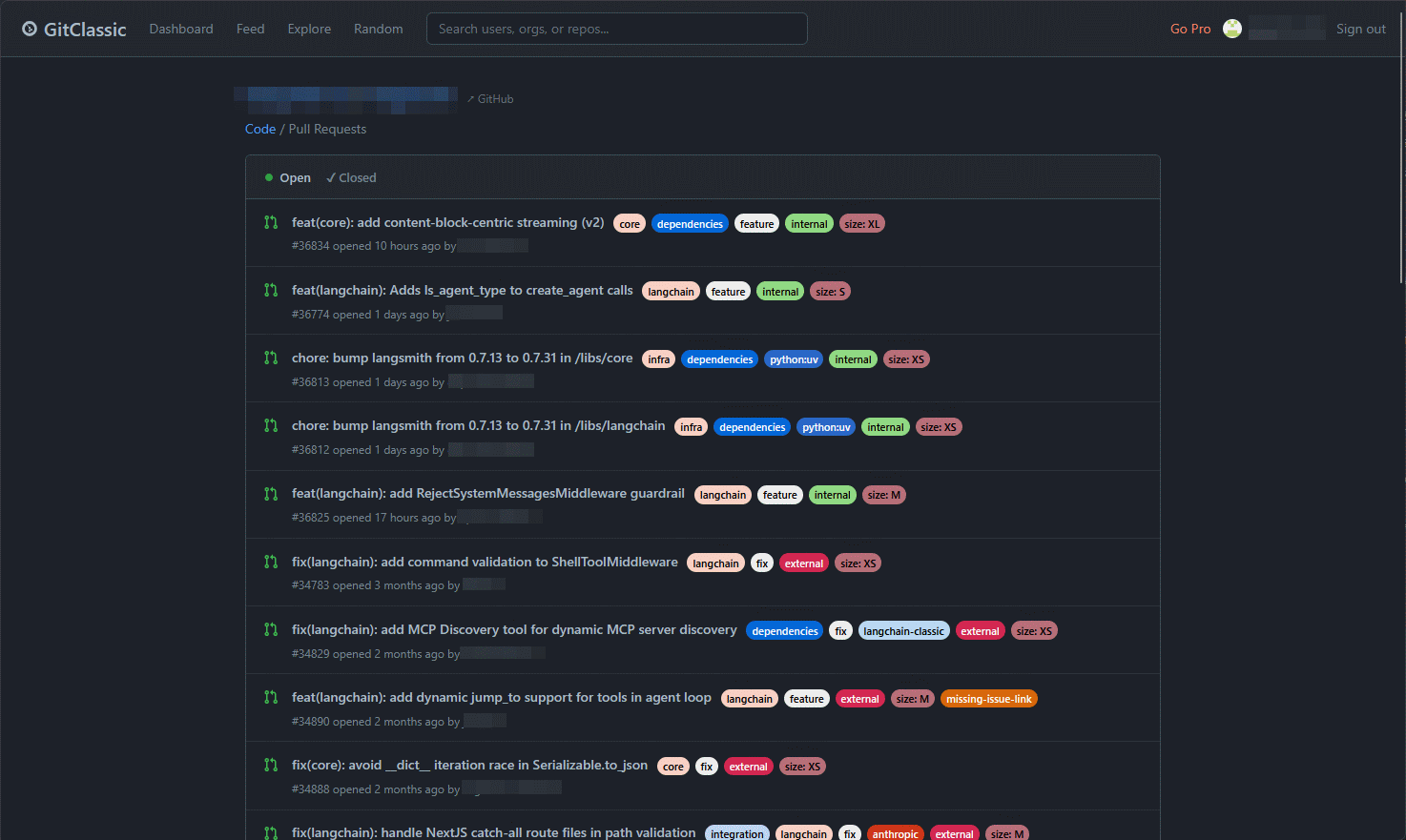
Why does GitHub take so long to load large Pull Requests? – GitClassic
While we know the slowdown is caused by GitHub's feature-rich interface attempting to render a massive amount of data, UI elements, and interactive components all at once, a closer look at the underlying factors reveals the following:
- Rendering a massive number of DOM nodes : It is necessary to build a DOM tree for every file, comment, and UI control included in the diff.
- Always-running JavaScript : Continuous JavaScript processing is necessary to implement interactive features such as inline comments, suggestion previews, and syntax highlighting.
- Parallel network requests : When tasks such as retrieving commit history, checking status, review data, and user avatars are performed concurrently, it can overload the browser.
- Asset bloat : As page complexity increases, CSS stylesheets, JavaScript libraries, and media assets can become bloated, causing overhead.
As a result, the browser's processing power reaches its limit, CPU usage spikes, and in some environments, loading times can extend to several minutes. In large-scale open-source projects such as the Linux kernel, Node.js, and React, large pull requests are not uncommon. When contributors refactor the core system or add major features, a single pull request can span multiple directories and affect hundreds of files. Furthermore, considering that numerous reviewers simultaneously read the same large pull request and add comments and suggestions, the server is required to process more data to synchronize the numerous changes occurring in real time, and the browsers used by each reviewer may become overloaded.
Another contributing factor cited is GitHub's design philosophy, which prioritizes comprehensiveness. GitHub attempts to provide all sorts of information, including build status, security scan results, deployment information, and suggestions from GitHub Copilot. While this works well for typical pull requests of around 10-30 files, processing speed drops significantly as the scale increases. Although the GitHub team has made various improvements over the years, such as lazy loading, virtualized lists, and progressive rendering, GitClassic argues that there are limits to optimization because the fundamental problem stems from the design philosophy.
Here's how to achieve the comfortable workflow envisioned by GitClassic:
Review in small increments .
Use the command line
Filter by file type
- Disable browser extensions
Based on the above principles, GitClassic provides the following features:
- Ultra-fast pull request loading even with large differences
- A code review experience that doesn't interrupt your focus on the code.
- Significant reduction in memory usage and CPU load
- Full integration with GitHub ensures no disruption to existing workflows.
What's interesting is the overall review based on actual use of various tools for browsing GitHub more comfortably.
Best Tools to Browse GitHub Code Faster – GitClassic
https://gitclassic.com/blog/best-tools-to-browse-github-code-faster
• Refined GitHub : A browser extension that streamlines the interface and adds clearly missing features. While it doesn't improve page loading speed, it adds truly useful features such as one-click merge conflict resolution for pull requests and links to reference issues within the code.
• Sourcegraph : The best code search engine, but it requires a lot of storage space, and running a self-hosted version requires a full-fledged infrastructure.
・github1s : Displays a VS Code-like interface simply by rewriting the repository URL. It's read-only but fast, however, it ultimately accesses the GitHub API for all operations, so it's not a fundamental solution.
GitHub's command-line tools : While very convenient if you can master them, their biggest drawback is that you need to clone the repository locally.
- GitClassic : I created this myself because I was dissatisfied with other tools. Inline editing, Copilot, and Actions dashboards are not available, so you need to use the official GitHub repository.
GitClassic concludes that since each of the above tools solves a different problem, you should use them depending on what you're dissatisfied with in GitHub, and it's perfectly fine to try using multiple tools.
Related Posts:







in Software, Posted by log1c_sh