An 'automatic shader compilation' feature to reduce game loading times has been added to the beta version of the NVIDIA app.

The beta version of the NVIDIA app, a tool for configuring NVIDIA GPUs, has been updated, and it is now possible to set it to automatically compile new shaders when the PC is idle.
NVIDIA App Update Adds DLSS 4.5 Dynamic Multi Frame Generation, Intelligently Balancing Frame Rates, Image Quality & Responsiveness

Shaders are programs that calculate how objects displayed on the screen light up and their textures. When playing 3D games, they need to be compiled once so that they can run on the GPU installed in each PC.
In games that compile all shaders in advance, you'll see a message like 'Compiling shaders' when you first launch the game, and you'll have to wait again after updating your graphics driver or the game itself, as shader compilation will occur again. Furthermore, in games that compile shaders sequentially in the background during gameplay, this can result in annoying stuttering.
This beta update to the NVIDIA app includes an automatic shader compilation feature, allowing you to configure it to automatically recompile shaders that have already been compiled by launching a game once, once the PC is idle after updating the drivers.
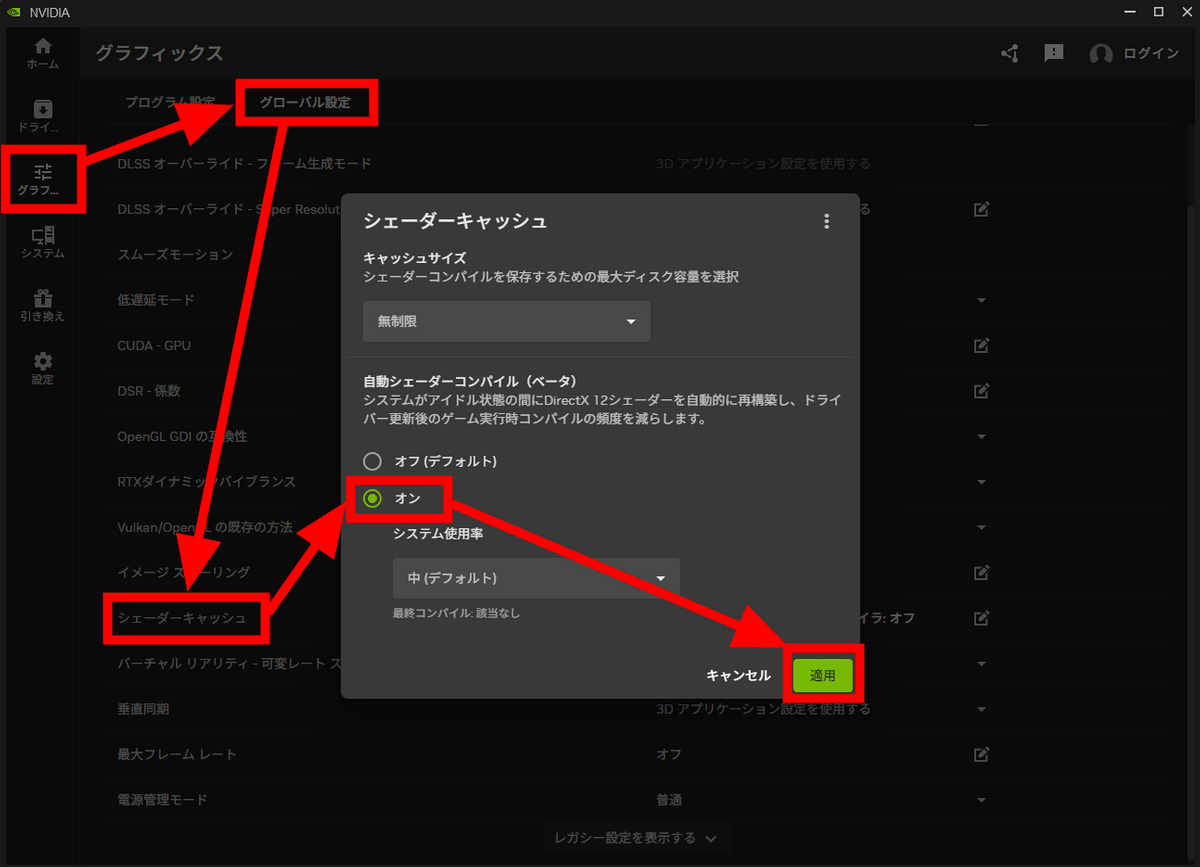
To enable the automatic shader compilation feature, simply go to 'Global Settings' in the graphics tab of the NVIDIA app, and under 'Shader Cache,' turn 'Automatic Shader Compilation' to 'On.' However, you will need to have GeForce Game Ready Driver version 595.97 WHQL or later installed.
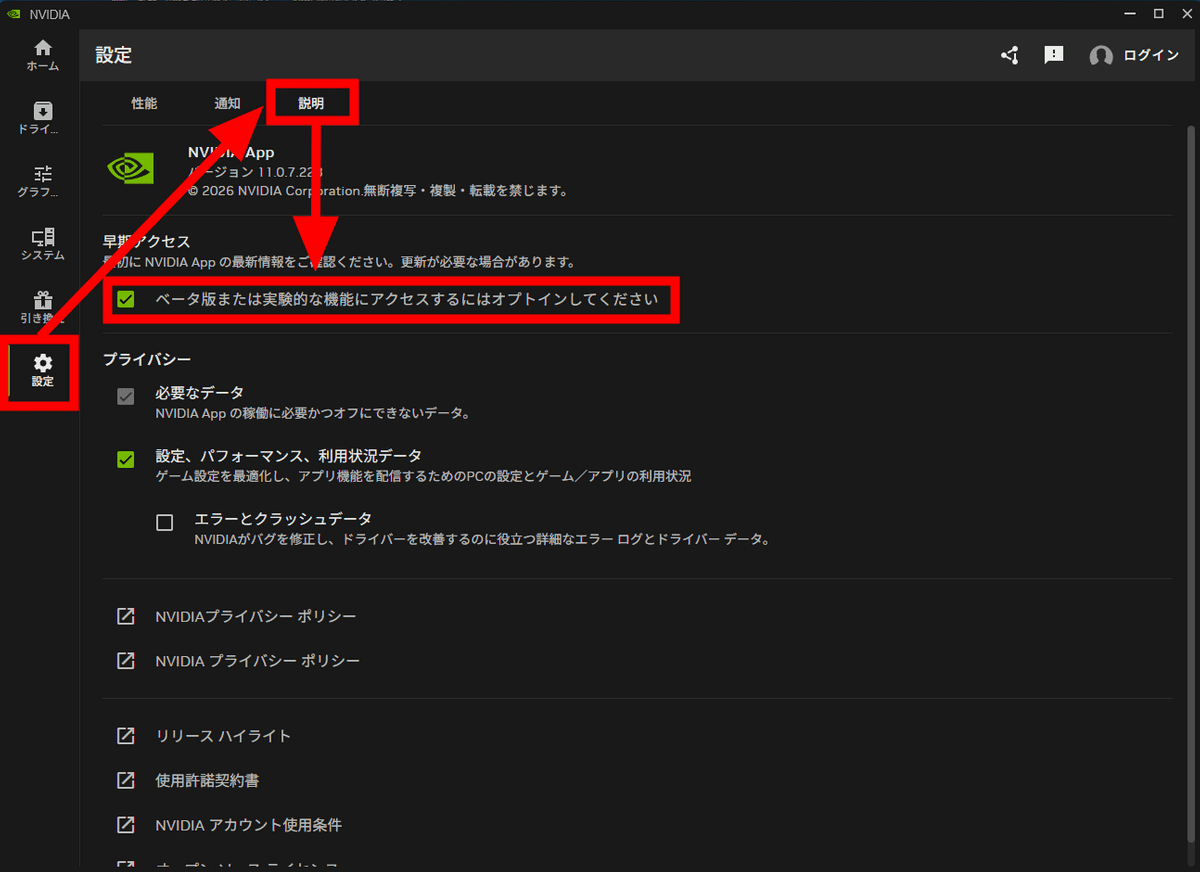
To use the beta version of the NVIDIA app, simply go to the 'Settings' tab, then 'Description,' and check the box that says 'Opt in to access beta or experimental features.'
Related Posts:





in Software, Posted by log1d_ts