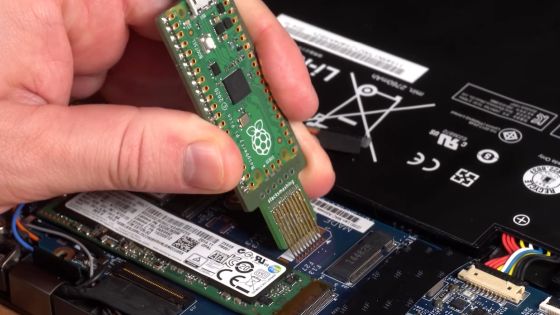
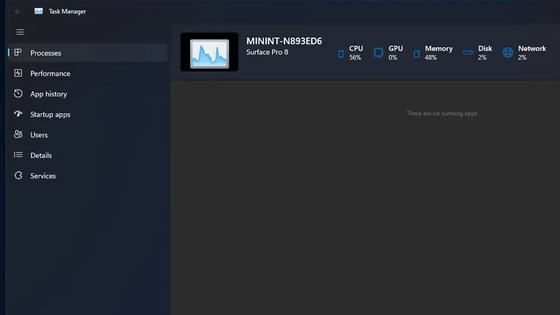
SSDs on some Windows machines with BitLocker enabled are about twice as fast thanks to BitLocker hardware acceleration.
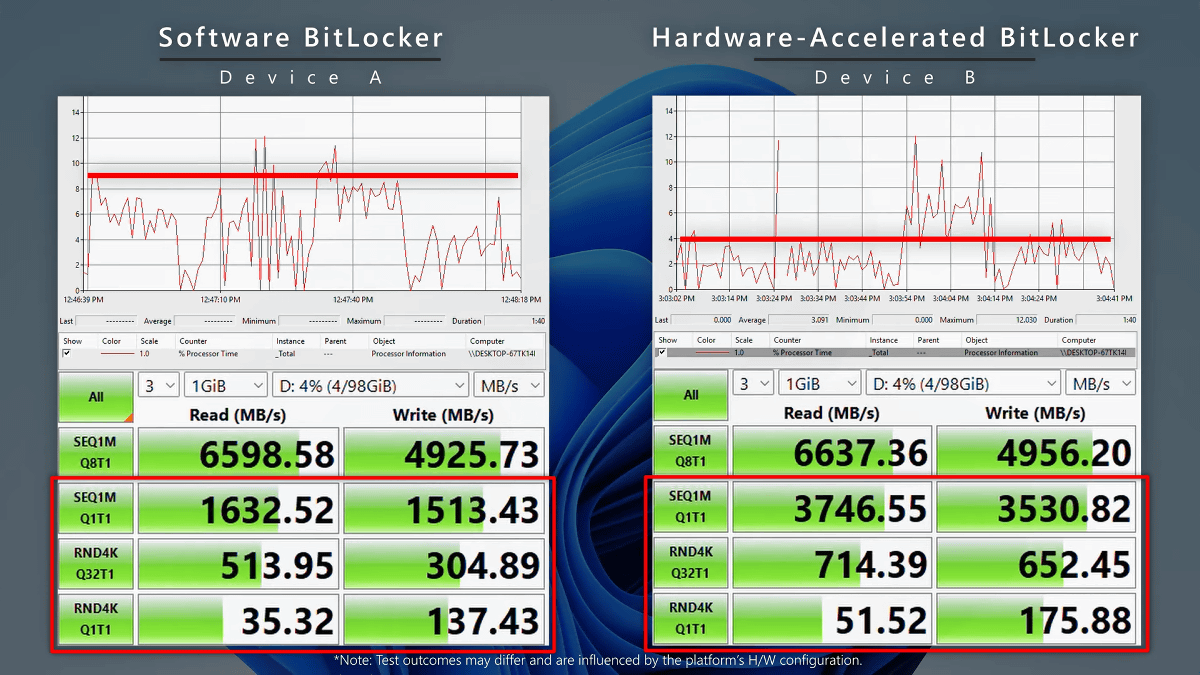
Professional versions of Windows, such as Windows 11 Pro, include a storage encryption feature called BitLocker. A hardware-accelerated version of BitLocker that utilizes the SoC's encryption processor has been newly introduced to Windows, enabling compatible machines to achieve storage read/write speeds equivalent to those with BitLocker disabled, even with BitLocker enabled.
Announcing hardware-accelerated BitLocker - Windows IT Pro Blog
BitLocker is a feature that can enhance security by encrypting storage, but it also has the problem of slowing down access to the storage because encryption and decryption processes are required when accessing the storage.
Previously, BitLocker performed software-based encryption processing, but a new hardware-accelerated version of BitLocker has been developed that utilizes the encryption processor built into the SoC. The diagram below shows the execution flow of the software-accelerated version of BitLocker on the left and the hardware-accelerated version on the right, with the dashed line representing encrypted data and the solid line representing decrypted data. It can be seen that the overhead of software processing has been improved with the hardware-accelerated version of BitLocker.
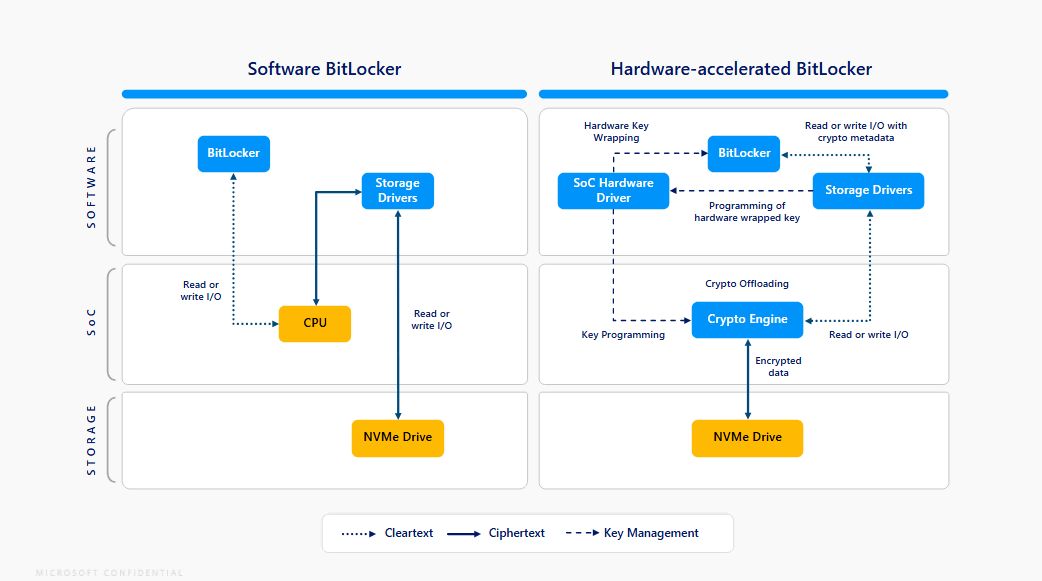
The hardware-enhanced BitLocker was introduced with the release of Windows 11 24H2 and Windows 11 25H2, and on machines with a supported built-in encryption processor, it significantly improves storage read/write speeds when BitLocker is enabled. The hardware-enhanced BitLocker uses the XTS-AES-256 algorithm for encryption, and on compatible machines, the hardware-enhanced BitLocker is automatically selected when BitLocker is enabled.
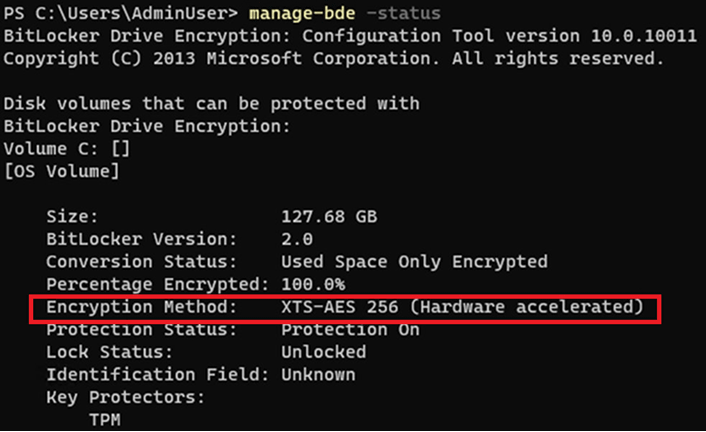
To check if hardware BitLocker is enabled on your machine, open a command prompt with administrator privileges and run the command 'manage-bde -status.' If the 'Encryption Method' field indicates that hardware-accelerated XTS-AES-256 is used, then hardware BitLocker is enabled.
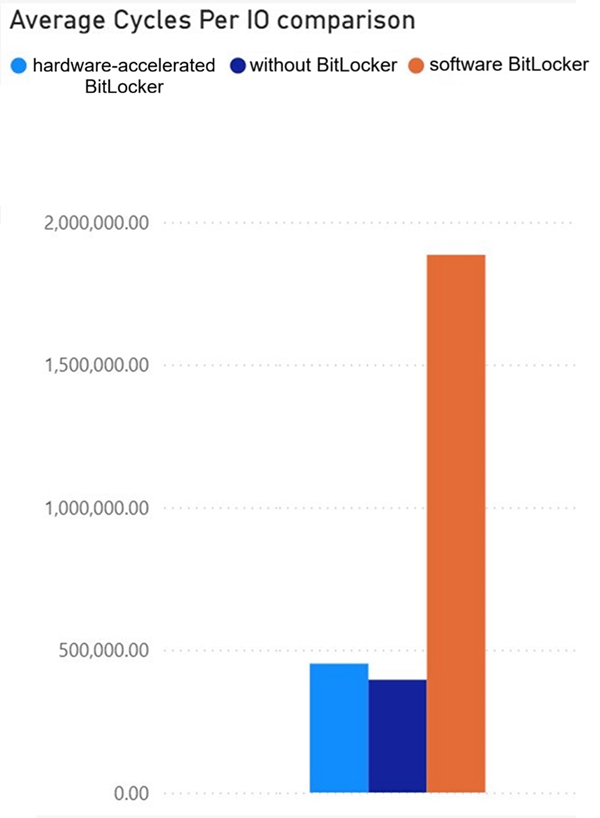
The following figure shows the number of CPU cycles during storage access for a machine with hardware BitLocker enabled (light blue), a machine with BitLocker disabled (blue), and a machine with software BitLocker enabled (orange). It can be seen that the number of CPU cycles required for hardware BitLocker is kept at the same level as for a machine with BitLocker disabled.
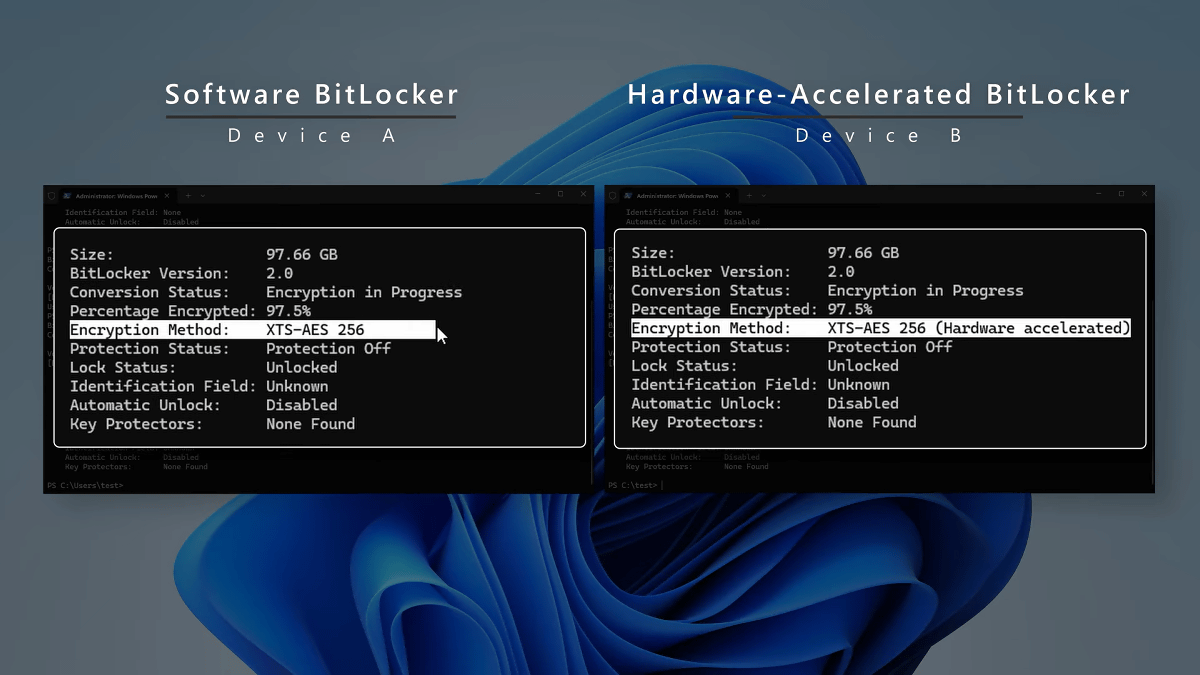
Microsoft has also released a video comparing the performance of software-based BitLocker and hardware-based BitLocker.
The left side is the software-processed version of BitLocker, and the right side is the hardware-processed version of BitLocker.
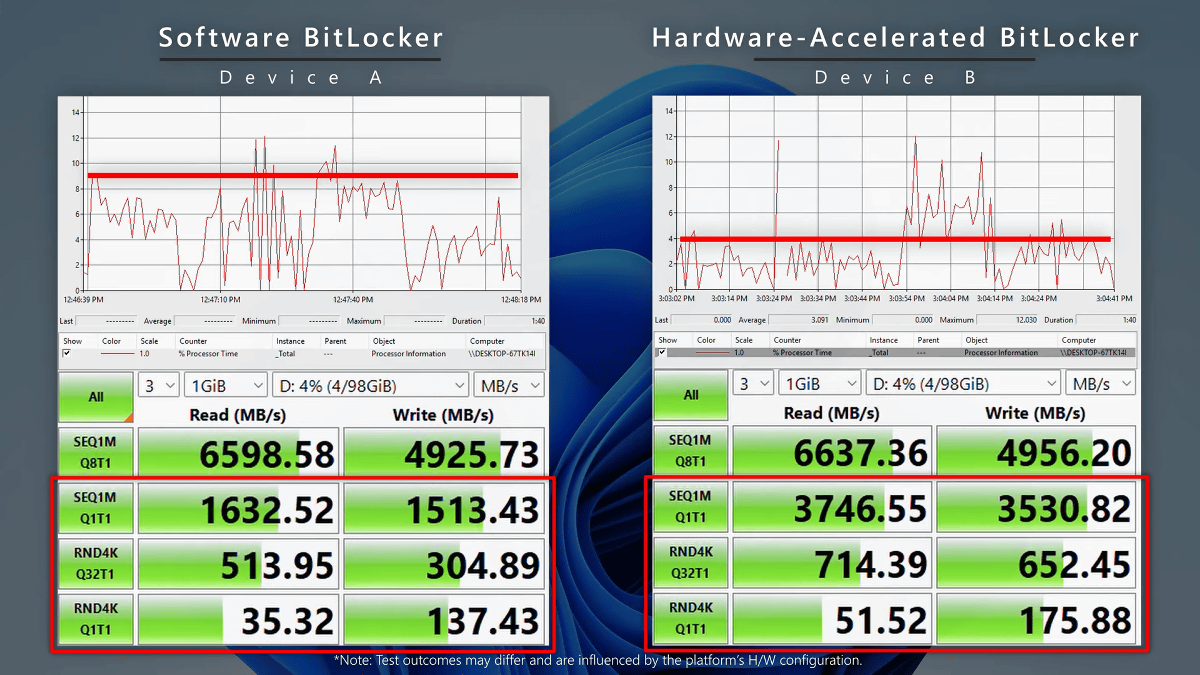
The results of running the storage benchmark app CrystalDiskMark are shown below. The hardware BitLocker version roughly doubles sequential read and random write speeds. Microsoft claims that the hardware BitLocker version 'may achieve performance similar to that of a device with BitLocker disabled.'
The XTS-AES-256 encryption processor is also built into Intel's third-generation Core Ultra processor (Panther Lake) , which is currently under development, and it is expected that the number of PCs that can use the hardware version of BitLocker will increase in the future.
Related Posts: