Android 16 will add AI-powered notification summary and icon change features
A new update for Android 16 was released on December 2, 2025. This update introduces the ability to summarize notifications and customize icons.
Stay organized and express yourself with Android 16's new updates
New on Android: Call Reason (in beta) and more
https://blog.google/products/android/new-android-features-December-2025/
The main new features this time are as follows:
◆ AI-powered notification summarization
A summary feature will be added that summarizes long messages and group chats, allowing you to understand the content and context at a glance.
Let's say someone messages you and a notification pops up.
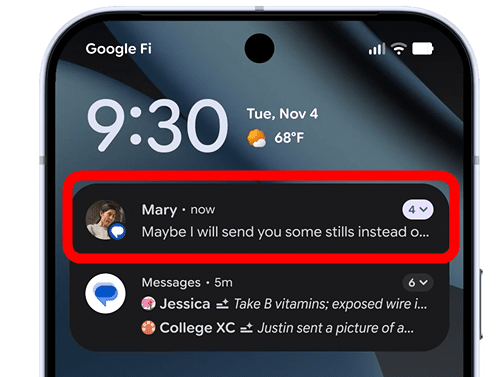
The AI then summarizes the content and rewrites the notification.
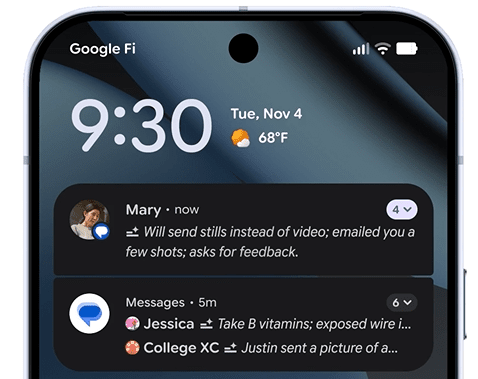
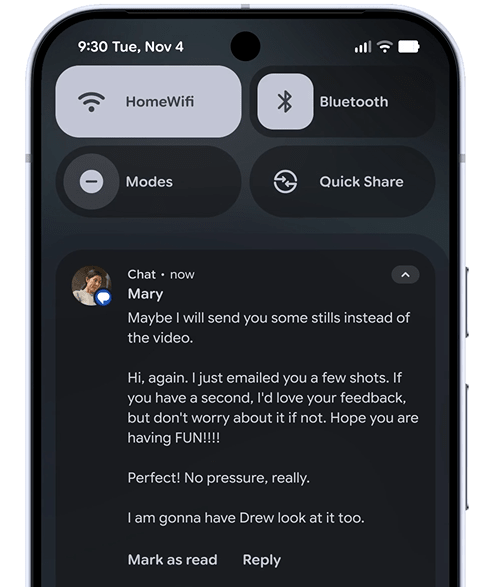
You can view the original message by expanding the notification display area.
Notification Organizer
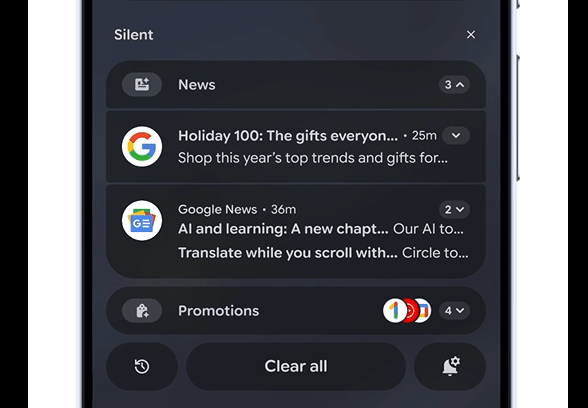
This feature automatically groups and mutes low-priority notifications such as promotions, news, and social media notifications.
Messages from others will be displayed as usual, while news and promotions will be displayed together, as shown below.
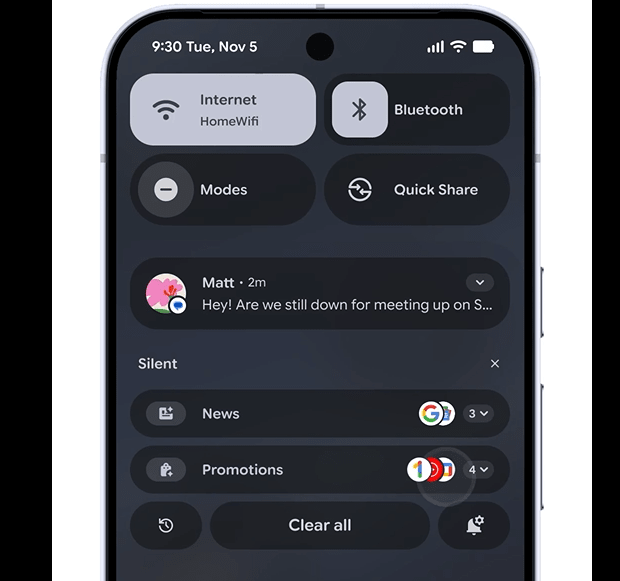
You can zoom in to see them individually, which Google says 'helps reduce distractions and help you focus on what's important.'
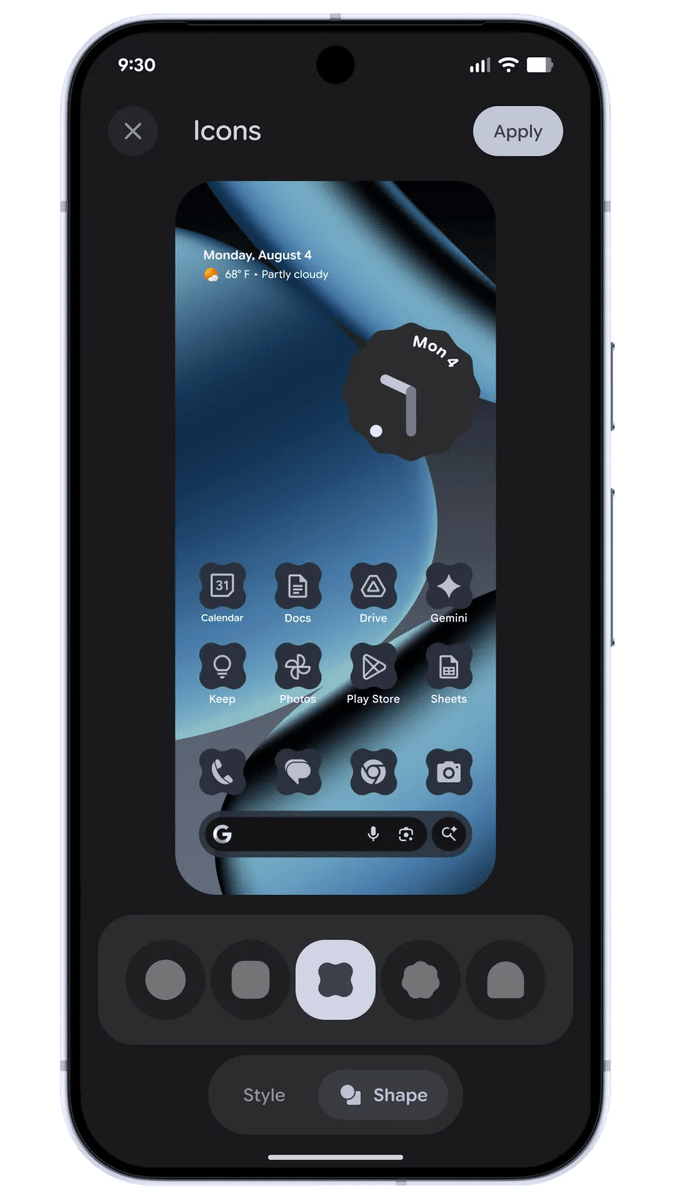
◆Icon and theme customization
You can now change the shape of app icons on the home screen. Additionally, phone-wide 'theme icons' are now automatically applied to all apps for a consistent, minimalist look. An expanded dark theme option also automatically adjusts the color of apps that don't have a native dark theme.
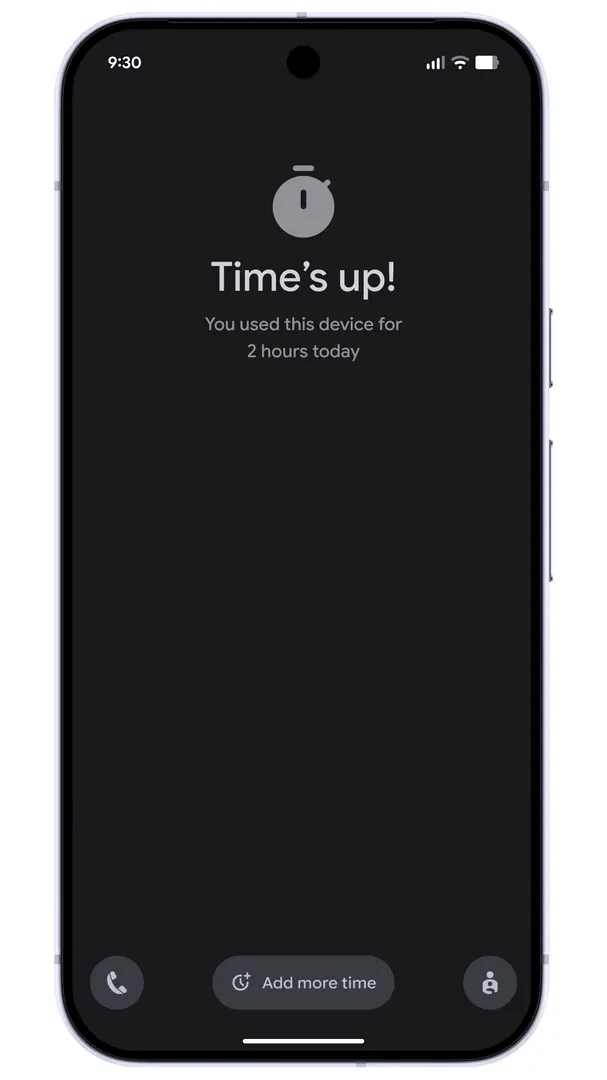
◆Parental Control
New features for families with children have also been added, such as Screen Time, which lets you set the amount of time a device can be used per day, the ability to automatically lock the device at night, the ability to limit the amount of time a specific app can be used or block apps completely, and the ability to allow more time when a time limit has been reached.
◆Subtitles for live videos
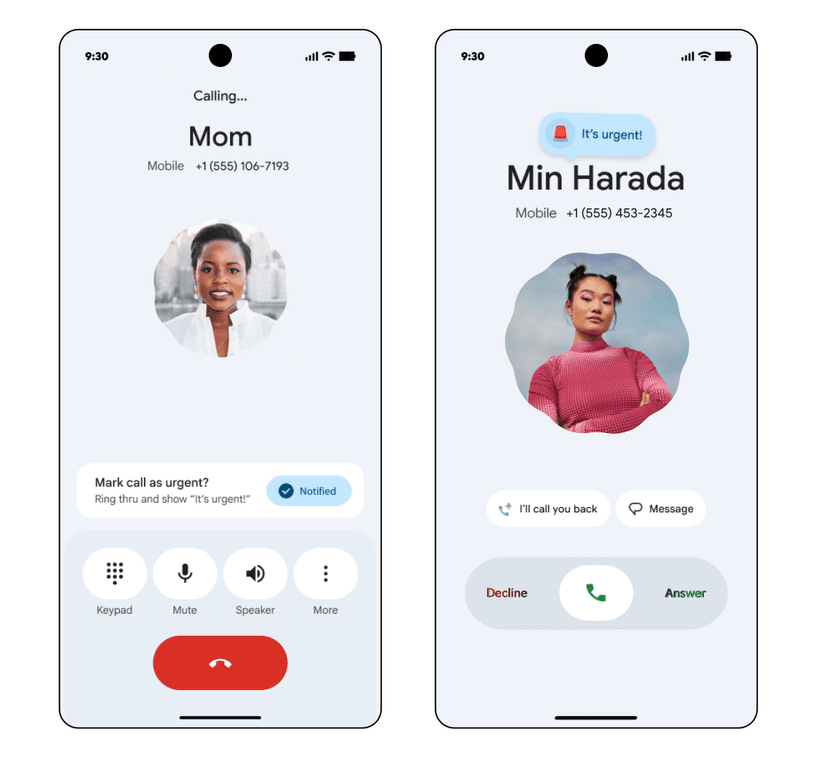
◆ Flagging calls as 'urgent'
When you call, you can flag the call as 'urgent,' and the other person will see this flag on their incoming call screen. You can also write a note at the same time, and the contents of the note will be shared if the other person doesn't answer. Google cited use cases like 'when you're locked out or when concert tickets are about to go on sale.' This feature will be released as a beta version soon.
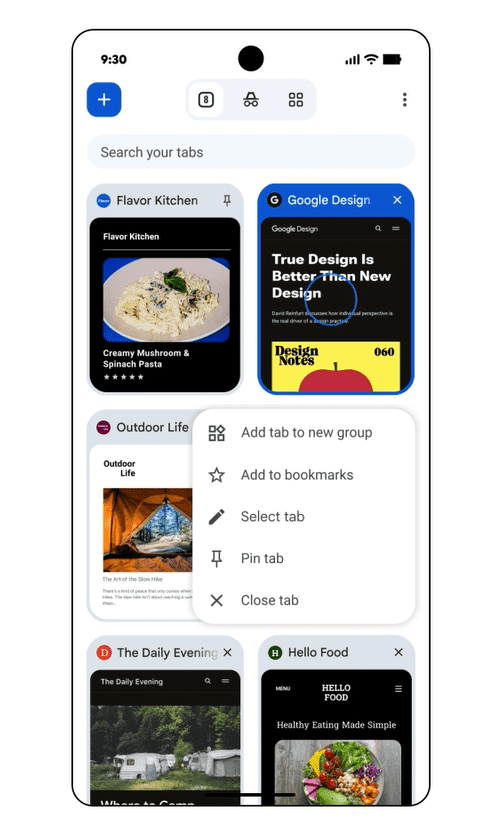
◆ Pinning tabs
The Chrome app now lets you pin pages you think are important, which saves them at the top of your browser so you can quickly pick up where you left off.
Many other features have also been added. In the future, the company plans to move from a once-yearly OS update to more frequent releases, so that the latest features will be available as soon as they are released.
Related Posts:

in Software, Smartphone, Posted by log1p_kr